
To choose the right mounted phone holder, you must look at how your phone, your car’s power output, and your daily driving habits interact. There is no single option that suits every driver, but matching your specific needs to the right charging standard will prevent slow charging speeds and dashboard clutter.
Choose USB-C if: You require the fastest possible charging speeds for modern smartphones and have a compatible high-output car charger. This setup is ideal for drivers who need to quickly top up their battery during short commutes or those who run demanding navigation apps that consume substantial power.
Choose Wireless if: You prioritize a seamless, cable-free experience where you can simply drop your phone into the mount. This is highly convenient for frequent short trips with multiple stops, provided your phone supports Qi or Qi2/MagSafe standards and you do not mind slightly slower charging speeds.
Products mentioned in this guide

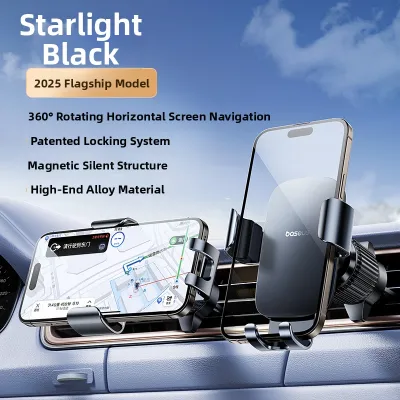
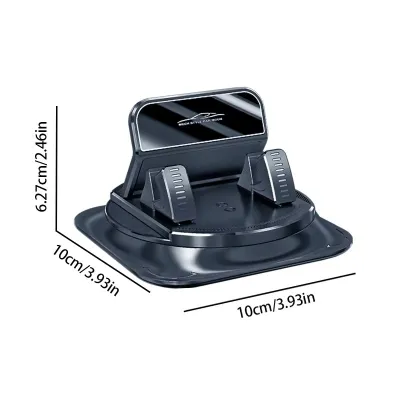
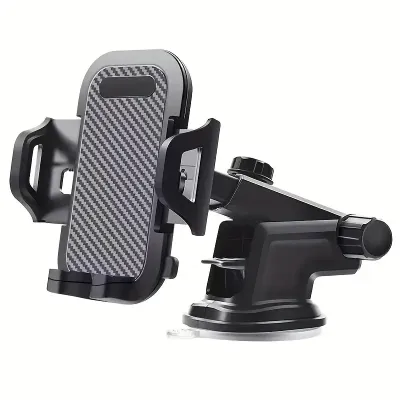
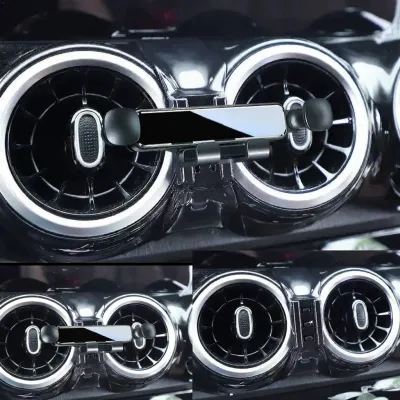
Prices are valid at publication and may change. Please refer to the product page for the latest price.
Choose USB-A if: You drive an older vehicle with standard built-in USB ports, are working within a strict budget, or use an older phone model that does not support high-wattage fast charging. It serves well as a basic utility setup to maintain your battery level rather than rapidly charge it.
Ultimately, selecting the right mount requires balancing the physical design of your car’s cabin, the compatibility of your phone case, and the electrical limitations of your vehicle’s accessory ports.
USB-A Holders: Best for Older Cars and Budget Setups
USB-A mounted phone holders represent the legacy standard of in-car charging. These mounts rely on the traditional rectangular USB-A port, which typically delivers power at standard rates of 5V/1A (5 Watts) or 5V/2.4A (12 Watts). While these speeds were sufficient for older generations of mobile devices, they present clear limitations when paired with modern smartphones.
The primary drawback of a USB-A connection is its inability to fast-charge modern, battery-heavy devices. If you are running GPS navigation with high screen brightness and streaming music simultaneously, a standard 5W USB-A port may only supply enough power to maintain your current battery percentage rather than actually increasing it. On longer drives, you might find your battery level rising at an incredibly slow rate, which can be frustrating if you need a full charge before reaching your destination.
Despite these performance limitations, USB-A mounts offer distinct practical advantages. They are generally the most affordable options on the market, making them excellent for budget-conscious drivers. They are also widely compatible with older vehicles that only feature built-in USB-A ports for media and data transfer. If your car does not have modern USB-C outlets and you prefer not to use a cigarette lighter adapter, a USB-A mount allows you to utilize your vehicle’s existing ports directly.
Before purchasing a USB-A mount, you should check your phone’s maximum wired charging input. If your device supports 18W, 20W, or higher fast-charging protocols, plugging it into a USB-A mount will create a severe performance bottleneck. For older phone models or short drives where you simply want to prevent your battery from dying, USB-A remains a highly accessible and cost-effective solution.
USB-C Holders: The Standard for Fast, Wired Charging
USB-C mounted phone holders have quickly become the modern benchmark for drivers who demand rapid power delivery. Operating on the USB-C Power Delivery (PD) standard, these mounts can support significantly higher wattages, commonly ranging from 18W to 20W, and even up to 45W or higher for compatible devices. This high-wattage output ensures that your phone receives a substantial charge even during brief drives.

One of the greatest benefits of a wired USB-C setup is its physical reliability. When driving on uneven roads, over speed bumps, or through winding expressways, a physical USB-C cable remains firmly anchored in your phone’s charging port. This constant connection guarantees uninterrupted power delivery, unlike wireless pads which can temporarily lose connection if the phone shifts even slightly out of alignment.
To unlock the full potential of a USB-C charging mount, you must ensure your hardware chain is fully compatible. The mount itself must be connected to a high-output power source, such as a modern vehicle’s dedicated high-wattage USB-C port or a high-quality aftermarket 12V cigarette lighter adapter that supports USB-C Power Delivery. If you plug a USB-C mount into a low-wattage adapter, the charging speed will drop to standard rates, defeating the purpose of the upgraded connection.
Cable management is another factor to consider with USB-C mounts. Because this is a wired system, you will need to route a high-quality USB-C cable from your power source to the mount, and then connect it directly to your phone each time you drive. While this can introduce some visual clutter, careful cable routing along your dashboard panels or behind your air vents can keep your cabin looking clean and organized.
Wireless Holders: Convenience vs. Charging Speed
Wireless mounted phone holders offer an incredibly convenient user experience by eliminating the need to plug in a physical cable every time you step into your vehicle. Many modern wireless mounts feature automated clamping mechanisms. When you place your phone near the mount, infrared sensors or gravity-fed linkages automatically close the brackets to secure your device, immediately initiating the inductive charging process.
However, this convenience comes with distinct technical trade-offs. Inductive wireless charging is inherently less efficient than a direct wired connection. Approximately 30% to 40% of the electrical energy is lost as heat during the wireless transfer process. This inefficiency means that wireless charging is consistently slower than wired USB-C charging, making it less suitable if you need to quickly boost your battery during a short 15-minute commute.
Thermal management is a critical consideration, particularly in warm tropical climates like Singapore. Because wireless charging generates substantial internal heat, placing your phone on a wireless mount that is exposed to direct sunlight through the windscreen can cause the device to overheat rapidly. When your phone’s temperature rises beyond safe thresholds, its operating system will trigger thermal throttling, which slows down or completely halts charging to protect the battery’s long-term health. If you frequently park in open-air car parks or drive during peak afternoon heat, you may find your wireless charger frequently pausing.
To mitigate these efficiency losses, it is important to understand the difference between standard wireless protocols. Standard Qi wireless mounts require precise physical alignment between the charging coils of the mount and the phone, and they typically max out at 7.5W to 10W. In contrast, newer Qi2 and MagSafe-compatible mounts utilize strong integrated magnets to snap your phone into perfect alignment instantly. This precise positioning maximizes charging efficiency, reduces heat generation, and supports faster wireless charging speeds of up to 15W for compatible devices.
Key Comparison Dimensions: Speed, Heat, and Compatibility
Charging Speed and Thermal Throttling
When comparing real-world charging performance, the three mounting types rank clearly. USB-C is the fastest, capable of delivering high-wattage power consistently. Wireless charging is the slowest and most susceptible to environmental factors, while USB-A sits in the middle as a slow but stable option.
Heat generation plays a massive role in these performance differences. Wired connections (both USB-C and USB-A) run significantly cooler than wireless systems because the electrical current flows directly through copper contacts rather than transferring inductively through air and glass. On long road trips where you are running continuous GPS navigation, streaming audio, and keeping the screen active, a wired USB-C or USB-A connection will keep your phone’s temperature lower, ensuring uninterrupted charging and protecting your battery from premature degradation.
Phone Cases and Physical Connections
Your choice of phone case can heavily influence which mount is practical for your daily drive. For wired USB-A and USB-C mounts, the primary physical constraint is ensuring that the cable connector can fit comfortably through the charging port cutout of your phone case. Some ultra-rugged or thick waterproof cases have narrow port openings that block larger third-party cable heads, requiring you to force the connection or remove the case entirely.
For wireless mounts, case compatibility is even more restrictive. Inductive charging fields generally cannot penetrate materials thicker than 3mm to 5mm. If you use a thick rugged case, a wallet case containing credit cards, or a case with integrated metal kickstands, the wireless charger will fail to function or may cause the metal components to heat up dangerously. Additionally, if you choose a magnetic wireless mount (such as Qi2 or MagSafe), you must use either a bare phone or a dedicated magnetic-compatible case to ensure the phone remains securely attached when driving over rough surfaces.
Cabin Clutter and Power Routing
The visual and physical organization of your car’s interior is another important factor to weigh. Wireless mounts are often praised for reducing cabin clutter because you do not have a loose cable dangling from your phone’s charging port. However, it is important to remember that the wireless mount itself still requires a constant power source. You will still need to run a power cable from the back of the mount to your car’s 12V socket or USB port.
Wired mounts require you to handle the charging cable every time you mount or dismount your phone. If not managed properly, this cable can drape across your dashboard controls, gear shifter, or infotainment screen, creating both a visual mess and a potential safety hazard. To maintain a clean cabin, consider using adhesive cable clips to route the power cable neatly along the seams of your dashboard panels, keeping the driver’s immediate workspace completely clear.
Verifying Your Car’s Power Output Before You Buy
A common mistake when buying a high-performance mounted phone holder is assuming that your car’s built-in USB ports will provide sufficient power. Many built-in USB ports, especially older USB-A ports found in vehicles manufactured before 2020, were primarily designed for low-power data transfer or wired media playback (such as Apple CarPlay or Android Auto). These ports often output only 0.5A to 1.0A (2.5W to 5W), which is entirely inadequate for powering a wireless charging mount or fast-charging a modern smartphone.
To avoid purchasing a mount that underperforms, you should consult your vehicle’s owner’s manual to verify the exact wattage and amperage specifications of your built-in USB ports. If the manual indicates that your ports output low wattage, or if your vehicle lacks built-in USB-C connections, you should not plug your high-speed mount directly into these factory ports. Doing so will cause wireless mounts to repeatedly disconnect or fail to initiate charging altogether.
The most reliable solution is to purchase a high-quality, dedicated 12V cigarette lighter power socket adapter. For a USB-C mount, look for an adapter that explicitly supports USB-C Power Delivery (PD) with a rating of at least 20W to 30W. If you are using a wireless mount that supports fast charging, ensure your 12V adapter matches the specific fast-charging protocol required by the mount (such as Quick Charge 3.0 or USB-C PD).
When selecting an aftermarket 12V adapter, prioritize electrical safety. Ensure the adapter has certified protections against over-current, over-voltage, overheating, and short-circuiting. Using cheap, uncertified adapters can risk damaging your phone’s battery or, in worst-case scenarios, causing electrical faults within your vehicle’s wiring system. Always verify that your mounting position does not block your clear view of the road, obstruct your vehicle’s control switches, or interfere with the deployment path of your car’s airbags.
If you plan to modify your vehicle’s wiring or hardwire a charger directly into the fuse box, always refer to the original-vehicle electrical diagrams and seek a qualified automotive technician to prevent electrical fires or voiding your vehicle’s manufacturer warranty.
Frequently Asked Questions (FAQ)
Can I use a USB-C holder with an older USB-A car port?
Yes, you can connect a USB-C mount to an older USB-A car port by using a high-quality USB-A to USB-C adapter cable. However, doing this will create a power bottleneck. Your charging speed will be strictly limited by the lower output of the vehicle’s native USB-A port (typically 5W to 12W), meaning you will not experience the rapid Power Delivery speeds that the USB-C mount is capable of delivering.
Will a wireless holder drain my car battery when parked?
In most modern vehicles, the 12V accessory sockets and built-in USB ports automatically shut off power shortly after the engine is turned off and the doors are locked. However, some older vehicles keep these sockets live constantly. If your car keeps the 12V socket powered when parked, a connected wireless mount can slowly drain your car battery over several days. You can test this by checking if the mount’s status light remains on after you turn off the ignition; if it does, it is safest to unplug the adapter during extended parking periods.
Community discussion
Share your experience or ask a question. Comments are reviewed before publication.