
The Short Answer: Which Method Should You Prioritise?
When choosing how to power your devices on the road with a 3-in-1 car charger, your primary priority should almost always be the USB-C port. Modern smartphones, tablets, and even some compact laptops rely heavily on the Power Delivery (PD) standard, which only a USB-C interface can fully support. This port offers the fastest charging speeds and the highest energy efficiency, making it indispensable for quick top-ups during short commutes.
However, a true 3-in-1 charger is designed to balance multiple needs, and the other two methods serve highly specific, practical roles. The USB-A port acts as a dedicated workhorse for legacy accessories, such as dashcams, GPS navigators, or older passenger cables that do not require high-wattage power. Meanwhile, wireless charging modules should be treated as a convenience feature rather than your primary power source. They are ideal for maintaining your battery level while using navigation apps on your dashboard, but they lack the raw speed and thermal efficiency of a physical cable.
Ultimately, which method you should prioritise at any given moment depends on the specific devices you are carrying and the charger’s total power distribution capabilities. Because a car accessory socket has a finite power output, understanding how your charger splits its energy is key to keeping all your devices running safely and efficiently.
Products mentioned in this guide
![[ SG ] Car Fast Charging 3in1 Car Charger 2.1A Dual USB Port Car Adapter 12V/24V Universal](https://img.lazcdn.com/g/ff/kf/Sd6474827aedc47ac8090dcad24dcdd6bv.jpg_400x400q80.jpg_.webp)
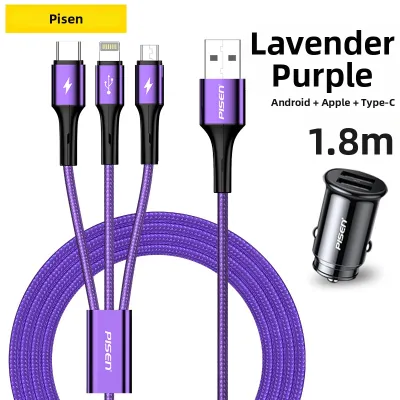
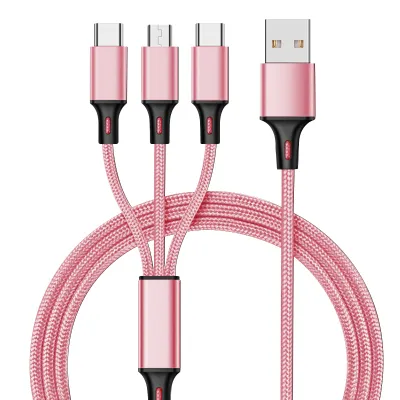
Prices are valid at publication and may change. Please refer to the product page for the latest price.
How 3-in-1 Car Chargers Distribute Power
To understand how to best use a 3-in-1 car charger, you must first understand the vehicle’s electrical limitations. A typical car charger draws power from a single 12V (passenger cars) or 24V (commercial trucks) accessory socket, commonly known as the cigarette lighter socket. These sockets are generally protected by a fuse rated at 10 to 15 amperes, which sets a theoretical maximum power draw of 120 to 180 watts. If you exceed this limit, you risk blowing the vehicle’s fuse, disabling the socket entirely until the fuse is physically replaced.

A 3-in-1 charger houses internal DC-to-DC step-down converters (or buck converters) that translate the vehicle’s high voltage into the lower voltages required by USB and wireless modules. When you plug in a single device, the charger can often direct its maximum rated wattage to that specific port. However, plugging in multiple devices simultaneously triggers dynamic power splitting. For example, a charger advertised as a “65W charger” might allocate 45W to the USB-C port, 10W to the USB-A port, and 10W to the wireless charging pad when all three are in use. If you attempt to draw maximum power from all three interfaces at once, the charger’s internal circuitry will throttle the output to prevent overheating.
While budget options exist, high-quality multi-port chargers that offer reliable power negotiation typically range from S$25 to S$60 in local shops. Investing in a certified model ensures better safety and performance. Before purchasing or operating a multi-port charger, always check the manufacturer’s label on the charger’s housing. This label details both the “Total Output” and the specific power limits for each individual port.
As a safety boundary, you should never connect high-draw appliances—such as portable car vacuums or heavy-duty inflators—to a multi-port adapter that is already charging multiple personal electronics. Overloading the accessory socket or the charger’s internal fuse can lead to excessive heat generation, potentially damaging the charger, your devices, or the vehicle’s wiring harness.
USB-C: The Priority for Speed and Modern Devices
The USB-C interface has become the undisputed standard for modern personal electronics, and for good reason. Its primary advantage lies in its support for the USB Power Delivery (PD) protocol. Unlike older charging standards that are locked to a fixed 5V output, USB PD dynamically negotiates higher voltages (such as 9V, 12V, 15V, or even 20V) and currents with your device. This allows a USB-C port to deliver significantly more power, cutting down charging times from hours to minutes. Additionally, the physical design of the USB-C connector is reversible, eliminating the frustration of trying to plug a cable in the wrong way while focusing on the road.
For modern smartphones, tablets, and compatible laptops, a USB-C connection is not just a luxury; it is a necessity. Devices with large batteries require high-wattage charging to replenish their capacity in a reasonable timeframe. For instance, if you are driving a short commute, a high-quality USB-C PD port can often charge a modern smartphone from empty to 50% in under 30 minutes, whereas older standards might only add a fraction of that amount.
However, the performance of USB-C is strictly bound by its hardware chain. To achieve these rapid speeds, you must use a compatible device and a high-quality, appropriately rated USB-C cable. Low-quality or damaged cables can restrict power flow or fail to negotiate the correct PD profile, resulting in slow charging or intermittent disconnections. Furthermore, you must verify your device’s maximum accepted wattage in its manufacturer specifications. A car charger capable of outputting 100W on its USB-C port will still only charge a phone at 25W if that phone is engineered with a 25W input limit.
USB-A: The Reliable Backup for Legacy Accessories
While USB-C represents the future of mobile power, the classic USB-A port remains a highly reliable and necessary component of any 3-in-1 car charger. USB-A is best suited for powering dedicated, low-draw car accessories that remain permanently plugged in, such as dashcams, GPS navigation units, or Bluetooth FM transmitters. It also serves as an excellent universal backup port, allowing you to keep a spare legacy cable in your glovebox for passengers who may not have upgraded to USB-C devices yet.
The primary trade-off with USB-A is its lower power output ceiling. Standard USB-A ports generally operate at 5V and are limited to 12W or 15W of power, though some proprietary fast-charging standards can push this higher for specific compatible phones. Because of this lower ceiling, attempting to fast-charge a modern, large-battery device via USB-A will result in slow, inefficient charging times.
When selecting a 3-in-1 charger, it is crucial to check the specific amperage rating of the USB-A port on the manufacturer’s label. To ensure stable operation of continuous-draw devices like dashcams, look for a port rated for at least 2.4A (12W). If the port’s output is too low (such as 1.0A or 5W), a connected dashcam may suffer from intermittent disconnects, fail to boot properly, or power down unexpectedly during critical driving moments. Always consult your dashcam’s user manual to verify its exact power requirements before connecting it to a multi-port charger.
Wireless Charging: Convenience Over Raw Speed
Wireless charging, typically integrated into a dashboard mount or a console pad, offers a highly appealing, cable-free aesthetic. The drop-and-charge functionality allows you to secure your phone for navigation and begin charging in a single motion, eliminating the need to fumble with cables while driving. This physical convenience is highly valued by drivers who frequently enter and exit their vehicles throughout the day.
However, wireless charging is governed by the laws of electromagnetic induction, which introduce several inherent drawbacks. The transfer of energy across an air gap via magnetic coils is far less efficient than a physical copper wire connection. This inefficiency results in slower overall charging speeds and converts a significant portion of the electrical energy into wasted heat. Furthermore, precise physical alignment between the transmitter coil in the charger and the receiver coil in your phone is mandatory; even a slight misalignment can drastically reduce charging efficiency and increase heat generation.
This thermal reality is a critical safety consideration, particularly in Singapore’s tropical climate. When a car is parked or driven under direct sunlight, dashboard temperatures can spike rapidly. Placing a phone on a wireless charging mount directly behind the windscreen exposes it to extreme solar radiation while the wireless charging process simultaneously heats the battery from within. This combined thermal stress can accelerate the degradation of your phone’s lithium-ion battery, reducing its long-term capacity. In extreme cases, it can trigger the phone’s internal thermal safety protocols, causing it to throttle charging speeds to a crawl or shut down entirely to prevent battery swelling.
To protect your device’s battery health, always remove your phone from the wireless charging pad or mount if you are parking the vehicle in unshaded areas or under direct midday sun. If your phone becomes excessively warm to the touch during a drive, immediately switch to a wired USB-C connection and position the phone near an air conditioning vent to help dissipate the heat safely.
Head-to-Head Comparison of Charging Methods
To help you quickly determine which charging method fits your immediate needs, the table below compares the three interfaces across key operational dimensions.
| Charging Method | Best Used For | Speed Potential | Cable Required | Heat Generation |
|---|---|---|---|---|
| USB-C (PD) | Modern smartphones, tablets, laptops | High | Yes (High-quality USB-C) | Low to Medium |
| USB-A | Dashcams, GPS units, legacy passenger devices | Low to Medium | Yes (Standard USB-A) | Low |
| Wireless | Navigation, convenient top-ups, short trips | Variable / Slow | No (Cable-free mount) | High |
This comparison highlights that no single charging method is superior in every scenario. Instead, a well-designed 3-in-1 car charger allows you to leverage the strengths of each method based on the specific devices you need to power and the environmental conditions of your drive.
Decision Framework: Match the Method to Your Driving Habits
To get the most out of your 3-in-1 car charger without compromising safety or device longevity, you can match your port usage to your specific driving habits and scenarios.
- Prioritise USB-C if: You are a daily commuter with a short drive (e.g., a 20-minute trip along the Central Expressway) and need to rapidly replenish your phone's battery before arriving at your destination. This is also the mandatory choice if you are charging power-hungry devices like tablets or compact laptops during your journey.
- Prioritise USB-A if: You have dedicated, permanent car electronics like a high-definition dashcam that requires a continuous, uninterrupted 5V power supply. It is also the ideal port to dedicate to back-seat passengers using older cables, leaving your high-speed ports free for your primary devices.
- Prioritise Wireless if: You rely heavily on your phone for real-time GPS navigation and prefer a clean, uncluttered dashboard. This method is best suited for maintaining your current battery percentage rather than trying to charge a depleted battery from zero, especially during cooler night drives or when your vehicle's air conditioning is running at full strength.
- Verify first if: Your charger's total combined wattage can actually support your intended device combination. Before plugging in a phone, a tablet, and a dashcam simultaneously, check the charger's label to ensure the total power draw does not exceed its rated capacity. If you notice your dashcam restarting or your phone charging extremely slowly when multiple devices are connected, disconnect the secondary devices and prioritise a single wired connection.
Frequently Asked Questions (FAQ)
Can I use all three charging methods at the same time?
Yes, most 3-in-1 car chargers physically allow you to use the USB-C port, USB-A port, and wireless charging pad simultaneously. However, doing so will split the charger’s total available wattage among all three active channels. This power splitting means that each individual device will charge at a significantly slower rate than if it were connected alone. Before attempting to use all three methods at once, check the manufacturer’s label on both the charger and your devices to ensure the combined power draw does not exceed the charger’s total output capacity or trigger its built-in overcurrent protection, which could shut down the charger entirely.
Is wireless charging safe for my phone's battery in a hot car?
While wireless charging is safe under normal operating conditions, using it in a hot car can pose risks to your phone’s battery health. Wireless charging inherently generates more heat than wired charging due to energy loss during induction. In a warm environment—such as a vehicle cabin exposed to direct sunlight in Singapore—this extra heat can quickly push your phone’s battery past its safe operating temperature. This thermal buildup can accelerate battery degradation and trigger safety features that halt charging. For safety and longevity, avoid wireless charging during peak daytime heat, and switch to a wired USB-C connection if your phone feels hot.
Community discussion
Share your experience or ask a question. Comments are reviewed before publication.