
Selecting the right car charger involves balancing convenience, charging speed, and your vehicle’s existing port layout. When looking at the Ugreen magnetic car charger lineup, you will generally choose between three primary setups: wireless magnetic charging, a USB-C wired connection, and a USB-A wired connection. Each configuration serves a distinct driving style and hardware setup.
To find the best match, you must evaluate your phone’s capabilities, your car’s built-in ports, and how you prefer to interact with your device while driving. This guide breaks down the practical differences to help you make an informed decision.
Quick Answer: Which Ugreen Magnetic Car Charger Should You Pick?
To make an immediate decision, evaluate your phone model and your vehicle’s power outlets.
Products mentioned in this guide
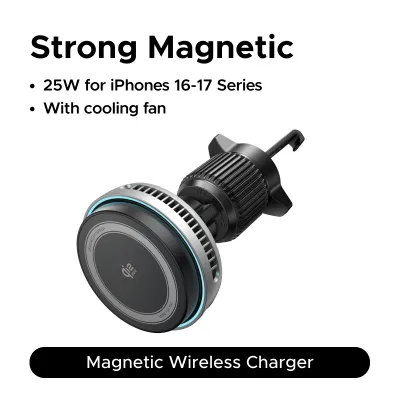
![[NEW] UGREEN Vacuum Magnetic Car Phone Holder 360° Rotation Super Strong Suction Magnets for iPhone 17 16 15 Pro Max Samsung 25 Ultra](https://img.lazcdn.com/g/p/a144f1587d9890f2cf2e5935003fa97e.jpg_400x400q80.jpg_.webp)
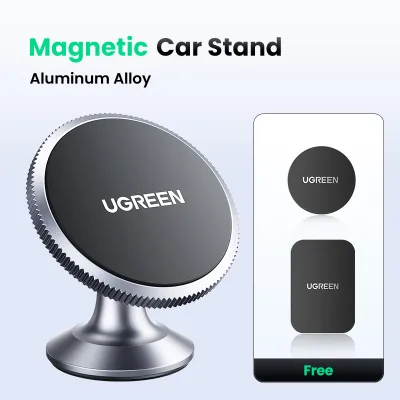
![[HOT KMTX] UGREEN Magnetic Car Phone Holder for iPhone 15 14 13 Pro Max Samsung Xiaomi Car Holder for Phone Dashboard Phone Holder Stand](https://img.lazcdn.com/g/p/de517ecc7984eeefdf036204c16c787c.jpg_400x400q80.jpg_.webp)
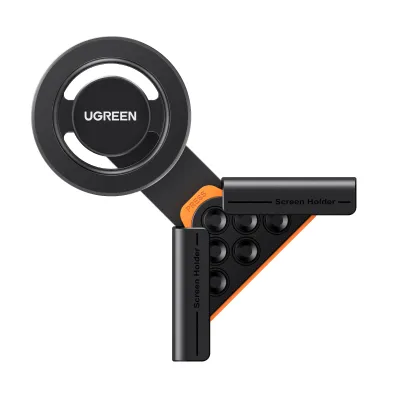
Prices are valid at publication and may change. Please refer to the product page for the latest price.
Choose a wireless magnetic charger if you own a MagSafe-compatible iPhone or an Android phone with a magnetic case, and you prioritize the convenience of snapping your phone onto the mount without plugging in a cable every time you get into the car.
Opt for a USB-C wired setup if your phone supports fast charging protocols and you want to maximize charging speeds during short commutes. This setup requires either a built-in USB-C port in your vehicle or a compatible 12V cigarette lighter adapter.
Select a USB-A wired configuration if your vehicle only features older, built-in USB-A ports and you prefer a straightforward, plug-and-play connection without purchasing additional adapters or upgrading your existing car accessories.
Understanding the Three Charging Methods
To choose the right accessory, it is essential to understand how power flows from your vehicle to your mobile device through these different configurations.

A wireless magnetic car charger functions as an active transmitter. The mount itself must be permanently connected to your car’s power source—typically via a USB-C or USB-A cable plugged into a 12V adapter. When you place your phone on the mount, internal induction coils transfer energy wirelessly to your phone’s receiver coil. The magnetic ring ensures perfect alignment, which is critical for minimizing energy loss and heat generation during wireless transmission.
A USB-C wired setup relies on a physical cable running directly from a USB-C power source to your phone. In this scenario, the magnetic mount acts purely as a passive mechanical holder. The primary advantage here is the direct physical connection, which supports modern Power Delivery (PD) standards. This allows for significantly higher wattage transfer compared to wireless options, provided your car’s port or 12V adapter can supply the necessary output.
A USB-A wired setup is similar to the USB-C wired method but utilizes the older USB-A connector standard. The magnetic mount remains a passive holder, while the cable connects your phone to a USB-A port. USB-A ports are highly common in older vehicles but generally operate on older charging protocols, which typically cap the power output at lower levels.
The vehicle’s power source plays a decisive role in how these methods perform. Built-in USB ports integrated into a car’s dashboard or console are often designed primarily for data transfer (such as Apple CarPlay or Android Auto) and may only output a basic 5W of power. To achieve optimal performance from either a wireless mount or a fast-wired setup, drivers usually need to employ a high-output 12V cigarette lighter adapter that converts the vehicle’s DC power into the appropriate wattage.
Key Comparison Factors for Daily Driving
When evaluating these charging methods for daily use, several practical factors come into play, including thermal management, cable clutter, device compatibility, and physical installation safety.
Charging Speed and Heat Management
Wired charging via USB-C is inherently more efficient than wireless charging. Wireless charging relies on electromagnetic induction, which naturally generates heat as a byproduct of energy transfer. In a car environment, this heat can be compounded by direct sunlight hitting your dashboard or windshield, as well as the thermal load of running demanding applications like GPS navigation and music streaming simultaneously. If your phone gets too warm, its internal safety systems may temporarily slow down charging or dim the screen. A direct USB-C wired connection minimizes this thermal buildup, delivering faster and more consistent power delivery even during intensive use.
Convenience and Cable Management
Wireless magnetic mounts offer unmatched convenience for short trips and frequent stops. You can mount and unmount your phone with a single hand, eliminating the need to fumble with cables every time you enter or exit the vehicle. However, the mount itself still requires a power cable running to the car’s outlet. To maintain a clean dashboard, you must carefully route this cable so it does not interfere with your vehicle’s gear shifter, steering column, or physical controls. Passive magnetic mounts used with direct wired charging require you to manually plug the cable into your phone’s port every time, which can be cumbersome but keeps the mount itself completely cable-free when not in use.
Phone Compatibility and Magnetic Strength
Your phone’s native design dictates which mounts will work out of the box. Apple iPhones from series 12 and newer feature built-in MagSafe magnets that align perfectly with magnetic wireless chargers. Android devices and older iPhones do not have these built-in magnets; to use them with a magnetic mount, you must apply an external magnetic ring adapter to the back of the phone or use a specialized magnetic phone case. Additionally, the thickness of your phone case can severely impact both magnetic hold and wireless charging efficiency. Standard cases thicker than a few millimeters can block the magnetic field, risking your phone falling off the mount on bumpy roads.
Vehicle Port Limitations and Safety
Before choosing a charger, inspect your vehicle’s interior layout. Older cars typically feature only USB-A ports, which may limit your ability to use high-speed USB-C cables without an adapter. Furthermore, you must verify the physical mounting position. Air vent mounts must be compatible with your car’s vent blade design—horizontal blades are generally compatible, while circular or deeply recessed vents may not support a secure fit. Ensure that the mounted phone does not block your view of the road, obstruct critical instrument panels, or sit within the deployment zone of any passenger or driver airbags.
What to Verify Before Buying a Ugreen Magnetic Mount
Because product specifications and vehicle designs vary, you must perform several checks before finalizing your purchase to ensure compatibility and safety.
First, verify the input requirements of the specific Ugreen magnetic mount you are considering. Check the product packaging or official online listing to determine the exact wattage and voltage it requires. A wireless charging mount, for example, may require a specific input profile (such as 9V/2A) to deliver its maximum wireless output. If your car’s built-in USB port cannot supply this, you will need to purchase a compatible 12V car charger adapter separately.
Second, check the product contents to see what is included in the box. Some Ugreen magnetic mounts are sold as standalone units, meaning they include the mount and a cable but omit the 12V cigarette lighter adapter. Other packages may come bundled with a dedicated dual-port car charger. If you need to buy an adapter separately, ensure its output specifications match or exceed the requirements of your magnetic mount.
Third, measure your phone case and assess its material. Metal cases, credit card holders, or exceptionally thick rugged cases will interfere with magnetic attraction and wireless charging. If you plan to use a case, verify that it is explicitly labeled as magnetic or MagSafe-compatible. For non-magnetic phones, check if the Ugreen package includes an adhesive magnetic ring, or plan to purchase one separately.
Fourth, plan your cable routing and measure the distance from your chosen mounting location (vent, dashboard, or windshield) to your power source. Ensure the included cable is long enough to be routed neatly behind dashboard panels or along the console. The cable must have enough slack to prevent tension when adjusting the mount’s viewing angle, but it must not hang loosely where it could snag on the gear shifter, wiper controls, or your hands while steering.
Final Decision Framework
To select the ideal Ugreen magnetic car charger setup, match your hardware and driving habits to the following scenarios.
Choose a Wireless Magnetic Charger if:
- You own a MagSafe-compatible iPhone or use a high-quality magnetic case on your Android device.
- You frequently get in and out of your car and value one-handed, cable-free mounting.
- You primarily use your phone for short commutes where maximum charging speed is not critical.
Choose a USB-C Wired Setup if:
- Your phone supports fast wired charging and you need to quickly replenish your battery during short drives.
- You regularly use power-intensive applications like GPS navigation and mobile hotspots simultaneously.
- Your vehicle is equipped with built-in USB-C ports or you use a high-output 12V USB-C adapter.
Choose a USB-A Wired Setup if:
- Your vehicle only has built-in USB-A ports and you do not wish to use a 12V cigarette lighter adapter.
- You want a highly reliable, cost-effective connection that works across a wide variety of older devices.
Verify First Checklist:
- Check your vehicle's air vent shape or dashboard surface to ensure the mount's physical attachment mechanism is compatible.
- Confirm whether your phone case is thin enough (typically under 2mm) or features integrated magnets to ensure a secure hold.
- Review the product listing to confirm if a 12V cigarette lighter power adapter is included or if you must source one separately.
Frequently Asked Questions (FAQ)
Can I use a Ugreen wireless magnetic charger with an Android phone?
Yes, you can use a wireless magnetic charger with an Android phone, provided the phone supports Qi wireless charging. Because Android devices do not have built-in MagSafe magnets, you must use a phone case with an integrated magnetic ring or adhere a compatible magnetic metal ring directly to the back of your phone or case. Note that wireless charging speeds and magnetic alignment efficiency can vary depending on the thickness of your case and the precise placement of the external magnetic ring relative to the phone’s internal charging coil.
Do Ugreen magnetic car chargers come with a power adapter?
Inclusion varies by product package, so you must carefully check the specific product listing before purchasing. Some Ugreen magnetic mounts are sold as standalone units that only include the mount and a USB cable, requiring you to use your car’s existing ports or supply your own 12V adapter. Other retail packages are sold as complete kits that include a high-output 12V cigarette lighter adapter. For optimal performance, always match the output wattage of your power adapter to the input specifications printed on the magnetic mount’s packaging.
Will the magnetic mount damage my car's air vent?
A properly installed magnetic vent mount should not damage a standard, healthy air vent, but compatibility depends heavily on your vehicle’s vent design. Before purchasing, verify that the mount’s clip mechanism is compatible with your vent blades; horizontal and vertical flat blades are generally safe, while circular, rotating, or extremely thin fragile blades may suffer damage under the weight of a heavy phone. If your vehicle’s vents are fragile or awkwardly positioned, consider alternative mounting options such as dashboard adhesive mounts or windshield suction cup mounts to ensure safe operation.
Community discussion
Share your experience or ask a question. Comments are reviewed before publication.