
Choosing the right car mobile holder is no longer just about finding a secure clamp for your dashboard; it is about how you power your device on the road. The choice between USB-A, USB-C, and wireless charging holders depends on your phone’s capabilities, your vehicle’s power output, and how you value convenience versus raw charging speed.
Wired USB-C holders offer the fastest, most reliable power delivery for modern smartphones running intensive navigation apps. Wireless charging holders provide unmatched convenience for short trips but struggle with heat generation in warm climates. Legacy USB-A options remain a low-cost, highly compatible choice for older vehicles, though they lack the power to quickly charge modern devices.
Quick Verdict: Which Car Mobile Holder Should You Choose?
Choose USB-A if: You drive an older vehicle equipped only with standard built-in USB-A ports, operate on a tight budget, and only need to maintain your phone’s battery level during short commutes rather than rapidly charging a depleted battery. These models are highly affordable, often costing under S$20, and offer universal compatibility with older cables and devices.
Products mentioned in this guide
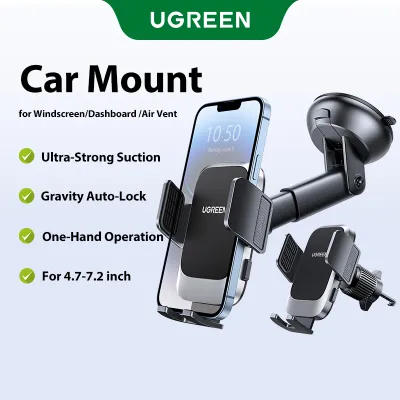
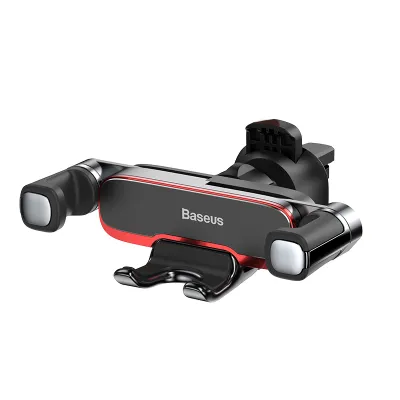
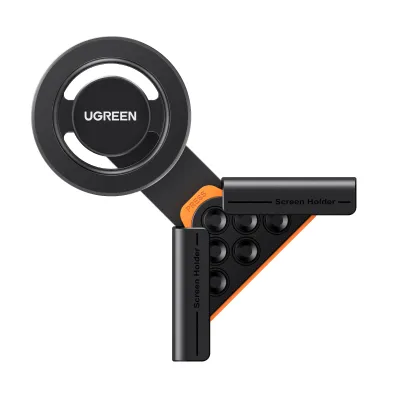
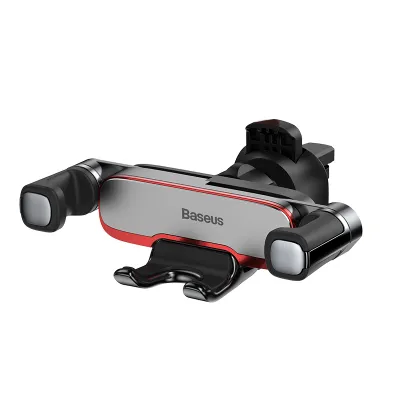

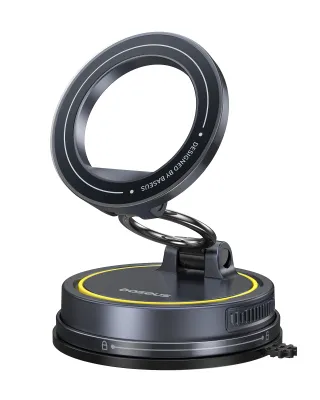
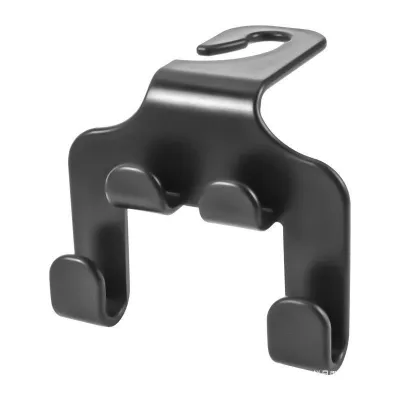
Prices are valid at publication and may change. Please refer to the product page for the latest price.
Choose USB-C if: You rely heavily on high-drain applications—such as simultaneous GPS navigation, music streaming, and screen-on usage—and require rapid Power Delivery (PD) to actively increase your battery percentage during your drive. This setup is ideal for long-distance drivers, road trips, and users with modern flagship smartphones that support high-wattage wired charging.
Choose Wireless if: You prioritize a clean, cable-free dashboard aesthetic, make frequent short stops where plugging and unplugging a cable is tedious, and own a smartphone that natively supports Qi or Qi2 wireless charging standards. It is the ultimate choice for urban commuters who value seamless, one-handed mounting ergonomics.
Neither may fit if: Your phone is housed in a thick, rugged, or wallet-style case that prevents electromagnetic induction, or if your car’s built-in power ports output insufficient wattage to drive fast-charging mounts. In these scenarios, you will either need to remove your case daily or purchase a high-output aftermarket 12V accessory socket adapter to power the holder.
Charging Speed and Power Delivery Compared
Standard USB-A ports typically output 5 volts at 1 to 2.4 amperes, translating to a maximum of 5W to 12W of power. While this is sufficient for basic standby charging, it often struggles when a phone is actively running modern navigation systems. Under high load, a USB-A connection might only slow down the rate of battery discharge rather than actively charging the device, leaving you with a flat battery after a long drive.

USB-C utilizes the Power Delivery (PD) protocol, which dynamically negotiates voltage and current between the power source and the phone. USB-C car chargers and holders can easily deliver 18W, 20W, 30W, or even higher wattages. This high output ensures that even if you are running GPS, streaming Bluetooth audio, and keeping the screen at maximum brightness, your phone’s battery percentage will rise rapidly.
Wireless charging relies on electromagnetic induction, transferring power across a small air gap from the holder’s coil to the phone’s internal coil. This process is inherently less efficient than a physical wire, with roughly 20% to 30% of the energy lost as heat. Standard Qi wireless car holders typically deliver 5W to 7.5W, while premium Qi2 or MagSafe-compatible models can reach 15W. Despite these improvements, wireless charging remains slower than a direct USB-C connection due to thermal limitations and energy loss.
To achieve the advertised speeds of any car mobile holder, you must verify every link in your charging chain. The chain consists of the power source (car port or 12V adapter), the connecting cable, the holder itself, and the smartphone. If you plug a high-end 15W wireless holder into a legacy 5W USB-A port using an unrated cable, the entire system will default to the lowest common denominator—5W. Always match the wattage ratings of your adapter, cable, and holder to your phone’s maximum supported input.
Convenience, Cable Management, and Daily Use
The primary appeal of a wireless car mobile holder is the “drop-and-go” experience. You simply place your phone into the cradle, and charging begins automatically without fumbling with physical connectors. This is highly beneficial for delivery drivers, sales professionals, or anyone entering and exiting their vehicle multiple times a day. However, physical alignment is critical; if the phone shifts slightly on a bumpy road, the induction coils may misalign, stopping the charge or causing excessive heat.
Wired holders require you to manually plug in a cable every time you mount your phone. This can be cumbersome, especially when driving or trying to set off quickly. Cable clutter is another common drawback, as loose cords can drape across your air vents, gear shifter, or infotainment screen. To mitigate this, drivers can use cable management clips, right-angle connectors, or coiled cables that stretch only when needed, keeping the center console clean and safe.
Many modern car mobile holders—both wired and wireless—feature motorized auto-clamping arms. These arms use infrared sensors or physical pressure plates to automatically grip your phone when placed in the cradle. Because these motors require constant electrical power, they must be connected to a reliable power source. Premium models include built-in capacitors or small backup batteries, allowing the clamps to open and release your phone even after you have turned off the car’s engine. Without this backup power, you may find yourself forced to turn the ignition back on just to retrieve your phone.
Phone Compatibility, Cases, and Heat Management
Physical compatibility extends beyond the phone’s dimensions to the case you use daily. Wireless charging is highly sensitive to the distance between the transmitter and receiver coils, usually requiring a gap of less than 5mm. Thick rugged cases, wallet cases containing credit cards, metal plates used for magnetic mounts, and ring holders will block the electromagnetic field entirely. Attempting to charge through metal can cause the holder’s foreign object detection (FOD) safety system to shut down the charger to prevent overheating. Wired holders are immune to these issues, requiring only a clear opening around the phone’s physical port.
Heat is the natural enemy of lithium-ion batteries and charging efficiency. In tropical climates like Singapore, where outdoor temperatures routinely exceed 30°C and cabin temperatures in parked cars can soar much higher, heat management is a critical safety concern. Wireless charging naturally generates more heat than wired charging due to induction losses. When a phone is mounted on the dashboard or windshield, exposed to direct sunlight while simultaneously running GPS and charging wirelessly, its internal temperature will rise rapidly. To protect the battery, modern smartphones will automatically trigger thermal throttling, reducing charging speeds to a crawl or shutting down the screen entirely.
To combat thermal issues, some premium wireless car mobile holders feature active cooling systems, such as built-in miniature fans or semiconductor cooling plates behind the mounting surface. These systems draw heat away from the back of the phone, allowing it to maintain higher charging speeds for longer periods. If you frequently drive during the hottest parts of the day, looking for a holder with active cooling is highly recommended.
While wired charging via USB-C is more efficient, fast charging still generates heat within the phone’s internal charging circuitry. To minimize heat build-up, consider mounting your car mobile holder to an air vent rather than the windshield or dashboard. The cool air from the vehicle’s air conditioning system directly cools the back of the phone and the holder, preventing thermal throttling and protecting your phone’s battery health over the long term.
Vehicle Power Requirements and Installation
Many drivers assume that plugging their car mobile holder into the vehicle’s built-in USB port is the best option. However, the USB-A ports built into older car dashboards or center consoles are often designed primarily for data transfer (such as Apple CarPlay or Android Auto) and only output 0.5A of current (2.5W). This is insufficient to power a fast wireless charging pad or a USB-C PD holder, often resulting in extremely slow charging, intermittent power drops, or the failure of motorized auto-clamps. Newer vehicles may feature dedicated high-power USB-C ports, but you must verify their rated output in your vehicle’s manual.
To unlock the full capabilities of a high-speed USB-C or wireless car mobile holder, the most reliable power source is the vehicle’s 12V accessory socket (formerly the cigarette lighter). By inserting a high-quality, dual-port USB-C PD car charger adapter into this socket, you can supply stable, high-wattage power (such as 18W, 30W, or even 45W) directly to your holder. Ensure the adapter supports modern fast-charging protocols like Power Delivery (PD) or Quick Charge (QC) to match your holder’s specifications.
For a completely seamless look without visible cables running down the dashboard, some drivers choose to hardwire their car mobile holder or its power adapter directly to the vehicle’s fuse box. While this provides a clean aesthetic, it introduces electrical risks. Any hardwiring modifications must be performed in strict accordance with your vehicle’s official service manual or carried out by a qualified automotive electrician. Improper installation can lead to parasitic battery drain, blown fuses, voided vehicle warranties, or electrical short circuits that pose a fire hazard.
How to Verify Your Car and Phone Setup Before Buying
Before purchasing a new car mobile holder, follow this step-by-step checklist to ensure complete compatibility with your vehicle and smartphone:
- Verify your phone's hardware capabilities: Check your smartphone manufacturer's specifications to confirm if it supports Qi or Qi2 wireless charging, and identify its maximum supported wired charging wattage (e.g., 18W, 25W, or 45W).
- Inspect your car's power delivery options: Look at the labels next to your car's built-in USB ports or consult the owner's manual to find their output ratings. If they are standard data ports, plan to purchase a high-quality 12V accessory socket adapter rated for the wattage your new holder requires.
- Measure your phone and case dimensions: Use a ruler or calipers to measure the total width and thickness of your phone while it is inside its daily protective case. Compare these measurements against the maximum grip width and depth specifications of the car mobile holder you are considering.
- Assess your vehicle's interior layout: Examine your dashboard, windshield angle, and air vent design. Horizontal and vertical vent slats work well with standard vent clips, while curved or circular vents may require specialized mounts. Ensure a windshield or dashboard suction mount will not obstruct your forward view or interfere with passenger-side airbag deployment zones.
Frequently Asked Questions (FAQ)
Can I use a wireless car holder if my car only has a USB-A port?
Yes, you can physically connect a wireless car holder to a built-in USB-A port, but it is highly discouraged. Built-in USB-A ports in most vehicles output very low amperage, which is insufficient to power the induction coils of a wireless charger reliably. This will result in extremely slow charging or cause the holder to repeatedly shut off. To ensure stable performance, plug the wireless holder’s cable into a high-quality 12V cigarette lighter adapter that supports at least 15W to 18W of output.
Does leaving a car mobile holder plugged in drain the car battery?
In most modern vehicles, accessory power to the USB ports and the 12V socket is automatically cut off a few minutes after the engine is turned off, meaning a plugged-in holder will not drain your battery. However, some older vehicles or specific continental models keep these ports permanently live. If your car’s ports remain powered when the ignition is off, a holder—especially one with standby LEDs or active sensors—can cause a slow, parasitic drain. If you plan to leave your vehicle parked and unused for several days, it is safest to unplug the holder or adapter from the socket.
Community discussion
Share your experience or ask a question. Comments are reviewed before publication.