
Choosing the right car charger socket depends on your devices, your vehicle’s power layout, and whether you prioritize rapid charging speeds or cable-free convenience. There is no single best option for every driver; instead, the right choice aligns your smartphone, tablet, or laptop’s input requirements with the charger’s output capabilities. This guide breaks down the practical differences between USB-A, USB-C, and wireless car chargers to help you make a confident purchase decision.
Modern vehicles often come equipped with built-in USB ports, but these integrated connections are frequently underpowered for modern devices. Upgrading to a dedicated car charger socket that plugs into your vehicle’s 12V accessory outlet is often the most effective way to ensure your devices stay powered during long drives or short commutes. By understanding how different charger types deliver power, you can avoid slow charging speeds and keep your essential electronics running smoothly.
How to Match Your Device and Vehicle to the Right Socket
Before purchasing a new car charger socket, you must identify the specific power requirements of your primary devices. Look at the charging port on your smartphone, tablet, or laptop to determine if it uses a USB-C, Lightning, or older Micro-USB connection. Next, review the manufacturer’s specifications for your device to find its maximum supported input wattage. For example, many modern smartphones can accept 20W to 45W of power for fast charging, while laptops often require 45W or 65W to charge effectively.
Products mentioned in this guide
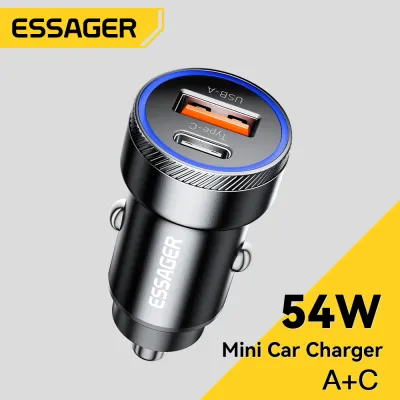
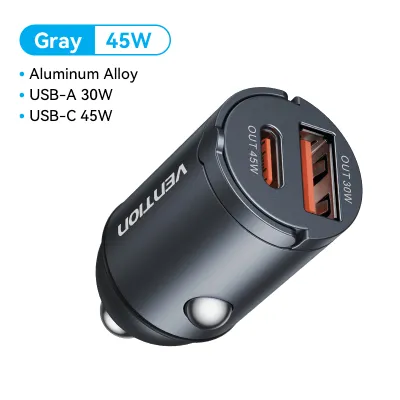
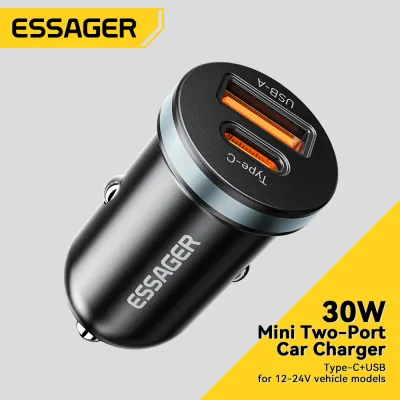
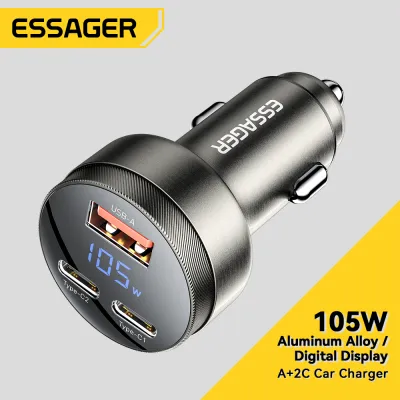
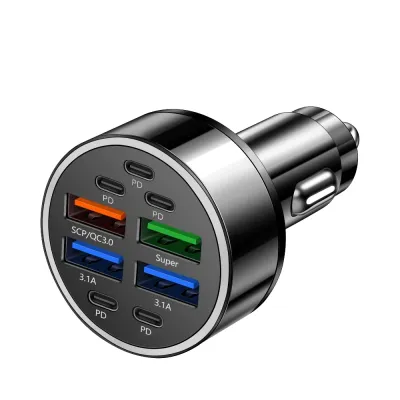
![[SHIP FROM SG] Multi Port Quick Charge 3.0 USB Car Adapter Charger](https://img.lazcdn.com/g/p/bb0f835bc1eaee8a5580e96c2fe12b5f.jpg_400x400q80.jpg_.webp)
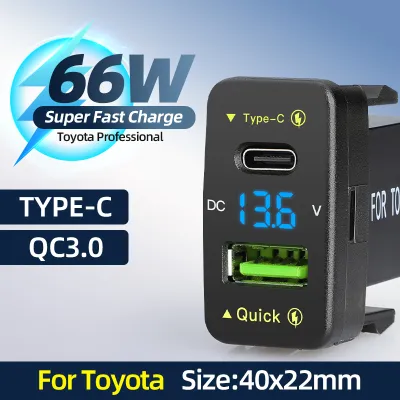
![[SG STOCK] Fast Charging Multi Port Quick Charge 3.0 USB Car Adapter Charger](https://img.lazcdn.com/g/p/cf74a1b74b5f404d63df40ca9dbfabee.jpg_400x400q80.jpg_.webp)
Prices are valid at publication and may change. Please refer to the product page for the latest price.
Once you know what your device needs, examine your vehicle’s power options. Many built-in USB ports in cars are designed primarily for data transfer and only output a basic 5W (5V at 1A). This low wattage is often insufficient to charge a modern smartphone while it is actively running a GPS navigation app; in fact, you might find your battery level continuing to drop even while plugged in. Utilizing a high-quality adapter in your vehicle’s 12V accessory socket allows you to tap into a much larger pool of power, often up to 120W depending on the vehicle’s fuse rating.
Finally, consider the physical layout of your car’s cabin and your daily driving habits. A bulky charger might interfere with your gear shifter or dashboard controls. Cable management is another critical factor, as loose cords can clutter your console and create safety hazards while driving. If you prefer a clean dashboard with minimal clutter, a wireless charger mounted to an air vent might be appealing, whereas drivers who need rapid power top-ups will find that a wired USB-C setup is far more practical.
USB-A Car Chargers: When the Legacy Standard Still Works
USB-A car chargers utilize the familiar rectangular port that has been the standard for consumer electronics for decades. While newer technologies have largely surpassed USB-A in terms of speed and power delivery, these legacy chargers remain highly practical for specific scenarios. If you primarily charge older devices, budget-friendly accessories, or simple peripherals like dash cams, a USB-A charger is a cost-effective and reliable solution. It is also highly useful to keep a multi-port USB-A adapter in your glovebox as a backup for passengers who may carry older cables.

The primary limitation of USB-A is its maximum power output. Traditional USB-A ports operate at 5V and are typically capped at 1A (5W) or 2.4A (12W). Even with proprietary fast-charging standards developed by some manufacturers, USB-A cannot support the universal Power Delivery (PD) protocol used by modern high-draw devices. This means a USB-A port will charge modern smartphones at a relatively slow pace, making it less suitable for quick top-ups during short commutes.
To ensure a USB-A charger meets your basic needs, always read the product label or specifications printed on the side of the adapter. Look for ports labeled with their amperage output; a port rated for 2.4A will charge a modern phone significantly faster than a standard 1A port. Avoid generic chargers that do not clearly state their output per port, as they may split a low total amperage across multiple connections, resulting in extremely slow charging when more than one device is plugged in.
USB-C Car Chargers: Upgrading for Fast Charging
USB-C has become the modern standard for power delivery across almost all portable electronics, from smartphones and tablets to modern laptops. The primary advantage of a USB-C car charger socket is its support for the USB Power Delivery (PD) protocol. This technology allows the charger and your device to communicate dynamically, negotiating the optimal voltage and current levels to deliver the fastest possible charge safely. With a compatible PD charger, you can often charge a modern smartphone from empty to half capacity in approximately thirty minutes.
To take full advantage of USB-C fast charging, you must ensure that your entire charging chain supports the standard. This means you need a USB-C car charger, a high-quality USB-C to USB-C cable (or a USB-C to Lightning cable for older Apple devices), and a device that supports fast charging. Using an older USB-A to USB-C cable with an adapter will bypass the Power Delivery protocol, dropping your charging speed back down to standard legacy rates.
When shopping for a USB-C car charger, pay close attention to the wattage rating printed on the product packaging or the adapter itself. For standard smartphone fast charging, look for a port that offers at least 20W to 30W of dedicated power. If you plan to charge larger devices like tablets or laptops, you will need a charger capable of outputting 45W or 65W from a single port. Ensure the advertised wattage is not a “combined” total shared across multiple ports, as a multi-port charger might split its power, leaving you with insufficient wattage on any single connection to charge a laptop.
Wireless Car Chargers: Weighing Convenience Against Speed
Wireless car chargers offer a highly convenient, cable-free experience by utilizing electromagnetic induction to transfer power to your device. These chargers are typically integrated into phone mounts that attach to your vehicle’s air vents, dashboard, or windshield. The primary appeal of wireless charging is its “drop-and-go” functionality; you can place your phone into the mount with one hand, initiating charging instantly without fumbling with cables. This is exceptionally convenient for short commutes, delivery drivers who frequently enter and exit their vehicles, or anyone who wants to maintain their battery level while running navigation apps.
However, wireless charging comes with distinct trade-offs in speed and efficiency. Most wireless car chargers are limited to 7.5W, 10W, or 15W of power delivery, which is significantly slower than a wired USB-C connection. Additionally, wireless charging is inherently less efficient than wired charging, with a portion of the energy lost as heat. This heat generation can be exacerbated by direct sunlight hitting your dashboard, causing your phone to warm up. To protect its battery, your phone may automatically throttle its charging speed or dim its screen, further slowing down the charging process.
When choosing a wireless car charger, you must also consider your phone case and the physical installation type. Thick cases, pop sockets, or cases with metal plates and magnetic rings can block the wireless signal or cause dangerous overheating. Ensure your case is thin enough (typically under 3mm to 5mm) and compatible with wireless charging. For installation, air vent mounts are popular because the vehicle’s air conditioning can help cool the phone during operation, whereas dashboard or windshield mounts offer better visibility but expose the device to more solar heat.
Decision Framework: Which Car Charger Socket Fits Your Needs?
To select the ideal car charger socket for your vehicle, evaluate your daily driving habits, your devices, and your budget against the following scenarios:
Choose a USB-A car charger if you are looking for a low-cost, straightforward solution to power older devices, dash cams, or basic accessories. This option is ideal if you already have a collection of USB-A cables and do not require rapid charging speeds during short trips.
Choose a USB-C car charger if you prioritize raw charging speed, own modern devices, or need to power high-draw electronics like laptops and tablets. This is the most future-proof option and ensures you can quickly top up your battery even during brief drives.
Choose a wireless car charger if you value maximum convenience, frequently get in and out of your car, and want a clean setup that doubles as a phone mount. This option is best suited for maintaining your battery level during daily commutes rather than rapidly charging a depleted battery.
Before finalizing your purchase, verify how your chosen charger connects to your vehicle. Most adapters plug directly into the 12V accessory socket, but you must check your vehicle’s owner’s manual to understand its power cutoff behavior. Some cars cut power to the 12V socket immediately when the ignition is turned off, while others keep the socket live continuously. If your vehicle keeps the socket active, leaving a high-draw charger or an active wireless mount plugged in over several days of non-use could slowly drain your car’s battery.
Frequently Asked Questions (FAQ)
Can I mix USB-A cables with a USB-C car charger?
Yes, you can use adapters or hybrid cables (such as a USB-C to USB-A cable) to connect older devices to a USB-C car charger. However, doing so will generally limit your charging speed to standard USB-A rates, as the advanced Power Delivery protocol requires a complete USB-C to USB-C connection to function. When using adapters, ensure they are from reputable manufacturers to avoid safety risks or damage to your device’s charging port.
Will a wireless car charger drain my car battery?
A wireless car charger will only drain your car’s battery if it continues to draw power when the engine is turned off. In most modern vehicles, the 12V accessory socket automatically cuts power when the ignition is switched off or when the driver’s door is opened. However, some vehicles keep these sockets live at all times. Check your vehicle’s owner’s manual to confirm how your 12V socket behaves; if it remains live, it is safest to unplug your charger when parking the car for extended periods.
Do I need a special car charger for a laptop?
Yes, charging a laptop in your car requires a high-wattage USB-C Power Delivery (PD) charger. Standard phone chargers typically output 15W to 30W, which is insufficient to power or charge most laptops. Check the input specifications printed on your laptop’s original power brick or the bottom of the device; most laptops require at least 45W or 65W. Ensure your car charger’s USB-C port is rated to output this specific wattage continuously from a single port.

Community discussion
Share your experience or ask a question. Comments are reviewed before publication.