
If you need to keep your smartphone powered while navigating traffic, streaming music, or taking hands-free calls, choosing the right charging setup is essential. For most drivers, investing in a high-quality usb c car charger is the most practical decision because it delivers the fastest charging speeds and supports modern power-delivery standards.
However, the ideal choice depends on your specific vehicle, your smartphone model, and your daily driving habits. While a wired USB-C connection offers unmatched speed and efficiency, wireless charging pads provide cable-free convenience for short commutes, and legacy USB-A ports remain useful for older accessories. Understanding how these technologies perform under real-world driving conditions will help you select the perfect option for your cabin.
Understanding USB-A, USB-C, and Wireless Car Chargers
To make an informed decision, you must first understand the technical differences between the three primary charging methods available for vehicles today. Each technology represents a different era of consumer electronics, offering distinct levels of power output and physical connectivity.
Products mentioned in this guide
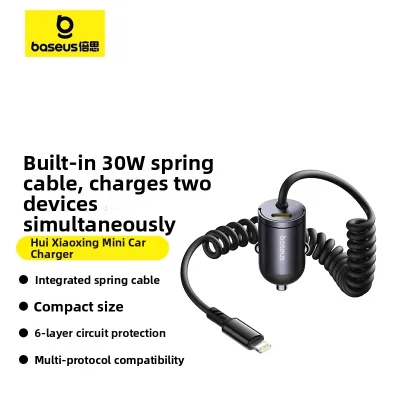
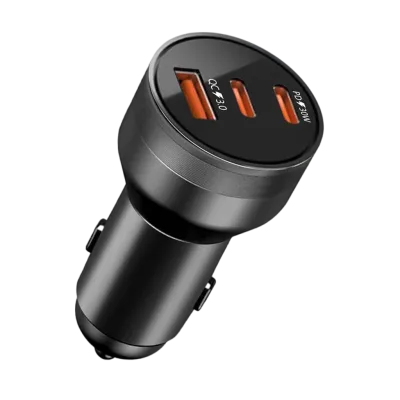
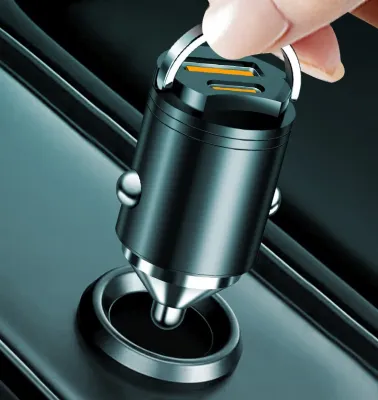
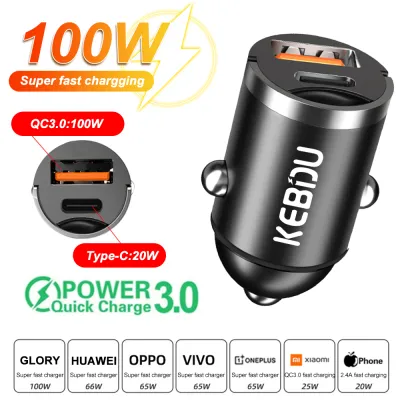
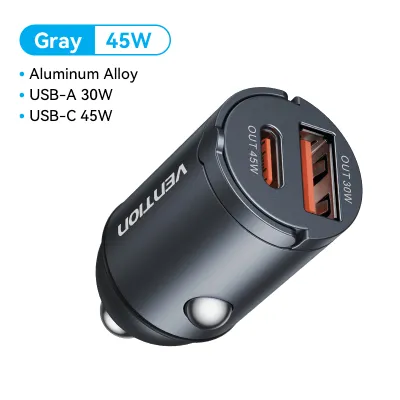
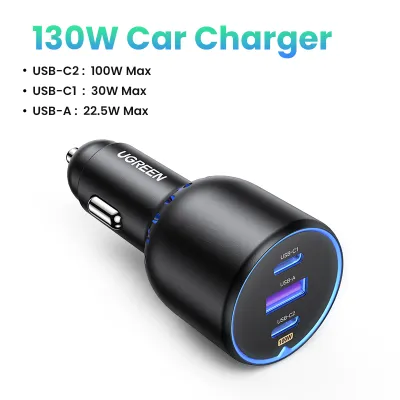
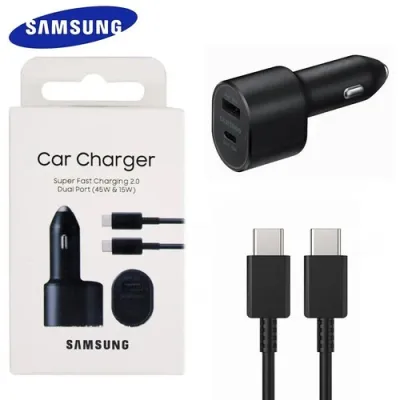
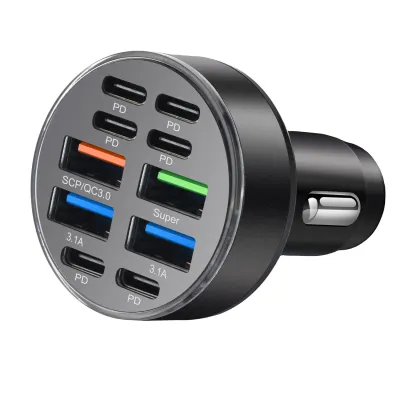
Prices are valid at publication and may change. Please refer to the product page for the latest price.
USB-A is the legacy standard that dominated the electronics industry for decades. Characterized by its rectangular, single-orientation port, USB-A is commonly found in older vehicles and budget-friendly charging adapters. Because it was designed before the era of high-capacity smartphone batteries, USB-A typically operates on a simple 5-volt rail and is capped at relatively low power outputs. While it is highly reliable for older devices, it struggles to charge modern smartphones quickly.
USB-C is the modern industry standard, featuring a smaller, reversible, oval-shaped connector. This interface was engineered from the ground up to handle both high-speed data transfer and high-wattage power delivery. By utilizing advanced communication protocols, a USB-C connection allows the charger and your smartphone to dynamically negotiate the safest and fastest voltage and current levels. This capability makes it the default charging port for almost all contemporary smartphones, laptops, and newer vehicles.
Wireless charging, primarily operating on the Qi open interface standard, eliminates physical cables by using magnetic induction. A transmitter coil inside a specialized car mount or charging pad creates an alternating electromagnetic field. When you place a compatible smartphone onto the mount, an internal receiver coil captures this energy and converts it back into electrical current to charge the battery. Most wireless car chargers double as physical phone mounts, securing your device to the air vents, dashboard, or windshield.
How USB-A, USB-C, and Wireless Chargers Compare
When evaluating these three charging options, you must look beyond marketing claims and examine how they perform in a moving vehicle. Factors such as charging speed, physical compatibility, cabin clutter, and thermal management all play a critical role in your daily driving experience.

Charging Speed and Power Delivery
Charging speed is often the most critical factor for drivers who need to replenish their phone’s battery during short trips. USB-C chargers equipped with Power Delivery (PD) technology are the undisputed speed leaders in this category. A high-quality USB-C adapter can easily deliver 18W, 30W, or even 45W of power per port, allowing modern smartphones to charge from empty to 50% in approximately 30 minutes. This high output is crucial when your phone is running power-hungry applications like GPS navigation and music streaming with the screen set to maximum brightness.
USB-A chargers are significantly slower, usually capped at 5W to 12W of power output. While a USB-A port can supply enough power to maintain your battery level while navigating, it will charge a modern smartphone very slowly. If your battery is nearly depleted and you have a short 15-minute commute, a USB-A connection may only add a few percentage points to your battery meter.
Wireless charging is the slowest of the three options and suffers from inherent energy loss. Most standard Qi wireless car chargers are rated between 5W and 15W. However, because induction transfers power across an air gap, up to 30% of the energy is lost as heat. If your phone is not perfectly aligned with the charging coils, the charging speed drops even further, sometimes failing to keep up with the power consumption of active navigation apps.
Device and Vehicle Compatibility
Compatibility requires matching your smartphone’s charging requirements with your vehicle’s physical ports. Modern flagship smartphones from Apple, Samsung, and Google require USB-C connections to access their fast-charging capabilities. Attempting to charge these devices using an older USB-A port requires a adapter cable, which limits the power delivery to legacy speeds.
Vehicle integration varies widely depending on the age of your car. Vehicles manufactured before the late 2010s rarely feature built-in USB-C ports, relying instead on legacy USB-A ports or a 12V auxiliary power socket (the cigarette lighter). To use a modern USB-C or wireless charger in an older vehicle, you must purchase a high-quality aftermarket adapter that plugs directly into the 12V socket.
Many modern vehicles now come equipped with factory-installed USB-C ports. However, you should not assume these built-in ports support fast charging. Many factory ports are designed primarily for data transfer, such as connecting to Apple CarPlay or Android Auto, and may only output a weak 5W stream. In these situations, using a dedicated aftermarket charger plugged into your 12V socket is still the best way to achieve rapid charging.
Convenience and Cable Management
Wireless chargers offer unmatched convenience for daily driving, especially for those who make frequent short trips. Instead of fumbling with a cable every time you enter or exit the vehicle, you simply place your phone onto a magnetic or motorized cradle. This hands-free convenience keeps your center console clean and free of tangled wires, creating a more organized cabin environment.
Wired charging setups, whether USB-C or USB-A, inevitably introduce physical cables into your cabin. Loose cables can drape over your gear shifter, get caught in cup holders, or drop into the footwell, creating potential safety hazards. Managing these wires requires dedicated cable clips or short, coiled cords to keep the driver’s area clear.
Despite the clutter, wired connections offer physical flexibility that wireless mounts cannot match. A passenger in the passenger seat or back seat can easily hold and use a phone while it is plugged into a long charging cable. Conversely, a wireless charger restricts the phone to a fixed mounting point on the dashboard or air vent, making it difficult to interact with the device safely while stationary.
Heat Generation and Battery Health
Thermal management is a critical but often overlooked aspect of using electronics in a vehicle. Car cabins can become incredibly hot, particularly when parked in direct sunlight. Operating a smartphone under these conditions while simultaneously running GPS navigation and charging the battery creates a severe thermal load on the device.
Wireless charging is highly inefficient, and the energy lost during induction is dissipated directly as heat against the back of your phone. When a smartphone’s internal temperature rises too high, its battery management system will trigger thermal throttling. This safety mechanism drastically slows down the charging speed or stops charging entirely to protect the lithium-ion battery from permanent degradation.
Wired USB-C and USB-A connections are far more thermally efficient. Because the voltage conversion process occurs inside the 12V adapter plug rather than against the back of the phone, wired charging generates significantly less heat at the device itself. To protect your phone’s long-term battery health, wired charging is the superior choice, especially during long drives in warm climates.
Quick Comparison: USB-A vs USB-C vs Wireless
| Feature | USB-A | USB-C | Wireless (Qi) |
|---|---|---|---|
| Charging Speed | Slow | Fastest | Moderate to Slow |
| Cable Clutter | High | High | Minimal |
| Phone Compatibility | Legacy Devices | Modern Devices | Qi-Enabled Devices |
| Vehicle Integration | Common in older cars | Common in newer cars | Requires specialized mount |
| Thermal Efficiency | Moderate | High | Low |
| Best Use Case | Legacy accessories | Fast charging & long trips | Short commutes & convenience |
Which Charger Fits Your Phone and Driving Style?
Choosing the right charger is ultimately a matter of matching the technology to your daily driving routine and your smartphone’s specifications. By analyzing your habits, you can select a setup that minimizes frustration and keeps your devices powered.
Choose USB-C if:
- You own a modern smartphone that supports USB Power Delivery (PD).
- You rely heavily on power-intensive applications like real-time GPS navigation, Bluetooth streaming, and dash cam feeds.
- You take long road trips and need your phone to charge rapidly while in use.
- You want a future-proof charging setup that can power larger devices, such as tablets or compatible laptops.
Choose Wireless if:
- Your smartphone supports Qi or Qi2 wireless charging standards.
- Your daily commute consists of frequent, short trips where plugging and unplugging a cable is inconvenient.
- You want a clean dashboard aesthetic with minimal visible wires.
- You prefer a charging solution that doubles as a secure, hands-free phone mount.
- You mount your charger directly in front of an active air conditioning vent to keep the phone cool.
Choose USB-A if:
- You are charging older smartphones, basic e-readers, or legacy wireless earpieces that do not support fast charging.
- You are using a budget-friendly backup charger for occasional passenger use.
- Your vehicle only features built-in USB-A ports and you do not wish to use a 12V auxiliary adapter.
Verify first if:
- Your vehicle's built-in USB ports are rated for power delivery or are limited to low-wattage data transfer. Refer to your vehicle's owner's manual to confirm the amperage and wattage of each integrated port.
- Your smartphone supports fast wireless charging standards, as some devices require proprietary wireless chargers to exceed basic 5W charging speeds.
Safety, Installation, and Heat Management in the Car
Operating electronic accessories in a vehicle requires careful attention to safety, electrical limits, and proper installation. Taking a few precautionary steps will protect your vehicle’s electrical system and ensure your devices operate reliably.
12V Auxiliary Socket Limits
Most vehicle 12V auxiliary sockets (commonly known as cigarette lighter sockets) are protected by a fuse rated between 10 and 15 amperes. This configuration allows the socket to safely support a maximum total load of approximately 120W to 180W. While a single smartphone charger will not exceed this limit, using multi-port adapters to charge multiple high-draw devices simultaneously—such as two tablets and a laptop—can overload the circuit and blow the vehicle’s fuse. Always consult your vehicle’s owner’s manual to verify the maximum amperage rating of your auxiliary sockets before connecting high-power multi-port chargers.
Heat and Sun Exposure
Direct sunlight can cause dashboard temperatures to rise rapidly, creating a hostile environment for sensitive electronics. Avoid leaving your smartphone or wireless charging mount exposed to direct sunlight when your vehicle is parked. High temperatures can degrade the adhesives used in suction mounts, warp plastic components, and permanently reduce your phone’s battery capacity. When parking your vehicle in the sun, consider removing your phone from the mount and placing it in a shaded console, or use a high-quality windshield sunshade to block solar heat.
Secure Mounting and Road Legality
When installing a wireless charging mount or a dashboard phone holder, ensure it is positioned securely and does not obstruct your forward line of sight. In Singapore, road safety guidelines require drivers to maintain a clear, unobstructed view of the road at all times. Crucially, never install a mount on or near any dashboard panels labeled “SRS Airbag.” Airbags deploy with explosive force, and any accessory mounted in their deployment path can become a dangerous projectile inside the cabin during a collision. Ensure vent-mounted chargers are compatible with your vehicle’s vent blade design to prevent the mount from falling while driving.
Cable Routing and Hazard Prevention
If you use a wired USB-C or USB-A charger, route the cables carefully to avoid creating physical hazards. Use adhesive cable clips or hook-and-loop ties to secure loose wires along the contours of your dashboard and center console. Never allow charging cables to drape across the steering column, gear selector, handbrake, or foot pedals. A loose cable that snags on your hand or foot can interfere with your ability to control the vehicle safely, leading to dangerous driving situations.
Community discussion
Share your experience or ask a question. Comments are reviewed before publication.