
The best car charger form factor depends on your vehicle’s existing ports, your smartphone’s charging capabilities, and your preference for cable management. USB-C offers the best balance of speed and modern compatibility, USB-A serves older devices and legacy car ports, while wireless chargers prioritize convenience for compatible phones and specific mounting setups. Use the comparisons below to identify which option aligns with your daily driving needs and vehicle constraints.
Selecting the right charging setup involves evaluating how you use your phone on the road. If you rely heavily on GPS navigation during long drives, a fast, reliable connection is essential to keep your battery from draining faster than it charges. Conversely, if your daily commute consists of short trips, the ease of dropping your phone onto a mount without fumbling with cables might outweigh the need for rapid power delivery.
Comparing the Core Differences in Car Charger Form Factors
To make an informed choice, it is necessary to establish the baseline criteria for comparing physical designs, power transfer methods, and practical usability. Wired charging options, which include both USB-A and USB-C, rely on a physical cable to establish a direct electrical connection between the charger and your device. Wireless charging, on the other hand, utilizes electromagnetic induction to transfer power across a small gap, eliminating the physical plug entirely.
Products mentioned in this guide
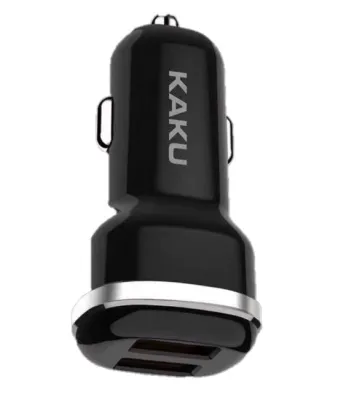
![[SHIP FROM SG] Multi Port Quick Charge 3.0 USB Car Adapter Charger](https://img.lazcdn.com/g/p/bb0f835bc1eaee8a5580e96c2fe12b5f.jpg_400x400q80.jpg_.webp)
![[SG STOCK] Fast Charging Multi Port Quick Charge 3.0 USB Car Adapter Charger](https://img.lazcdn.com/g/p/cf74a1b74b5f404d63df40ca9dbfabee.jpg_400x400q80.jpg_.webp)

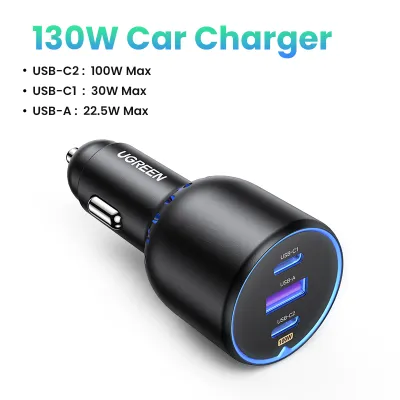
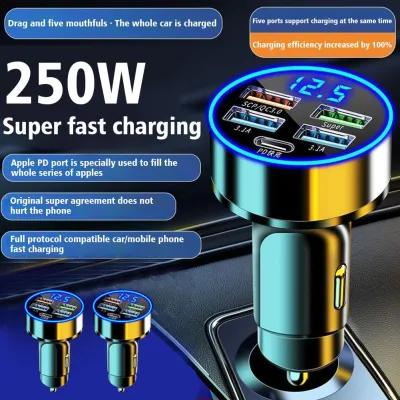
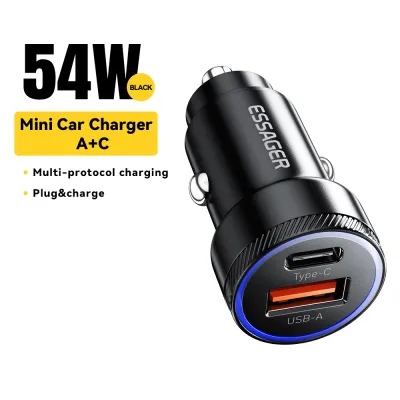
Prices are valid at publication and may change. Please refer to the product page for the latest price.
These physical differences directly influence key decision factors such as charging speed potential, cable management requirements, and device compatibility. Wired connections are inherently more efficient at transferring energy, resulting in faster charging times and less heat generation. Wireless charging offers unmatched convenience but introduces energy loss through heat, which can slow down the charging process under certain conditions.
Actual charging speeds depend on a combination of variables: the vehicle’s power output, the charger’s rated wattage, and the receiving device’s capabilities. A high-wattage charger cannot force more power into a device than the device’s internal charging circuit is designed to accept. Similarly, plugging a high-performance charger into a low-output built-in port will limit the overall charging speed to the maximum capacity of that port.
Evaluating USB-A Car Chargers for Legacy Compatibility
USB-A car chargers remain a common sight in many vehicles, serving as a reliable option for older devices and basic electronic accessories. If your daily drive involves charging legacy hardware such as older smartphones, dedicated GPS units, dash cams, or FM transmitters, a USB-A charger is often perfectly adequate. Many vehicles manufactured over the last decade feature built-in USB-A ports integrated directly into the dashboard or center console.

The physical design of USB-A is characterized by its rectangular connector, which requires a specific orientation to insert correctly. This non-reversible design can be frustrating to operate while driving, as attempting to force the connector in the wrong direction can damage the port or the cable. USB-A cables are widely available and highly durable, but they lack the advanced internal wiring required for modern high-speed power delivery.
The primary limitation of USB-A is its power delivery capacity. Standard USB-A ports typically output between 5W and 12W of power, with some proprietary quick-charging standards pushing this to 18W. While this is sufficient for maintaining the battery level of a phone running basic tasks, it is generally too slow to rapidly charge modern flagship smartphones or larger devices like tablets while they are actively in use.
Assessing USB-C Car Chargers for Fast Charging and Modern Devices
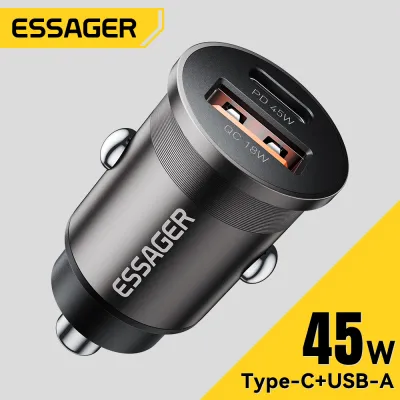
USB-C has rapidly become the industry standard for modern electronics, offering significant advantages in power delivery and user convenience. This form factor is ideal for drivers who carry modern smartphones, tablets, or even compact laptops that support advanced power delivery protocols. If you need to quickly replenish your phone’s battery during a short commute, USB-C is the most effective wired option available.
The physical design of USB-C features a compact, symmetrical connector that is fully reversible, allowing you to plug it in correctly on the first try without looking. Beyond physical convenience, USB-C is engineered to support much higher wattage outputs, often ranging from 18W to 100W or more via the USB Power Delivery (USB-PD) standard. This allows the charger to negotiate the optimal voltage and current for your specific device, ensuring safe and rapid charging.
However, achieving these maximum speeds requires a complete, compatible chain. Both the car charger itself and the connecting cable must support the specific fast-charging protocols required by your mobile device. Using an older or low-quality cable with a high-wattage USB-C charger will cause the system to default to standard, slower charging speeds to prevent overheating and protect the connected hardware.
Weighing Wireless Car Chargers for Cable-Free Convenience
Wireless car chargers prioritize convenience and clean aesthetics, making them an appealing choice for drivers who dislike cable clutter. This form factor is highly suited for Qi-compatible smartphones and drivers who make frequent, short trips where plugging and unplugging a cable becomes tedious. By combining a mounting bracket with an inductive charging pad, these devices allow you to secure and charge your phone in a single motion.
These chargers are available in several common form factors, including air vent mounts, dashboard suction pads, windshield mounts, and CD-slot mounts. The physical placement of the mount is critical, as it directly affects your visibility, access to vehicle controls, and the phone’s exposure to direct sunlight. A poorly placed mount can block essential dashboard displays or create a dangerous distraction while driving.
Despite the convenience, wireless charging involves several notable trade-offs. Inductive charging is less efficient than a wired connection, typically limiting charging speeds to 7.5W, 10W, or 15W. This inefficiency generates excess heat, which can cause the phone to throttle its charging speed or shut down temporarily to cool down, especially when exposed to direct sunlight on the dashboard. Additionally, precise physical alignment between the phone’s internal coil and the charger’s coil is required to maintain a stable charge.
Decision Framework: Choosing the Right Car Charger Form Factor
To select the optimal charger for your vehicle, you must evaluate your specific hardware, driving habits, and vehicle layout. Choosing the right form factor is a matter of balancing speed, convenience, and compatibility against the physical constraints of your cabin.
You should choose a USB-A car charger if you primarily need to power older devices, basic accessories like dash cams, or if you rely entirely on the legacy built-in ports already present in your vehicle. This option is cost-effective and highly compatible with older hardware, though it will not provide the rapid charging speeds required by modern flagship devices.
Opt for a USB-C car charger if your priority is fast charging for modern smartphones and tablets, and your vehicle is equipped with a high-output 12V/24V accessory socket or built-in USB-C ports. This setup ensures you can maximize the charging capabilities of your modern devices, making it the best choice for power-hungry users and long-distance drivers.
Select a wireless car charger if your smartphone supports inductive charging, you prefer a clean dashboard free of dangling cables, and you are comfortable with slower charging speeds in exchange for seamless mounting. This option is excellent for daily commuters who want to keep their phone visible for navigation while maintaining its battery level.
Before making a purchase, always verify that your vehicle’s electrical system can support the required wattage of your chosen charger. Additionally, ensure that any mount you select fits your dashboard layout securely without obstructing your view of the road or interfering with the deployment zones of your vehicle’s airbags.
Safety, Installation, and Vehicle Compatibility Checks
Integrating a new electronic accessory into your vehicle requires careful attention to safety and compatibility. First, check your vehicle’s manual to confirm the specifications of your 12V/24V accessory socket or built-in USB ports. Ensuring that the total power draw of your charger does not exceed the rated capacity of the vehicle’s electrical circuit is essential to prevent blown fuses or electrical faults.
When selecting a charger, review the manufacturer’s documentation to verify the presence of built-in safety features. High-quality chargers should include protection against overcurrent, overvoltage, short circuits, and extreme temperatures. These safeguards protect both your vehicle’s delicate electrical system and your expensive mobile devices from damage caused by power surges or overheating.
For wireless mounts, pay close attention to the installation method and materials. Ensure the mount is compatible with your vehicle’s dashboard surface or vent design; heavy phones on weak vent clips can damage the louvers, while suction cups may fail on textured leather dashboards. Never install a mount in a position that blocks your line of sight or interferes with the steering wheel, gear shifter, or passenger airbag deployment areas.
If you experience any unusual behavior during use, such as a burning smell, excessive heat from the charger or phone, or if the vehicle’s accessory fuse repeatedly blows, stop using the charger immediately. Consult a qualified automotive technician or the product manufacturer to diagnose the issue before attempting to use the accessory again.
Frequently Asked Questions (FAQ)
Can I use a USB-C car charger with a USB-A port in my car?
Yes, you can connect a USB-C device to a built-in USB-A port using a standard USB-A to USB-C cable or a physical adapter. However, doing so will not grant you the fast-charging speeds associated with native USB-C connections. The charging speed will be strictly limited by the maximum power output of your vehicle’s built-in USB-A port, which is typically much lower than a dedicated USB-C charger.
Do wireless car chargers drain the car battery when the engine is off?
This depends entirely on how your vehicle manages power to its accessory sockets. In many modern vehicles, the 12V socket and built-in USB ports are automatically disconnected from the battery when the ignition is turned off. However, some vehicles keep these ports powered continuously. If your vehicle keeps the socket active, a connected wireless charger may cause a slow, parasitic drain on your battery over time, so it is best to unplug the charger if the vehicle will sit idle for several days.
Why is my phone charging slowly on a high-wattage USB-C car charger?
Slow charging on a high-wattage charger is usually caused by a bottleneck in the charging chain. Verify that your cable is rated for high-power delivery, as standard cables may limit power transfer. Additionally, check if your phone’s fast-charging protocol matches the charger’s output standards. Finally, high cabin temperatures or heavy background app usage (such as GPS navigation) can cause your phone to throttle its charging speed to prevent overheating.
Community discussion
Share your experience or ask a question. Comments are reviewed before publication.