
USB-C car chargers deliver the fastest real-world charging speeds, primarily because they support advanced Power Delivery (PD) protocols that can output significantly higher wattages. While USB-A remains a common legacy option, its power output is structurally limited. Wireless charging offers the ultimate convenience of cable-free operation, but it is the slowest of the three methods due to energy loss during inductive transfer and thermal throttling. To achieve true super fast charging in your vehicle, you must ensure that your phone, your charging cable, and the car charger itself are fully compatible and support matching fast-charging standards.
Understanding the Core Charging Technologies
To choose the right setup for your vehicle, you first need to understand how these three charging interfaces differ in design and power delivery. USB-A is the traditional rectangular port that has been standard in vehicles for decades. It typically operates on legacy charging protocols, which generally cap power output at lower levels, making it suitable for older devices or accessories but slow for modern smartphones.
USB-C is the smaller, reversible connector that has become the modern standard for mobile devices. Unlike its predecessor, USB-C is designed to handle much higher electrical currents and supports advanced Power Delivery (PD) protocols. This technology allows the charger and the phone to dynamically negotiate the optimal voltage and current, enabling significantly faster charging rates.
Products mentioned in this guide
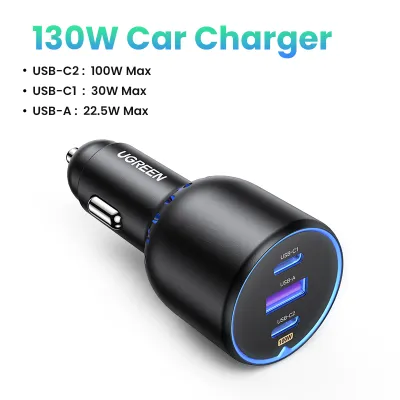
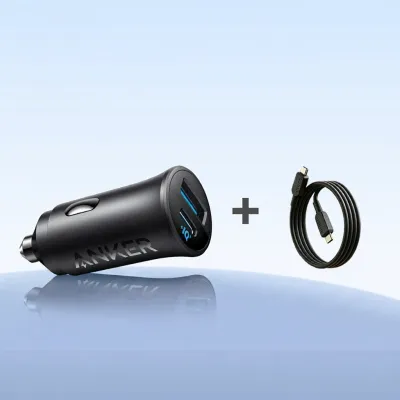
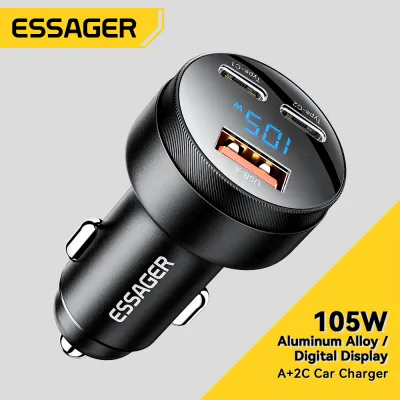
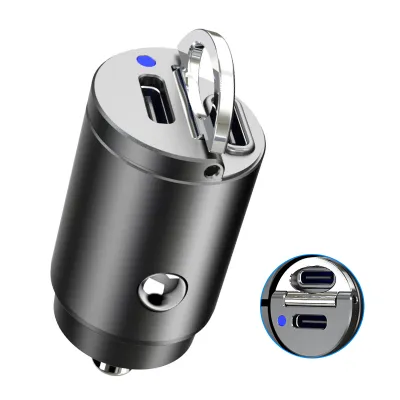
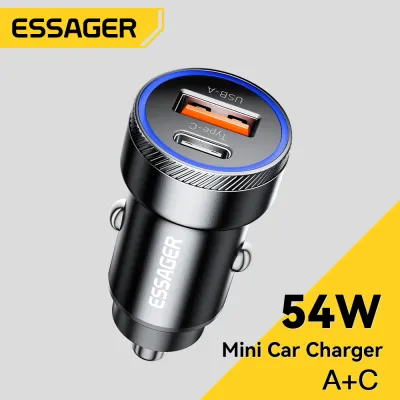
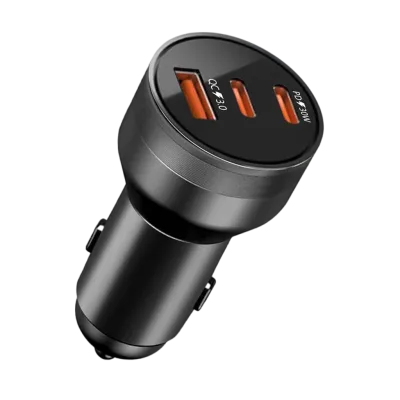
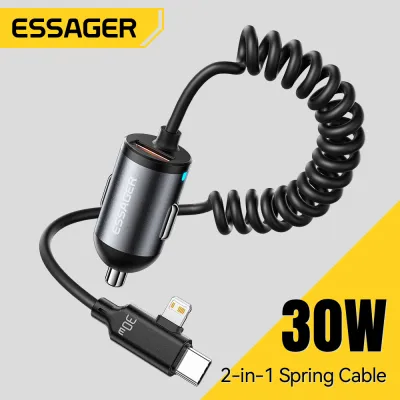
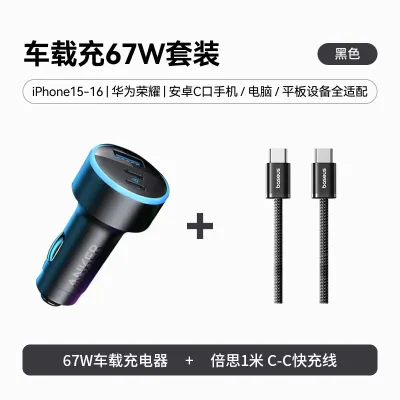
Prices are valid at publication and may change. Please refer to the product page for the latest price.
Wireless charging relies on electromagnetic induction to transfer power from a charging pad or mount to your phone without a physical cable. While this eliminates cable clutter on your dashboard, the inductive transfer process is inherently less efficient than a direct wired connection. To verify the capabilities of your current hardware, look for the small printed specifications on your charger or device, which list the input and output voltage (V), current (A), or total wattage (W).
Comparing Real-World Charging Speeds and Limitations
When you are driving, charging speed is often limited by the physical constraints of the technology you choose. USB-C chargers represent the upper tier of speed, with many models capable of delivering high wattages that can rapidly replenish a modern smartphone battery during a short commute. This makes a high-quality USB-C adapter the primary choice if you need to quickly boost your battery level.

In contrast, USB-A ports are structurally limited in how much power they can negotiate. Even if a USB-A port is marketed as a fast charger, it rarely matches the speed of a dedicated USB-C Power Delivery port. If you connect a modern smartphone to a standard built-in USB-A port in an older vehicle, you will likely experience slow, trickle-like charging speeds that may barely keep up with the power drain of active GPS navigation.
Wireless charging sits at the bottom of the speed hierarchy in a moving vehicle. The energy transfer across the air gap between the coils generates heat, and when a phone gets too warm, its internal safety systems automatically reduce the charging speed to protect the battery. In a warm car cabin, especially when mounted on the dashboard under direct sunlight, a wireless charger may frequently throttle its speed to a fraction of its rated capacity.
To ensure you actually get the speeds advertised on a “super fast car charger,” you must verify that your phone supports the exact same fast-charging protocol as the charger. A charger capable of high wattage will default to standard, slower speeds if it cannot establish a compatible fast-charging handshake with your specific phone model.
Key Factors That Bottleneck Your Charging Speed
Even if you buy a high-wattage car charger, several hidden bottlenecks can prevent you from achieving maximum charging speeds. The charging cable is often the most overlooked component in this chain. Standard or low-quality USB-C cables may lack the internal electronic markers (e-marker chips) required to safely negotiate and carry higher currents, causing the system to default to a lower, safer power level.
Your vehicle’s electrical system itself can also limit charging performance. The 12V accessory socket (commonly known as the cigarette lighter socket) has a maximum power limit determined by the vehicle’s fuse rating. If you plug in a multi-port charger designed to deliver high wattage to multiple devices simultaneously, the total output may be capped by what your car’s accessory circuit can safely supply.
Thermal management is another critical factor that slows down charging in a car. When you use your phone for navigation, media streaming, and Bluetooth connectivity simultaneously, the device naturally generates internal heat. If the phone is also exposed to direct sunlight through the windshield, the cumulative heat will trigger thermal throttling, forcing the phone to reject fast charging to prevent battery degradation.
Finally, using damaged, worn, or uncertified cables poses a significant bottleneck and safety risk. Modern devices can detect unstable power delivery or high resistance in a damaged cable. When this occurs, the phone’s charging controller will automatically restrict the incoming current to the lowest baseline rate to prevent overheating or electrical shorts.
How to Choose the Right Car Charger for Your Needs
Selecting the ideal car charger requires balancing your daily driving habits, your device ecosystem, and your speed requirements. If your priority is rapid battery replenishment during short trips, a dedicated USB-C car charger supporting Power Delivery is the most effective choice. This setup ensures your phone receives the maximum supported wattage as soon as you plug it in.
If you value a clean, cable-free dashboard and make frequent short stops where plugging and unplugging a cable is inconvenient, a wireless charging mount is highly suitable. This option is best for maintaining your battery level during longer drives rather than trying to quickly charge a nearly empty battery from scratch.
For drivers who need to power older devices, dash cameras, or basic accessories, a charger with at least one USB-A port remains highly practical. Many modern car chargers feature a combination of both USB-C and USB-A ports, offering the flexibility to fast-charge your primary phone while simultaneously powering secondary cabin accessories.
Before making a purchase, always check your vehicle’s manual to confirm the amperage limits of your 12V accessory socket. Additionally, review your smartphone manufacturer’s specifications to identify the exact fast-charging standard your phone requires, ensuring your new car charger supports that specific protocol.
Safety and Compatibility Checks Before You Buy
Before installing any aftermarket electronic accessory in your vehicle, you must perform basic safety checks to protect your car’s electrical system. Start by consulting your vehicle owner’s manual to locate the fuse diagram and verify the maximum wattage or amperage rating for your 12V accessory socket. Exceeding this limit can blow the fuse and temporarily disable other cabin electronics.
When shopping for a super fast car charger, look for recognized safety certification marks on the product packaging or manufacturer documentation. These certifications indicate that the charger has built-in protections against overcurrent, overvoltage, and short circuits, which are essential for safeguarding both your vehicle and your expensive mobile devices.
If you notice that your car charger or the 12V socket becomes excessively hot to the touch, emits a burning odor, or causes your vehicle’s fuses to blow repeatedly, stop using the accessory immediately. In such cases, disconnect the charger and consult a qualified automotive technician or professional auto electrician to inspect the socket and the vehicle’s wiring for underlying faults.
Frequently Asked Questions (FAQ)
Can I use a USB-C to USB-A cable to get fast charging?
No, using a USB-C to USB-A cable will generally prevent you from achieving true fast-charging speeds. The USB-A connector on the charger side lacks the pins and the Power Delivery protocol communication lines required to negotiate high-wattage power transfer. As a result, the charging system will default to standard legacy speeds, even if the phone end of the cable is USB-C.
Does wireless charging drain my car battery when the engine is off?
This depends entirely on how your vehicle’s 12V accessory socket is wired. In some vehicles, the accessory socket loses power immediately when the ignition is turned off, meaning a connected wireless charger cannot drain the battery. However, in other vehicles, the socket remains constantly powered; if your wireless charger remains plugged in, it may continue to draw a small amount of standby power, which can eventually drain the car battery over extended periods of inactivity. Refer to your vehicle owner’s manual to confirm if your accessory socket is switched or always-on.

Community discussion
Share your experience or ask a question. Comments are reviewed before publication.