
Selecting the right car charger is not about finding a universally perfect accessory, but rather matching your vehicle’s power source with your daily mobile devices. Whether you are navigating daily traffic on local expressways or embarking on a longer road trip, your choice between USB-A, USB-C, and wireless formats will dictate how quickly and safely your devices power up. By evaluating your specific hardware, cable preferences, and mounting needs, you can easily identify the ideal charging setup for your cabin.
The modern automotive cabin has evolved from featuring a simple utility socket to hosting a complex array of built-in ports and wireless pads. However, these integrated options often fall short of the power delivery required by modern smartphones and tablets. Adding an aftermarket car USB charger remains the most effective way to secure rapid, reliable power on the go.
Assessing Your Vehicle and Device Ecosystem
Before purchasing any new charging accessory, you must thoroughly evaluate the physical and electrical layout of your vehicle’s interior. Start by locating all available power sources, such as the classic 12V auxiliary power outlet (commonly known as the cigarette lighter socket), factory-installed USB-A or USB-C ports, and any built-in wireless charging trays. Many factory-installed USB ports are designed primarily for media integration rather than high-speed charging, often outputting minimal current that barely maintains your battery level while running navigation apps.
Products mentioned in this guide
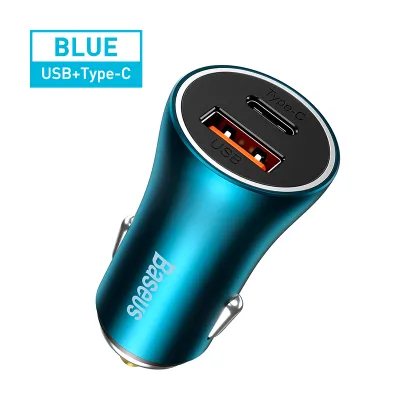
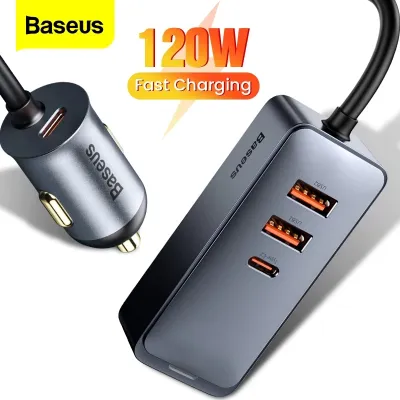
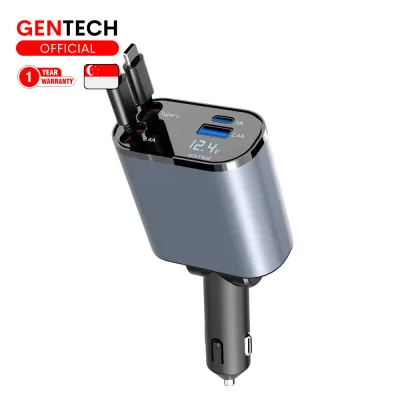
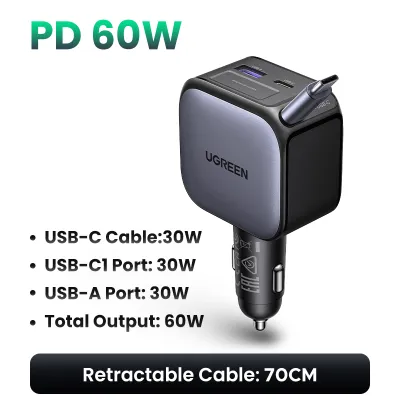
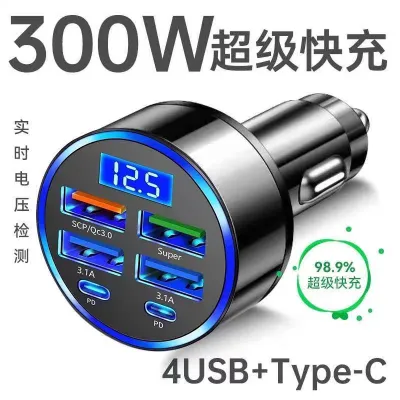
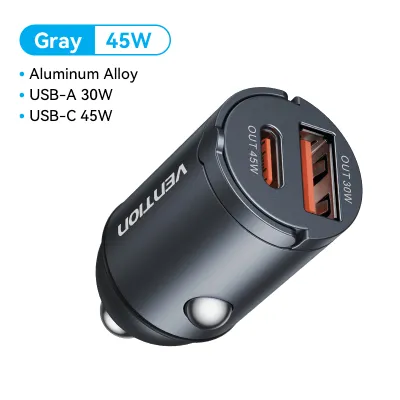
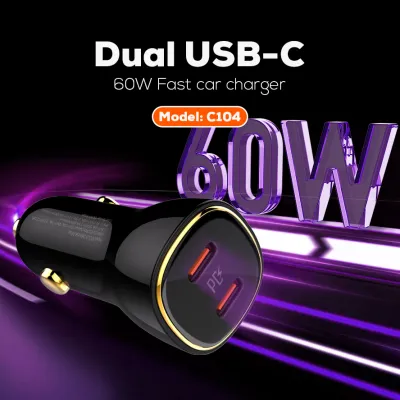
![[Super Fast Charge /Power Delivery] Prolink 51W 2-Port PD Car Charger/ USB Type-C PPS PD3.0 with Intellisense (PCC24501) - Compatible with iPhone17](https://img.lazcdn.com/g/p/8d4938cf1b03379e4d9c38a2bdbd7572.jpg_400x400q80.jpg_.webp)
Prices are valid at publication and may change. Please refer to the product page for the latest price.
Next, catalog the devices you and your passengers use on a daily basis. A standard setup might include a modern smartphone, a tablet for passengers, a dedicated dashcam, or even a portable GPS unit. Each of these devices has specific port requirements, ranging from older Micro-USB and USB-A connections to modern USB-C standards.
Finally, identify whether you need continuous low-power delivery, rapid high-wattage charging, or a convenient hands-free mounting solution. Defining these priorities will immediately narrow down your options.
USB-A Car Chargers: Legacy Compatibility and Basic Power
The USB-A car charger remains a familiar sight in many vehicles, serving as the long-standing standard for mobile power. These chargers plug directly into your vehicle’s 12V socket and typically feature one or more rectangular USB-A ports. For drivers who rely on a variety of older accessories, this format offers unmatched legacy compatibility.

One of the primary advantages of USB-A chargers is their universal compatibility with existing cables. Most dashcams, older action cameras, and legacy electronic accessories ship with USB-A cables, making these chargers highly practical for powering secondary devices. Additionally, because the technology has matured over many years, these chargers are widely available at a very accessible price point, often costing only a few dollars (S$) at local electronics retailers or online marketplaces.
However, USB-A technology has clear limitations when it comes to modern power demands. These ports generally do not support the advanced fast-charging protocols required by newer smartphones and tablets, resulting in significantly slower charging times. Furthermore, USB-A is physically incapable of delivering the high wattage required by larger devices like laptops, meaning you cannot use them for heavy-duty mobile work setups.
The best use case for a USB-A car charger is as a dedicated power source for low-draw accessories. If you need to keep a dashcam running continuously or want to provide a basic utility port for passengers with older devices, a multi-port USB-A adapter is a highly reliable and cost-effective solution.
USB-C Car Chargers: Fast Charging and Modern Versatility
As mobile technology transitions toward a unified standard, USB-C car chargers have become the preferred choice for high-performance power delivery on the road. Utilizing the smaller, reversible Type-C connector, these chargers are engineered to handle the demanding power requirements of modern consumer electronics.
The standout benefit of a USB-C car charger is its support for advanced power delivery protocols, most notably USB Power Delivery (USB PD). This technology allows the charger to dynamically negotiate voltage and current with your device, enabling rapid charging that can quickly replenish a low battery during a brief commute. Additionally, the reversible design of the USB-C connector eliminates the frustration of trying to plug in a cable the wrong way while parked or preparing for a drive.
Despite these advantages, transitioning to a USB-C setup may require some adjustments. To utilize these chargers, you must possess compatible USB-C to USB-C or USB-C to Lightning cables, which may not have been included with your older devices. If you still rely on legacy USB-A accessories, you will either need to purchase physical adapters or opt for a hybrid charger that features both port types.
A USB-C charger is ideal for drivers who use modern smartphones, tablets, or compact laptops and require rapid power replenishment. If you frequently find yourself needing to boost your phone’s battery significantly during a short drive between appointments, the high-wattage output of a USB-C charger is unmatched.
Wireless Car Chargers: Cable-Free Convenience and Mounting
Wireless car chargers combine the utility of a dashboard phone mount with the convenience of inductive charging, typically utilizing the widely adopted Qi standard. These devices mount to your vehicle’s air vents, dashboard, or windshield, drawing power from a wired connection to your 12V socket while transferring energy to your phone wirelessly.
The most compelling advantage of a wireless car charger is the complete elimination of cable clutter around your gear shifter and center console. Instead of fumbling with physical plugs every time you enter or exit your vehicle, you can simply drop your phone into the cradle to begin charging. This seamless integration is particularly beneficial for drivers who use their phones constantly for navigation, as the mount keeps the screen safely within your line of sight.
However, wireless charging involves several distinct trade-offs that drivers must consider. Inductive charging is inherently less efficient than a direct wired connection, leading to slower charging speeds and increased heat generation. In warm tropical climates, the combination of direct sunlight through the windshield and the heat generated by wireless charging can cause your phone to throttle its charging speed or shut down temporarily to cool down. Furthermore, thick or rugged phone cases, as well as magnetic plates used for mounting, can interfere with the inductive coils and prevent charging altogether.
Wireless chargers are best suited for drivers who prioritize convenience and a clean cabin aesthetic over raw charging speed. If you make frequent short trips where plugging and unplugging a cable is tedious, or if you rely heavily on your phone’s GPS and want a permanent mounting solution that keeps your battery topped up, a wireless charging mount is an excellent addition.
Making the Final Decision: Comparison and Selection Framework
To help you determine which charger type aligns with your driving habits and device ecosystem, it is helpful to compare their core characteristics side by side. The following table outlines the key differences across charging speed, cable requirements, compatibility, and primary use cases.
| Charger Type | Charging Speed Potential | Cable Requirement | Device Compatibility | Primary Use Case |
|---|---|---|---|---|
| USB-A | Standard / Slow | USB-A to various | Legacy devices, dashcams, older phones | Continuous accessory power |
| USB-C | Rapid / High-Wattage | USB-C to USB-C / Lightning | Modern smartphones, tablets, laptops | Quick battery top-ups |
| Wireless | Moderate / Slow | None (to phone) | Qi-enabled smartphones | Navigation mount & convenience |
When applying this decision framework, start by assessing your primary daily pain point. If your main goal is to power a dashcam or keep older passenger devices running without spending much, a basic USB-A charger is the most practical choice. If you own a modern smartphone and need the fastest possible charge during short trips, invest in a high-quality USB-C charger. If you prefer a tidy dashboard and want a secure mount that charges your phone without physical cables, a wireless charging mount is the logical path.
Keep in mind that physical and electrical limitations may alter your decision. For instance, if your vehicle’s 12V socket is loose or non-functional, or if your preferred phone case is too thick to allow inductive transfer, you must address these hardware compatibility issues before finalizing your purchase.
Verifying Safety, Fitment, and Electrical Limits
Before plugging any aftermarket accessory into your vehicle’s electrical system, you must verify that the charger operates safely within established limits. Start by checking your vehicle’s owner’s manual to identify the fuse rating of your 12V auxiliary socket, which is typically rated for 10 to 15 amps. Compare this with the input specifications printed on the charger’s label to ensure that the combined draw of all connected devices will not overload the circuit and blow a fuse.
Physical fitment is another crucial factor that varies significantly between vehicle models. Some 12V sockets are deeply recessed within storage compartments, positioned at awkward angles near the gear selector, or surrounded by trim that prevents bulky chargers from seating fully. Carefully measure the clearance around your socket and choose a low-profile charger if space is tight, ensuring the plug can make a secure, uninterrupted electrical connection.
When shopping for a car USB charger, always inspect the packaging or product label for certified safety protections. High-quality chargers feature built-in safeguards against overcurrent, overvoltage, short circuits, and extreme temperatures. These protective circuits are essential for shielding your expensive mobile devices and your vehicle’s sensitive electronics from power surges.
If you notice any unusual behavior, such as the charger becoming excessively hot to the touch, sparks occurring when inserting the plug, or the vehicle’s radio experiencing static interference when the charger is active, discontinue use immediately. For persistent electrical issues or if you are considering hardwiring a charging system directly into your vehicle’s fuse box, always stop and consult your vehicle’s manual or a qualified automotive electrician to prevent damage or safety hazards.
Frequently Asked Questions (FAQ)
Can I use a USB-C to USB-A adapter in my car?
Yes, physical adapters can be used to connect older USB-A cables to a USB-C port, or vice versa. However, using an adapter often limits the charging speed, as standard USB-A connections cannot support the high-wattage Power Delivery protocols native to USB-C. Always check the adapter’s rated limits on its label to ensure it can safely handle the current without overheating.
Will a wireless car charger drain my vehicle's battery?
Whether a charger drains your battery depends on how your vehicle manages its 12V accessory power. Many modern vehicles utilize switched sockets that automatically cut power when the ignition is turned off, preventing any battery drain. If your vehicle has an always-on socket, leaving a wireless charger or any active adapter plugged in while parked for extended periods can slowly drain the battery; in such cases, it is safest to unplug the charger when leaving the vehicle.
Do I need a special cable for a USB-C car charger?
To achieve the maximum fast-charging speeds supported by a USB-C car charger, you must use a cable that is rated for high-wattage power delivery. Standard, low-cost cables may lack the internal wiring or e-marker chips required to negotiate higher voltages safely. Always check the cable’s packaging or specification label to confirm its maximum power rating matches or exceeds your charger’s output.

Community discussion
Share your experience or ask a question. Comments are reviewed before publication.