
Choosing the right charging method for your vehicle depends on your daily driving habits, the devices you carry, and how quickly you need to replenish your battery. While modern vehicles often come equipped with built-in ports, the traditional car power socket remains the most versatile hub for powering your electronics on the road. Deciding between USB-A, USB-C Power Delivery (PD), and wireless car chargers requires balancing charging speed, cable clutter, and thermal management.
For drivers who prioritize rapid charging during short commutes, a USB-C PD charger plugged into the car power socket is generally the most efficient option. If you prefer a clean dashboard free of dangling cords and only need to top up your battery slowly, a wireless charging mount offers excellent convenience. Meanwhile, USB-A remains a reliable, budget-friendly choice for powering legacy devices and low-power accessories like dash cams.
Understanding Your Car Power Socket and Charger Types
To make an informed decision, you must first understand the power sources available in your vehicle. Most cars feature a mix of factory-installed USB ports and at least one auxiliary car power socket. Built-in USB ports, especially in older vehicle models, are often designed primarily for data transfer rather than high-speed charging, frequently limiting their power output.
Products mentioned in this guide
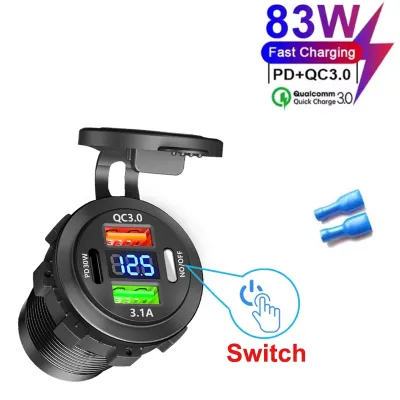
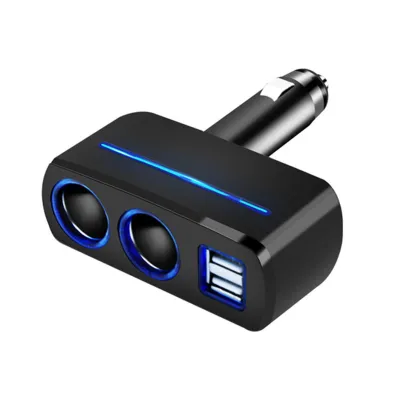
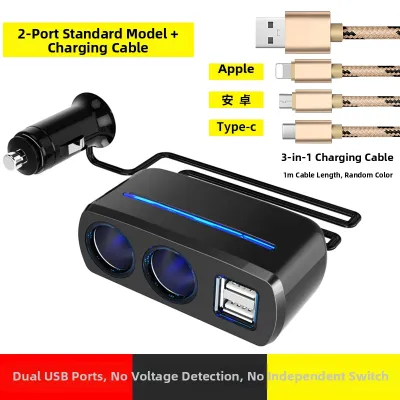
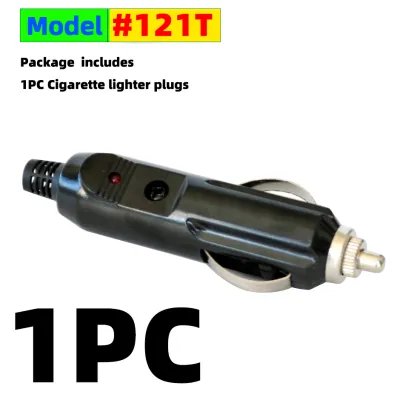
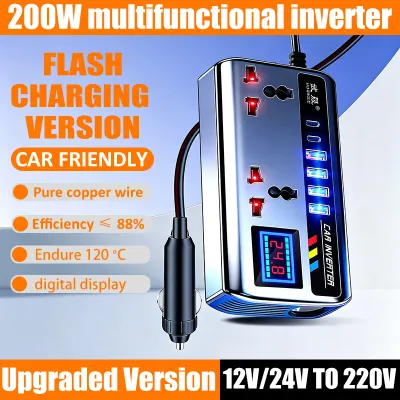
Prices are valid at publication and may change. Please refer to the product page for the latest price.
In contrast, the dedicated car power socket can deliver significantly more power, making it an excellent foundation for aftermarket chargers. By plugging a high-quality adapter into this socket, you can access advanced charging protocols that your vehicle’s built-in ports cannot support. Before purchasing any aftermarket accessory, always consult your vehicle owner’s manual to verify the maximum power rating of your specific car power socket.
The physical connection methods and operating principles of the three main charger types differ substantially. USB-A adapters use the familiar rectangular connector that has been standard for decades, delivering a steady but limited flow of electricity. USB-C PD adapters utilize the smaller, reversible Type-C connector and feature intelligent negotiation protocols that allow the charger and device to agree on the highest safe voltage and current. Wireless chargers rely on electromagnetic induction, transferring energy over a short distance from a transmitter coil in the charging pad to a receiver coil inside your phone.
Comparing Charging Speed and Device Compatibility
Charging speed is often the most critical factor for drivers who rely on their phones for navigation and music streaming. USB-A chargers are generally limited to standard charging speeds, making them less suitable for quickly reviving a nearly depleted modern smartphone. They are, however, fully adequate for low-power accessories such as dash cams, GPS units, or older phone models that do not support fast-charging standards.

USB-C PD represents the current standard for high-speed mobile power. This protocol can deliver substantially higher wattage, allowing you to fast-charge compatible smartphones, tablets, and even some laptops while on the go. To benefit from these speeds, both your charging adapter and your mobile device must support the Power Delivery protocol, and you must use a compatible USB-C cable.
Wireless charging prioritizes convenience over raw speed. Even the fastest wireless car chargers typically transfer power slower than a direct wired USB-C PD connection due to energy loss during induction. Wireless charging requires a device that supports the Qi wireless standard or a compatible magnetic charging system. Before choosing this route, check your smartphone’s technical specifications to confirm its maximum wireless receiving capacity and compatibility.
Evaluating Convenience, Cable Management, and Driving Safety
Cabin organization and driver focus are essential components of a safe driving experience. Wireless car chargers excel at keeping the center console tidy by eliminating the need to plug and unplug a physical cable every time you enter or exit the vehicle. Many wireless chargers double as motorized or magnetic mounts, allowing you to secure your phone with a simple one-handed motion. However, if the phone shifts slightly due to road vibrations or sharp turns, the induction coils can misalign, which slows down or completely halts the charging process.
Wired charging methods require physical cables running from the car power socket to your device mount. While this ensures an uninterrupted electrical connection regardless of road conditions, it introduces the challenge of cable management. Loose cords can drape over gear shifters, block climate controls, or become tangled around the steering column if not properly secured with clips or routing ties.
From a safety perspective, managing your charging setup while driving poses severe risks. Attempting to plug in a cable, adjust a loose connector, or reposition a misaligned phone on a wireless pad distracts your eyes from the road and your hands from the wheel. To maintain optimal safety, always secure your phone and establish your charging connection before starting the engine, and pull over safely if you need to adjust your equipment.
Heat Generation and Battery Health Considerations
The thermal environment inside a vehicle can be harsh, particularly when devices are mounted on the dashboard or windshield. Wireless charging is inherently less efficient than wired charging, with a portion of the transmitted energy escaping as heat. This extra thermal energy, combined with direct sunlight hitting your phone through the windshield, can cause your device’s internal temperature to rise rapidly. When a phone overheats, its operating system will typically throttle charging speeds, dim the screen, or shut down entirely to protect the battery.
Wired fast charging via USB-C PD also generates heat, but because the energy transfer is highly efficient, the thermal load is generally lower than that of wireless charging. Modern smartphones feature sophisticated internal thermal management systems that regulate the incoming current based on temperature. However, charging any lithium-ion battery at high speeds in a hot cabin will accelerate battery degradation over time.
To preserve your device’s long-term battery health, avoid leaving your phone on a sun-exposed wireless charging pad during hot afternoons. If your dashboard mount receives direct sunlight, consider using an air-vent mount that allows the vehicle’s air conditioning to cool the back of the phone while it charges. Pay close attention to any temperature warnings displayed on your device and disconnect the charger if the phone feels excessively hot to the touch.
How to Choose the Right Charger for Your Needs
Selecting the most suitable charging setup requires evaluating your daily driving patterns and device inventory. If your primary goal is to power a dedicated dash cam or charge older electronics on a tight budget, a simple USB-A adapter plugged into your car power socket is a practical and cost-effective solution. This setup is highly reliable for low-power applications where rapid charging is unnecessary.
If you have a modern smartphone and frequently take short trips where every minute of charging counts, a USB-C PD charger is the recommended choice. The rapid power delivery ensures you can gain a significant battery percentage during a brief commute, making it indispensable for busy professionals and road trips. Ensure you pair the adapter with a high-quality, certified cable that can handle the increased wattage.
For drivers who value a minimalist aesthetic and frequently step in and out of the vehicle, a wireless car charger offers exceptional convenience. This option is well suited for longer commutes where the slower charging speed is not a drawback, and for vehicles where the mount can be positioned away from direct sunlight.
Before making any purchase, inspect your vehicle’s existing layout. Some modern cars come equipped with built-in wireless pads or USB-C ports; verify if these factory options deliver sufficient wattage for your devices. If they do not meet your needs, upgrading your setup with a high-performance adapter designed for your car power socket is a straightforward way to modernize your driving experience.
Installation and Power Draw Checks for Aftermarket Chargers
When adding aftermarket charging accessories to your vehicle, electrical safety must be your top priority. The car power socket is protected by a specific fuse in your vehicle’s fuse box, which is rated for a maximum current limit. Overloading this circuit by plugging in multiple high-power devices simultaneously via a multi-port adapter can blow the fuse, disabling the socket and potentially other connected electronics.
To prevent electrical issues, select charging adapters from reputable manufacturers that explicitly list built-in safety features. Look for products that offer overcurrent, overvoltage, and short-circuit protection to safeguard both your vehicle’s electrical system and your mobile devices. Avoid generic, unbranded adapters that lack clear safety certifications or feel unusually lightweight and poorly constructed.
If your charging setup involves complex installations, such as hardwiring a multi-port charger behind the dashboard, mounting a permanent wireless pad into the console, or modifying the vehicle’s original wiring, do not attempt to do it yourself. Consult a qualified automotive electrician to ensure the installation complies with your vehicle’s electrical specifications and does not void your manufacturer warranty.
Frequently Asked Questions (FAQ)
Can I use a USB-C PD charger in an older car with only a 12V socket?
Yes, you can easily use a USB-C PD charger in an older vehicle by purchasing a high-quality USB-C PD adapter designed to fit into the standard 12V car power socket. These adapters convert the vehicle’s direct current power into the appropriate voltages required by the Power Delivery protocol. Before purchasing, verify that the adapter’s maximum output matches your device’s requirements and that the adapter fits securely inside your vehicle’s specific socket dimensions.
Does wireless car charging drain the car battery when the engine is off?
Most modern vehicles automatically cut power to the car power socket when the ignition is turned off, which effectively prevents any battery drain from connected chargers. However, some vehicles keep the socket live even when parked. While an idle wireless charger draws a negligible amount of standby power, leaving it plugged into an active socket for several days without running the engine can gradually deplete your car battery. Check your vehicle’s behavior and unplug the charger if your socket remains powered when the engine is off.

Community discussion
Share your experience or ask a question. Comments are reviewed before publication.