
Navigating busy urban expressways like the PIE or CTE in Singapore requires undivided attention and a reliable navigation setup. For most drivers, a car handphone holder is an indispensable accessory, keeping GPS routing clearly in sight. However, as mobile devices have evolved, these holders have transformed from simple plastic cradles into integrated charging stations. Selecting the right charging technology for your dashboard mounting is no longer just about convenience; it directly impacts your phone’s battery health, charging speed, and daily driving comfort.
Quick Answer: Which Charging Type is Right for You?
When choosing a charging mechanism for your dashboard, your daily driving habits and device ecosystem should dictate your decision. For the majority of modern smartphone users, a Type-C connection offers the most balanced performance, delivering rapid power replenishment and high reliability for long journeys. Wireless charging stands out as the ideal choice for urban drivers who make frequent short trips, value a clean dashboard layout, and want the convenience of grabbing their device without unplugging a physical cable. USB-A remains a legacy option, best reserved for older vehicles with pre-existing ports or for drivers using secondary, older devices dedicated solely to navigation. There is no single universal option; the right choice depends on whether you prioritize raw speed, seamless convenience, or budget-friendly compatibility with older hardware.
Understanding the Three Charging Technologies
To make an informed decision, it is essential to understand how these three charging interfaces function mechanically and electrically within a vehicle environment.
Products mentioned in this guide
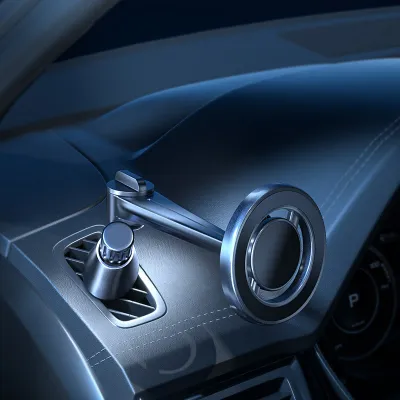
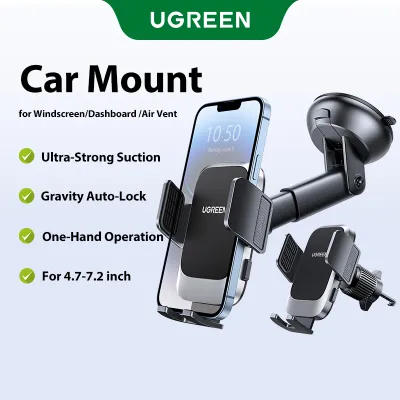
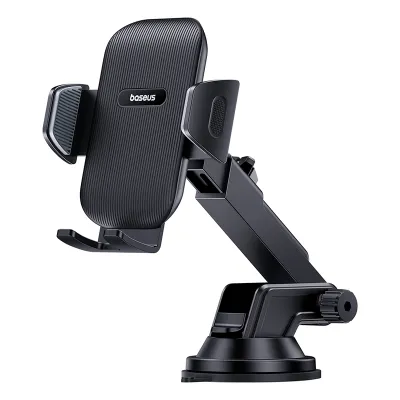
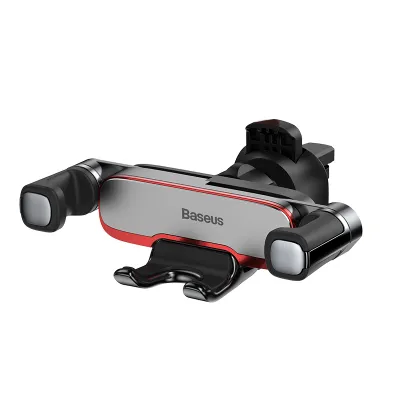
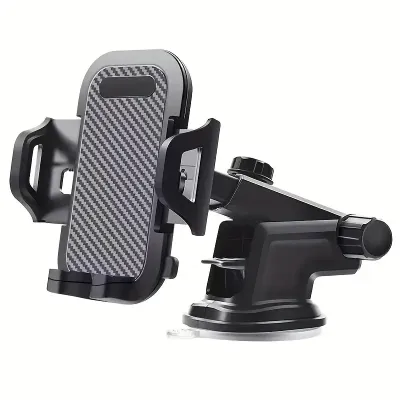
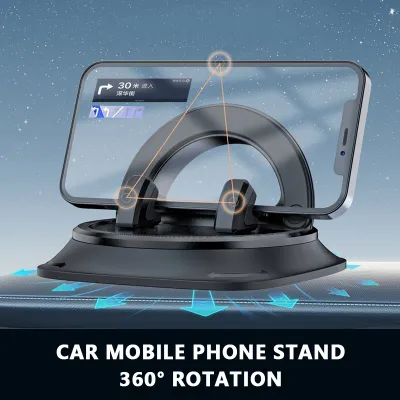

Prices are valid at publication and may change. Please refer to the product page for the latest price.

USB-A represents the legacy standard that has dominated consumer electronics for decades. Recognizable by its rectangular, non-reversible connector, USB-A ports are commonly built into older car head units and dashboard panels. This technology relies on older power delivery standards, which generally cap power output at lower thresholds compared to modern interfaces.
Type-C, or USB-C, is the modern industry standard featuring a symmetrical, reversible connector that eliminates the frustration of plugging it in upside down. Beyond its physical convenience, Type-C supports advanced Power Delivery (PD) protocols, enabling significantly higher wattage transfer. This allows compatible devices to fast-charge efficiently even during short commutes.
Wireless charging utilizes electromagnetic induction to transfer power from the holder’s internal transmitter coil to the receiver coil located inside your phone. This technology, dominated by the Qi standard and magnetic alignment systems, completely removes the need to plug a physical cable into your phone. Instead, the holder itself remains wired to the car’s power source, and your phone charges simply by sitting in the cradle.
Key Comparison Dimensions
Evaluating these three options requires looking at how they perform under real-world driving conditions, where factors like thermal buildup and power consumption from active apps play a major role.
Charging Speed & Efficiency Running intensive applications like GPS navigation and Bluetooth music streaming simultaneously draws substantial power. A wired Type-C connection is highly efficient, minimizing power loss and delivering rapid charging speeds that can easily outpace battery drain. USB-A, while functional, often charges modern devices at a much slower rate, sometimes only maintaining the current battery percentage rather than actively increasing it when resource-heavy apps are running. Wireless charging is the least efficient of the three, as a portion of the electrical energy is lost as heat during inductive transfer. Always check the product label of your chosen holder to verify its maximum supported input and output wattages, as actual speeds depend on your phone’s compatibility and the vehicle’s power source.
Convenience & Cable Management Wireless charging offers unmatched convenience for drivers who frequently enter and exit their vehicles. You can mount or retrieve your phone with one hand, without fumbling with cables. Wired options (both Type-C and USB-A) require you to manually plug and unplug the cable each time. This physical connection can lead to cluttered dashboards, with loose wires trailing across the gear shifter or console, though it ensures a continuous, uninterrupted power supply regardless of road vibrations.
Device Compatibility Wired connections are highly universal, provided you have the correct cable tip (Type-C, Lightning, or Micro-USB) for your device. Wireless charging requires your phone to support Qi inductive charging. Furthermore, modern magnetic alignment systems offer enhanced stability and automatic coil alignment for compatible smartphones, whereas standard Qi wireless holders require manual adjustment to align the charging coils properly.
Heat Generation Heat is the primary enemy of lithium-ion batteries. Wired charging, particularly through USB-A, generates minimal heat at the phone itself because the power conversion occurs mostly within the car adapter. Type-C fast charging can generate moderate heat during high-wattage phases, but the phone’s internal management system regulates this safely. Wireless charging naturally generates the most heat due to the physical limits of inductive energy transfer. This thermal buildup can be exacerbated by thick phone cases and direct sunlight.
| Dimension | USB-A | Type-C (USB-C) | Wireless (Qi/Magnetic) |
|---|---|---|---|
| Charging Speed | Low to Moderate | High | Moderate |
| Convenience | Low (Manual Plug) | Low (Manual Plug) | High (Drop-and-Go) |
| Heat Generation | Low | Moderate | High |
| Cable Clutter | High | High | Low (Cable stays fixed) |
| Compatibility | Universal (with cable) | Universal (with cable) | Device-dependent (Qi) |
Deep Dive: USB-A Car Handphone Holders
While newer technologies dominate the market, USB-A integrated holders still serve a specific purpose for certain driving demographics.
Pros The primary advantage of USB-A holders is their widespread compatibility and affordability. Because USB-A has been the standard for over two decades, you can easily find budget-friendly options, often priced under S$20 in local automotive accessory shops. They are compatible with older car models that only feature built-in USB-A ports, eliminating the immediate need to purchase additional 12V adapters.
Cons The limitations of USB-A are increasingly apparent. The non-reversible design can be highly frustrating if you need to plug in your phone while parked. More importantly, USB-A ports generally lack the power output required to fast-charge modern, high-capacity smartphone batteries. If you are running multiple background applications, a USB-A connection may charge your phone extremely slowly, or simply prevent the battery from draining further without actually replenishing it.
Target User A USB-A car handphone holder is best suited for drivers on a strict budget, those operating older vehicles without modern electrical upgrades, or individuals using a dedicated secondary phone solely for navigation purposes where rapid charging is not a priority.
Deep Dive: Type-C Car Handphone Holders
Type-C has rapidly become the standard for modern automotive setups, offering a robust balance of speed and reliability.
Pros Type-C connections excel in power delivery. When paired with a compatible Power Delivery (PD) car charger, a Type-C holder can fast-charge your phone, bringing a low battery up to a usable charge within a short commute. The physical connection is highly secure, ensuring that power delivery is never interrupted by bumps, speed humps, or sharp turns. Additionally, the reversible connector makes plugging in your device effortless.
Cons The main drawback of a wired Type-C setup is the physical cable itself. Having a cable running from your dashboard or air vent down to the center console can create visual clutter and physical obstruction. Over time, constant plugging and unplugging can cause wear and tear on your phone’s charging port and the cable connectors, eventually requiring replacement.
Target User This option is ideal for long-distance drivers, private-hire vehicle (PHV) drivers, and anyone who relies heavily on continuous GPS navigation. If you need your phone fully charged quickly between destinations and do not want to worry about alignment issues, Type-C is the most dependable choice.
Deep Dive: Wireless Charging Car Handphone Holders
Wireless charging holders represent the premium segment of dashboard accessories, focusing heavily on user convenience and aesthetic integration.
Pros The core benefit of wireless charging is its seamless user experience. You simply place your phone into the cradle, and charging begins automatically. This eliminates cable clutter around the steering wheel and gear area, as the main power cable remains permanently routed and tucked away behind the dashboard. It also completely eliminates physical wear on your phone’s charging port.
Cons Wireless charging is inherently slower and less energy-efficient than wired charging. It is highly sensitive to the physical barrier between the phone and the charger; thick cases, cards, or metal plates can block the inductive current entirely. Furthermore, because of the heat generated during the induction process, phones can warm up quickly, which may prompt the device to temporarily throttle charging speeds to protect battery health.
Alignment Requirements To achieve efficient wireless charging, the transmitter coil in the holder must align precisely with the receiver coil in your phone. Standard Qi holders often feature adjustable bottom feet to help you align different phone models manually. In contrast, magnetic alignment systems (such as those compatible with MagSafe or specialized magnetic cases) use built-in magnets to snap the phone into the perfect charging position instantly, offering superior stability on bumpy roads.
Target User A wireless charging holder is perfect for daily commuters who make frequent short stops, drivers who prefer a clean, minimalist dashboard, and those who own modern flagship smartphones with built-in wireless charging capabilities.
How to Choose the Right Holder for Your Driving Needs
Selecting the ideal mount requires matching your specific driving habits with the strengths of each technology.
Choose Type-C if: You prioritize charging speed above all else, frequently drive long distances, or use your phone for heavy multitasking while on the road. It is the most reliable option for keeping your battery topped up under high-demand scenarios.
Choose Wireless if: Your daily drive consists of short urban commutes, you frequently get in and out of your vehicle, and you want to maintain a clean, cable-free aesthetic on your dashboard. It offers the most seamless day-to-day operation if your phone supports it.
Choose USB-A if: You are looking for a highly economical solution, drive an older vehicle with built-in USB-A ports, or are charging a secondary, older device that does not support modern fast-charging protocols.
Verify First Before making a purchase, always verify your vehicle’s physical and electrical specifications. Check whether your car’s built-in USB ports provide actual charging power or are merely low-output media ports; if the latter, you will need a separate 12V cigarette lighter adapter. Ensure your phone’s maximum supported charging wattage aligns with the holder’s output capabilities. Finally, examine your dashboard layout—including the position of your air vents and any Electronic Road Pricing (ERP) units—to ensure the holder’s mounting mechanism (vent clip, suction cup, or dashboard adhesive) fits securely without obstructing your view or essential vehicle controls.
Installation, Safety, and Heat Management
Operating electronics in an automotive environment introduces unique challenges, particularly regarding thermal conditions and physical safety.
Heat Management Singapore’s tropical climate poses a significant challenge for dashboard-mounted electronics. Direct sunlight streaming through the windshield can rapidly heat a mounted phone, especially during wireless charging which naturally generates its own heat. When a phone’s internal temperature rises too high, its safety protocols will automatically slow down or halt charging entirely to protect the battery. To mitigate this, consider choosing an air-vent mount. This position utilizes the cold air from your car’s air-conditioning system to actively cool the back of your phone and the holder, maintaining optimal charging efficiency even on hot afternoons.
Mounting Safety When installing your car handphone holder, physical safety must be your top priority. Ensure the mounting position does not obstruct your forward line of sight or block your side mirrors. Crucially, refer to your vehicle’s owner manual to identify airbag deployment zones; a holder or phone mounted in the path of a deploying airbag can become a dangerous projectile in an accident. Ensure all cables are neatly routed and secured using cable clips so they do not interfere with the steering wheel, gear shifter, or foot pedals.
Power Source Verification High-performance Type-C and wireless charging holders require a stable, high-output power source to function as intended. Many built-in dashboard USB ports only output 5W of power, which is insufficient for fast wireless charging or high-wattage Type-C Power Delivery. To achieve peak charging performance, you may need to purchase a dedicated high-output 12V car charger adapter that plugs into your vehicle’s cigarette lighter socket. Always consult the holder’s product manual to verify its specific input voltage and current requirements before connecting it to your vehicle’s electrical system. If you are unsure about your vehicle’s electrical capacity or require complex wiring routing, consult a qualified automotive professional.
Frequently Asked Questions (FAQ)
Do I need a special car charger adapter for a Type-C or wireless holder?
Yes, in many cases you will need a dedicated high-output 12V car charger adapter. Most built-in USB ports in vehicles are designed for low-power data transfer or basic charging (typically 5W), which is insufficient for the fast-charging protocols of modern Type-C and wireless holders. To get the maximum charging speed, check the wattage requirements on your holder’s packaging (often 15W, 18W, or higher) and pair it with a compatible 12V cigarette lighter adapter that supports USB Power Delivery (PD) or Quick Charge (QC) standards.
Will a thick phone case stop wireless charging in the car?
Yes, thick phone cases can significantly degrade or entirely block wireless charging. Standard Qi wireless charging relies on close physical proximity between the coils, usually requiring a distance of less than 5mm. Cases made of thick leather, heavy-duty protective plastics, or those containing metal plates, ring holders, and credit cards will interfere with the electromagnetic field. If you use a thick case, check the holder manufacturer’s specifications for maximum case thickness compatibility, or opt for a magnetic alignment holder paired with a compatible magnetic-ring case to ensure a secure connection.
Is it safe to leave the car phone holder plugged in when the car is off?
This depends entirely on how your vehicle’s 12V auxiliary outlets or USB ports are wired. In some vehicles, these ports turn off automatically when the ignition is switched off, cutting power to the holder completely. However, in other vehicles, the 12V socket remains constantly powered. If your car keeps the socket active, leaving a high-draw charging holder plugged in can cause a slow parasitic drain on your car battery over extended periods, potentially leading to a flat battery. To prevent this, check if your dashboard indicator lights remain on when the engine is off, or simply unplug the adapter when parking the car for long periods.
Community discussion
Share your experience or ask a question. Comments are reviewed before publication.