
Quick Answer: Which Self-Eject Charger Type Fits Your Needs?
Choosing the right self-eject car charger depends on your vehicle’s existing ports, your smartphone’s capabilities, and how quickly you need to replenish your battery. Motorized, auto-clamping mounts offer a seamless way to secure your phone, but the underlying charging technology varies significantly across USB-A, USB-C, and wireless configurations.
- Choose USB-A if you drive an older vehicle with standard USB ports, use a phone that does not support modern fast-charging protocols, or simply need a reliable, budget-friendly mount to keep your battery stable during short commutes.
- Choose USB-C if you require rapid power delivery, drive a modern vehicle equipped with USB-C ports, or use a high-output 12V adapter to fast-charge your compatible smartphone on short trips.
- Choose Wireless if you prioritize maximum convenience, want to avoid plugging and unplugging cables manually, and own a phone that supports Qi or Qi2 wireless charging, provided you accept slower charging speeds and higher operating temperatures.
How Self-Eject Mechanisms Work and Power Requirements
Self-eject or auto-clamping car chargers utilize integrated electric motors to open and close the mounting arms automatically. When you place your phone near the mount, an infrared proximity sensor, physical button, or touch-sensitive pad triggers the motor to close the arms and grip your device securely. To release the phone, you press a physical or touch-sensitive button on the side of the mount, which signals the motor to retract the arms.

Because these mechanisms rely on electric motors, they require a continuous power supply to function. Most self-eject mounts draw power directly from your vehicle’s 12V accessory socket (cigarette lighter) or an active USB port. Some premium models feature an integrated supercapacitor or a small backup battery, allowing the release mechanism to function a few times even after you have turned off the vehicle’s engine.
Products mentioned in this guide
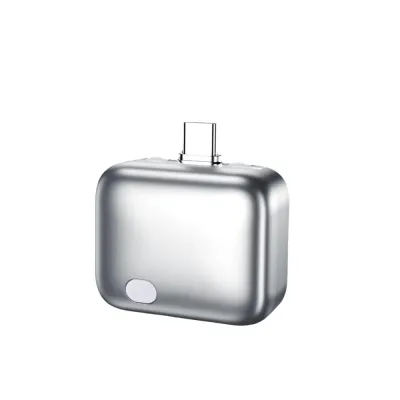
![[SG]140W USB-C Auto Pop-Up Charger Adapter Smart Auto Disconnect Fast Charging Dual Current Mode Battery Protection](https://img.lazcdn.com/g/p/fb4a933d6387c3d8d53918ec0573f459.png_400x400q80.png_.webp)
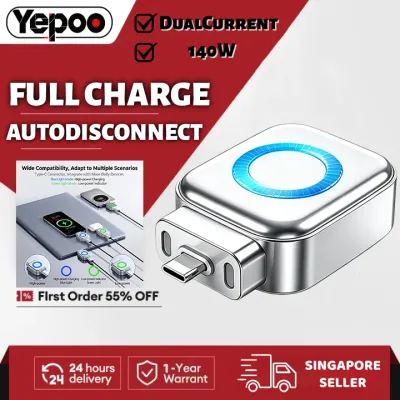
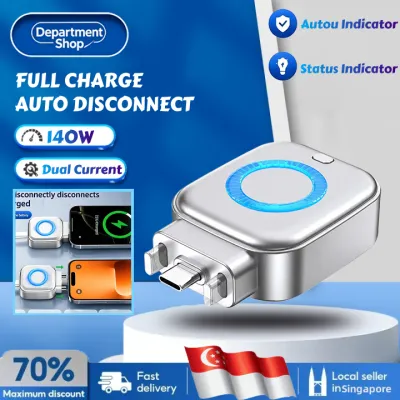
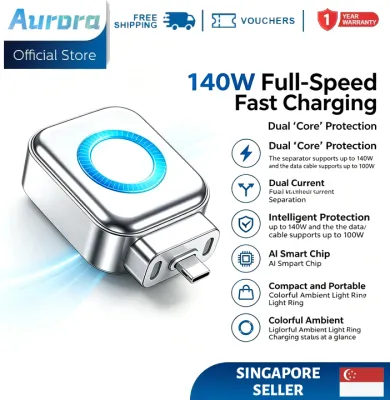
Prices are valid at publication and may change. Please refer to the product page for the latest price.
Before purchasing, you must verify that your vehicle’s power source matches the input requirements of the self-eject mount. A mount connected to an underpowered USB port may fail to operate the motorized arms reliably, or it may constantly restart when attempting to charge your phone. Always check the manufacturer’s input specifications—typically listed in volts and amperes—against your vehicle’s port ratings or your 12V adapter’s output capabilities.
USB-A Self-Eject Chargers: Compatibility and Performance
USB-A self-eject chargers utilize the traditional rectangular USB port that has been standard in vehicles for over two decades. This legacy connection style offers excellent compatibility, making it easy to plug the mount into older factory-installed dashboard ports or older 12V cigarette lighter adapters without needing to upgrade your existing hardware.
However, the primary limitation of USB-A is its power delivery threshold. Traditional USB-A ports typically deliver standard charging speeds, which are significantly slower than modern fast-charging standards. While some proprietary USB-A quick-charging protocols exist, they often require specific matching cables and compatible phone models to function, reverting to basic slow charging if those conditions are not met.
This setup is ideal for drivers who prioritize physical compatibility over rapid charging speeds. If your daily commute consists of predictable routes where you only need to maintain your current battery percentage while running navigation apps, a USB-A self-eject charger provides a highly reliable and cost-effective solution.
USB-C Self-Eject Chargers: Speed and Modern Standards
USB-C self-eject chargers represent the modern standard for wired in-car power. Utilizing the reversible, slim USB-C connector, these mounts support advanced power delivery protocols, such as USB Power Delivery (PD). This technology allows the charger and your phone to communicate dynamically, negotiating the safest and fastest possible charging speed for your specific device.
To take full advantage of a USB-C self-eject charger, your vehicle must either feature native USB-C ports capable of high power output or be equipped with a high-quality 12V-to-USB-C adapter. Using a cheap, uncertified adapter can bottleneck the power delivery, reducing your charging speeds to standard levels and potentially causing electrical interference with your car’s radio or keyless entry system.
Drivers with modern smartphones and newer vehicles will benefit most from this configuration. If you frequently make short trips and need to recover a significant percentage of your phone’s battery in 15 to 30 minutes, the high-wattage capability of a wired USB-C self-eject charger is unmatched by legacy USB-A or wireless alternatives.
Wireless Self-Eject Chargers: Convenience and Limitations
Wireless self-eject chargers combine motorized clamping arms with inductive charging coils, allowing you to mount and charge your phone in a single, one-handed motion. By eliminating the need to manually connect a physical cable to your phone’s charging port every time you enter the vehicle, these mounts offer the highest level of daily convenience and reduce wear and tear on your device’s physical port.
Despite their convenience, wireless chargers have inherent physical limitations, most notably slower charging speeds and increased heat generation. Inductive charging is less efficient than a direct wired connection, meaning a portion of the electrical energy is lost as heat. In warm climates, such as Singapore’s tropical environment, this heat can build up quickly on your dashboard, causing your phone to throttle its charging speed or shut down temporarily to cool down.
Furthermore, wireless charging requires precise alignment between the coils inside the mount and those inside your phone. While the self-ejecting arms are designed to center your device, exceptionally thick cases, pop sockets, or magnetic plates can block the inductive signal entirely. This option is best suited for drivers who prioritize a clutter-free cabin and seamless mounting, and whose phones natively support Qi or Qi2 wireless standards.
Feature Comparison Matrix
| Feature | USB-A Self-Eject Chargers | USB-C Self-Eject Chargers | Wireless Self-Eject Chargers |
|---|---|---|---|
| Charging Speed | Standard / Slow | Fast (Supports Power Delivery) | Moderate to Slow (Thermal limits apply) |
| Vehicle Port Requirement | Standard USB-A or 12V adapter | USB-C port or high-output 12V adapter | USB-A or USB-C power source |
| Phone Connection | Physical cable required | Physical cable required | Cable-free (Inductive charging) |
| Phone Compatibility | Universal (with correct cable) | Universal (with correct cable) | Requires Qi/Qi2 compatible phone |
| Convenience Level | Moderate (manual cable plug-in) | Moderate (manual cable plug-in) | High (one-handed drop and charge) |
| Best Suited For | Older cars and budget setups | Rapid charging on short commutes | Maximum convenience and clean aesthetics |
Decision Framework: Which Type Should You Choose?
To determine the ideal self-eject charger for your daily driving habits, follow this step-by-step evaluation process before making a purchase.
Step 1: Assess Your Phone's Hardware
Identify whether your smartphone supports wireless charging. If your phone does not have built-in Qi or Qi2 wireless capabilities, a wireless self-eject mount will only serve as a motorized holder, requiring you to run a manual cable anyway. If your phone supports high-speed wired charging, a USB-C mount is necessary to unlock those speeds.
Step 2: Inspect Your Vehicle's Power Source
Look at your dashboard and center console. If your car only has older USB-A ports, plugging a USB-C or high-power wireless mount directly into them may result in insufficient power. If you plan to use the 12V accessory socket, ensure you budget for a high-quality, multi-port adapter (typically costing around S$20 to S$40) that can supply the necessary wattage to your chosen mount.
Step 3: Analyze Your Driving Habits
Consider the length of your average car trip. If you frequently get in and out of your vehicle for short errands, the cable-free convenience of a wireless self-eject mount is highly beneficial. Conversely, if you go on long road trips or use power-heavy applications like GPS navigation and music streaming simultaneously, a wired USB-C setup is preferred to prevent battery drain and minimize heat buildup.
Verify First Checklist
Before finalizing your choice, verify these critical physical and electrical factors:
- Case Compatibility: Ensure your phone case does not exceed the maximum thickness specified by the wireless charger manufacturer (usually 3mm to 5mm).
- Sensor Type: Check if the mount uses an infrared sensor or a physical button; infrared sensors can sometimes trigger unexpectedly if you wave your hand near the dashboard.
- Power Off Release: Confirm if the mount has a built-in capacitor so you can retrieve your phone after turning off the ignition.
Installation, Mounting, and Safety Checks
Proper installation of your self-eject charger is essential to ensure driving safety and prevent damage to your vehicle’s interior. Most mounts offer three primary attachment styles: air vent clips, dashboard/windshield suction cups, or CD slot inserts. Each style has distinct trade-offs regarding stability and visibility.
Air vent mounts keep your phone within easy reach and can help cool the device when the air conditioning is running, but they can block airflow and potentially damage fragile vent slats if the phone is heavy. Dashboard and windshield suction mounts offer flexible positioning but can obstruct your forward line of sight. When positioning your mount, ensure it does not block your view of the road, obstruct any physical vehicle controls, or sit within the deployment zone of any cabin airbags.
From an electrical standpoint, always check your vehicle’s owner’s manual for the maximum wattage rating of your 12V accessory socket. Plugging in high-draw multi-port adapters to power a motorized mount alongside other accessories can occasionally blow the socket’s fuse. If your charger stops working suddenly, inspect your vehicle’s fuse box for a blown accessory fuse before assuming the mount itself is defective.
Finally, always perform an initial setup and test of the auto-eject mechanism while your vehicle is safely parked. Adjust the bottom feet of the mount to align your phone’s charging coil or port, and test the release button several times. Ensure the motorized arms grip the phone tightly enough to withstand sudden braking or bumpy roads before you begin driving.
Frequently Asked Questions (FAQ)
Will a self-eject charger drain my car battery when the engine is off?
Whether a self-eject charger drains your car battery depends entirely on how your vehicle’s 12V accessory socket or USB ports are wired. In many vehicles, power to these ports is cut automatically when the ignition is turned off or when the driver’s door is opened. However, some vehicles keep these ports permanently powered, meaning any connected accessory will continue to draw a small standby current to keep its sensors and motors active. To prevent battery drain, observe if the charger’s indicator light remains on after you lock the car; if it does, you should unplug the charger when parking the vehicle for extended periods.
Do thick phone cases work with wireless self-eject chargers?
Thick phone cases can significantly interfere with both the physical grip and the electrical efficiency of wireless self-eject chargers. Most wireless mounts have a maximum transmission distance of 3mm to 5mm, meaning heavy-duty, ruggedized, or wallet cases will block the inductive charge and may trigger the mount’s foreign object detection safety feature. Additionally, cases with integrated metal plates, ring holders, or magnetic accessories can cause severe overheating or prevent the motorized arms from closing completely. If you use a thick or specialized case, a wired USB-A or USB-C self-eject mount is a much safer and more reliable choice.

Community discussion
Share your experience or ask a question. Comments are reviewed before publication.