
Choosing the right car phone charger for your daily drive comes down to a balance of charging speed, convenience, and your vehicle’s physical layout. With smartphones serving as navigation hubs, media players, and communication centers on the road, keeping your device powered up safely and efficiently is essential. The ideal choice depends on your phone’s charging capabilities, your vehicle’s available power outputs, and whether you prefer a clean, cable-free dashboard over the absolute fastest charging speeds.
For drivers who prioritize rapid charging, a USB-C car charger utilizing Power Delivery (PD) is the superior option. It delivers the highest wattage, making it perfect for modern smartphones, tablets, and even laptops during long commutes. If you are using older devices, already own a collection of legacy cables, or are looking for a budget-friendly setup, a USB-A car charger remains a highly reliable, functional choice. Meanwhile, a wireless car charger offers unmatched convenience for short, frequent trips, allowing you to mount and charge your phone with a simple “drop-and-go” motion, though it operates at slower speeds and generates more heat than wired alternatives.
Key Differences: USB-A, USB-C, and Wireless Chargers Compared
To help you visualize how these three charger types stack up against one another, the table below outlines their performance metrics, physical requirements, and installation styles across several critical decision dimensions.
Products mentioned in this guide
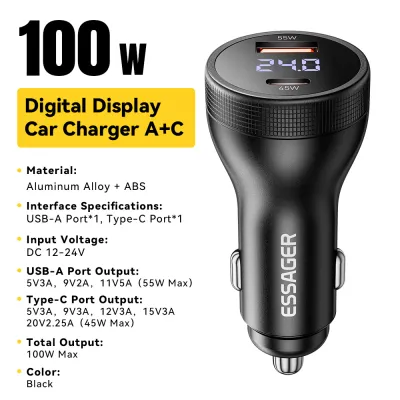
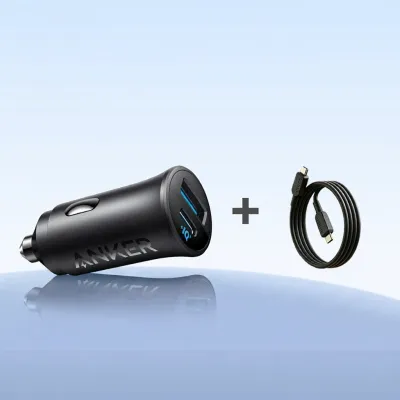
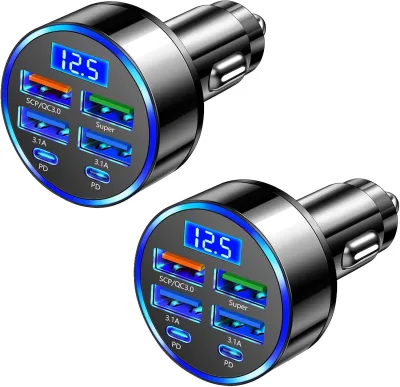
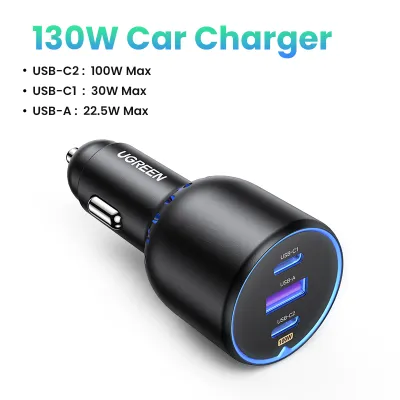
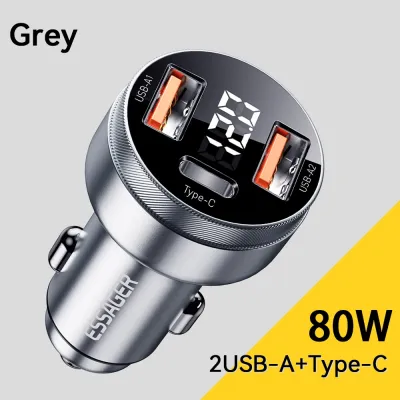
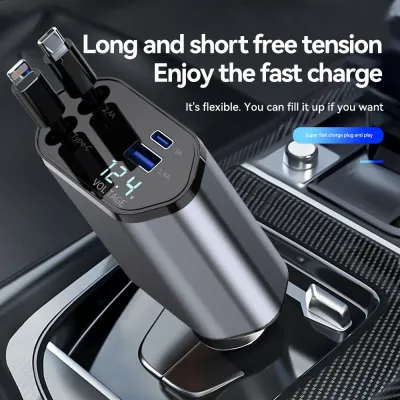
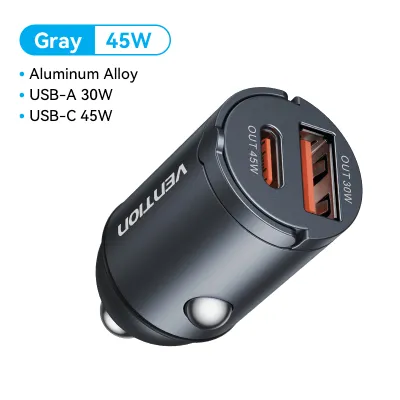
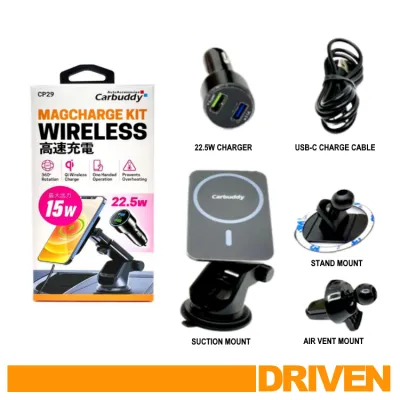
Prices are valid at publication and may change. Please refer to the product page for the latest price.
| Feature | USB-A Car Charger | USB-C Car Charger | Wireless Car Charger |
|---|---|---|---|
| Charging Speed Potential | Slow to Moderate (Typically 12W, up to 18W with Quick Charge) | Fast to Ultra-Fast (20W to 100W+ via Power Delivery) | Slow to Moderate (5W to 15W max via Qi or Qi2 protocols) |
| Cable Requirement | Yes (USB-A to USB-C, Lightning, or Micro-USB) | Yes (USB-C to USB-C or USB-C to Lightning) | No cable to the phone (requires a cable from charger to power source) |
| Phone Compatibility | Universal (with the correct cable) | Universal for modern devices (requires PD-compatible phone for fast charging) | Limited to Qi or Qi2-enabled smartphones |
| Vehicle Power Source | 12V/24V Auxiliary socket adapter or built-in USB-A port | 12V/24V Auxiliary socket adapter or built-in USB-C port | 12V/24V Auxiliary socket adapter or built-in high-output USB port |
| Typical Mounting Style | Direct plug-in (phone sits in console or separate basic mount) | Direct plug-in (phone sits in console or separate basic mount) | Integrated into air vent, dashboard suction, or CD slot mounts |
| Heat Generation | Low | Low to Moderate (efficient power transfer) | Moderate to High (due to inductive energy loss) |
These technical differences translate directly into how these chargers perform in real-world driving scenarios. For example, if you are navigating a series of quick, short trips around Singapore—such as running errands in Orchard Road, stopping at multiple locations in Tampines, or doing quick drop-offs—a wireless charger shines. You can repeatedly lift your phone to pay for parking, check messages when parked, or scan QR codes without constantly plugging and unplugging a physical cable.
Conversely, if you are embarking on a long highway drive up the North-South Highway or spending hours navigating heavy traffic on the Pan Island Expressway (PIE), a wired USB-C charger is far more practical. The continuous high-speed power delivery ensures your phone charges quickly even while running intensive GPS navigation and music streaming apps. Furthermore, the physical connection avoids the thermal buildup that often plagues wireless chargers during extended use in warm climates.
Charging Speed and Power Delivery: What Your Phone and Car Can Handle
To understand why charging speeds vary so dramatically, it is necessary to look at the underlying charging protocols. USB-C chargers utilize the Power Delivery (PD) protocol, which is a dynamic negotiation system. When you plug a USB-C cable into your phone, the charger and the phone communicate to determine the safest and fastest voltage and current profile. Modern USB-C car chargers can easily output 20W, 30W, 45W, or even 100W of power. This allows a compatible phone to charge from empty to 50% in as little as 30 minutes. Some advanced USB-C chargers also support Programmable Power Supply (PPS), which fine-tunes voltage in real-time to reduce heat generation inside the phone’s battery.

USB-A chargers rely on older, static charging standards. A standard USB-A port typically tops out at 12W (5V at 2.4A). While some USB-A chargers feature proprietary quick-charging protocols like Qualcomm Quick Charge (QC), which can push power up to 18W, they require a phone that supports that exact same proprietary standard. Without it, the charger defaults to a slow 5W or 10W rate. This is often not fast enough to actively charge a modern phone that is simultaneously running GPS navigation, Bluetooth, and high screen brightness; instead, it may only slow down the rate of battery discharge.
Wireless charging operates on electromagnetic induction, where a transmitter coil in the charger transfers energy to a receiver coil in your phone. This process is inherently less efficient than a physical wire, with roughly 30% to 40% of the energy lost as heat. Standard Qi wireless charging is usually limited to 7.5W for iPhones and up to 10W or 15W for compatible Android devices. The newer Qi2 standard, which incorporates magnetic alignment, allows for more reliable 15W charging. However, because wireless charging generates significant heat, phones will often automatically throttle their charging intake to protect the battery from degrading. In a warm cabin, a wireless charger may quickly drop its speed to a crawl.
Achieving maximum charging speed requires a “three-way match” between your hardware components. First, the charger itself must have a rated output high enough to meet your needs. Second, your phone must support that specific charging protocol and wattage. Third, your vehicle’s power source must deliver sufficient input to the charger. If you plug a 45W USB-C charger into a low-output, built-in dashboard USB port, the charger will only output a fraction of its capacity. To verify your setup’s capabilities, always check the physical specifications printed on the charger’s label and consult your phone’s manufacturer documentation for its maximum supported wired and wireless charging wattages.
Convenience and Cable Management: Daily Usability
The physical experience of using a car phone charger impacts both your driving safety and cabin organization. Wireless car chargers excel in physical convenience because they combine a mounting bracket with a charging pad. When you place your phone into a motorized or gravity-link wireless mount, it secures the device and begins charging instantly. This eliminates the need to fumble with physical cables while driving, which is a major safety hazard. However, precise physical alignment is critical; if the phone shifts slightly due to road vibrations, the induction coils can misalign, causing charging to stop or the charger to generate excessive heat without delivering power.
Physical cables, whether USB-A or USB-C, offer absolute electrical reliability. Once plugged in, the connection will not drop, regardless of how bumpy the road is or how hard you take a turn. The trade-off is the physical clutter of loose cords draping across your gear shifter, climate controls, or center console. To maintain a tidy cabin, you will need to invest in cable management solutions, such as adhesive cable clips, coiled cables, or magnetic cable organizers. Additionally, constant plugging and unplugging puts mechanical stress on your phone’s charging port and the cable connectors, eventually requiring replacement of worn-out cords.
Your choice of charger also dictates your mounting options, which directly affect driving visibility and cabin comfort. There are several common mounting styles to consider:
- Air Vent Clips: These clip directly onto your air conditioning vents. They are highly popular because they keep your phone cool by blowing cold AC air directly onto the back of the device—a massive benefit for heat-generating wireless chargers. However, they block a portion of your airflow and can put stress on delicate plastic vent slats.
- Dashboard or Windshield Suction Cups: These place the phone closer to your line of sight. While convenient for navigation, Singapore's intense tropical sun can heat the dashboard and windshield to extreme temperatures, causing the suction gel to degrade, melt, or lose its grip, leading to the mount falling off mid-drive.
- CD Slot Mounts: These insert into your vehicle's CD player slot. They offer an incredibly stable mounting point that is unaffected by windshield heat, but they can block your car's built-in infotainment screen or physical radio buttons.
- Built-in Console Pads: Some modern vehicles come with integrated wireless charging pads in the center console. While sleek and completely cable-free, they often lack active cooling, causing phones to overheat rapidly when enclosed in a small, unventilated console space.
Compatibility Check: Matching the Charger to Your Phone and Vehicle
Before purchasing any car phone charger, you must verify both physical and electrical compatibility with your specific phone and vehicle to ensure safe operation.
On the phone side, check if your device supports wireless charging. While most flagship phones from Apple, Samsung, and Google support Qi or Qi2 wireless charging, many mid-range and budget models omit this hardware. If you plan to charge wirelessly, you must also consider your phone case. Cases thicker than 3mm, or those constructed from heavy-duty rugged plastics, can block the electromagnetic signal entirely. Furthermore, any case containing metal plates (often used for magnetic mounts), ring holders, pop-grips, or built-in wallet cardholders must be avoided. These metal elements will trigger the charger’s Foreign Object Detection (FOD) safety system, causing it to shut down, or worse, they can heat up rapidly and melt your phone case or damage your phone’s internal battery.
On the vehicle side, you must distinguish between your car’s built-in USB ports and its 12V/24V auxiliary power socket (commonly known as the cigarette lighter socket). Most built-in USB-A ports in cars, especially those in older models, are designed primarily for data transfer to link with Apple CarPlay or Android Auto. These ports typically output a meager 5W (5V at 1A) of power, which is insufficient for modern fast-charging standards. Newer vehicles may feature built-in USB-C ports, but their power delivery ratings vary wildly. To get true fast charging, you generally need to plug a dedicated high-output charger adapter into your vehicle’s 12V or 24V auxiliary power socket, which is connected to a higher-amperage fuse and can easily supply the 30W to 100W needed for rapid charging.
Electrical safety is paramount when modifying or adding accessories to your vehicle’s electrical system. Never overload your 12V socket by using cheap, unbranded multi-socket splitters to power multiple high-draw devices—such as a dashcam, a high-power USB-C charger, and a portable car vacuum—simultaneously. Doing so can blow the vehicle’s accessory fuse or damage the socket’s internal wiring.
Additionally, you must understand your vehicle’s ignition-off power behavior. In many vehicles, power to the 12V auxiliary socket is automatically cut when the ignition is turned off or when the driver’s door is opened. However, in some vehicles, the 12V socket remains “always-on” even when the car is locked and parked. If you leave a car charger plugged into an always-on socket, it can cause a slow, continuous parasitic drain on your car’s starter battery. Over several days of non-use, this can leave you with a dead battery. Always consult your vehicle’s owner’s manual to verify the power limits of your auxiliary sockets, check for ignition-off power behaviors, and ensure any aftermarket accessory complies with your manufacturer’s electrical guidelines.
Decision Framework: How to Choose Based on Your Needs
To make your final purchasing decision simple, use this structured framework to match your driving habits and hardware to the correct charger type.
Choose USB-C if:
- You own a modern smartphone (such as an iPhone 15 or 16 series, or a recent Samsung Galaxy or Google Pixel) and want the absolute fastest charging speeds possible.
- You frequently use power-hungry applications like real-time GPS navigation, high-definition dashcam feeds, or music streaming while driving.
- You need a highly efficient charging method that does not generate excessive heat, preserving your phone's long-term battery health.
- Your vehicle has a functional 12V auxiliary socket that can accommodate a high-quality USB-C Power Delivery (PD) adapter.
Choose USB-A if:
- You are on a budget and want a reliable, cost-effective charging solution (typically under S$15 for a reputable brand adapter).
- You are charging older devices or accessories (such as older GPS units, dedicated dashcams, or legacy action cameras) that utilize USB-A to Micro-USB or Lightning cables.
- Your vehicle only has older, built-in USB-A ports and you do not want to purchase new USB-C cables or adapters.
- Extreme charging speed is not a priority for your daily commute.
Choose Wireless if:
- You prioritize a clean, minimalist dashboard design with minimal visible cable clutter.
- Your daily driving consists of frequent short trips where you are constantly getting in and out of the car, making physical cables highly inconvenient.
- Your smartphone officially supports Qi or Qi2 wireless charging, and you use a thin, non-metallic, or magnetic-compatible phone case.
- You mount your phone on an air vent where the vehicle's air conditioning can actively cool the device during wireless power transfer.
Before clicking buy, perform three final verification checks. First, inspect your phone case to ensure it is free of metal plates, ring stands, or credit cards that will interfere with wireless charging. Second, verify whether your vehicle’s 12V auxiliary socket remains powered when the engine is turned off, so you know whether you need to unplug your charger when parking. Third, check if your vehicle’s built-in USB ports are designed for high-power charging or are limited to low-wattage data connections, which will dictate whether you need a dedicated 12V socket adapter.
Frequently Asked Questions (FAQ)
Will a wireless car charger drain my car battery when the engine is off?
In most modern vehicles, a wireless car charger will not drain your starter battery because the vehicle automatically cuts power to the 12V auxiliary socket and built-in USB ports once the ignition is turned off, or shortly after the driver’s door is opened. However, some vehicles keep these sockets live at all times. If your vehicle has an always-on socket, leaving a wireless charger plugged in can cause a small, continuous parasitic drain due to the charger’s standby LED lights and active internal circuitry. To prevent a dead battery, consult your vehicle’s owner’s manual to verify socket behavior, and unplug the charger if you plan to leave the vehicle parked for more than a couple of days.
Can I use a wireless car charger if my phone has a thick case?
Standard Qi wireless chargers generally struggle to transmit power through phone cases that are thicker than 3mm to 5mm. Thick rugged cases, wallet cases containing credit cards, or cases with integrated metal kickstands or pop-grips will block the electromagnetic field, causing the charger to halt power delivery or trigger a foreign object error. If you prefer to use a thick or protective case, look for car chargers specifically certified for Qi2 or MagSafe standards. These chargers utilize strong magnetic arrays to lock the phone’s internal coil precisely over the charger’s transmitter coil, which improves efficiency through moderately thick, compatible cases. If your case is exceptionally thick or contains metal, you should remove it before charging or use a physical USB-C cable instead.
Community discussion
Share your experience or ask a question. Comments are reviewed before publication.