
Choosing between a wireless and wired Apple CarPlay adapter for an older vehicle depends primarily on the condition of your factory USB ports, your daily commute length, and your tolerance for cable clutter. If your car’s original USB ports suffer from intermittent data transfer or loose connections, a wireless adapter can bypass physical port wear, provided the port still supplies stable power. Conversely, if you prioritize zero audio latency, continuous phone charging, and absolute connection stability without worrying about dongle overheating, a high-quality wired setup remains the most reliable choice.
For drivers navigating daily traffic, upgrading an older vehicle’s infotainment system can significantly improve the driving experience. Many older cars feature first-generation wired CarPlay systems or basic head units that require a physical cable connection. Adding an aftermarket adapter is a practical way to modernize your cabin without the high cost of replacing the entire dashboard receiver. However, the right choice depends on understanding how these adapters interact with your car’s existing electrical and physical setup.
Assessing Your Older Car's Current Setup
Before purchasing any adapter, you must evaluate the physical and electrical condition of your vehicle’s factory USB ports. Older cars often have ports that have undergone years of wear and tear from constant plugging and unplugging. A port that feels loose or frequently disconnects your phone when you hit a bump will struggle to maintain a stable connection with a CarPlay adapter. Inspect the inside of the port for lint, dust, or corrosion, and test it with a standard charging cable to ensure it maintains a continuous connection.
Products mentioned in this guide
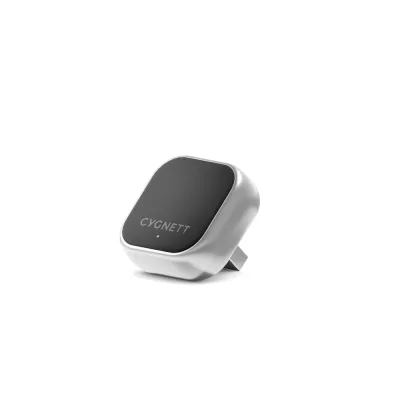
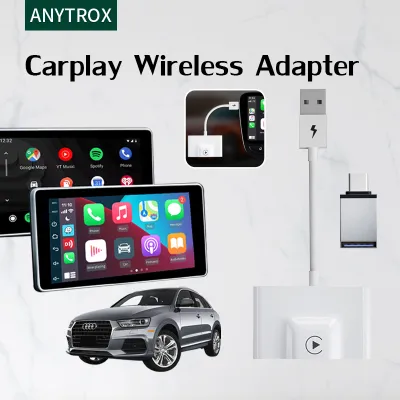
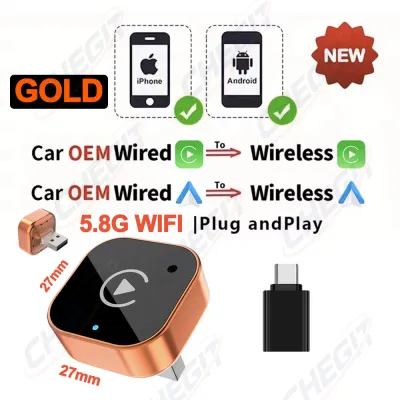
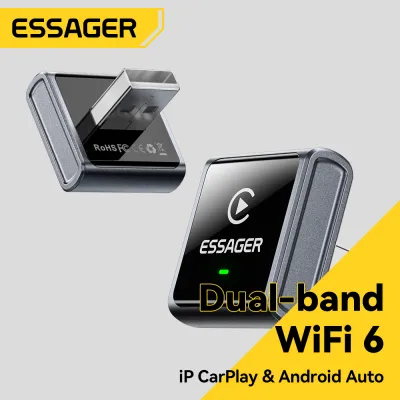
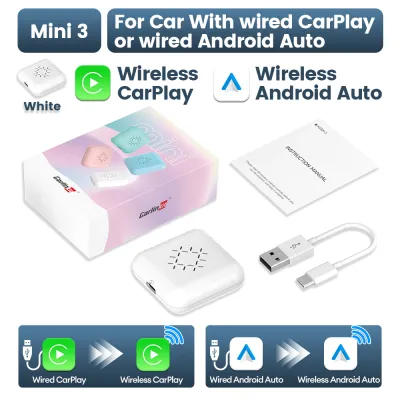
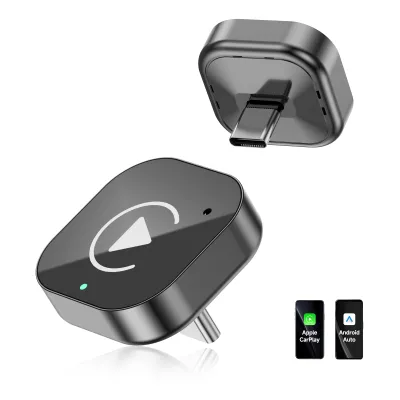
![[ SG ] CarlinKit Ai Box Wireless Carplay Adapter Android 13 8-Core 8+128G Built-in GPS Wireless Android Auto Apple Carplay Dongle Car Link Kit Tbox LED 车连易](https://img.lazcdn.com/g/ff/kf/S46cdc75f9378480db20ee29af4e8e255s.jpg_400x400q80.jpg_.webp)
Prices are valid at publication and may change. Please refer to the product page for the latest price.
Compatibility is another critical factor to verify before making a decision. Most CarPlay adapters do not add CarPlay functionality to a car that never had it; instead, they convert an existing wired CarPlay system into a wireless one, or bridge compatibility gaps. Check your vehicle’s manual or the manufacturer’s website to confirm that your head unit natively supports wired CarPlay. Some older systems may also require a firmware update from the dealership or manufacturer to recognize third-party USB accessories properly.
Physical space and layout within your cabin should also influence your choice. Older dashboards were not designed with modern, bulky dongles or long cables in mind. You need to identify where the adapter will sit during operation. A wireless dongle needs to be secured so it does not dangle and strain the USB port, while a wired setup requires a clear path for the cable to reach your phone mount. Ensure that whichever option you choose does not block access to your climate controls, gear shifter, or storage compartments.
Installation and Safety Checks for Older Vehicles
When installing any aftermarket accessory in your vehicle, safety must be your primary concern. Cables must be routed carefully to avoid interfering with your driving controls. Never drape cables across the steering column, gear selector, or near the foot pedals, as a loose wire could easily snag and create a highly dangerous driving hazard. Additionally, ensure that neither the adapter nor the phone cable obstructs the deployment zones of your vehicle’s airbags, which are typically located in the steering wheel, passenger dashboard, and side pillars.

Electrical safety is equally important when dealing with older automotive wiring systems. Before plugging in a high-draw wireless adapter, consult your vehicle owner’s manual to check the power output limits of your factory USB ports. Some older ports only output 0.5 amps, which may be insufficient to power a wireless adapter stably, leading to frequent resets or electrical faults. If your installation requires removing dashboard panels, modifying factory wiring, or tapping into the car’s fuse box, stop immediately and consult a qualified professional car audio installer to prevent damaging your vehicle’s electrical system.
Wired CarPlay Adapters: Reliability and Limitations
Sticking with a wired CarPlay adapter offers unmatched connection stability, making it a highly dependable choice for daily commutes. Because the data travels through a physical copper cable, you do not have to worry about wireless interference from nearby electronic devices, toll gantries, or high-voltage power lines. This direct connection also ensures zero audio latency, which means your navigation voice prompts, music playback, and hands-free phone calls remain perfectly synchronized without any noticeable delay.
Another significant advantage of a wired setup is simultaneous phone charging. During long drives where GPS navigation and music streaming heavily drain your phone’s battery, a wired connection keeps your device powered up. This eliminates the need to manage separate charging cables and adapters. For older vehicles with weaker electrical systems or aging alternators, a direct wired connection is highly efficient and avoids the extra power conversion losses associated with wireless transmission.
However, wired adapters are not without their drawbacks. The most obvious issue is cabin clutter, as cables can quickly make your dashboard look untidy. Constant plugging and unplugging also accelerate wear on your phone’s charging port, which can lead to expensive repairs over time. Furthermore, if your car’s factory USB port is already physically degraded, a wired adapter will not solve the underlying connection drops. If the port itself is loose, even the highest-quality wired cable will still suffer from intermittent disconnections.
Wireless CarPlay Adapters: Convenience and Trade-offs
Wireless CarPlay adapters offer a modern, minimalist cabin aesthetic by eliminating unsightly cables from your dashboard. Once the initial pairing process is complete, a wireless adapter connects to your phone automatically within seconds of starting your engine. This is incredibly convenient for short trips, such as running errands or driving to the local supermarket, where taking your phone out of your pocket or bag to plug it in feels like an unnecessary chore. It also completely eliminates physical wear on your phone’s charging port.
Despite the convenience, wireless adapters introduce several technical trade-offs that you must consider. Because the data is transmitted over Wi-Fi and Bluetooth, there is almost always a slight audio lag, typically ranging from one to two seconds. This latency is most noticeable when skipping music tracks or during hands-free phone calls, where a delay can lead to awkward conversational overlaps. Additionally, wireless connections are susceptible to dropouts in areas with high electromagnetic interference, such as near major transport hubs or dense urban centers.
Thermal management is another critical factor, especially in warmer climates. Wireless adapters contain compact processors that generate heat during operation. When placed in enclosed dashboard storage compartments or exposed to direct sunlight on a hot day, these dongles can easily overheat. Overheating often leads to sudden disconnections, system freezes, and a shortened lifespan for the device. Furthermore, running GPS and streaming music wirelessly causes your phone to work harder, resulting in increased phone battery drain and heat generation.
Key Comparison Factors for Daily Driving
To help you decide which adapter type fits your daily routine, it is helpful to compare how they perform across several practical metrics. Connection stability is the most critical factor for most drivers. While a wired adapter provides a constant, uninterrupted link, a wireless adapter relies on a stable wireless handshake every time you enter the vehicle. This handshake can sometimes fail or take longer depending on your phone’s operating system version and the adapter’s firmware.
Audio quality and microphone latency also differ between the two setups. Wired connections support higher data bandwidth, preserving the full fidelity of your music and ensuring clear, real-time voice transmission during calls. Wireless adapters compress the audio signal to transmit it over the air, which can slightly degrade sound quality on high-end car audio systems. The inherent wireless delay can also make voice commands to your digital assistant feel sluggish.
Power delivery is another area of contrast. A wired adapter draws power directly from the USB port to run itself and charge your phone. A wireless adapter, however, draws power from the USB port solely to run its internal wireless transmitter, while your phone’s battery drains rapidly as it handles the wireless data transfer. If you choose a wireless setup, you may still find yourself needing to plug your phone into a separate fast charger during longer journeys.
| Comparison Metric | Wired CarPlay Adapter | Wireless CarPlay Adapter |
|---|---|---|
| Connection Stability | Extremely high; immune to wireless interference | Moderate; subject to local signal interference |
| Audio Latency | Zero delay; instant response | 1 to 2 seconds of delay |
| Phone Battery Impact | Charges the phone during use | Drains the phone battery quickly |
| Dashboard Neatness | Requires visible cables | Clean, cable-free appearance |
| Setup Effort | Plug-and-play every single drive | Automatic connection after initial pairing |
| Thermal Sensitivity | Low; minimal heat generation | Moderate to high; prone to overheating in hot cabins |
How to Choose the Right Adapter for Your Needs
Your final decision should be guided by your specific driving habits and the physical condition of your vehicle. You should choose a wired CarPlay adapter if your daily commute involves long hours of driving where keeping your phone fully charged is essential. A wired setup is also the best choice if you frequently use turn-by-turn navigation, value high-fidelity audio, or if your car’s factory USB port has a slightly degraded data connection that cannot reliably support the continuous high-speed data stream required by a wireless dongle.
Conversely, a wireless CarPlay adapter is highly suitable if your daily driving consists mostly of short trips where convenience is your top priority. If you dislike cable clutter and want to keep your phone in your pocket or bag while still accessing basic navigation and music, wireless is the way to go. However, before purchasing a wireless adapter, ensure your car’s battery and electrical system are healthy, and verify that the factory USB port provides a stable, continuous power supply of at least 5V/1A to prevent the dongle from resetting.
Regardless of which option you choose, always verify compatibility requirements before buying. Check if your older car’s head unit requires a specific firmware update to recognize third-party adapters. Some aftermarket adapters also have specific compatibility lists regarding phone models and operating system versions. Taking the time to read the manufacturer’s specifications and checking your vehicle’s manual will save you from the frustration of purchasing an incompatible device.
Frequently Asked Questions (FAQ)
Will a wireless adapter drain my car battery when parked?
Whether a wireless adapter drains your car battery depends entirely on how your vehicle’s USB ports behave when the engine is turned off. In many older cars, the factory USB ports remain powered even after the ignition is switched off and the keys are removed. If your car’s USB port stays active, a wireless adapter will continue to draw power, which can lead to a dead battery if the vehicle is left parked for several days. To prevent this parasitic drain, check if the adapter’s status light stays on after you lock the car; if it does, you should unplug the dongle when parking for extended periods.
Can I use a wireless adapter if my car only has an older USB-A port?
Yes, you can use a wireless adapter with an older USB-A port, as most wireless adapters on the market are designed to be backward compatible and often ship with both USB-A and USB-C cables. However, older USB-A ports sometimes deliver lower voltage and current than modern USB-C ports. If the port’s power delivery is too low, the adapter may experience frequent disconnections or fail to boot entirely. To ensure a stable connection, use the high-quality, short data cable provided by the manufacturer, and avoid using long extension cables which can cause a significant voltage drop.
Why does my wireless CarPlay keep disconnecting on bumpy roads?
If your wireless CarPlay disconnects when driving over bumps, the issue is almost always physical rather than wireless. The constant vibrations from uneven road surfaces can cause a loose or worn factory USB port to momentarily lose contact with the adapter’s plug. Even a microsecond of power interruption will force the adapter to reboot, dropping your wireless connection completely. To resolve this, inspect your car’s USB port for physical wear, clean out any debris, or try using a short, high-quality extension cable that fits more securely into the port and allows you to mount the adapter in a vibration-free location.
Community discussion
Share your experience or ask a question. Comments are reviewed before publication.