
Determining whether to add a wireless adapter to an older vehicle depends heavily on your current setup and daily driving habits. While transitioning to a wireless connection offers undeniable convenience and a cleaner dashboard, it also introduces new variables like battery management and connection latency. This guide breaks down the compatibility requirements, real-world trade-offs, and cost considerations to help you decide if this specific upgrade is the right move for your car.
While the promise of automatic connection every time you step into the cabin is highly attractive, wireless adapters are not a universal fix for outdated infotainment systems. They introduce new operational dynamics, such as wireless latency and increased phone battery consumption, which might not suit every driver’s routine. Understanding how these devices interact with your existing hardware is essential before making the purchase.
What Carlinkit 5.0 Actually Does for Your Older Car
To make an informed decision, you must first understand the exact role this adapter plays in your vehicle’s ecosystem. The device acts strictly as a hardware bridge, plugging directly into your car’s existing USB data port to convert the physical wired CarPlay or Android Auto signal into a wireless connection. It utilizes built-in Wi-Fi and Bluetooth modules to establish a link with your smartphone, allowing you to keep your phone in your pocket or bag while driving.
Products mentioned in this guide
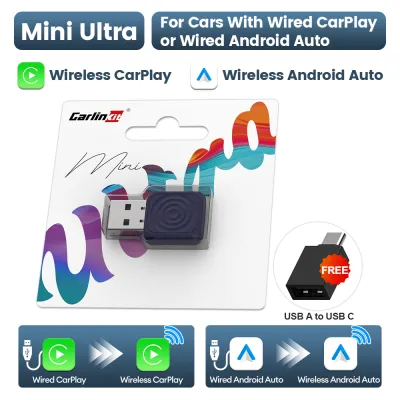
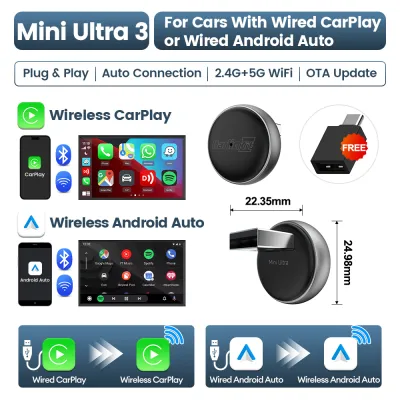
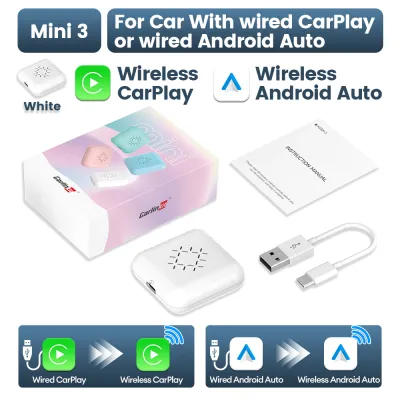
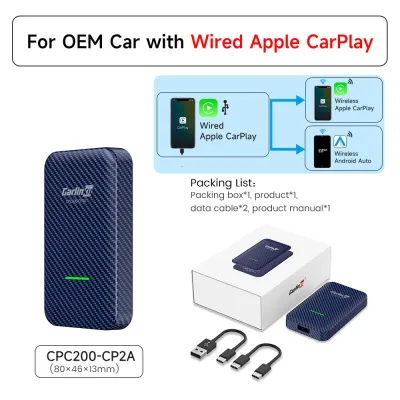
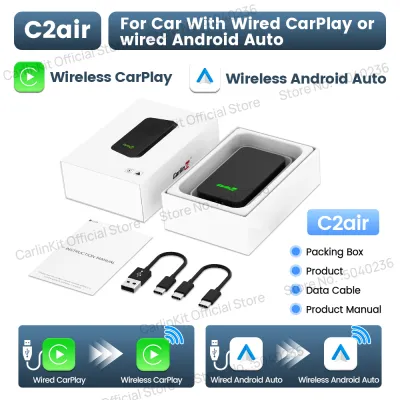
Prices are valid at publication and may change. Please refer to the product page for the latest price.
It is crucial to recognize what the adapter cannot do. It does not install a new operating system, nor does it add CarPlay or Android Auto capabilities to a vehicle that did not come equipped with them from the factory. If your older head unit lacks the native software to run these platforms via a cable, plugging in an adapter will not activate them.
Furthermore, because the adapter relies entirely on the vehicle’s original infotainment hardware, it cannot improve screen resolution, touch responsiveness, or system processing speeds. The visual interface and menu navigation will remain exactly as they were, meaning any pre-existing sluggishness in your factory system will persist. The upgrade is purely functional, shifting the data transmission method from a physical wire to a wireless signal.
Compatibility Checks Before You Buy
Before purchasing any wireless adapter, verifying compatibility with your specific vehicle model and smartphone is the most critical step. The absolute baseline requirement is a fully functioning, factory-installed wired CarPlay or Android Auto system. If your current wired connection is unstable, drops frequently, or requires you to wiggle the cable to maintain a connection, the wireless adapter will likely inherit or exacerbate these issues.

You must also check the power output and data capabilities of your vehicle’s USB ports by consulting your owner’s manual. Wireless adapters require a stable power supply from the USB port to maintain their Wi-Fi and Bluetooth connections. Some older vehicles feature low-amperage USB ports designed primarily for slow data transfer rather than powering external hardware, which can lead to frequent device restarts or connection drops.
Physical port compatibility is another factor to address. Older cars typically feature USB-A ports, while newer smartphones and adapters may utilize USB-C connections. You will need to verify whether the adapter package includes the correct matching cables (such as USB-A to USB-C) or if you need to source a high-quality, data-compliant cable separately. Avoid using cheap, unbranded adapters or excessively long cables, as they can degrade signal quality and power delivery.
Finally, check the manufacturer’s compatibility list for your specific vehicle make, model, and year. While these adapters are designed to be widely compatible, certain factory head units use proprietary communication protocols that may not play well with third-party hardware. Checking user forums or manufacturer databases for your exact car model can save you from purchasing an incompatible device.
The Real-World Trade-Offs of Going Wireless
Transitioning from a physical cable to a wireless connection brings a mix of daily conveniences and minor technical compromises. The most immediate benefit is the elimination of cable clutter around your center console. For drivers in urban environments like Singapore, where frequent short trips to the local market, shopping mall, or office are common, not having to plug and unplug your phone multiple times a day is a significant quality-of-life improvement.
However, wireless transmission introduces a slight but noticeable audio and video latency. When skipping music tracks, adjusting the volume, or using voice assistants, you may experience a delay of one to two seconds compared to a direct wired connection. While this latency rarely affects navigation prompts, it can be distracting during phone calls or when interacting quickly with the screen.
Another consideration is connection stability. Because the adapter communicates over Wi-Fi frequencies, it can be susceptible to wireless interference. In areas with high electromagnetic activity, such as near major toll gantries or dense multi-storey car parks, you might experience brief audio stuttering or temporary disconnections.
Battery management is perhaps the most significant trade-off. Running wireless CarPlay or Android Auto requires your phone to actively process GPS data, stream audio, and maintain a high-bandwidth Wi-Fi connection simultaneously. This intensive processing generates heat and drains your phone’s battery rapidly. Unlike a wired setup that charges your device while you drive, a wireless setup will leave you with a depleted battery unless you pair it with a separate wireless charging pad or a dedicated fast-charging car charger.
Cost vs. Value: Is the Upgrade Justified?
When evaluating the financial aspect, wireless adapters typically retail in the range of S$80 to S$150, depending on the specific model, retailer, and promotional periods. In the context of automotive electronics, this represents a relatively low-cost upgrade. It allows you to modernize your daily driving experience without committing to major modifications or expensive hardware overhauls.
To put this cost into perspective, the primary alternative is replacing your vehicle’s entire factory head unit with an aftermarket wireless CarPlay receiver. A full head unit replacement can easily cost anywhere from S$500 to well over S$1,500 once you factor in the cost of the unit, dash trim kits, wiring harnesses, and professional installation fees. For an older vehicle, spending a fraction of that amount on a plug-and-play adapter is a highly cost-effective compromise.
Your vehicle’s remaining lifespan should also heavily influence this decision. In markets like Singapore, where the 10-year Certificate of Entitlement (COE) governs a car’s lifespan, investing in expensive aftermarket head units for a car with only a few years left on its cycle rarely makes financial sense. A portable wireless adapter can easily be unplugged and transferred to your next vehicle, preserving your investment.
When to Upgrade and When to Stick with the Cable
Deciding whether to buy a wireless adapter or stick with your trusty USB cable depends largely on your driving profile and personal preferences. A wireless adapter is highly recommended if your daily routine consists of short, frequent commutes where plugging in a cable feels tedious. It is also ideal for households where multiple drivers share the same car, as it eliminates the need to swap cables or adjust physical connections constantly.
Conversely, keeping the physical wired connection is often the superior choice for long-distance drivers. If you frequently take long road trips, such as driving across the border into Malaysia, the continuous power delivery of a wired connection is essential to keep your phone charged. A wired setup also remains the preferred option for audiophiles who demand uncompressed audio quality and zero latency, as well as drivers who operate in areas with severe wireless signal congestion.
If your vehicle’s USB port is located in an awkward, hard-to-reach position, or if your phone’s charging port is worn out and prone to disconnecting at the slightest bump, the wireless adapter offers a practical workaround. It shifts the wear and tear away from your phone’s physical port, potentially extending the lifespan of your mobile device.
Installation and Setup Tips for a Stable Connection
Proper physical installation and cable management are key to ensuring the adapter operates reliably without cluttering your car’s interior. Most wireless adapters are compact and lightweight, making them easy to tuck away. You can use double-sided adhesive tape or hook-and-loop fasteners to mount the device securely to the side of the center console or underneath the dashboard, keeping it out of sight while maintaining a clear path for the wireless signal.
Ensure that the cable connection to the vehicle’s USB port is flush and secure. Vibrations from driving over speed bumps, rough road surfaces, or expansion joints on flyovers can cause a loose cable to momentarily lose contact, resulting in a complete system reset. Using the short, high-quality cable provided by the manufacturer is highly recommended to minimize signal degradation and physical movement.
If you encounter connection issues or handshake failures during daily use, a few basic troubleshooting steps can resolve most problems. Start by clearing the Bluetooth and Wi-Fi pairing cache on both your phone and the adapter, then perform a clean re-pairing process. Additionally, check the manufacturer’s website periodically for firmware updates, which are often released to improve compatibility with new smartphone operating system updates and resolve known software bugs.
Frequently Asked Questions (FAQ)
Will Carlinkit 5.0 drain my phone battery faster?
Yes, using a wireless adapter will drain your phone’s battery significantly faster than a wired connection. Because the phone must handle data transmission, navigation, and media streaming over Wi-Fi and Bluetooth without receiving power from the car’s USB port, the battery consumption increases. For drives longer than thirty minutes, it is advisable to use a separate fast charger or a wireless charging mount to keep your phone’s battery topped up.
Does it work with Android Auto as well?
Compatibility depends on the specific hardware version of the adapter you purchase. While some models are designed exclusively for Apple CarPlay, others support both CarPlay and Android Auto. You must carefully verify the product specifications and packaging labels before buying to ensure the adapter supports your smartphone’s operating system, especially if you plan to share the vehicle with users on different mobile platforms.
Community discussion
Share your experience or ask a question. Comments are reviewed before publication.