
Choosing between a wireless charging phone mount and a wired USB/Type-C phone mount from Ugreen comes down to balancing convenience against raw charging speed, phone case thickness, and dashboard cable management. While wireless mounts offer effortless one-handed mounting and a cleaner look, wired setups deliver faster, more reliable power delivery that is less susceptible to heat-induced slowdowns.
A wireless charging mount uses an integrated Qi-standard transmitter coil to transfer power inductively to your phone’s internal receiver coil. In contrast, a wired mount functions primarily as a physical cradle, requiring you to manually plug a USB-C or Lightning cable directly from your car’s charger into your phone’s port.
Wireless models often feature motorized auto-clamping arms powered by an internal capacitor or the car’s electrical system, which automatically grip your phone when sensors detect its presence. Wired mounts typically rely on gravity-based linkages or manual spring-loaded clamps, which are mechanically simpler but require manual cable connection every time you get into the vehicle.
Products mentioned in this guide
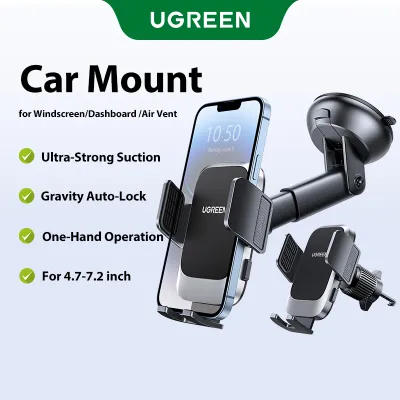

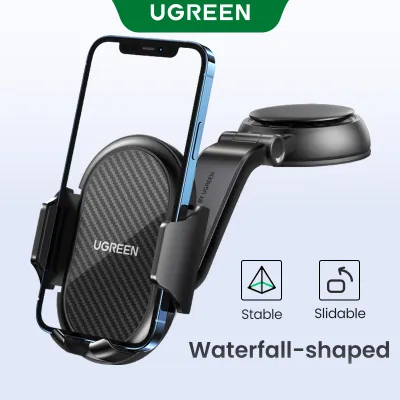
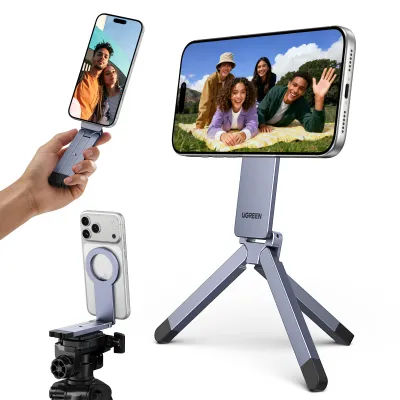
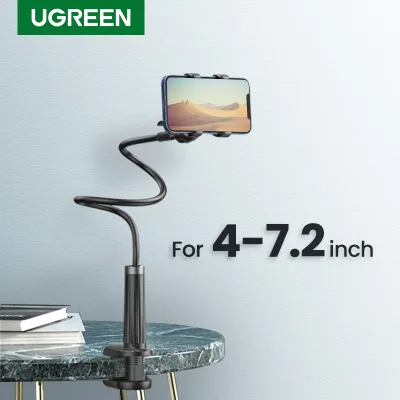
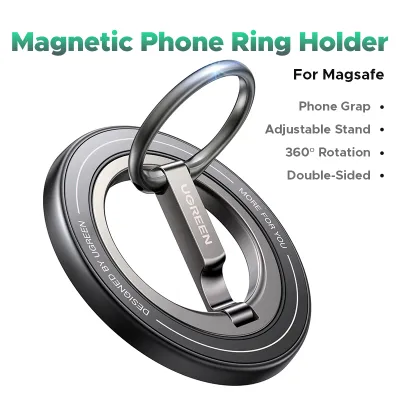
Prices are valid at publication and may change. Please refer to the product page for the latest price.
Before deciding, you must verify your phone’s wireless charging capability, its physical port type, and the thickness of your protective case, as these factors directly dictate which mount design will function reliably in your vehicle.
Understanding Ugreen Wireless vs. Wired Mount Designs
Wireless charging mounts rely on electromagnetic induction. When your phone is placed against the mount’s charging pad, an alternating electromagnetic field is created. This field is converted back into electrical current by your phone’s internal receiver coil. Because this process requires precise alignment, many wireless mounts feature adjustable bottom feet to align the coils of different phone models.
Wired mounts bypass inductive transfer entirely. The mount itself serves as a secure physical holder, while a separate cable runs directly from your car’s auxiliary power outlet or built-in USB port to your phone. This direct physical connection ensures that 100% of the delivered current reaches your device’s battery management system without the energy loss typical of wireless transmission.
The physical interaction with these mounts differs significantly. Many wireless charging mounts incorporate infrared sensors or physical touch buttons to control motorized clamping arms, allowing for seamless, one-handed placement and removal. Wired mounts are more diverse in their mechanical designs, ranging from magnetic plates to gravity-linked brackets that tighten under the weight of the phone itself.
Compatibility is another critical differentiator. Wireless charging is highly sensitive to the distance between the transmitter and receiver coils. If you use a rugged, heavy-duty, or wallet-style phone case, the physical barrier may exceed the mount’s operational limit, preventing charging altogether. Wired mounts are completely indifferent to case thickness or material, as long as the case cutout leaves sufficient clearance for your charging cable’s connector.
Matching the Charging Method to Your Driving Habits
Your daily commute length is one of the most practical indicators of which mount type you should choose. For short, frequent trips around urban areas, a wireless charging mount offers unmatched convenience. You can repeatedly mount and dismount your phone without constantly plugging and unplugging a cable, which reduces wear on your phone’s charging port over time.

However, if your drive involves long-distance travel or hours of continuous navigation, a wired charging setup is generally superior. Running GPS navigation, streaming audio, and keeping the screen active simultaneously consumes a massive amount of power. A wired connection delivers a higher, more stable wattage that can easily outpace this heavy power drain, ensuring your battery actually charges rather than merely maintaining its current level.
Cable management is a major aesthetic and practical consideration. A wireless mount still requires a cable to run from the car charger to the mount itself, but this cable remains permanently plugged in and can be neatly routed along the dashboard seams. With a wired mount, the cable must be plugged directly into your phone, meaning a loose wire will constantly dangle across your console or gear shifter whenever the phone is in use.
Heat generation is a critical factor, especially in warm climates where intense sunlight through the windshield can rapidly heat up your dashboard. Wireless charging inherently generates more heat than wired charging due to energy loss during inductive transfer. When combined with high ambient temperatures and demanding navigation apps, a wireless mount may trigger your phone’s thermal protection, causing it to throttle charging speeds or shut down entirely to protect the battery.
Finally, consider your vehicle’s native power output. Older vehicles often have low-amperage built-in USB ports that cannot supply enough current to power a fast wireless charging mount. In such cases, a wired connection paired with a certified high-output car charger adapter plugged into the 12V auxiliary socket is necessary to achieve acceptable charging speeds, regardless of whether you choose a wired or wireless mount.
Specifications and Features to Verify Before Purchase
Before purchasing any phone mount, you must verify its physical mounting mechanism to ensure it is compatible with your vehicle’s interior layout. Common options include air vent clips, dashboard suction cups, and CD slot mounts. Air vent clips must match the shape and thickness of your vent blades, while suction mounts require a flat, non-porous surface on your dashboard or windshield to maintain a secure seal.
Always check the manufacturer’s product packaging or official specifications sheet for the exact charging wattage ratings. Do not rely on generic terms like “fast charging.” For wireless mounts, verify if the rated output (such as 15W, 10W, or 7.5W) is fully supported by your specific phone model, as some operating systems restrict third-party wireless charging speeds. For wired setups, ensure your car charger adapter supports Power Delivery (PD) or Quick Charge (QC) standards compatible with your device.
For wireless charging mounts, look for integrated cooling features. Some advanced models feature built-in silent cooling fans or physical heat dissipation vents on the back of the cradle. These design elements help manage the thermal buildup associated with inductive charging, allowing the mount to sustain higher charging speeds for longer periods without triggering your phone’s thermal throttling.
If you select an auto-clamping wireless mount, verify how the motorized arms are powered. High-quality models often include an integrated supercapacitor that stores a small amount of electrical charge. This allows you to press the release button and retrieve your phone even after you have turned off the car’s engine, preventing the frustration of having to restart the ignition just to release your device.
| Feature / Specification | Wireless Charging Mount | Wired Charging Mount |
|---|---|---|
| Primary Power Delivery | Inductive Qi transmitter coil | Direct USB-C or Lightning cable |
| Typical Charging Speed | Moderate (often capped by thermal limits) | High (supports full PD/QC speeds) |
| Case Compatibility | Limited (usually under 3mm to 5mm thickness) | Universal (depends only on port clearance) |
| Dashboard Clutter | Low (cable remains fixed to the mount) | Moderate (cable connects directly to phone) |
| Heat Generation | High (inherent to inductive transfer) | Low (minimal heat generated at the phone) |
| Mounting Options | Air vent, dashboard suction, CD slot | Air vent, dashboard suction, CD slot |
Safe Installation and Vehicle Compatibility Checks
When installing any phone mount, your primary concern must be driving safety and vehicle integrity. If you choose an air vent mount, verify that your vent blades are sturdy enough to support the combined weight of the mount and your phone, especially when driving over uneven road surfaces. Ensure the installed mount does not completely block your climate control airflow or obstruct your clear line of sight through the windshield.
Electrical safety is equally critical. Always use high-quality, certified car charger adapters that plug into your vehicle’s 12V auxiliary power socket. Avoid using uncertified, low-cost adapters or daisy-chaining multiple USB splitters, as these can cause unstable voltage delivery, excessive heat, or even damage your vehicle’s electrical fuses. Inspect the charging cable regularly for any signs of fraying or physical wear.
Never install a phone mount in a position where it could interfere with the deployment of your vehicle’s airbags. Consult your vehicle’s owner manual to locate all airbag deployment zones, particularly along the dashboard and A-pillars. If you are unsure about the structural integrity of your dashboard materials or the safety of a specific mounting location, stop the installation immediately and consult a qualified automotive professional.
Decision Framework: Which Ugreen Mount Should You Get?
To finalize your decision, evaluate your driving habits against these clear, condition-based rules:
- Choose a Wireless Charging Mount if: You prioritize daily convenience, frequently get in and out of your car, use a Qi-compatible phone with a thin or MagSafe-compatible case, and want to keep your dashboard free of loose, dangling cables.
- Choose a Wired Charging Mount if: You require the fastest possible charging speeds, regularly use heavy-duty or thick protective cases, run power-intensive navigation and streaming apps simultaneously on long drives, or drive an older vehicle with limited power output.
- Verify first if: Your vehicle features highly curved dashboard surfaces, fragile or uniquely shaped air vent blades, or specific infotainment integration requirements that might limit where a physical mount can be safely positioned.
Frequently Asked Questions (FAQ)
Do Ugreen wireless mounts work with thick phone cases?
Wireless charging relies on close physical proximity between the coils in the mount and your phone. Most wireless mounts are designed to transmit power through thin plastic or silicone cases, typically up to 3mm or 5mm in thickness. However, you must check the specific model’s manual for its exact limits. Avoid using cases made of metal, or those containing magnetic rings, credit cards, or metal kickstands, as these materials block the electromagnetic field and can cause dangerous overheating.
Can I use a wired Ugreen mount if my car only has wireless Android Auto?
Yes, you can absolutely use a wired charging mount in this scenario. Charging and data transmission are entirely separate functions. Your phone will establish a wireless connection to your car’s infotainment system to run Android Auto or Apple CarPlay, while the wired mount’s cable simply delivers electrical power to keep your phone’s battery charged. This setup is highly efficient, as wireless infotainment connections consume significant battery power.
Will leaving the mount plugged in drain my car battery?
Whether a plugged-in mount drains your battery depends entirely on how your vehicle’s 12V auxiliary power socket or USB ports behave when the ignition is turned off. In many modern vehicles, these ports automatically cut power after the engine stops or after a set delay. However, some older or specific vehicle models keep these ports permanently powered. Check your vehicle’s owner manual to verify this behavior; if your ports remain active, it is best to unplug the adapter when parking for extended periods to prevent parasitic battery drain.

Community discussion
Share your experience or ask a question. Comments are reviewed before publication.