
Finding the right spot to mount a mobile device for rear passengers in a Tesla Model Y requires balancing passenger comfort, viewing angles, and the vehicle’s unique cabin architecture. Because the Model Y features a minimalist interior with integrated front headrests and a sweeping panoramic glass roof, traditional mounting solutions often require modification or careful selection. The ideal mounting location is not universal; it depends heavily on whether you prioritize ergonomic viewing heights, unobstructed airflow, or preserving the premium synthetic leather surfaces of your seats.
By evaluating the primary mounting zones—including the front seat backrests, the center console area, and the upper glass roof or window edges—you can identify a solution that keeps your passengers entertained without compromising safety or interior aesthetics. Each zone presents distinct trade-offs regarding installation complexity, passenger ergonomics, and potential wear on the vehicle’s materials.
Front Seat Backrest Mounts
The back of the front seats is a common zone for mounting rear-passenger entertainment devices, but the Model Y’s specific seat design introduces unique challenges. Unlike traditional vehicles with adjustable headrests supported by exposed metal poles, the Model Y features integrated, one-piece front seats wrapped in synthetic vegan leather. Consequently, standard clamp-style mounts cannot attach to traditional headrest posts. Instead, aftermarket options designed for this vehicle typically utilize specialized brackets that wedge into the seam between the plastic seat back shell and the upholstered upper cushion, or employ straps that wrap around the entire headrest structure.
Products mentioned in this guide
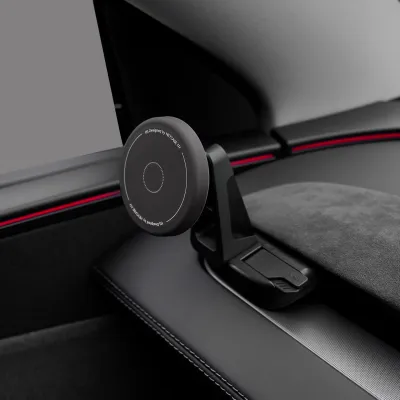
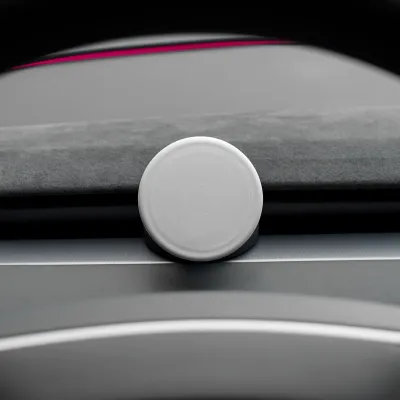
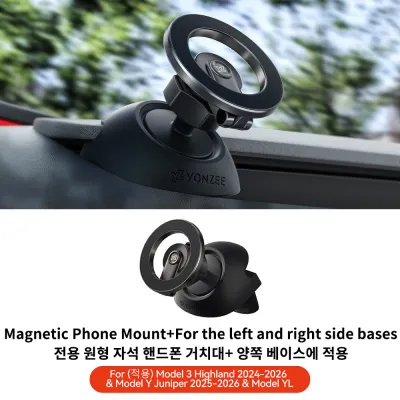

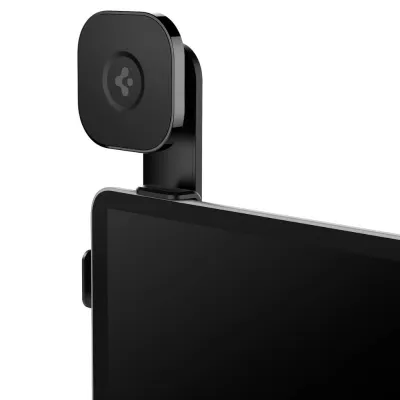
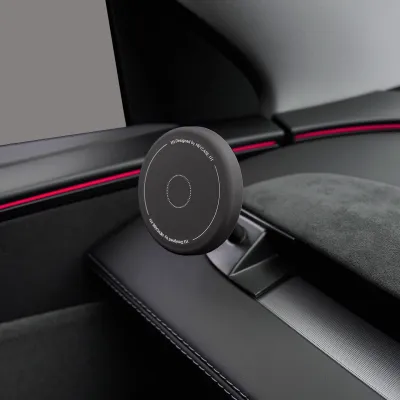
Prices are valid at publication and may change. Please refer to the product page for the latest price.
While these mounting solutions position the screen at an excellent viewing height for passengers sitting directly behind the front seats, they introduce significant trade-offs regarding seat functionality. When front occupants adjust their seat recline, lumbar support, or slide the seats forward to accommodate bulky cargo in the rear, the position and angle of the mounted phone will shift accordingly. This can lead to sudden changes in viewing angles or even physical contact between the device and the rear passenger’s knees if space is limited.
Furthermore, the physical impact on the Model Y’s synthetic leather must be carefully managed. Constant pressure from tight straps, rigid brackets, or heavy devices can leave permanent indentations, scuffs, or discoloration on the vegan leather surfaces over time. To mitigate this risk, it is essential to select mounts with soft, non-marring contact pads and to regularly inspect the attachment points for signs of material fatigue or pressure marks.
Center Console and Rear Air Vent Zones
For those who prefer to keep the front seat backs completely clear, the rear area of the center console offers an alternative mounting zone. This location is particularly useful for sharing a single screen between two rear passengers or for positioning a device in the center of the cabin. Mounts designed for this area typically clip onto the rear air conditioning vent grilles or attach to the trim surrounding the rear USB ports.

However, mounting a device in this zone requires extreme caution due to the delicate nature of the interior plastics. The louvers of the rear AC vents are not designed to bear significant weight, and using high-tension spring clips can easily crack or warp the plastic grilles. Additionally, placing a phone directly in front of the vents blocks the airflow, which can severely compromise passenger comfort in Singapore’s hot and humid tropical climate.
Viewing angles in this lower, central position are also less than ideal for passengers seated on the outer sides of the rear bench, potentially leading to neck strain during longer journeys. Before choosing a console-mounted holder, you must also verify that the installation does not obstruct access to the rear climate control buttons, USB-C charging ports, or interfere with the driver’s view through the rearview mirror if the device is positioned too high.
Roof, Headliner, and Window Edge Alternatives
To completely isolate the phone holder from seat movements and climate vents, some drivers look toward the upper boundaries of the cabin, such as the panoramic glass roof or the side window glass. Suction cup mounts or adhesive-backed brackets can be attached directly to these glass surfaces, providing an elevated viewing position that keeps the device out of the immediate legroom area.
While this approach offers a clean look, Singapore’s intense sunlight and high cabin temperatures present serious challenges for adhesive and suction reliability. Prolonged exposure to ultraviolet (UV) rays and heat can rapidly degrade suction cups and soften adhesive backings, leading to the mount unexpectedly detaching while the vehicle is in motion. This poses a safety hazard to passengers and risks damaging the mounted device.
Ergonomically, looking upward at a roof-mounted screen for extended periods can cause significant neck fatigue. The expansive glass roof also introduces severe screen glare during midday driving, making the display difficult to see without turning up the device’s brightness to its maximum setting, which accelerates battery drain and heat buildup. Finally, any mount placed near the upper pillars or headliner must be positioned clear of the side curtain airbag deployment zones to ensure passenger safety is never compromised.
Decision Framework: Matching the Mount to Your Passengers
Selecting the right mounting location involves matching the physical layout of your vehicle with the specific habits of your passengers. Use the following guidelines to determine the most practical setup for your daily driving needs:
Choose seat backrest mounts if your rear passengers are primarily older children or adults who watch content individually on long trips, and the front seats remain in a relatively consistent position. This setup provides the most comfortable, eye-level viewing experience and minimizes neck strain over extended periods.
Choose center console mounts if you frequently carry a single passenger in the middle seat, or if you want a shared screen solution for two passengers that does not require purchasing multiple holders. This location is also suitable if you prioritize keeping the front seat backs pristine and free from any mounting hardware.
Neither option may fit if you regularly fold the rear seats flat to transport large cargo, as any mounted hardware will need to be completely removed to prevent damage. Similarly, if you have bulky, rear-facing child safety seats installed, the physical dimensions of the child seat will likely block the viewing angles for both the seat back and center console positions, rendering standard mounts impractical.
Verify first if your Model Y has aftermarket seat covers, custom interior trim, or specific child seat tether installations. These modifications can alter the clearances around the headrests and center console, potentially preventing standard mounts from securing properly.
Installation Checks and Safety Boundaries
Before purchasing or installing any aftermarket phone holder, you must perform several safety and compatibility checks to protect your vehicle and its occupants. Always consult your Tesla Model Y owner’s manual to understand the structural limitations of the interior components, including any specific warnings regarding attachments to the seat structures or glass surfaces.
When installing a new mount, always test the clamp pressure or adhesive backing on a small, inconspicuous area of the trim or synthetic leather first. This precaution helps ensure the material can withstand the mounting force without tearing, stretching, or leaving a sticky residue that is difficult to remove.
You must establish clear stop conditions during the installation process. Halt the installation immediately and remove the mount if you observe any of the following issues:
- The mount or the attached phone obstructs the deployment path of any cabin airbags, including the side curtains or front seat-mounted side airbags.
- The device blocks the driver's rearward visibility through the physical rearview mirror or the digital camera displays.
- The mounting hardware causes persistent rattling, vibration, or physical rubbing against the interior panels, which can lead to permanent cosmetic damage over time.
Frequently Asked Questions (FAQ)
Will installing a phone holder void my Tesla warranty?
Non-destructive, removable accessories like phone holders generally do not void your overall vehicle warranty. However, any physical damage directly caused by the accessory—such as torn synthetic leather, cracked air vent grilles, or scratched glass from a failed suction mount—will not be covered under Tesla’s new vehicle limited warranty. If an aftermarket accessory causes an electrical short or damages an interior component, you will be responsible for the repair costs. For peace of mind, choose high-quality, non-invasive mounts and inspect them regularly.
Can I use the same mounting location for a tablet instead of a phone?
While many mounts feature adjustable clamps that can physically hold a larger tablet, you must verify the specific weight and load capacity of both the mount and the vehicle’s mounting point before doing so. Tablets are significantly heavier than smartphones, which increases the stress on seat backs, vent grilles, or glass adhesives. A heavier device is also more likely to vibrate excessively or become a dangerous projectile in the event of sudden braking or a collision. Ensure the larger screen does not block the driver’s line of sight or interfere with passenger entry and exit.

Community discussion
Share your experience or ask a question. Comments are reviewed before publication.