
Choosing between Pioneer’s built-in navigation and Android Auto depends on your daily driving environment, cellular data reliability, and how you prefer to interact with your car’s dashboard. While Android Auto offers the most up-to-date cloud maps and seamless smartphone integration, Pioneer’s native navigation provides unmatched offline reliability and precise vehicle tracking even in areas with zero mobile signal. Understanding how these systems handle map updates, hardware integration, and data usage will help you determine which setup best fits your daily commute.
Core Differences in Map Data and Real-Time Updates
Pioneer’s native navigation relies on map databases stored locally on an SD card or internal flash memory. Updating these maps typically requires downloading the latest files from Pioneer’s official portal onto a USB drive or SD card and performing a manual installation. This means your map data is static between updates, which might not reflect brand-new roads or recent traffic flow changes immediately.
In contrast, Android Auto streams map data continuously from the cloud using platforms like Google Maps or Waze. This ensures you always have access to the latest road layouts, temporary closures, and points of interest without ever needing to perform a manual update.
Products mentioned in this guide
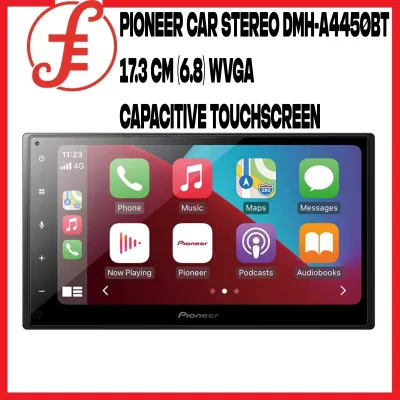
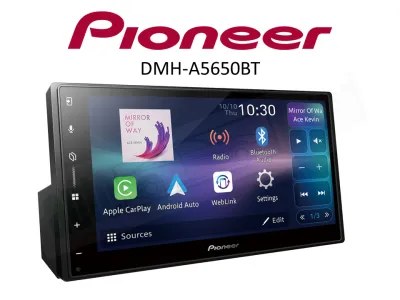
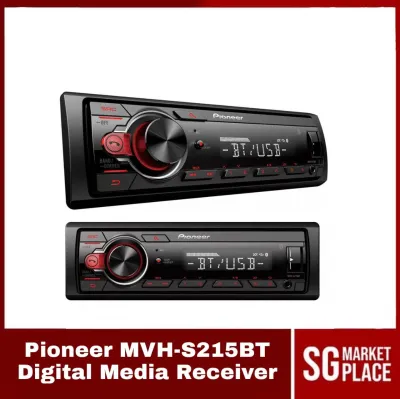
Prices are valid at publication and may change. Please refer to the product page for the latest price.
Real-time traffic routing is another major differentiator. Android Auto leverages live cellular data from millions of active users to calculate traffic density, offering rapid rerouting suggestions when a bottleneck occurs ahead. Pioneer’s native system may support traffic updates via RDS-TMC (Radio Data System-Traffic Message Channel) or connected services, but the update frequency and rerouting speed generally lag behind the instant cloud processing of a smartphone.
Searching for points of interest (POIs) is significantly more intuitive on Android Auto. You can use predictive text or natural voice commands to find a specific business name, even with partial spelling. Pioneer’s native system requires structured address entry or searching through pre-loaded category menus, which can feel slow and rigid when you are in a hurry.
Interface, Convenience, and Daily Usability
The user interface design dictates how safely and easily you can control your system while driving. Pioneer’s native interface is designed specifically for the hardware, featuring large buttons and menus tailored to the screen’s resistive or capacitive display. However, navigating through deep settings menus to configure a route can require multiple screen taps, which can be distracting on the road.

Android Auto presents a standardized, simplified layout that mirrors your smartphone’s design language. The interface prioritizes glanceable information, with large cards for navigation, media playback, and incoming notifications. Because the layout is consistent across different vehicles, the learning curve is virtually non-existent if you are already familiar with your phone.
Voice control reliability represents a major shift in daily usability. Pioneer’s built-in voice recognition relies on pre-programmed local commands, which often require precise phrasing to function correctly. Android Auto integrates Google Assistant, allowing you to speak naturally to set destinations, reply to messages, or select playlists.
Integration with physical vehicle controls is crucial for safety. Both systems generally support steering wheel controls for volume adjustment and track skipping, but activating voice commands via the steering wheel button may require a specific wiring harness adapter. When an incoming call arrives, Android Auto seamlessly overlays the call interface on top of your active map, whereas Pioneer’s native system handles calls through its own internal Bluetooth menu, which can sometimes interrupt the navigation screen.
Hardware Integration and Audio Performance
One of the greatest strengths of Pioneer’s built-in navigation is its deep integration with the vehicle’s physical hardware. Native systems utilize a dedicated GPS antenna mounted with a clear view of the sky, often supplemented by a connection to the vehicle’s speed pulse wire. This enables “dead reckoning”—a technology that calculates your position based on speed and steering angle when GPS signals are lost, such as inside complex tunnel networks or under heavy urban tree canopies.
Android Auto relies primarily on your smartphone’s internal GPS receiver, which can struggle when the phone is placed in a glovebox, center console, or deep pocket. While some Pioneer head units can share their external GPS antenna data with Android Auto, this feature is model-dependent and requires verification in your specific unit’s installation manual.
Audio behavior during navigation prompts also differs. Pioneer’s native system is calibrated to perform smooth audio ducking, lowering the volume of your music in the background while clearly broadcasting navigation instructions through the front speakers. Android Auto handles audio mixing through the smartphone’s operating system, which can sometimes result in abrupt volume drops or inconsistent levels between music streaming apps and navigation prompts.
Furthermore, accessing advanced audio processing features can be more cumbersome while running Android Auto. If you want to adjust Pioneer’s multi-band graphic equalizer, time alignment, or crossover settings, you must exit the Android Auto interface and return to the Pioneer home screen, as these hardware-level adjustments are not accessible within the smartphone projection interface.
Data Usage, Connectivity, and Reliability
Operating Android Auto daily requires a stable cellular connection and consumes mobile data. While map rendering itself uses relatively little data, continuous satellite view overlays, real-time traffic updates, and background music streaming can quickly add up over a month of daily commuting. If you have a limited data plan or travel through roaming zones, this ongoing consumption is an important factor to consider.
Connection stability is another variable. Wireless Android Auto offers excellent convenience but can occasionally suffer from dropouts caused by local radio frequency interference, particularly near toll plazas or high-voltage power lines. Wired Android Auto is more stable but depends heavily on the quality of your USB cable; worn ports or cheap third-party cables frequently cause sudden disconnections.
Pioneer’s native navigation operates entirely offline, requiring zero mobile data and remaining completely unaffected by cellular dead zones or wireless interference. To ensure a reliable setup, drivers should verify their smartphone’s compatibility, use high-quality certified USB cables for wired connections, and regularly check Pioneer’s official support site for head unit firmware updates that resolve connectivity bugs.
How to Decide: Choose Pioneer Native or Android Auto
To make the right choice for your daily drive, evaluate your typical routes, data limits, and tolerance for manual updates.
Choose Android Auto if you prioritize real-time traffic avoidance, frequently search for new businesses or dynamic points of interest, and prefer a modern, voice-controlled media experience. This option is ideal for urban commuters who have generous mobile data plans and want to avoid the hassle of manual map updates.
Choose Pioneer Built-in Navigation if you frequently drive through remote areas with poor cellular coverage, regularly navigate complex underground tunnel networks where GPS signals drop, or want to preserve your phone’s battery life on long trips. It is also the preferred choice for drivers who want a completely self-contained dashboard system that does not rely on a smartphone to function.
Before making your final decision, verify your specific Pioneer head unit’s specifications. Check whether your model supports wireless Android Auto or requires a physical USB connection, and ensure your smartphone meets the minimum operating system requirements. If your vehicle requires steering wheel control integration or specialized wiring harnesses, consult the manufacturer’s installation guide or a qualified car audio professional to ensure full compatibility.
Frequently Asked Questions (FAQ)
Can I use Android Auto and Pioneer navigation at the same time?
Generally, Pioneer head units do not support running native navigation and Android Auto navigation simultaneously on the screen. When you launch Android Auto, the system prioritizes the smartphone’s mapping applications (such as Google Maps or Waze) for active routing. If you attempt to use both, the head unit will typically suspend the background navigation session to prevent conflicting audio prompts and system resource overload.
Does Android Auto drain my phone battery faster than using Pioneer's native maps?
Yes, Android Auto consumes significantly more phone battery because your smartphone is actively processing GPS data, rendering maps, and transmitting audio and video signals to the head unit. Wireless Android Auto is particularly demanding on battery life. To prevent battery depletion during long drives, it is highly recommended to use a high-quality wired USB connection that charges your phone while driving, or utilize a dedicated wireless charging pad if your vehicle is equipped with one.
Will my steering wheel controls work with Android Auto on a Pioneer unit?
Yes, steering wheel controls can work with Android Auto on a Pioneer head unit, but this integration is not automatic. It requires a compatible steering wheel control (SWC) interface adapter installed between your vehicle’s wiring harness and the Pioneer receiver. While standard functions like volume adjustment and track skipping usually map correctly, activating voice commands (Google Assistant) via the steering wheel’s push-to-talk button depends on the specific adapter’s programming and your vehicle’s factory wiring configuration.

Community discussion
Share your experience or ask a question. Comments are reviewed before publication.