
Quick Answer: Which Navigation Setup Should You Choose?
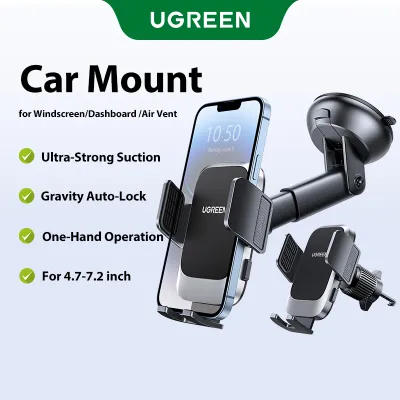
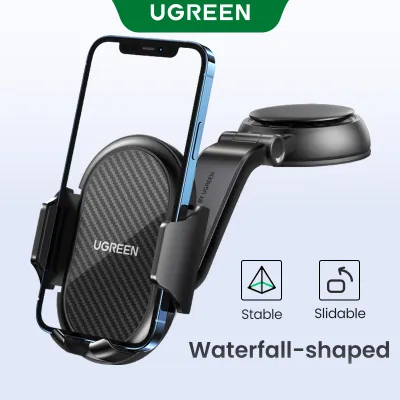
When navigating Singapore’s dense urban network, choosing between a smartphone and a dedicated GPS unit comes down to your driving habits, route frequency, and cross-border needs. For most daily commuters in Singapore, a smartphone paired with a high-quality mount, such as a ugreen phone car mount, is the most efficient and cost-effective solution. This setup leverages real-time crowdsourced traffic data to help you dodge peak-hour congestion on the CTE or PIE.
However, dedicated car GPS units remain highly relevant for professional fleet drivers, those who frequently drive cross-border to Malaysia where mobile data can be spotty, or drivers who want to preserve their phone’s battery life and keep their cabin clutter-free. The dedicated system offers unmatched satellite stability and offline mapping, making it a reliable tool for long-haul or professional driving.
The Core Differences at a Glance
To help you visualize the practical trade-offs between these two setups, the table below compares their key operational dimensions. These indicators reflect general performance patterns rather than specific product specifications.
Products mentioned in this guide
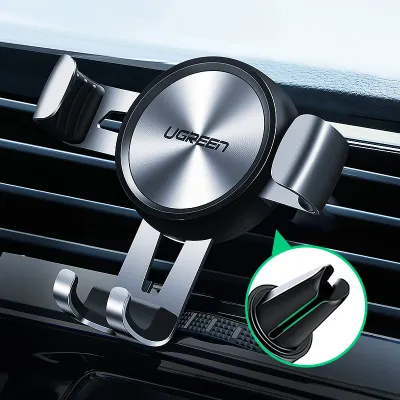
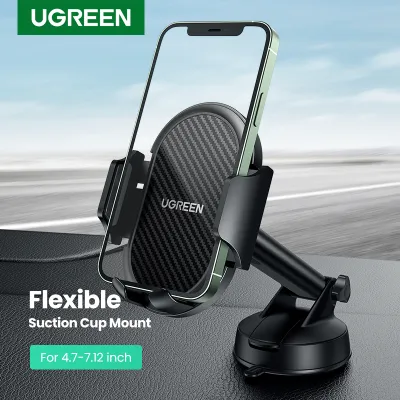
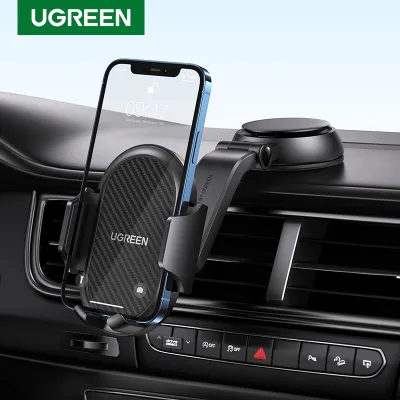
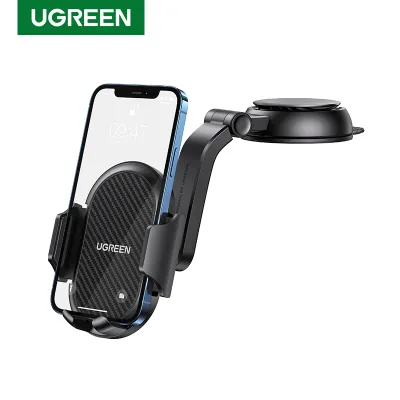

Prices are valid at publication and may change. Please refer to the product page for the latest price.

| Feature | Smartphone with Car Mount | Dedicated Car GPS |
|---|---|---|
| Upfront Cost | Low (S$15 to S$40 for a quality mount) | Moderate to High (S$150 to S$400+) |
| Ongoing Fees | None (uses existing mobile data plan) | Free map updates; some premium traffic fees |
| Traffic Accuracy | Excellent (real-time crowdsourced updates) | Variable (FM traffic signals or mobile tethering) |
| Signal Stability | Variable in deep tunnels (KPE/MCE) | Strong satellite lock; offline dead reckoning |
| Battery & Heat | High heat generation; accelerates battery wear | No impact on personal smartphone battery |
| Installation | Quick clamp or suction; visible charging cables | Windshield mount or semi-permanent hardwiring |
While a smartphone setup offers unparalleled convenience and minimal initial layout, a dedicated GPS provides physical durability and consistent performance without taxing your personal communications device. Evaluating how these differences align with your daily driving routine is the first step toward optimizing your in-car experience.
Cost and Long-Term Value
Analyzing the financial commitment of each navigation method requires looking beyond the initial purchase price. A smartphone setup is highly economical from an upfront perspective. Because you already own the phone and likely subscribe to a mobile data plan, your only immediate expense is a reliable vehicle mount. A sturdy, durable option like a ugreen phone car mount typically costs between S$15 and S$40, depending on whether you choose a vent, dashboard, or CD-slot mounting style. This minimal investment allows you to access free, highly accurate navigation apps without any entry barriers.
In contrast, a dedicated GPS unit demands a significant initial investment, with reputable models ranging from S$150 to well over S$400. While most modern units include lifetime map updates, some older or specialized models may eventually require paid map subscriptions to keep regional road changes updated. Additionally, accessing real-time traffic data on a dedicated GPS often requires either a premium subscription or tethering the unit to your phone’s mobile hotspot, which can consume your data allowance anyway.
However, the long-term value equation must factor in the hidden costs of smartphone wear and tear. Running a phone’s GPS receiver, cellular modem, and screen at maximum brightness simultaneously generates intense internal heat. In Singapore’s tropical climate, this heat generation is accelerated by direct sunlight hitting your dashboard. Over time, this thermal stress degrades lithium-ion batteries, leading to premature capacity loss. Replacing a degraded smartphone battery can cost between S$80 and S$150, or prompt an early phone upgrade, which can quickly offset the initial savings of a simple car mount setup.
Navigation Accuracy, Traffic, and Software Updates
Singapore’s road network is highly dynamic, characterized by frequent lane alterations, rapid construction projects, and fluctuating Electronic Road Pricing (ERP) rates. To navigate this environment efficiently, real-time data is critical. Smartphone apps excel in this arena because they rely on crowdsourced data from millions of active users. Apps like Google Maps and Waze instantly detect slow-moving traffic, accidents on the AYE, or sudden road closures, recalculating your route dynamically to minimize travel times and avoid expensive ERP gantries.
Dedicated GPS units handle traffic data differently. Many entry-level models rely on FM transmitter traffic signals, which update less frequently than cellular networks and lack the granular detail of crowdsourced apps. High-end GPS units can match smartphone accuracy only when paired with a smartphone link app, which uses your phone’s data connection to pull live updates. If you do not tether the device, the routing engine relies entirely on historical traffic patterns pre-programmed into the map database.
Where dedicated GPS systems hold a clear advantage is signal stability and offline reliability. When driving through Singapore’s extensive underground tunnel systems, such as the Kallang-Paya Lebar Expressway (KPE) or the Marina Coastal Expressway (MCE), smartphones frequently lose GPS signals, causing navigation lag or incorrect turn prompts. High-end dedicated GPS units often feature dead reckoning technology, using internal gyroscopes and accelerometers to estimate your position accurately even when satellite signals are completely blocked.
This offline capability is also invaluable for cross-border trips. Driving across the Causeway or Second Link into Malaysia exposes smartphone users to cellular dead zones and potential data roaming charges. A dedicated GPS unit pre-loaded with regional maps works flawlessly without any cellular connection, ensuring you never lose guidance on remote stretches of the North-South Highway.
Furthermore, software and map updates are seamless on smartphones, occurring automatically in the background via Wi-Fi. Dedicated GPS units require a more manual approach. While newer models support Wi-Fi updates, you must still remember to initiate the download, which can take considerable time due to the large file sizes of regional map databases.
Screen Visibility, Ergonomics, and Driving Safety
How you position and view your navigation display directly impacts your physical comfort and reaction times on the road. Maintaining an unobstructed view of both the road and your navigation prompts is essential for safe driving.
Smartphone and Car Mount Setup
Using a smartphone requires careful consideration of where and how the device is mounted. A loose or vibrating phone is a major distraction. Utilizing a robust mounting system, such as a ugreen phone car mount, ensures your device remains securely in place even when navigating speed bumps or uneven road surfaces. However, smartphone screens are generally highly reflective, which can make them difficult to read under the intense midday sun of Singapore.
Thermal performance is another critical safety concern for smartphones. When mounted on the dashboard or windshield, your phone is directly exposed to solar radiation. This external heat, combined with the internal heat of continuous charging and active navigation, can cause the phone to trigger its thermal protection protocols. When this happens, the screen brightness will automatically dim to unusable levels, or the device may shut down entirely mid-drive, leaving you without navigation prompts at a crucial junction. While mounting the phone to an air conditioning vent can keep it cool, it blocks vital airflow to the cabin and exposes the phone to rapid temperature changes that can cause internal condensation.
Dedicated Car GPS Setup
Dedicated GPS units are engineered specifically for the harsh thermal environment of a car dashboard. They feature specialized matte, anti-glare screens that remain highly legible even in direct, bright sunlight. Their operating temperature thresholds are significantly higher than those of standard smartphones, meaning they will not shut down or dim due to solar exposure on hot afternoons.
From an ergonomic standpoint, a dedicated GPS offers a cleaner, more focused user interface. Because these devices do not receive personal phone calls, text messages, or app notifications, there is no risk of a sudden pop-up obscuring your map layout as you approach a complex highway split. This separation of personal communications from driving tools significantly reduces cognitive load and minimizes the temptation to glance at non-driving-related notifications, fostering a much safer driving environment.
Installation, Aesthetics, and Cabin Clutter
The physical footprint of your navigation choice heavily influences the visual appeal and organization of your vehicle’s interior. Smartphone mounts offer high versatility but can contribute to visual clutter. Depending on your preference, you can mount a phone to your air vents, dashboard, or windshield. While these mounts are easy to install and remove, they often require a charging cable running from the center console or cigarette lighter socket to the device. This hanging wire can drape across your dashboard controls, interfering with physical buttons or the gear shifter, and creating an untidy aesthetic.
Dedicated GPS units present a different set of installation challenges. Because they are larger and heavier, they require robust windshield suction mounts or adhesive dashboard discs. While you can power them via a standard cigarette lighter adapter, this leaves a thick power cable permanently visible. To maintain a clean cabin aesthetic, many drivers choose to have their dedicated GPS professionally hardwired into the vehicle’s fuse box. This hides all wiring behind the dashboard panels, but it adds to the overall cost and complexity of the setup.
When planning your installation, you must also consider local safety regulations. Under Singapore’s Road Traffic Act, drivers must maintain a clear, unobstructed view of the road ahead. Mounting any device—whether a smartphone or a dedicated GPS—directly in your primary line of sight on the windshield is a safety hazard and can lead to regulatory fines. Ensure that whatever device you choose is mounted low on the dashboard or off to the side, keeping the central viewing zone completely clear.
How to Choose: Decision Framework
To determine the ideal navigation setup for your vehicle, evaluate your driving patterns against these specific scenarios:
Choose a smartphone paired with a high-quality car mount if:
- Your driving is mostly local: You primarily commute within Singapore's urban areas and require real-time traffic updates to navigate around peak-hour congestion and ERP tolls.
- You want to minimize costs: You prefer not to invest in a secondary electronic device and want to utilize the high-speed mobile data and navigation apps you already pay for.
- You value simplicity: You prefer automatic, background map updates and do not want to manage manual firmware updates on a separate device.
- You have a modern phone: Your smartphone has a bright screen, good thermal management, and you use a highly stable mounting solution like a ugreen phone car mount to keep it secure.
Choose a dedicated car GPS if:
- You drive professionally: You are a taxi, private hire, or delivery driver who spends long hours on the road and needs a highly durable, uninterrupted navigation display.
- You travel cross-border frequently: You regularly drive to Malaysia and need reliable, offline maps that do not depend on active cellular networks or roaming data packages.
- You want to protect your phone: You want to avoid the battery degradation, thermal stress, and screen burn-in associated with running navigation apps on your primary smartphone for hours.
- You prioritize a distraction-free cabin: You want to eliminate incoming personal notifications and calls from your navigation screen to maintain maximum focus on the road.
Frequently Asked Questions (FAQ)
These common queries can help you optimize your in-car navigation setup and resolve technical compatibility questions.
Do I need a dedicated GPS if my car already has Apple CarPlay or Android Auto?
If your vehicle’s head unit supports Apple CarPlay or Android Auto, a dedicated GPS is generally redundant. These integration platforms project your phone’s navigation apps directly onto the car’s built-in infotainment screen, combining the real-time traffic benefits of a smartphone with the safety and visibility of a large, integrated dashboard display. However, you may still want to keep a phone mount in your vehicle to keep your device secure, accessible, or positioned directly in front of an air conditioning vent to manage heat during long drives while connected.
Will using my phone for navigation damage its battery?
Yes, prolonged use of a smartphone for navigation can accelerate battery wear. Running the GPS receiver, maintaining a cellular data connection, and keeping the screen at high brightness generates significant internal heat. When you keep the phone plugged into a charger simultaneously, this heat generation increases. Over time, high operating temperatures degrade the lithium-ion battery, reducing its overall capacity. To mitigate this, use a high-quality mount that keeps the phone out of direct sunlight, adjust your screen brightness downward when possible, and ensure your cabin’s air conditioning provides adequate airflow to the device.
Community discussion
Share your experience or ask a question. Comments are reviewed before publication.