
The Mercedes-Benz GLB-Class offers a highly functional, family-friendly cabin, but its distinctive modern dashboard architecture presents unique challenges when trying to mount a smartphone. The combination of a free-standing widescreen MBUX cockpit display, prominent circular turbine-style air vents, and a sleek center console means that generic, off-the-shelf phone mounts often fail to fit securely or end up blocking essential controls. To find the best phone holder for your GLB, you must evaluate how different mounting mechanisms interact with the vehicle’s premium materials, structural gaps, and sightlines. The ideal solution is one that keeps your device securely within your line of sight for navigation without damaging the delicate ARTICO leatherette surfaces, straining the air vent louvers, or obstructing the driver’s view of the road.
Understanding the Mercedes GLB Interior Layout for Mounting
The interior of the Mercedes GLB is dominated by the Mercedes-Benz User Experience (MBUX) dual-screen setup, which stretches from behind the steering wheel across the center of the dashboard. This continuous glass panel sits upright and proud of the main dashboard trim, leaving very little flat, unobstructed surface area directly in front of the driver or front passenger. Placing a traditional suction cup mount on the dashboard surface behind this screen can completely block your view of the digital instrument cluster or the central infotainment display. Furthermore, the height of the screen relative to the windshield means that mounting a phone directly above it can severely restrict your forward visibility, which is a critical safety concern and a potential violation of local road traffic regulations regarding windshield obstructions.
Below the MBUX screen sit three prominent turbine-style air vents. These circular vents are a signature design element of modern Mercedes-Benz vehicles, featuring intricate, adjustable louvers that rotate to direct airflow. While visually striking, their circular geometry and rotating outer rings make them highly unstable foundations for standard spring-loaded vent clips. The weight of a modern, heavy smartphone can easily cause the entire vent assembly to tilt downward or rotate, rendering the phone screen unreadable and potentially scratching the silver-painted trim.
Products mentioned in this guide
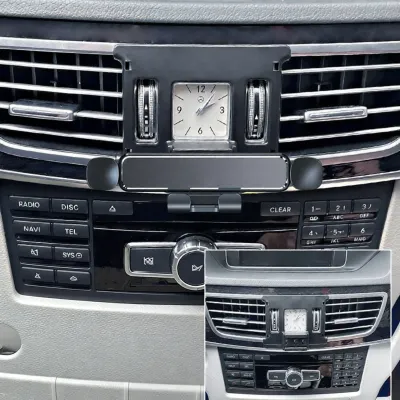

![[LeY Xuan] [Be worth] For Merceders A B C S G Class GLA GLB GLC Car Phone Holder Air Vent Outlet Mount Cell Phone Holder Bracket Accessories](https://img.lazcdn.com/g/p/1b8d9267429195258b8e9e04a8c1e715.jpg_webp_400x400q80.jpg_.webp)
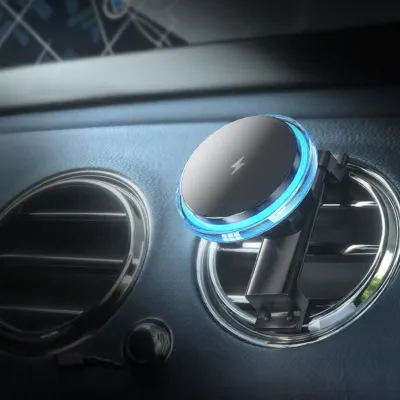

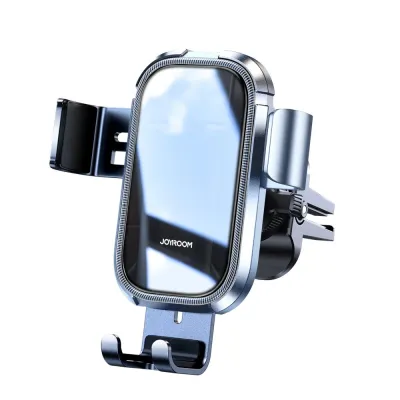
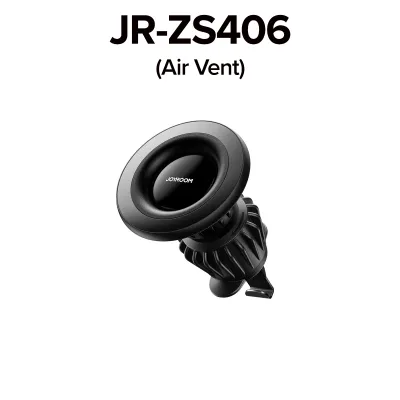
Prices are valid at publication and may change. Please refer to the product page for the latest price.
Further down, the center console features a rolling storage compartment cover, cup holders, and an optional factory wireless charging pad. If you choose a mount that occupies the cup holders or sits low in the console area, you risk blocking access to these storage spaces. Additionally, placing a phone deep in the console area forces you to look far down and away from the road to view navigation maps, which significantly increases driver distraction. Understanding these spatial relationships is the first step in selecting a mounting system that preserves both the utility and the aesthetic appeal of your GLB’s cabin.
Evaluating Phone Holder Mount Types for the GLB
Selecting the right phone holder requires a careful trade-off between accessibility, stability, and interior preservation. Because the GLB does not have a single, universally perfect mounting surface, different mount types offer distinct advantages and drawbacks depending on your daily driving habits, device size, and willingness to modify or attach accessories to your vehicle’s premium interior panels.

Vent Clip Mounts
Vent clip mounts are incredibly popular due to their simplicity and low cost, but they require extreme caution when used in the Mercedes GLB. Standard vent mounts are designed for traditional rectangular vents with fixed horizontal or vertical slats. The GLB’s turbine vents, however, feature circular, rotating outer bezels and delicate internal blades that pivot on a central axis. A generic clip-on mount will struggle to grip these curved blades securely, often slipping off during sharp turns or sudden braking.
Even if you find a clip that manages to hold onto the turbine blades, the weight of a modern smartphone puts significant mechanical stress on the delicate plastic louvers. Over time, this constant downward leverage can loosen the internal tension mechanisms, causing the vent to sag permanently or even snap. Additionally, mounting a phone directly in front of the vent completely blocks the airflow to that section of the cabin. In tropical climates like Singapore’s, blocking a primary air vent can noticeably reduce cabin cooling efficiency, while running the heater in colder climates can cause your smartphone to overheat rapidly. If you choose a vent mount, it is essential to look for specialized designs specifically engineered to clamp onto the outer circular rim of Mercedes-style turbine vents rather than the delicate internal blades.
Dashboard and Windshield Suction or Adhesive Mounts
Dashboard and windshield suction or adhesive mounts offer excellent flexibility in terms of placement, allowing you to position your phone at eye level for optimal navigation viewing. However, the materials used on the GLB’s dashboard demand careful consideration. Many trims feature ARTICO synthetic leatherette or soft-touch plastics. Applying strong chemical adhesives or sticky gel suction cups directly to these surfaces can cause permanent damage. Under intense sunlight and high cabin temperatures, the adhesive can bond too deeply with the synthetic leather, leading to bubbling, discoloration, or even tearing of the material when you attempt to remove the mount.
Windshield suction mounts avoid dashboard material damage but introduce other challenges. The intense heat and ultraviolet radiation passing through the windshield can rapidly degrade the rubber suction cup, causing the mount to fall off unexpectedly while driving. Furthermore, a phone mounted on the windshield can create a significant blind spot. Drivers must ensure that any glass-mounted accessory does not encroach on the primary field of vision or interfere with the operation of the rain sensors and cameras mounted behind the rearview mirror.
Console, Cup Holder, and Gap Mounts
For drivers who prefer to keep their dashboard and windshield completely clear, console-based mounts or cup holder expanders are a viable alternative. These mounts typically feature an expandable base that twists to lock securely inside one of the GLB’s center console cup holders, extending a flexible gooseneck or rigid arm upward to hold the phone. This design provides exceptional stability and completely eliminates the risk of damaging delicate dashboard trims or blocking air vents.
The primary trade-off with cup holder mounts is the loss of cabin utility. The GLB’s center console is highly optimized for storage, and occupying a cup holder with a phone mount limits your space for drinks or small items. Furthermore, because the cup holders are positioned relatively low and forward of the center armrest, a phone mounted here sits well below your natural line of sight. Looking down to check navigation directions requires taking your eyes off the road for longer intervals, which is less than ideal for high-traffic urban driving. If you opt for this style, look for a model with a tall, adjustable neck that brings the phone closer to dashboard height without interfering with the physical buttons on the climate control panel or the operation of the gear selector stalk.
Custom-Fit and Trim Clip Mounts
Custom-fit mounts are engineered specifically for the Mercedes GLB and represent one of the most elegant solutions available. These mounts feature a molded plastic base designed to snap precisely into the existing panel gaps of the dashboard—often clipping securely around the hazard light button bezel, the trim seam below the MBUX screen, or the top of the center air vent housing. Because they rely on mechanical tension within precise factory tolerances, they do not require messy adhesives or suction cups.
While custom-fit mounts offer a seamless, factory-like appearance and excellent stability, they are highly dependent on the exact model year and trim level of your GLB. Mercedes-Benz occasionally updates interior trim designs during mid-cycle facelifts, meaning a mount designed for an older model year may not fit a newer version. During installation and removal, you must exercise extreme care; forcing a rigid plastic clip into a tight dashboard seam can scratch the surrounding silver trim or dent the soft-touch dashboard materials. Always verify compatibility with your specific GLB model year and read user reviews regarding the ease of non-destructive removal before purchasing.
Key Selection Criteria and Pre-Purchase Checks
Before purchasing any phone holder for your Mercedes GLB, perform a thorough physical audit of your device and your vehicle’s specific cabin configuration. Start by measuring your phone’s total width and weight, including its protective case. Heavy-duty cases or integrated wallet sleeves add substantial bulk, which can overwhelm lightweight vent clips or weak magnetic mounts, causing the phone to sag or drop when driving over speed bumps or uneven road surfaces.
Next, consider how the aftermarket mount will interact with your GLB’s existing technology. If your vehicle is equipped with the optional factory wireless charging tray in the center console, placing a magnetic mount plate on the back of your phone can interfere with the wireless charging coils, preventing the phone from charging or causing it to heat up excessively. If you plan to use a magnetic mount, ensure the metal plate is positioned away from the charging coil area or opt for a MagSafe-compatible mount if you use a compatible smartphone.
Finally, sit in your normal driving position and simulate the placement of the phone. Check if the proposed mounting location blocks your view of the MBUX screen, obstructs the steering wheel controls, or interferes with your physical reach to the climate control buttons. The ideal position should allow you to glance at navigation maps using only peripheral vision, keeping your primary focus entirely on the road ahead.
Installation Safety and Interior Care Guidelines
To preserve the pristine condition of your Mercedes GLB’s interior and ensure maximum driving safety, follow strict installation and maintenance protocols. Before applying any adhesive or suction mount, clean the target surface thoroughly to remove dust, oils, and interior dressings. Use only mild, alcohol-free cleaning agents that are explicitly labeled as safe for automotive plastics and synthetic leatherette. Avoid harsh household glass cleaners or solvents, which can strip the protective topcoat of the ARTICO leatherette, leading to premature cracking or peeling.
Safety must always be your top priority when positioning a phone holder. Never mount a device within or near the deployment zones of the vehicle’s airbags. This includes the passenger-side dashboard airbag, the side curtain airbags along the A-pillars, and the driver’s knee airbag beneath the steering column. A phone positioned in these zones can become a dangerous high-velocity projectile in the event of a collision. Additionally, ensure that no cables or mounting arms obstruct the steering wheel’s movement or block the driver’s footwell.
Establish a routine inspection schedule for your phone mount. If you use a suction cup mount, remove it every few weeks to clean the glass and re-establish the vacuum seal, as tropical humidity and temperature fluctuations can cause the suction to degrade silently. For clip-on or custom-fit mounts, periodically check the tension of the clips and inspect the surrounding trim for any signs of wear, indentation, or rubbing. Tighten any loose joints immediately to prevent vibrations that can distract you while driving.
Frequently Asked Questions (FAQ)
Can I use a magnetic phone holder on the Mercedes GLB dashboard?
Yes, you can use a magnetic phone holder, but you must be highly selective about where and how it is attached. Avoid applying adhesive-backed magnetic mounts directly to the soft-touch dashboard materials or the ARTICO leatherette trim, as the strong adhesives required to support a phone’s weight can permanently damage or discolor these delicate surfaces upon removal. Instead, look for magnetic mounts that attach via custom-fit trim clips or secure windshield suction. Additionally, ensure the magnetic plate on your phone does not block wireless charging capabilities or interfere with the vehicle’s keyless entry detection if placed in close proximity to the ignition button.
Will a vent mount damage the GLB's turbine-style air vents?
Standard, generic vent clips carry a high risk of damaging the GLB’s turbine-style air vents. The delicate internal louvers are designed to direct airflow, not to bear the weight of heavy modern smartphones. Clamping a heavy device to these blades can bend, crack, or loosen the internal rotation mechanisms. If you prefer a vent-mounted solution, you should exclusively look for specialized mounts designed specifically for Mercedes-Benz circular vents. These specialized mounts typically clamp securely onto the rigid outer bezel of the vent assembly rather than the moving internal blades, distributing the weight safely without compromising the vent’s functionality.
Does the Mercedes GLB have a built-in phone mount or wireless charging?
The Mercedes GLB does not come with a built-in physical phone mount, but it does feature integrated technology options depending on your vehicle’s specification package. Many GLB models include a dedicated storage tray in the lower center console that houses USB-C media ports and an optional Qi-compatible wireless charging pad. While this tray is excellent for keeping your phone charged and connected to Apple CarPlay or Android Auto, its low position makes it unsuitable for viewing active navigation maps while driving. If you rely on visual navigation cues and your vehicle does not support wireless smartphone integration on the main MBUX screen, an aftermarket phone holder remains highly recommended to keep the screen at a safe, eye-level viewing angle.
Community discussion
Share your experience or ask a question. Comments are reviewed before publication.