
Quick Answer: Which Navigation Setup Should You Choose?
Navigating dense urban environments, managing fluctuating Electronic Road Pricing (ERP) gantries, and avoiding sudden bottlenecks on expressways like the PIE or CTE requires a highly responsive navigation setup. For the majority of daily commuters, pairing a high-quality magnetic phone holder with a smartphone navigation app is the most practical and cost-effective choice. This combination delivers superior real-time traffic data, live ERP fee calculations, and crowdsourced road hazard alerts with zero map update fees.
Conversely, built-in car GPS systems are better suited for drivers who prioritize a clean, cable-free dashboard aesthetic, native steering-wheel controls, and uninterrupted offline reliability. Built-in systems are particularly advantageous when driving through long underground tunnels, such as the KPE or MCE, where cellular signals can drop.
While modern infotainment integration platforms like Apple CarPlay and Android Auto have bridged these two worlds, drivers of vehicles without screen-mirroring capabilities must weigh their options carefully. Your choice will ultimately depend on whether you prioritize real-time data and cost efficiency or seamless cabin integration and hardware reliability.
Products mentioned in this guide
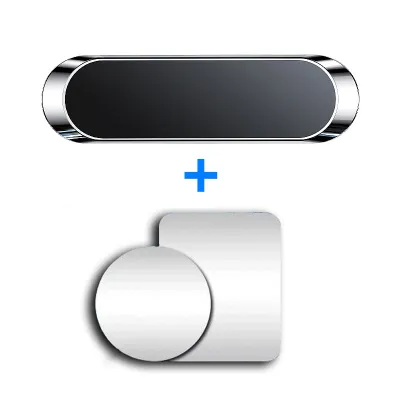
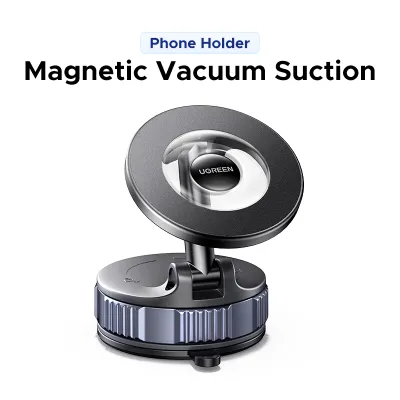
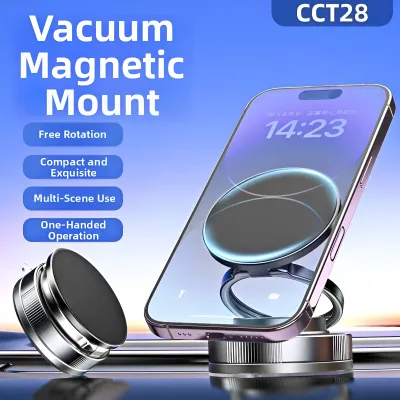
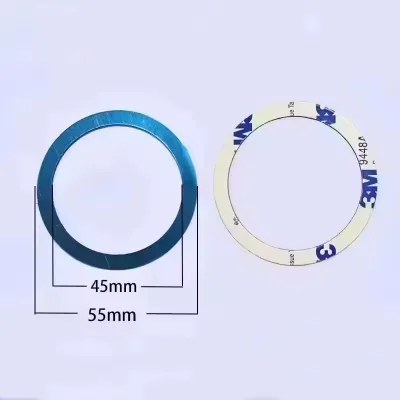
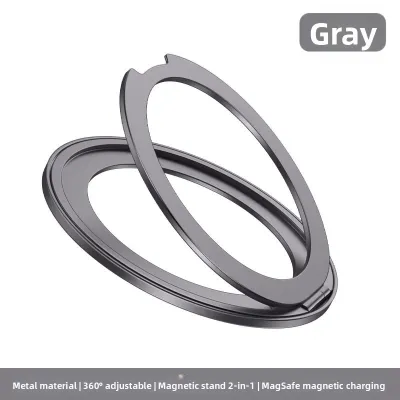
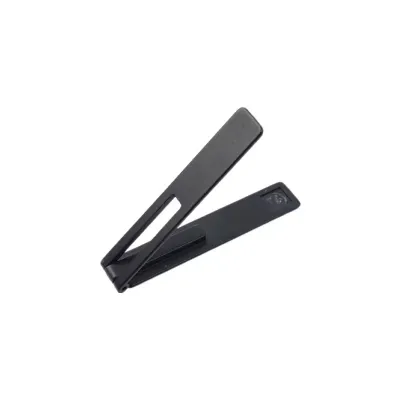
Prices are valid at publication and may change. Please refer to the product page for the latest price.
Key Differences at a Glance
Choosing between these two setups involves looking at several operational dimensions, from initial setup costs to how well the system handles signal dropouts. The table below outlines the core differences between a smartphone mounted on a magnetic holder and a factory-installed built-in GPS system.

| Feature | Magnetic Phone Holder + Smartphone App | Built-in Car GPS System |
|---|---|---|
| Real-Time Traffic Data | Excellent; updated continuously via crowdsourced mobile data. | Variable; requires active connected-car subscriptions or tethering. |
| Map Update Frequency | Automatic and continuous at no extra cost. | Periodic; often requires manual dealer updates or paid SD cards. |
| Upfront Hardware Cost | Very low (cost of the magnetic mount). | High; bundled into vehicle price or aftermarket head unit upgrades. |
| Ongoing Subscription Costs | None (uses existing mobile data plans). | High; may require annual map updates or telematics subscriptions. |
| Screen Size & Visibility | Limited by phone size; prone to thermal dimming in direct sunlight. | Large, integrated dashboard display; optimized for high-ambient light. |
| Offline Reliability | Moderate; relies on pre-downloaded maps if cellular signal is lost. | High; uses dedicated external antennas and dead-reckoning sensors. |
| Dashboard Integration | External accessory; requires visible mounting and charging cables. | Seamless; flush-mounted with steering wheel and voice control support. |
Navigation Accuracy and Real-Time Traffic Updates
For urban driving, map freshness and traffic responsiveness are critical. Smartphone navigation apps leverage the power of millions of active users to provide real-time, crowdsourced traffic data. If an accident occurs on the CTE, apps like Waze or Google Maps detect the sudden slowdown immediately and reroute you to alternative paths, saving valuable time. These platforms also integrate localized alerts, such as active ERP gantry pricing based on the time of day, which helps you make informed financial decisions on your route.
Built-in car GPS systems historically relied on static map databases stored on hard drives or SD cards. While newer luxury vehicles feature connected-car telematics that pull live traffic data, these services often require a paid subscription after an initial promotional period. Without an active data connection, a built-in GPS cannot warn you of sudden road closures, temporary detours, or unexpected congestion, potentially directing you straight into a traffic bottleneck.
Hardware differences also play a significant role in positioning accuracy. Built-in navigation systems utilize dedicated, roof-mounted GPS antennas that have a clear, unobstructed line of sight to overhead satellites. Furthermore, many high-end built-in systems are integrated with the vehicle’s internal gyroscope and wheel-speed sensors. This integration enables “dead reckoning,” allowing the system to track your vehicle’s position accurately even when driving through deep underground tunnels or under heavy high-rise HDB concrete structures where satellite signals are completely blocked.
Smartphones, on the other hand, rely on internal GPS chips that can struggle in high-density urban canyons. A phone’s signal reception can be further degraded by thick protective phone cases, heavily tinted windshields designed to block tropical heat, or magnetic interference. If you use a magnetic phone holder, it is vital to choose a high-quality model with closed-loop magnetic shielding. Poorly shielded magnets can temporarily disrupt your phone’s internal magnetometer (digital compass), causing your navigation map to spin or display an incorrect heading direction.
Before committing to a built-in system, check your vehicle manufacturer’s documentation to verify if your model supports over-the-air map updates and live traffic streaming. If it does not, you will need to weigh the convenience of an integrated screen against the superior accuracy of a continuously updated mobile application.
User Interface, Ease of Use, and Vehicle Integration
Daily usability is heavily influenced by how you interact with your navigation screen. Smartphone apps offer highly intuitive, modern user interfaces that are updated frequently by major technology companies. Voice search engines on smartphones are highly sophisticated, allowing you to speak natural commands to find destinations, search for amenities along your route, or report road hazards without taking your hands off the wheel. Additionally, smartphones integrate seamlessly with your personal calendar, contacts, and search history, making destination entry incredibly fast.
Built-in car GPS systems often feature simpler, more static user interfaces that can feel dated or sluggish compared to a modern smartphone. Entering an address can be tedious, requiring you to use physical rotary dials, console buttons, or less responsive resistive touchscreens. However, because these systems are designed specifically for the vehicle, they integrate beautifully with the car’s overall cabin aesthetic. The screen is flush with the dashboard, eliminating unsightly mounting brackets, suction cups, and trailing charging cables that can clutter your console.
Using a magnetic phone holder introduces an aftermarket element to your dashboard. While magnetic mounts offer the convenience of “snap-and-go” attachment, they require you to physically mount the phone within arm’s reach. If your vehicle does not support wireless screen mirroring, you must interact directly with the phone screen for any manual route adjustments. This physical separation can make manual inputs more awkward and distracting compared to using built-in controls that are ergonomically positioned near your natural driving hand placement.
Another critical factor is screen visibility and thermal management under intense sunlight. In tropical climates, cabin temperatures can soar rapidly. When a smartphone is mounted on the windshield or dashboard, direct exposure to solar radiation combined with the high power demands of continuous GPS processing and battery charging can cause the phone to overheat. To protect its lithium-ion battery, the smartphone will automatically dim its screen, disable charging, or trigger a complete thermal shutdown.
Automotive-grade built-in displays are engineered to withstand extreme temperature ranges, typically from -40°C to 85°C. These screens feature high-brightness backlights and anti-glare coatings designed specifically to remain highly visible under direct, high-ambient sunlight without the risk of thermal failure. If you regularly drive during the hottest hours of the day, the thermal stability of a built-in screen offers a significant operational advantage.
Cost Analysis: Upfront Expenses vs Long-Term Value
Evaluating the financial commitment of each setup requires looking beyond the initial purchase price to consider the total cost of ownership over several years. A magnetic phone holder is one of the most budget-friendly automotive accessories you can buy. High-quality magnetic mounts generally range from S$15 to S$60, depending on the mounting style (air vent, dashboard adhesive, or CD slot) and the strength of the magnets. Because the navigation apps themselves are free, the upfront financial barrier to this setup is incredibly low.
In contrast, built-in car GPS navigation is often a premium option. When purchasing a new vehicle, choosing a trim level that includes factory navigation can add anywhere from S$1,500 to S$4,000 to the purchase price. If you choose to upgrade an older vehicle with an aftermarket touchscreen head unit that features built-in GPS, you can expect to spend between S$500 and S$1,500, which includes the cost of the hardware and professional installation at a qualified automotive workshop.
Long-term hidden costs should also be factored into your decision. While smartphone navigation apps do not charge subscription fees, they do consume mobile data. For drivers on limited data plans, daily navigation can contribute significantly to monthly data usage, though modern high-data or unlimited mobile plans in Singapore make this less of a concern. A more tangible hidden cost is phone battery degradation. Keeping a phone plugged into a fast charger while running intensive GPS calculations in a hot car accelerates battery wear, potentially leading to premature battery replacement costs for your phone.
Built-in systems have their own ongoing expenses. To keep a built-in GPS functional and accurate as road networks evolve, you must update the map database. Manufacturers often charge between S$100 and S$300 for official map update packages, which are typically released once or twice a year. If your vehicle utilizes a connected-car service for live traffic data, you may also face annual subscription fees ranging from S$80 to S$200 after your complimentary trial period expires.
To determine the best value, calculate your personal break-even point. If you drive occasionally or have a short daily commute, the low cost of a magnetic phone holder is highly economical. If you spend hours on the road every day and plan to keep your vehicle for many years, the durability, convenience, and lack of battery wear associated with a built-in system may justify the higher upfront investment.
Safety, Ergonomics, and Driving Distraction
Operating a vehicle safely requires minimizing cognitive load and keeping your eyes on the road. In Singapore, holding a mobile communication device while operating a vehicle is a serious offense under the Road Traffic Act. Utilizing a hands-free mounting solution, such as a secure magnetic phone holder, is not just a matter of convenience; it is a legal necessity if you intend to use your phone for navigation while driving.
However, improper placement of a magnetic phone holder can introduce severe safety hazards. If you use a windshield suction mount, placing it too high or in the center of the glass can block your forward sightline, creating dangerous blind spots for pedestrians or oncoming traffic at junctions. Air vent mounts can block crucial airflow, which not only reduces cabin cooling but can also cause your phone to overheat faster if the heater is running, or cause condensation to form inside the phone when the air conditioning is set to maximum cold.
More importantly, you must ensure that your phone holder is mounted completely clear of the passenger and driver airbag deployment zones. Consult your vehicle’s owner’s manual to identify where the front and side curtain airbags deploy. Placing a rigid metal-backed phone directly in the path of a deploying airbag can turn the device into a high-speed projectile in the event of a collision, causing catastrophic injuries to cabin occupants.
Built-in GPS systems offer a distinct ergonomic advantage. Car designers position integrated screens within the driver’s natural line of sight, usually high on the center console. This placement minimizes the angle at which you must turn your head, allowing you to glance at map directions while keeping your peripheral vision focused on the road ahead. Furthermore, built-in systems are designed to disable complex menu inputs while the vehicle is in motion, encouraging safer driving habits.
If you choose to use a magnetic phone holder, you must verify its physical limitations before driving. Ensure the mount’s weight capacity is rated to handle your specific phone model, especially if you use a heavy rugged case. Singapore’s roads are filled with speed bumps in residential zones and yellow rumble strips near junctions; a weak magnetic grip can easily cause your phone to dislodge during sudden braking or when driving over uneven surfaces, creating an immediate and dangerous distraction as you scramble to retrieve it.
Always prioritize safety by setting your destination before you start your journey. If you need to make route adjustments or change your destination while driving, pull over safely in a designated parking area or rely exclusively on hands-free voice commands.
How to Choose the Right Setup for Your Driving Needs
To finalize your choice, evaluate your personal driving habits, vehicle capabilities, and safety priorities. Use the structured decision framework below to determine which setup aligns best with your needs.
Choose the Magnetic Phone Holder Setup If:
- You drive primarily in heavy urban areas: You need real-time, crowdsourced alerts to navigate around sudden traffic jams, roadworks, and active ERP gantries.
- You want to avoid ongoing costs: You prefer free, automatic map updates and want to avoid paying annual subscription fees to car manufacturers.
- You drive multiple vehicles: You want a portable navigation solution that you can easily transfer between different cars or rental vehicles.
Choose the Built-in Car GPS Setup If:
- You prioritize a clean cabin aesthetic: You dislike visible mounting brackets, suction cups, and exposed charging cables on your dashboard.
- You frequently drive in areas with poor cellular coverage: You require absolute reliability in long underground tunnels, parking basements, or remote regions.
- You value integrated controls: You prefer controlling your navigation via native steering-wheel buttons, center console dials, and vehicle voice assistants.
Verify Your Vehicle's Capabilities First:
Before purchasing any aftermarket mounting hardware, check if your vehicle’s existing infotainment system supports Apple CarPlay or Android Auto. If your car has these integration features, you can project your smartphone’s high-performance navigation apps directly onto the vehicle’s large, integrated dashboard screen. This hybrid setup gives you the best of both worlds: the real-time traffic accuracy of smartphone apps combined with the ergonomic, high-visibility benefits of a built-in display. If your vehicle supports this, a magnetic phone holder may still be useful for keeping your phone securely stored and charging, but it will no longer be necessary for viewing navigation maps.
Frequently Asked Questions (FAQ)
Will a magnetic phone holder damage my phone or interfere with its GPS?
Modern smartphones are generally safe from permanent damage when used with standard magnetic car mounts. The solid-state storage (flash memory) and screens used in modern devices are not affected by the relatively weak magnetic fields generated by consumer mounts.
However, strong, unshielded magnets can temporarily interfere with your phone’s internal digital compass (magnetometer). This compass is used by navigation apps to determine which direction your vehicle is facing when stationary. To prevent map spinning or directional lag, look for high-quality mounts that feature closed-loop magnetic shielding. Additionally, extremely strong magnetic fields can occasionally affect the optical image stabilization (OIS) magnets inside high-end phone cameras if the phone is left on the mount for extended periods.
Can I use a magnetic phone holder if my car has wireless charging?
Using a standard magnetic phone holder can create a physical conflict if your phone or vehicle supports Qi wireless charging. Standard magnetic mounts require you to adhere a thin metal plate to the back of your phone or slip it inside your phone case. This metal plate blocks the inductive coils used for wireless charging, preventing power transfer.
Furthermore, placing a phone with a metal plate onto a wireless charging pad can cause the metal plate to heat up rapidly due to induction, creating a severe burn hazard and potentially damaging your phone’s battery. If you want to use wireless charging, you should opt for a MagSafe-compatible magnetic mount (for compatible iPhones and Android cases) which uses a ring-shaped magnet array that does not block the charging coils, or choose a mechanical cradle mount that does not require adhesive metal plates.
Community discussion
Share your experience or ask a question. Comments are reviewed before publication.