
Choosing the right car charger keeps your devices powered during daily commutes and long road trips. With Lightee offering USB-A, USB-C, and wireless charging options, selecting the ideal setup depends on your specific devices, existing cables, and driving habits. Understanding how these technologies interact with your vehicle’s electrical system ensures you get reliable power without cluttering your dashboard. Making an informed decision prevents unnecessary purchases and ensures your phone remains charged when navigating busy expressways or sitting in traffic.
Device Compatibility and Cable Requirements (USB-A vs. USB-C)
Before purchasing a new car charger, inventory the devices you plan to power on the road. Modern smartphones, tablets, and laptops increasingly rely on USB-C connections, whereas older accessories, dash cams, and legacy phones often use standard USB-A cables. Matching your charger to your existing cable collection prevents the need to purchase entirely new cords. If you frequently carry passengers with different devices, a multi-port charger that offers both connection types can accommodate everyone’s needs.
The physical differences between these two ports directly impact usability and performance. USB-A is a rectangular, single-orientation port that has been the industry standard for decades. USB-C features a smaller, reversible connector that plugs in easily without checking which side is up, making it much more convenient to use while seated in a vehicle. This reversible design reduces wear and tear on both the charger port and your cable over time.
Products mentioned in this guide
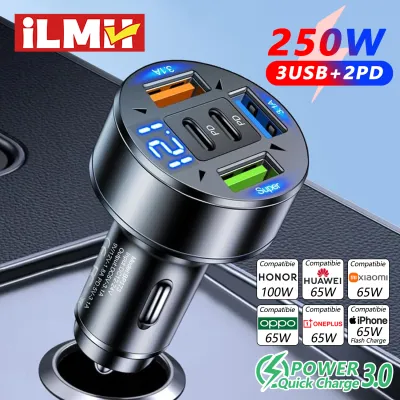
Prices are valid at publication and may change. Please refer to the product page for the latest price.
Beyond physical shape, the functional capabilities of these ports differ significantly. USB-C ports generally support advanced power delivery protocols, allowing them to negotiate higher wattages for fast charging compatible devices. USB-A ports typically operate at lower, fixed power levels, which are suitable for maintaining a charge on smaller accessories but may charge modern smartphones at a slower rate. If you need to quickly boost your battery during a short fifteen-minute drive, USB-C is far more capable of delivering the necessary power.
You must also verify your vehicle’s power source before selecting a charger. Most aftermarket chargers plug directly into the standard 12V auxiliary power outlet, often referred to as the cigarette lighter socket. Ensure your vehicle’s socket is clean, unobstructed, and functioning properly, as some older or heavily used sockets may have loose connections that interrupt power delivery. Additionally, check if your vehicle has built-in USB ports, though these often provide lower power output compared to a dedicated 12V charger adapter.
Evaluating Wireless Charging for In-Car Convenience
Wireless car chargers offer a cable-free mounting solution, but their performance depends heavily on physical and environmental factors. The thickness and material of your phone case play a critical role in charging efficiency. Thick cases, particularly those exceeding three millimeters, or cases containing metal plates, kickstands, and magnetic rings, can block the inductive charging coils entirely. If your case is not compatible, you may have to remove it every time you get into the car, which defeats the convenience of wireless charging.

Heat dissipation is another crucial consideration when using a wireless charger inside a vehicle. Inductive charging naturally generates more heat than wired charging because energy is lost during the wireless transfer process. In warm climates or under direct sunlight through the windshield, this heat can accumulate quickly, prompting your phone to reduce its charging speed or shut down temporarily to protect its battery. Ensuring adequate airflow around the charger is essential for maintaining consistent charging speeds.
To mitigate heat issues, carefully evaluate where you mount the wireless charger. Vent mounts are highly popular because they position the charger directly in front of the air conditioning louvers, which helps keep both the charger and your phone cool during operation. However, ensure your vent blades are sturdy enough to support the combined weight of the mount and your phone, especially when driving over uneven road surfaces or speed bumps.
Dashboard and windshield mounts offer alternative positioning but expose the device to more direct sunlight and heat. If you choose a suction-cup mount for the dashboard or glass, verify that the adhesive is rated for high temperatures so it does not lose grip during hot afternoons. Always position the mount where it does not obstruct your view of the road or interfere with airbag deployment zones, keeping safety as your top priority.
Comparing Lightee Charging Technologies
Managing cables is a primary concern for maintaining a clean and organized vehicle cabin. Wired chargers, whether USB-A or USB-C, require physical cables running from the charger to your device, which can drape over the gear shifter, console, or climate controls. Wireless chargers reduce this clutter by keeping the main cable permanently connected to the mount, leaving your phone free of dangling wires when you pick it up or place it down.
The ease of docking your phone with one hand is a major safety and convenience factor while driving. Wireless chargers with automatic clamping arms or magnetic alignment allow you to mount and charge your phone with a single, simple motion. Wired chargers require you to manually insert the cable, which is difficult to do safely with one hand and should only be attempted when the vehicle is safely parked. This makes wireless options highly attractive for drivers who make frequent stops.
Power delivery expectations vary significantly across these three technologies. Wired USB-C connections offer the fastest charging speeds by utilizing high-wattage power delivery protocols. USB-A provides a steady but slower charge, while wireless charging is generally the slowest of the three due to energy transfer inefficiencies. Always check the specific product packaging and labels to verify the exact wattage output of each port, as actual charging speeds depend on both the charger’s capability and your phone’s maximum intake limit.
To help you decide, consider how each technology aligns with different driving priorities:
| Charging Type | Primary Advantage | Main Trade-off | Ideal User |
|---|---|---|---|
| USB-C | Fastest charging speeds, reversible connector | Requires compatible USB-C cables | Drivers with modern devices needing quick top-ups |
| USB-A | High compatibility with legacy cables and accessories | Slower charging speeds, directional plug | Drivers powering older phones, dash cams, or GPS units |
| Wireless | Cable-free convenience, easy one-handed docking | Slower speeds, sensitive to heat and case thickness | Commuters seeking a tidy dashboard and easy mounting |
Final Decision Framework: Which Type Fits Your Drive?
To finalize your choice, start by examining your primary mobile device and its charging port. If you own a modern smartphone that supports fast charging and you frequently need to boost your battery quickly during short trips, a USB-C charger is the most practical choice. Ensure you pair it with a high-quality, certified USB-C to USB-C or USB-C to Lightning cable to achieve the best possible charging rates safely.
If you prefer to use your existing collection of standard USB cables, or if you need to power legacy accessories like older dash cams, a USB-A charger remains a reliable and cost-effective option. Many multi-port chargers combine both USB-A and USB-C ports, offering a versatile compromise that accommodates both old and new devices simultaneously. This hybrid setup is particularly useful for families or ride-share drivers who accommodate various passenger devices.
Choose a wireless charger if your daily commute involves frequent stops where you constantly get in and out of the car. The convenience of dropping your phone onto a mount without plugging in a cable saves time and reduces wear on your phone’s charging port. Before buying, confirm your phone supports wireless charging and that your case is thin enough to allow induction without causing excessive heat buildup.
Finally, check your vehicle’s manual to understand how the 12V accessory socket behaves. Some vehicles cut power to the socket immediately when the ignition is turned off, while others keep the socket live continuously. Knowing this behavior helps you manage your charger safely and prevents unexpected battery drain when the car is parked. If your socket remains live, remember to unplug your charger or mount when leaving the vehicle for an extended period.
Frequently Asked Questions (FAQ)
Can I use a USB-C to USB-A adapter with my Lightee charger?
Yes, you can physically connect a USB-C to USB-A adapter, but doing so will generally limit your charging performance. Standard USB-A ports and adapters do not support the advanced power delivery protocols required for high-wattage fast charging. The charger will default to a lower, standard charging speed. Always check the labels on both the adapter and the charger to verify the maximum supported current and ensure safe operation without overheating the adapter or damaging your device’s battery.
Does wireless charging drain my car battery when the engine is off?
Whether a wireless charger drains your car battery depends entirely on your vehicle’s electrical configuration. In many vehicles, the 12V auxiliary power outlet turns off automatically when you switch off the ignition or lock the doors. However, if your vehicle’s outlet remains live continuously, a plugged-in wireless charger will continue to draw a small amount of standby power. If your vehicle has a live outlet, it is best to unplug the charger when parking for extended periods to prevent gradual battery drain.

Community discussion
Share your experience or ask a question. Comments are reviewed before publication.