
Using a smartphone for real-time GPS navigation is often more convenient than relying on older, built-in car infotainment systems. Mobile apps update instantly with live traffic data, road closures, and optimal routing. However, to match the safety and seamless visibility of a factory-installed dashboard screen, your phone requires a highly stable mounting solution. A dedicated phone magnetic holder serves as this bridge, but not all mounts are engineered to handle the physical demands of daily driving.
To turn your smartphone into an effective, distraction-free navigation screen, the holder must balance secure physical retention, reliable power delivery, and flexible positioning. In tropical climates like Singapore, where intense sunlight and high cabin temperatures are common, thermal management also becomes a critical factor. Selecting the right mount involves evaluating how the device secures to your vehicle, how it manages heat, and whether it complies with local road safety guidelines.
Magnetic Grip and Device Compatibility
The primary job of any magnetic mount is to keep your phone firmly in place during sudden stops, sharp turns, and bumpy road conditions. Modern magnetic holders generally fall into two categories: integrated magnetic arrays designed for specific smartphone standards, such as MagSafe, and universal magnetic mounts that rely on adhesive metal plates. MagSafe-compatible mounts utilize a precise ring of magnets built directly into the holder, aligning perfectly with the internal coils of compatible smartphones without requiring extra attachments.
Products mentioned in this guide

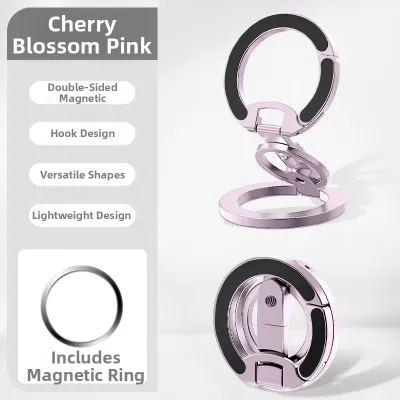
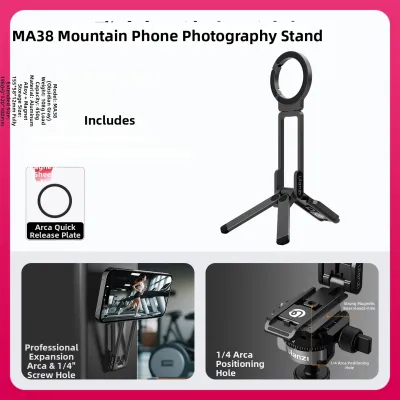
Prices are valid at publication and may change. Please refer to the product page for the latest price.
For devices without built-in magnetic arrays, universal mounts require you to stick a thin metal plate to the back of your phone or case. While highly effective, improper placement of these plates can block wireless charging coils or cause weak magnetic attraction if the plate is too small for the weight of the phone. When selecting a holder, verify that the magnet array aligns precisely with your phone’s internal structure or that the adhesive plate is positioned according to the manufacturer’s instructions to ensure maximum grip.
Vibration dampening is another critical specification to check before purchasing. High-quality mounts incorporate silicone or rubberized faces that absorb road vibrations, preventing the phone from slipping or rotating while you drive. Check the manufacturer’s rated holding capacity, which is often listed in grams or ounces, to ensure the mount can support your specific phone model, especially if you use a heavy, rugged case.
Power Delivery and Heat Management
Continuous GPS navigation, screen-on time, and cellular data usage drain a smartphone battery rapidly. A magnetic holder equipped with wireless charging solves this issue, but you must verify the charging standards supported by the device. Look for Qi or Qi2 certification on the product packaging to ensure safe, standardized power delivery that matches your phone’s charging profile. Qi2, in particular, offers improved magnetic alignment and faster charging speeds, reducing energy loss and heat generation.

Heat management is a vital consideration, particularly in Singapore’s hot climate where direct sunlight through the windshield can quickly overheat a dashboard-mounted phone. When a phone overheats, it may dim the screen, slow down navigation performance, or shut down entirely to protect the battery. To prevent this thermal throttling, look for magnetic holders that feature active cooling systems, such as built-in miniature fans, or those constructed with heat-dissipating materials like aluminum.
Additionally, the charging mount is only as fast as the power source feeding it. Ensure your vehicle’s 12V auxiliary power outlet or built-in USB ports can supply the exact input wattage required by the mount. Many fast-charging magnetic holders require a compatible USB Power Delivery (PD) or Quick Charge (QC) car adapter to function at their rated speeds, so check these specifications before completing your setup.
Adjustability and Glare Reduction
Safe driving requires keeping your eyes on the road as much as possible, which means your navigation screen must be positioned within your peripheral vision without blocking your forward view. A high-quality magnetic holder should feature a robust ball-joint mechanism or a telescopic arm that allows for smooth, single-handed adjustments. This flexibility enables you to tilt, pan, and rotate the phone between portrait and landscape modes instantly to suit your preferred navigation layout.
Screen glare is a common hazard when driving under bright sunlight, making map details difficult to read and causing dangerous distractions. By choosing a mount with a highly adjustable ball joint, you can tilt the screen slightly away from direct light sources to minimize reflections. Some telescopic mounts allow you to bring the phone closer to the dashboard level, shielding the screen from direct overhead sunlight while keeping it within easy reach.
While adjustability is key, the physical profile of the mount must remain compact. A bulky holder or an overly long arm can create a significant blind spot on your windshield or clutter your dashboard. Prioritize streamlined designs that hold the phone securely close to the mounting base, ensuring your primary line of sight remains completely clear of obstructions.
Mounting Bases and Cabin Safety
How the holder attaches to your car is just as important as how it holds your phone. Air vent clips, suction cups, and adhesive dashboard mounts each have distinct advantages depending on your vehicle’s interior layout. Air vent clips are highly portable and keep the phone cool by placing it in front of the air conditioning stream, but they must be compatible with your vent blade design (horizontal, vertical, or circular) to prevent damage to the louvers.
Suction cup mounts offer excellent stability on glass surfaces like the windshield, but they can degrade over time when exposed to intense UV rays and heat. Adhesive dashboard mounts provide a semi-permanent solution but require a flat, non-porous surface to bond correctly. Before applying any adhesive, check your vehicle’s interior materials; textured plastics, soft-touch vinyl, and genuine leather can be permanently damaged or discolored by strong adhesives or suction cup gels.
Safety boundaries within the cabin must always be respected. Never position your magnetic holder within the deployment zone of any airbag, which is typically marked on the steering wheel, dashboard, and side pillars. Additionally, ensure the mounted phone does not obstruct your view of the instrument cluster, block access to critical physical controls, or interfere with the operation of the steering wheel and gear selector.
Navigation Holder Feature Checklist
To help you narrow down your options, use the following matrix to match essential features with your specific driving needs and vehicle setup.
| Feature Category | Key Specifications to Verify | Best Suited For |
|---|---|---|
| Magnet Type | MagSafe-compatible ring or high-strength Neodymium plates | iPhone users or heavy devices requiring secure physical grip |
| Charging Standard | Qi or Qi2 certified with matching USB PD car adapter | Long-distance drivers needing continuous battery replenishment |
| Cooling Mechanism | Active cooling fan or aluminum heat-sink casing | Hot climates, dashboard mounting, and high-exposure windshield areas |
| Base Attachment | Heavy-duty vent clip, gel suction cup, or non-marking adhesive | Specific dashboard materials and preferred viewing heights |
Before finalizing your purchase, stop the process if the product lacks clear safety certifications, does not specify its maximum weight capacity, or requires an adhesive that is incompatible with your car’s dashboard material. Investing in a mount that fails these basic checks can lead to dropped devices, damaged interiors, or distracted driving.
Frequently Asked Questions (FAQ)
Will a magnetic holder damage my phone's internal compass or sensors?
No, the magnets used in high-quality car mounts will not permanently damage your smartphone’s internal sensors. However, strong magnetic fields can temporarily interfere with the digital compass (magnetometer) inside the phone, which may cause the map orientation to drift slightly when you are stationary. Once you remove the phone from the mount, you can easily recalibrate the compass by moving the device in a figure-eight motion in the air. For active turn-by-turn navigation while driving, your phone relies primarily on GPS satellite signals and cellular triangulation, which are completely unaffected by magnetic mounts.
Can I use a magnetic holder with a thick or rugged phone case?
Thick or rugged cases can significantly reduce the magnetic attraction between the holder and your phone, increasing the risk of the device falling on rough roads. If you use a heavy-duty case, check the manufacturer’s specified maximum case thickness for magnetic penetration, which is typically under 2mm for standard mounts. To ensure a secure connection, you should use a case with built-in MagSafe-compatible magnets or adhere a metal ring directly to the exterior of your rugged case. Keep in mind that thick cases also reduce wireless charging efficiency and can trap heat, so monitoring your phone’s temperature during long trips is highly recommended.

Community discussion
Share your experience or ask a question. Comments are reviewed before publication.