
Using an anti slip car dash mat as a phone holder for GPS navigation is a practical, low-cost solution for drivers who prefer not to install permanent or bulky mechanical mounts on their windshields or air vents. By relying on high-friction polymer materials and gravity, these mats can hold a smartphone in place for quick glances at your navigation app. However, achieving a secure setup requires understanding the physical limitations of friction-based holders, preparing your dashboard surface properly, and adhering to strict safety guidelines to prevent your device from becoming a hazard during sudden stops.
While this method is highly convenient, it is fundamentally a compromise solution. Unlike mechanical mounts that lock your phone into a fixed position, a dash mat relies entirely on surface contact to resist the forces of acceleration, braking, and cornering. To use this setup successfully and safely, you must pay close attention to how you position the mat, how you prepare the surfaces, and how you manage environmental factors like heat and glare.
Understanding What a Dash Mat Can and Cannot Do
An anti slip car dash mat is designed to hold loose items on your dashboard by maximizing surface friction. Most of these mats are made from soft, flexible materials like silicone, polyurethane, or specialized rubber formulations that naturally cling to flat surfaces without using permanent adhesives. When you place an object on the mat, gravity presses the object down, and the high-friction surface of the mat resists lateral movement. This works exceptionally well for flat, lightweight items like keys, coins, or sunglasses, but holding a vertical or semi-upright smartphone for GPS navigation introduces additional physical challenges.
Products mentioned in this guide
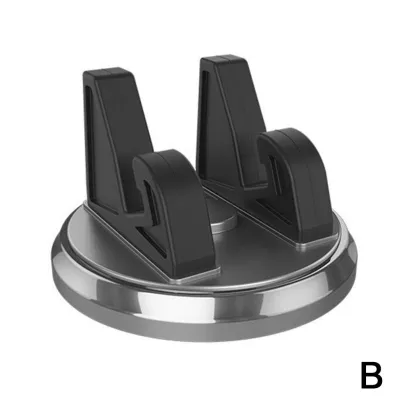
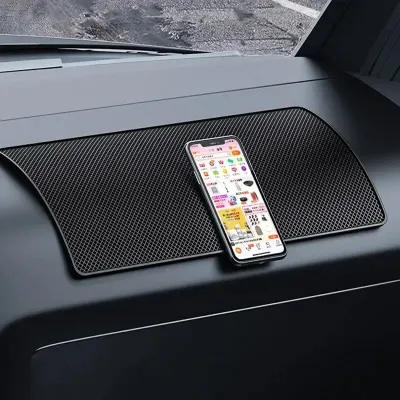
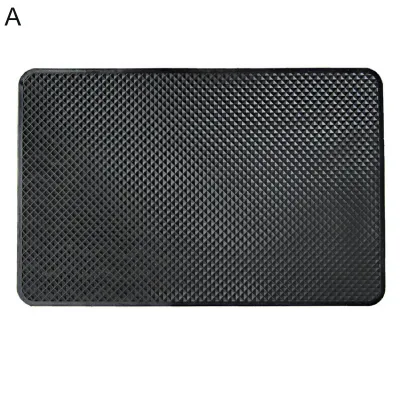

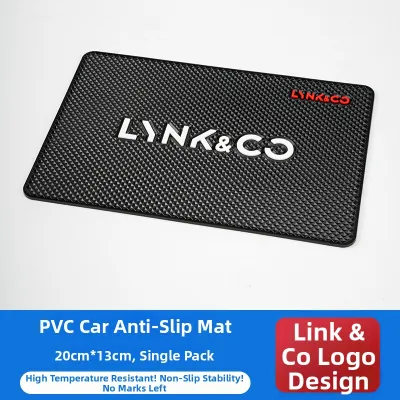
Prices are valid at publication and may change. Please refer to the product page for the latest price.
Unlike mechanical phone mounts, a simple dash mat does not feature adjustable arms, clamps, or suction cups to lock your device at eye level. This means your viewing angle will be limited. Your phone will either lie relatively flat on the dashboard or, if your mat has built-in slots or a raised lip, sit propped up at a slight angle. Because the screen is positioned lower than it would be on a windshield mount, you must rely on quick, downward glances rather than keeping the screen directly in your line of sight. This requires placing the mat in a position that minimizes the time your eyes are off the road.
Weight and surface texture play critical roles in how well a dash mat can hold your phone. Heavier devices, such as large-format smartphones or small tablets, generate more momentum during sudden vehicle movements, making them more prone to sliding or tipping over. Furthermore, phones with smooth glass backs or hard plastic cases have a much lower coefficient of friction than those with textured or rubberized cases. If your phone is heavy or exceptionally smooth, a standard friction mat may struggle to keep it secure during sharp turns or sudden braking maneuvers.
Ultimately, using a dash mat as a GPS holder is a convenience-driven compromise. It is an excellent temporary or minimalist solution for drivers who want a clean dashboard look without sticky residues or mechanical clutter. However, it cannot match the absolute stability of a mechanical clamp. Recognizing these physical boundaries is the first step in setting up a reliable, safe navigation display that works within the limits of your driving environment.
Preparing Your Dashboard and Mat for Maximum Grip
To achieve the strongest possible grip, you must ensure that the contact surfaces between your dashboard, the mat, and your phone are completely clean. Over time, dashboards accumulate a fine layer of dust, pollen, and airborne oils from the air conditioning system and open windows. Additionally, many car owners use interior detailing sprays, waxes, or silicone-based protectants to give their dashboards a glossy shine. While these products make the interior look clean, they leave behind an incredibly slick microscopic residue that drastically reduces friction, causing even the stickiest anti-slip mat to slide around.

Before placing your mat, clean the target area of your dashboard thoroughly. Use a mild, interior-safe cleaner or a microfiber cloth dampened with water and a drop of mild dish soap to strip away any oils, dust, or detailing residues. Always check your vehicle owner’s manual or the manufacturer’s care instructions for your specific dashboard material—especially if your car has a leather or sensitive synthetic dashboard—to ensure your cleaning agent is safe. Allow the surface to dry completely before proceeding.
If you are reusing an older anti-slip mat, it has likely collected dust and lint, which clogs the tiny pores of the material and ruins its adhesive-like properties. You can easily restore the mat’s original stickiness by washing it. Rinse the mat under warm, running tap water and use a tiny amount of mild dish soap to break down any accumulated oils. Gently work the soap across the surface with your fingers, rinse thoroughly, and let the mat air dry completely. Avoid using paper towels or cloth to dry the mat, as they will leave lint behind on the freshly cleaned surface.
Next, evaluate the physical contour and texture of your dashboard. Dashboards are rarely perfectly flat; they often feature curves, slopes, and distinct grain patterns. A heavily textured or highly curved dashboard reduces the total surface area that comes into direct contact with the bottom of the mat, which compromises its overall grip. For the best results, select a section of the dashboard that is as flat and level as possible.
Finally, examine your phone’s protective case, as the material of the case dictates how well the phone will stick to the top of the mat. Hard, polished plastic cases and bare glass-backed phones slide easily because they cannot bite into the polymer surface of the mat. In contrast, cases made of silicone, thermoplastic polyurethane (TPU), or highly textured rubber create a powerful friction bond. If your current phone case is exceptionally smooth, consider swapping it for a high-grip silicone case to significantly improve the stability of your GPS setup.
Step-by-Step Setup for Secure GPS Navigation
Setting up your anti-slip mat for navigation requires a balance between visibility, stability, and safety. Follow these steps to position your mat and phone correctly before you start your journey.
- Step 1: Positioning the mat: Place your clean, dry anti-slip mat on the flat section of your dashboard you prepared earlier. Position it so that the phone's screen will be within your peripheral vision but completely below your hood line, ensuring it does not block any portion of your view of the road. Crucially, verify that the mat is placed far away from any passenger or driver airbag deployment zones, which are typically marked with "SRS Airbag" lettering on the dashboard.
- Step 2: Creating a viewing angle: If your anti-slip mat is a simple flat sheet, your phone will lie flat, which can make reading GPS maps difficult due to reflections. To improve the viewing angle, look for a mat designed with built-in vertical slots, raised edges, or flexible tabs that allow you to stand the phone on its side. If you are using a basic flat mat, you can carefully fold or bunch the back edge of the mat to create a small, supportive lip, or place a small, non-slip wedge underneath the rear portion of the mat to prop the phone up slightly.
- Step 3: Securing the device: Place your phone onto the mat in landscape (horizontal) orientation. Landscape mode is highly recommended for dash mat setups because it lowers the device's center of gravity, making it far less likely to tip over during acceleration or cornering. Center the phone on the mat to distribute its weight evenly across the high-friction surface.
- Step 4: Managing the charging cable: If you need to charge your phone while navigating, plug in the cable and ensure there is plenty of slack. A taut charging cable acts as a lever; as your car turns or vibrates, the tension in the cable can easily pull the phone off the mat or drag the entire setup onto the floor. Route the cable neatly around your center console, ensuring it does not interfere with the gear shifter, steering wheel, or your feet near the pedals.
- Step 5: Glare adjustment: Sit in the driver's seat and check the screen visibility. Depending on the angle of the sun and your windshield, you may experience severe glare that washes out the GPS map. Slightly shift the position of the mat left or right, or adjust the angle of the phone, to find a sweet spot that minimizes reflections without compromising your view of the road.
Critical Safety Checks and Real-World Driving Tests
Before you drive on public roads, you must perform several safety checks to ensure your temporary GPS mount does not pose a danger to you or your passengers. The most critical safety rule involves your vehicle’s airbag systems. Airbags deploy with explosive force in a fraction of a second. If you place your anti-slip mat, phone, or charging cable over or directly in front of an airbag cover, these items will be launched into the cabin as high-speed projectiles during a collision. Always consult your vehicle’s owner’s manual to identify the exact deployment zones for all dashboard-mounted airbags, and keep your navigation setup completely clear of these boundaries.
Once you have positioned your setup safely, conduct a practical “brake test” in a controlled, low-speed environment, such as an empty car park. Accelerate slowly to a low speed, then apply the brakes with moderate force. Observe whether the phone slides forward, tips over, or shifts off the mat. Next, perform a few sharp, low-speed turns. If the phone moves or requires you to catch it with your hand, the setup is not secure enough for public roads. You will need to clean the surfaces again, adjust the angle, or use a more high-friction phone case.
Drivers in tropical climates, such as Singapore, must also manage extreme cabin heat. When a car is parked under direct sunlight, interior temperatures can quickly rise to levels that are dangerous for consumer electronics. A smartphone resting directly on the dashboard under the windshield is exposed to intense solar radiation, which can cause the battery to degrade rapidly or trigger a thermal shutdown mid-drive. To protect your phone, make use of your vehicle’s air conditioning vents to cool the cabin before mounting the device, use a front sunshade when parked, and always remove your phone and store the mat in the glovebox when leaving the vehicle stationary in the sun.
Finally, perform a windshield reflection check, particularly if you plan to drive at dusk or during the night. The bright screen of a phone resting on the dashboard can reflect off the inside of the windshield, creating a distracting double image directly in your line of sight. To prevent this, adjust your phone’s screen brightness to a lower setting, enable “Dark Mode” on your navigation app, or slightly adjust the tilt of the phone so the screen’s light reflects away from your direct field of view.
When to Switch to a Dedicated Phone Mount
While an anti slip car dash mat is a highly convenient tool, it is not a universal replacement for a dedicated, mechanical phone mount. Over time, you may find that the physical limitations of a friction-based setup do not align with your daily driving habits or vehicle layout. Recognizing the signs of an inadequate setup is crucial for maintaining safety on the road.
If your phone requires constant manual readjustment while driving, or if it regularly slides off the mat during routine braking and cornering, the friction bond is insufficient. This instability is not only frustrating but highly dangerous, as it tempts you to take your hands off the wheel and your eyes off the road to save a falling device. Additionally, if you drive a vehicle with stiff suspension, frequently travel over uneven road surfaces, speed bumps, or hilly terrain, a simple friction mat will struggle to absorb the constant vertical vibrations, causing the phone to repeatedly dislodge.
Drivers who require their navigation screen to be positioned at eye level to prevent neck strain should also transition to a dedicated mount. If a dash mat proves unsuitable for your needs, several alternative mounting styles are available. Air vent clips secure your phone directly to the cabin’s ventilation grilles, keeping the device cool while bringing it closer to your line of sight. CD slot mounts utilize unused dashboard media slots for a highly stable, mechanical hold, while heavy-duty suction cup mounts can be attached directly to the windshield or a smooth section of the dashboard, offering fully adjustable articulating arms for the perfect viewing angle.
Frequently Asked Questions (FAQ)
Can I charge my phone while it rests on the dash mat?
Yes, you can charge your phone while it is on the mat, but you must manage the charging cable carefully. Ensure the cable has plenty of slack so that it does not pull the phone off the high-friction surface when you turn the steering wheel or adjust the screen. Route the cable neatly along the dashboard and center console, keeping it completely clear of the steering column, gear shifter, and foot pedals to prevent any risk of physical entanglement while driving.
Will the anti-slip mat damage my dashboard or phone?
High-quality silicone or polyurethane mats are generally safe for modern automotive plastics and glass. However, prolonged exposure to extreme heat and UV radiation—common when parking outdoors in tropical climates—can cause lower-quality polymer mats to degrade, melt, or leave a sticky chemical residue on your dashboard. To protect your vehicle’s interior, buy mats from reputable manufacturers, and store both the mat and your phone in a cool place, like the glovebox, when parking your car in direct sunlight for extended periods.
Does the dash mat work with a phone case?
An anti-slip mat’s performance depends heavily on the material of your phone case. Smooth, hard plastic, metal, or bare glass cases do not grip the mat well and are highly likely to slide off during sudden vehicle movements. For the best grip, use a case made of soft silicone, thermoplastic polyurethane (TPU), or a rubberized material with a textured finish, as these materials create a much stronger friction bond with the surface of the mat.
Community discussion
Share your experience or ask a question. Comments are reviewed before publication.