
Setting up a car dashcam for 24/7 parking surveillance requires a reliable power source, correct camera settings, and proper battery protection. While a standard dashcam records your drives, capturing incidents while your vehicle is parked requires transitioning from ignition-based power to a continuous power supply. This setup ensures your vehicle remains monitored against hit-and-runs, vandalism, or accidental scrapes when you are away. Achieving this safely involves understanding your vehicle’s electrical system, configuring the camera’s recording triggers, and managing power consumption to protect your car’s battery.
Prerequisites for 24/7 Parking Surveillance
Before enabling continuous recording, you must determine how your car dashcam will receive power when the engine is turned off. Standard cigarette lighter sockets in most vehicles lose power immediately when the ignition is switched off. To keep the camera running, you generally need a dedicated hardwire kit that connects directly to your vehicle’s fuse box, or an external dashcam battery pack designed specifically for parking mode. A hardwire kit draws power directly from the vehicle’s starter battery, while an external battery pack charges while you drive and powers the dashcam independently when parked, eliminating starter battery drain. This choice often depends on your daily driving habits; if you only drive short distances, a hardwire kit is more common, whereas drivers who leave their cars parked for days at a time often prefer dedicated battery packs.
Review your vehicle’s owner manual to locate the fuse box and identify suitable slots. You will need to find a constant power fuse (which provides electricity even when the car is off, such as the hazard lights, central locking, or cabin lights) and an accessory power fuse (which is only active when the ignition is on, such as the radio or cigarette lighter). Be sure to note any warranty implications or manufacturer guidelines regarding aftermarket electrical modifications before proceeding. Some modern vehicles have sensitive electronics that can trigger error codes if they detect an unexpected power draw from certain fuses.
Products mentioned in this guide


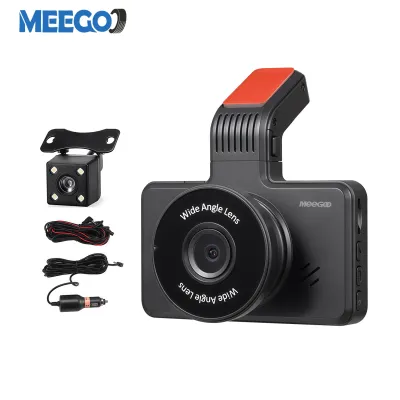
![[2026 NEW] 70mai A810 Lite Dashcam 4K Resolution + HDR | 4G Connectivity | Supercapacitor | Built-in GPS | Dual Recording](https://img.lazcdn.com/g/p/aebc7e2d8ca43161b8425a21aa213024.jpg_400x400q80.jpg_.webp)
5 Lazada user ratings
🔧Ease of Installation:I had to employ the services of 70mai so it's not the easiest.
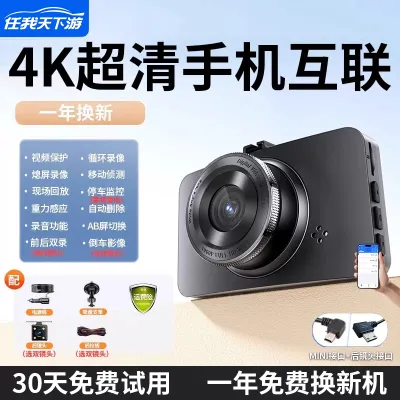
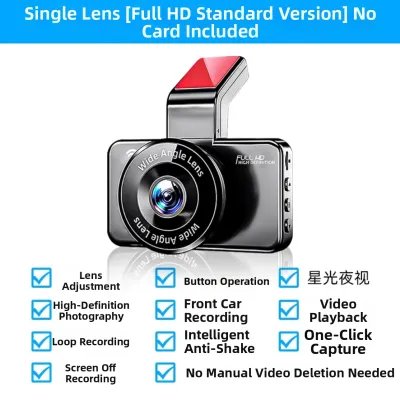
4 Lazada user ratings
The product has a unique character, and the customer support is truly excellent with very quick responses. The overall quality definitely sh…Read full reviewShow less
The product has a unique character, and the customer support is truly excellent with very quick responses. The overall quality definitely shines through.
item received in good condition and securely packaged 🌙Night Vision:very good 📺Video Quality:not bad for price offer 🔧Ease of Installation:v…Read full reviewShow less
item received in good condition and securely packaged 🌙Night Vision:very good 📺Video Quality:not bad for price offer 🔧Ease of Installation:very easy
The quality is great, and the overall product is nice. It was easy to install, and this is my second time buying it.
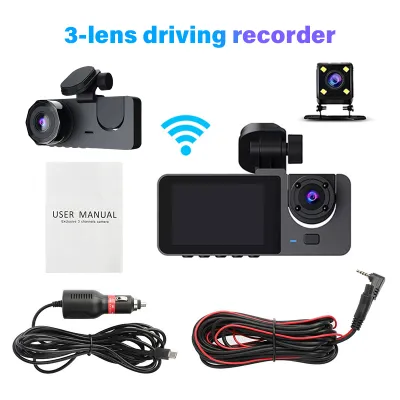
22 Lazada user ratings
delivery was very fast, within 3 days from order However item had multiple problems. 1. WiFi could not be connected, tried more than 5 times…Read full reviewShow less
delivery was very fast, within 3 days from order However item had multiple problems. 1. WiFi could not be connected, tried more than 5 times repeat, reset, different device etc. finally had to go down to sellers warehouse to exchange. needed to test and only 2nd exchanged unit worked. 2. mount screw was bent and could not secure the mounting hinge. only discovered after got working WiFi replacement unit. good price and features but defective rate quite high
Image quality is good, and function/control is easy to manage. No user manual, but can be figured out with time. Uses USB-C to deliver power…Read full reviewShow less
Image quality is good, and function/control is easy to manage. No user manual, but can be figured out with time. Uses USB-C to deliver power.
🔧Ease of Installation: ok Please note that the max SD card support is only 32GB, a bit small for a 3 camera car cam
Triple lens full coverage, Three-angle incident proof,
🔧Ease of Installation:easy to install
Prices are valid at publication and may change. Please refer to the product page for the latest price.
Ensure your dashcam’s firmware is updated to the latest version recommended by the manufacturer. Firmware updates often resolve stability issues, improve power management, and ensure that parking mode features function as intended. Running outdated firmware can lead to unexpected shutdowns or failure to transition into parking mode when the engine stops.
Because vehicle electrical systems can be highly complex, safety is a priority. If your vehicle features a modern battery management system, or if you are unsure about identifying the correct fuses, stop and consult a qualified automotive electrician. Professional installation helps prevent accidental damage to your vehicle’s wiring, ensures the system is safely integrated, and maintains the integrity of your vehicle’s electrical warranty.
Enabling and Configuring Parking Mode Settings
Once the physical power connection is secure, you must configure the dashcam’s internal settings to activate its parking surveillance features. Navigate through your dashcam’s menu or its companion mobile application to locate and enable “Parking Mode” or “Surveillance Mode.” The exact terminology and menu layout will vary depending on your specific device, so taking the time to explore the interface is essential.

Adjusting the impact detection sensitivity, often controlled by an internal G-sensor, is a critical step. If the sensitivity is set too high, normal environmental factors like heavy wind, passing trucks, or nearby construction can trigger false recordings, quickly filling up your storage card. Conversely, setting it too low might prevent the camera from capturing actual low-impact bumps. Finding the right balance usually requires testing different sensitivity levels in your typical parking spots.
You will also need to choose the recording mode that best fits your typical parking environment. Motion detection triggers recording only when movement is sensed in front of the lens, which is ideal for quiet residential areas. Time-lapse recording captures frames at set intervals (such as one frame per second), creating a sped-up video of the entire parking duration, which significantly reduces storage consumption. Low-bitrate continuous recording records constantly at a lower quality to save space while ensuring no gap in coverage. Each mode has its trade-offs, with motion detection saving the most power and time-lapse offering the most comprehensive visual timeline.
Refer to your specific dashcam user manual for the exact button combinations or application settings required to lock in these configurations. Saving these settings correctly ensures the camera transitions seamlessly into parking mode the moment the ignition is turned off, providing immediate protection without requiring manual activation every time you park.
Managing Power Protection and Storage Endurance
Continuous recording places significant demands on both your vehicle’s battery and the dashcam’s memory card. To prevent your car battery from draining to the point where the engine cannot start, you must configure low-voltage cutoff settings. Many hardwire kits and advanced dashcams feature built-in voltage monitors that automatically shut off the camera when the car battery drops below a specified threshold, such as 12.0V or 12.4V. Always follow the manufacturer’s recommended thresholds rather than generic online advice to ensure your car starts reliably. Setting the cutoff too low can shorten the overall lifespan of your car battery over time.
The constant writing of video data during 24/7 surveillance requires a high-endurance microSD card. Standard consumer memory cards are not designed for the continuous write cycles of a dashcam and can fail prematurely, potentially leaving you without footage when you need it most. Look for cards specifically rated for high-endurance or industrial use, which utilize robust flash memory to withstand constant overwriting. These specialized cards are built to handle the extreme temperatures that can build up inside a parked vehicle.
To maintain file system integrity and prevent write errors over time, format the memory card regularly. Using the dashcam’s built-in format function is the most reliable method, as it prepares the card specifically for the camera’s file structure. Regular formatting helps clear corrupted files, optimizes write speeds, and ensures smooth, uninterrupted recording over months of continuous use.
Verifying the Setup and Observing Legal Boundaries
After completing the physical installation and digital configuration, you must verify that the system operates correctly. Perform a controlled physical test by parking your vehicle, locking the doors, and waiting for the camera to enter parking mode. Gently tap the windshield near the camera or walk in front of the vehicle to trigger the sensors, then check if the camera indicates it is recording. This hands-on test confirms that both the power delivery and the sensor triggers are working in harmony.
Remove the memory card or connect to the camera via its mobile app to review the recorded files. Confirm that the timestamps are accurate, the video resolution is clear, and the test events are correctly saved and locked in the designated parking folder. This step ensures that critical footage will not be overwritten during normal operation and that you can easily locate files in the event of an incident.
Finally, consider the legal and regulatory environment of your parking locations. In Singapore, you must observe local privacy laws, public housing rules, and private estate regulations regarding continuous exterior recording. Be particularly mindful of audio recording settings and avoid positioning your camera to film private properties or restricted areas directly, as unauthorized surveillance can lead to legal disputes. Keeping your recording focused strictly on the immediate perimeter of your vehicle helps maintain compliance while protecting your property.
Frequently Asked Questions (FAQ)
Will parking mode drain my car battery?
Hardwire kits equipped with a low-voltage cutoff are designed to protect your vehicle’s battery by shutting off the dashcam before the battery charge drops too low. However, the exact cutoff thresholds and the overall health of your battery must be verified using your specific product manual and vehicle diagnostics. If your vehicle’s battery is older or if the car remains unused for extended periods, consult a qualified automotive electrician to evaluate whether an external battery pack is a safer option.
Why is my dashcam not recording when parked?
If your dashcam fails to record while parked, first check that the hardwire kit is connected to a constant power fuse rather than an accessory fuse that shuts off with the ignition. Next, verify that parking mode is explicitly enabled in the camera’s settings menu. Finally, ensure that the memory card has sufficient available space, is free of errors, and that the camera lens is not obstructed by condensation, dirt, or sunshades.

Community discussion
Share your experience or ask a question. Comments are reviewed before publication.