
To mount your On-Board Unit (OBU) on the dashboard while keeping the card slot easily accessible, you must balance physical reachability, driver visibility, and safety regulations. The ideal setup positions the unit within your natural line of sight and arm’s reach, allowing you to insert or remove your payment card without straining or looking away from the road. If your dashboard layout or steering wheel blocks direct access, utilizing a compatible OBU card extension or an angled mounting bracket can bring the card slot closer to your driving position.
Understanding OBU Placement Rules and Reachability
When planning where to mount your On-Board Unit (OBU) in Singapore, your first priority must be compliance with local transport authority guidelines. The physical placement of the unit is strictly regulated to ensure it does not obstruct your forward view of the road or interfere with critical vehicle safety systems. Before applying any adhesive or mounting brackets, you must consult your vehicle’s manual to identify the exact locations of the passenger and driver-side airbags. Mounting the OBU or routing its cables across an airbag deployment seam (typically marked with “SRS Airbag” on the dashboard or A-pillars) can prevent the airbag from deploying correctly or turn the device into a dangerous projectile during a collision.
Beyond legal and safety compliance, the physical ergonomics of the driver’s seat play a massive role in daily usability. The distance from your natural driving position to the far corners of the dashboard can be surprisingly large, especially in modern vehicles with deep, sloping windshields. If you have to lean forward significantly, stretch your arm to its limit, or reach around a large steering wheel to access the card slot, the placement is impractical.
Products mentioned in this guide
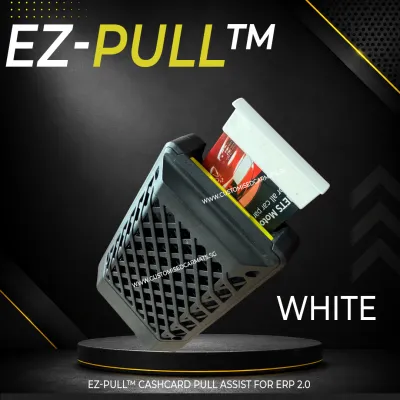
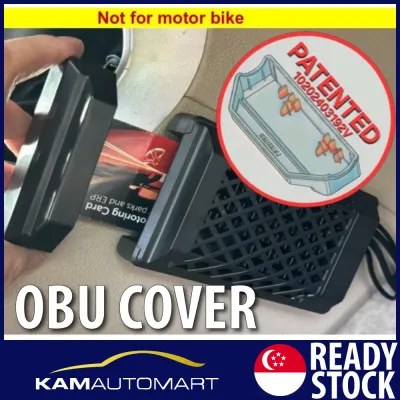
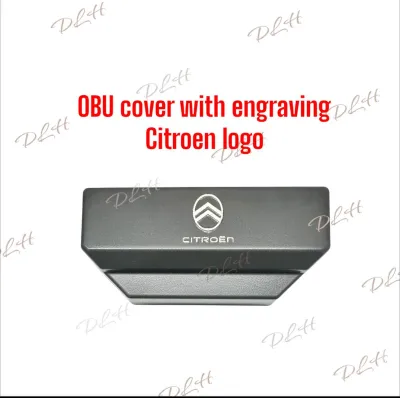
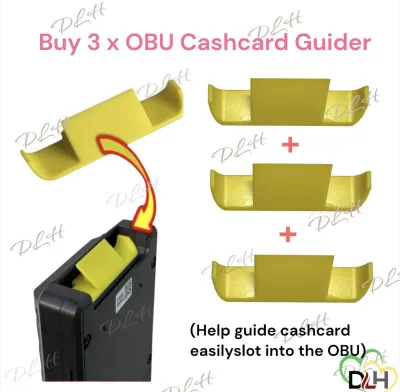
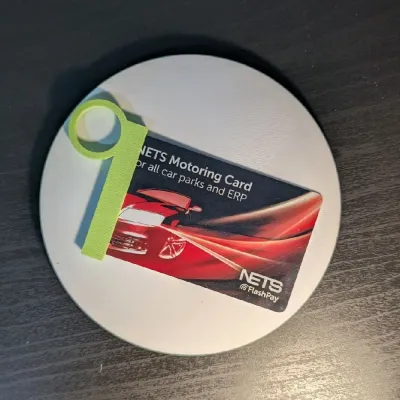
Prices are valid at publication and may change. Please refer to the product page for the latest price.
Forcing yourself to use an awkward mounting angle often leads to dropped payment cards, fumbling at crucial moments, and highly distracted driving. When approaching an Electronic Road Pricing (ERP) gantry or a carpark barrier, you need to be able to slide the card in or out with a single, smooth motion. If the card slot is angled away from you or partially blocked by the steering column or wiper stalks, you risk losing focus on the road. A well-thought-out placement ensures that card handling remains a subconscious, low-effort task.
Optimizing Dashboard Placement for Direct Access
Finding the right spot on your dashboard requires evaluating several distinct zones for accessibility and visibility. The lower dashboard area, particularly to the right or left of the steering wheel (depending on your vehicle’s configuration), is often the most ergonomic choice because it sits within your natural reach. The center console is another popular alternative, offering excellent visibility, though it may require you to look down slightly further than a higher dashboard mount. The passenger-side dashboard should generally be avoided for direct access, as it is physically out of reach for most drivers while seated.

To bridge the gap between reachability and visibility, you can utilize adjustable mounting brackets or angled wedges. These accessories allow you to tilt the face of the OBU directly toward your driving position. By angling the device, you align the card slot with the natural trajectory of your hand, making insertion and removal much more intuitive. This setup also helps reduce glare on the OBU screen, ensuring you can read transaction amounts and card balance alerts clearly under bright sunlight.
Before committing to a location, inspect the texture and material of your dashboard. Modern vehicles often feature soft-touch plastics, textured leatherette, or treated surfaces that do not bond well with standard double-sided acrylic adhesives. Additionally, dashboards exposed to intense tropical heat can reach high temperatures, causing low-quality adhesives to melt and fail. If your dashboard has a highly textured or delicate surface, you may need to use a specialized dashboard mounting pad, a suction-based bracket, or a mechanical clip that attaches to air vents or trim gaps, rather than applying adhesive directly to the sensitive material.
Using an OBU Card Extension for Out-of-Reach Mounts
In vehicles where the dashboard design makes direct access to the OBU impossible or highly impractical, an OBU card extension offers an elegant solution. An OBU card extension typically consists of a flat ribbon cable with a dummy card interface on one end that inserts into the main OBU, and a remote card reader slot on the other end. This configuration allows you to mount the bulky main unit in a hidden or out-of-the-way location while bringing the actual card insertion point directly to your fingertips.
This setup is particularly beneficial if you prefer to keep your dashboard clean and free of clutter, or if the only compliant mounting spot for the main unit is deep on the passenger side or behind the instrument cluster. By using an extension, you can tuck the main OBU under the dashboard or inside a glove compartment, routing the thin ribbon cable to a compact, easily accessible reader mounted near the steering column or center console. This keeps the payment card within easy reach while preserving the aesthetic lines of your car’s interior.
However, before purchasing or installing any extension accessory, you must verify compatibility with your specific OBU model. Check the manufacturer’s official documentation and guidelines to ensure that using an aftermarket or third-party card extension is supported and does not void your device’s warranty or compromise its electrical certification. Some high-frequency card readers are sensitive to cable length and shielding; using an unapproved or poorly shielded extension can lead to card read errors, preventing successful transactions at gantries.
Step-by-Step Installation and Safe Cable Routing
To ensure a secure mount and safe operation, follow a structured installation process. Begin by thoroughly cleaning the chosen mounting surface on your dashboard. Use a cleaning agent authorized by your vehicle manufacturer for that specific material—such as a mild isopropyl alcohol wipe for hard plastics—to remove all dust, finger oils, and dashboard polish. Allow the surface to dry completely, as any remaining moisture or chemical residue will severely weaken the adhesive bond.
Once the surface is dry, apply the mounting bracket or adhesive pad to the dashboard, pressing firmly for at least thirty seconds to activate the pressure-sensitive adhesive. If you are using an OBU card extension, insert the dummy card end into the main OBU unit and secure the main unit in its designated spot. Next, mount the remote extension reader in your chosen accessible location, ensuring it is positioned at an angle that allows you to slide your payment card in and out without hitting any surrounding trim.
Routing the extension cable safely is the most critical step of the installation. You must ensure the cable is routed completely clear of the steering column, foot pedals, gear shifter, and any airbag deployment zones. Use a plastic trim tucking tool to gently push the cable into the gaps between dashboard panels, keeping it hidden and secure. For areas where the cable must run exposed, use small, adhesive-backed cable clips to hold it tightly against the dashboard surface, preventing any loose loops that could snag on your hands, feet, or clothing while driving. If your installation requires removing dashboard panels or routing cables near complex electrical systems, consult a qualified professional to avoid damaging your vehicle’s wiring.
Testing and Verifying Your Setup
Before driving your vehicle on public roads or passing through any electronic toll gantries, you must thoroughly test and verify your new setup. Start by performing a physical pull-test on both the main OBU mount and the extension reader. Gently wiggle the components to ensure the adhesive or mechanical brackets are firmly bonded and can withstand the vibrations, bumps, and sudden braking forces encountered during daily driving.
Next, conduct a mechanical test of the card slot. Insert and remove your payment card multiple times to ensure the action is smooth and unobstructed. Check that there is sufficient clearance around the slot so your fingers do not hit the steering wheel, wiper stalks, or dashboard trim when handling the card. The card should slide in completely and click into place without requiring excessive force.
Finally, verify the electrical and system functionality. Turn on your vehicle’s ignition to power up the OBU. Insert your payment card into the extension reader and observe the OBU display or listen for the system’s confirmation beep. The unit should initialize quickly and display your card’s balance or status without any error messages. If the system fails to read the card or displays an intermittent connection error, power down the vehicle and check that the extension cable is fully seated in the main unit’s slot.
Frequently Asked Questions (FAQ)
Can I mount the OBU on the windshield instead of the dashboard?
Yes, windshield mounting is a common alternative, but it is subject to strict local transport authority guidelines regarding driver visibility. The unit must be placed in a position that does not block your view of the road, typically in the top corner or behind the rearview mirror. However, windshield mounting can expose the OBU to intense direct sunlight and solar heat, which may affect the device’s operating temperature. Additionally, reaching a windshield-mounted unit to insert or remove your card can be highly awkward, making a dashboard mount or an extension solution much more ergonomic for daily use.
Will an aftermarket OBU card extension affect my vehicle's electrical system?
Most standard OBU card extensions are passive devices that do not draw external power or require splicing into your vehicle’s electrical wiring, meaning they pose minimal risk to your car’s electrical system. However, you must avoid any modifications that involve cutting, splicing, or tapping into critical vehicle wiring harnesses. Always consult your OBU manual and the extension manufacturer’s specifications to verify that the accessory is safe to use and does not interfere with the OBU’s power supply or signal transmission. If you are unsure about the electrical safety of your setup, have it inspected by a qualified automotive technician.
What should I do if the adhesive mount damages my dashboard surface?
To prevent damage, always test any adhesive or mounting pad on a small, hidden area of your dashboard before full installation. If you need to remove an old adhesive mount, do not pull it off forcefully, as this can tear soft-touch plastics or leatherette surfaces. Instead, use a plastic trim removal tool and a mild adhesive remover that is explicitly labeled as safe for your specific dashboard material. Apply the remover sparingly, let it soften the adhesive, and gently pry the mount away. Avoid using harsh solvents like acetone, which can permanently discolor or melt dashboard plastics.
Community discussion
Share your experience or ask a question. Comments are reviewed before publication.