
To mount a handphone car holder without blocking seat back storage and other organizers, you must separate your cabin into distinct functional zones. The ideal mounting location depends on who needs to view the screen and how your existing storage accessories are arranged. For drivers, front-facing positions like the dashboard, windshield, or air vents keep the phone accessible while leaving the entire rear cabin and seat back storage completely free. For rear passengers, mounting the holder high on the headrest poles or utilizing offset seat-gap mounts ensures that seat back pockets, hanging organizers, and trunk access points remain fully functional and unobstructed.
Achieving this balance requires understanding how different mounting systems interact with your vehicle’s interior layout. By selecting the right mount and positioning it strategically, you can maintain an organized, clutter-free cabin while ensuring that both driver and passengers have safe, convenient access to their devices.
Map Your Car’s Storage and Safety Zones Before Mounting
Before purchasing or installing a handphone car holder, take the time to map out your vehicle’s existing storage systems and safety zones. Modern vehicles, from compact hatchbacks to spacious multi-purpose vehicles (MPVs), are packed with built-in storage features. These include seat back pockets, center console trays, glove compartments, door bins, and under-seat storage drawers. Additionally, many drivers add aftermarket accessories like hanging seat back organizers, trunk organizers, or tissue box holders to maximize space.
Products mentioned in this guide
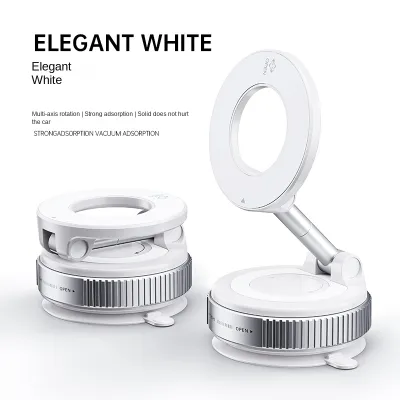
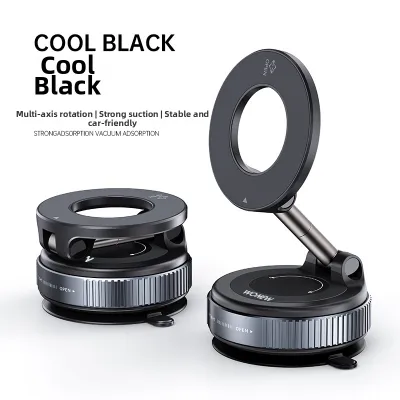

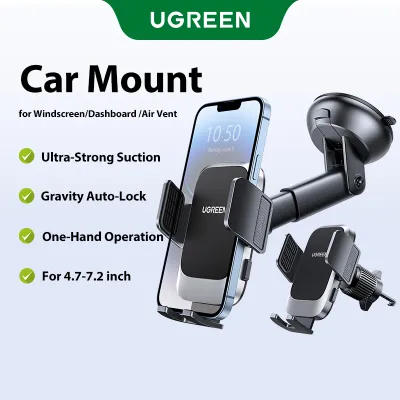
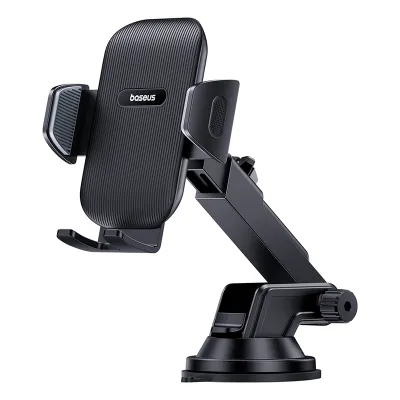
![🇸🇬[Ready Stock] Magnetic Vacuum Suction Phone Holder 360° Adjustable Electric Magsafe Car Phone Mount Double-Sided Phone Holder Navigation Support](https://img.lazcdn.com/g/p/cc8c48cc83d3c908248bced914b4bc06.jpg_400x400q80.jpg_.webp)
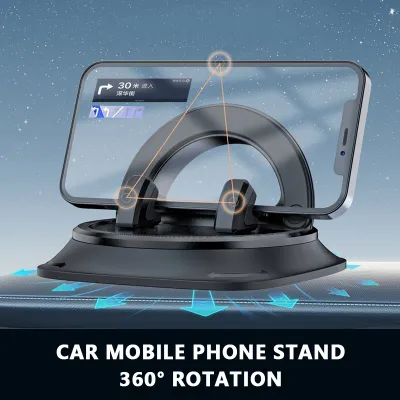
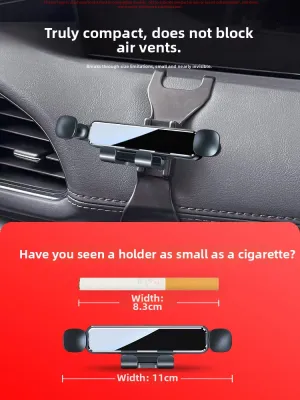
Prices are valid at publication and may change. Please refer to the product page for the latest price.
Understanding how these organizers are used is essential. For instance, a seat back organizer is typically loaded with items like tablets, water bottles, umbrellas, and charging cables. If you mount a phone holder in a way that physically blocks these pockets, you compromise the utility of your storage system and risk damaging both the organizer and the phone.
Equally important is identifying your vehicle’s strict safety and operational “no-go” zones. The primary resource for this is your vehicle owner’s manual, which details the exact locations of all airbag deployment zones. Airbags can deploy from the steering wheel, passenger-side dashboard, A-pillars, and the sides of the front seats. Mounting a phone holder or routing a cable across any of these deployment paths is extremely dangerous, as the force of a deploying airbag can turn your device into a high-velocity projectile.
In Singapore, driver visibility is also a critical legal and safety consideration. The Land Transport Authority (LTA) mandates a clear forward field of view for the driver. Any mount attached to the windshield or dashboard must not obstruct your view of the road, traffic lights, or pedestrians. Furthermore, the mount must not block essential vehicle equipment, such as the Electronic Road Pricing (ERP) on-board unit (OBU) or your front-facing dashcam.
Finally, consider the physical controls within the cabin. A poorly placed phone holder can block access to the hazard light button, climate control knobs, gear selector, or physical infotainment buttons. Ensure that your chosen mounting location leaves all these controls completely unobstructed and easy to operate.
Best Mounting Positions That Keep Organizers Accessible
Choosing the right mounting position requires balancing driver accessibility with storage preservation. The goal is to place your handphone car holder where it is easily visible and reachable without encroaching on the spaces dedicated to storage and organization.

Dashboard, Windshield, and Console Mounts
Dashboard and windshield mounts are excellent options for keeping the rear cabin completely clear. Because these mounts reside entirely in the front driver’s cockpit, they have zero physical interaction with seat back organizers or rear trunk access points. This separation ensures that rear passengers have full, unobstructed access to their storage pockets and entertainment setups.
Suction cup mounts designed for the windshield or dashboard offer high visibility but require careful placement. Position the mount so it does not block the glove compartment or the passenger’s legroom. Ensure the suction base sits away from any soft-touch dashboard materials that could be permanently indented by prolonged pressure.
Adhesive dashboard pads offer a semi-permanent mounting solution. When using these, choose a flat, hard plastic surface rather than a leather-wrapped or textured vinyl area. Placing the mount on the center console, slightly below the dashboard line, keeps the phone within easy reach while preserving your forward field of view and keeping front storage trays accessible.
Air Vent, CD Slot, and Steering Column Mounts
Air vent and CD slot mounts utilize existing structural elements in your vehicle’s center console. These positions are highly compact and keep the front windshield completely clear, while leaving rear seat back storage completely untouched.
Air vent mounts clip directly onto the vent louvers. While highly convenient, they can block the airflow and may restrict access to nearby small-item trays or cup holders located directly below the vents. To prevent damage, verify that the clip size matches your vent louvers; oversized or overly tight clips can bend or crack the delicate plastic slats.
CD slot mounts insert directly into the vehicle’s optical drive slot, securing the phone in a highly stable central position. This is an excellent option if your vehicle has an unused CD player, as it occupies zero dashboard or windshield space. However, ensure the mount does not block your central infotainment screen, climate control displays, or physical buttons.
Headrest Pole and Seat Gap Mounts
If you need to mount a phone holder for rear-seat passengers, headrest pole mounts are the most effective solution. To avoid blocking the seat back organizer, choose a mount that attaches to the metal headrest poles and features an extendable or articulating arm. This allows you to position the phone high up or offset to the side, keeping the main body of the seat back organizer fully accessible for storing larger items.
Seat gap mounts and fillers sit in the space between the front seats and the center console. These are useful for holding phones or adding extra storage pockets in the front cabin. When installing a seat gap mount, ensure it does not compress the side pockets of your seats or interfere with manual or electronic seat adjustment controls. The mount must not restrict the movement of the seat slide rails, which could damage the seat motors or the mount itself.
Step-by-Step Installation for a Secure and Clean Setup
Achieving a secure, clean installation requires systematic preparation, especially in Singapore’s tropical climate where high humidity and intense cabin heat can compromise adhesives and suction cups.
- Surface Preparation: Begin by thoroughly cleaning the mounting surface. Use an alcohol-based cleaner or a mild soap solution recommended by your vehicle's manufacturer to remove dust, finger oils, and dashboard dressings. Avoid using harsh household detergents that can degrade vinyl or leather surfaces. Before applying any cleaning agent or adhesive, check both the car manufacturer's interior care instructions and the mount's instruction manual. If the instructions conflict or if you are unsure of your dashboard's material composition, consult a professional detailer or the vehicle manufacturer before proceeding.
- Dry Fit and Testing: Before removing adhesive backings or locking suction cups, perform a dry fit. Place the mount in the desired position and insert your phone. Sit in the driver's seat to verify your sightlines, reach, and access to physical controls. If mounting in the rear, sit in the back seat and verify that you can open and close all zippers, pockets, and compartments on your seat back organizers without the phone holder interfering.
- Securing the Mount: Once the position is verified, secure the mount according to the manufacturer's specific instructions. For suction cups, press firmly and engage the locking lever. For adhesive mounts, apply firm, even pressure for at least 30 seconds. Crucially, allow the adhesive to cure fully before placing the weight of the phone on the holder. Many manufacturers recommend a curing time of 12 to 24 hours, which is vital in hot climates where premature loading can cause the adhesive to peel away.
- Cable Management: Route your charging cables carefully to maintain a clean and safe cabin. Avoid letting cables drape across the gear selector, steering column, or foot pedals. Use adhesive cable clips to secure the wire along the edges of the center console. If routing cables to the rear seats, ensure they do not run across seat hinges or slide rails, where they could be pinched, frayed, or severed when the seats are adjusted.
Common Mounting Mistakes That Block Storage or Compromise Safety
Avoid mounting a phone holder directly over or inside seat back pockets. Some generic mounts use pins, screws, or heavy-duty clips that pierce or pinch the fabric of seat back organizers. This not only damages the organizer but can also tear the original seat upholstery underneath.
Never prioritize convenience over safety. Placing a mount directly in front of an airbag cover—such as the steering wheel boss, the passenger-side dashboard panel, or the side pillars—can turn your phone into a dangerous projectile if the airbag deploys. Always consult your vehicle’s owner’s manual to locate all airbag deployment zones before finalizing your mount’s position.
In Singapore, cars parked in open-air lots are subjected to intense solar radiation, causing cabin temperatures to exceed 60°C. Low-quality adhesives often melt under these conditions, leaving a sticky, difficult-to-remove residue on your dashboard or upholstery. Even worse, the melting adhesive can cause the mount to fall while driving, creating a major distraction. Choose high-quality, heat-resistant adhesives or opt for mechanical mounting solutions like vent clips or headrest pole clamps.
If you are unsure about the compatibility of a mount with your vehicle’s interior materials, or if the installation requires removing trim panels, consult a qualified professional. Avoid making permanent modifications to your vehicle’s interior that could void your warranty or compromise safety systems.
Final Checklist: Verify Visibility and Storage Access
Before driving, perform a final physical check of your newly installed handphone car holder to ensure safety and convenience.
- Driver Visibility: Sit in the normal driving position and check your field of view. Ensure the phone and mount do not block your view of the road, side mirrors, or the ERP unit. Adjust the mount to eliminate any screen glare that could distract you during bright daytime driving.
- Storage Accessibility: Open and close every storage compartment near the mount. Verify that the glove box opens fully, cup holders are usable, and seat back pockets can be accessed without hitting the phone or mount. If you have a trunk-through storage hatch in the rear seats, ensure the mount does not obstruct its opening.
- Seat Adjustment and Cable Clearance: Slide the front seats fully forward and backward, and recline them through their full range of motion. Ensure that charging cables do not stretch, snag, or get caught in the seat mechanisms.
- Stability and Road Test: Take a short test drive over local speed bumps or uneven road surfaces. Observe the mount for excessive vibration or slipping. A stable mount ensures your phone remains secure and your focus stays entirely on the road.
Frequently Asked Questions (FAQ)
Can I mount a phone holder on the back of the front seat if I have a seat back organizer?
Yes, you can mount a phone holder on the back of the front seat, but you must avoid mounting it directly onto the fabric or pockets of the seat back organizer. Doing so can tear the organizer’s material and block access to its storage compartments. Instead, use a dedicated headrest mount that clamps securely onto the metal headrest poles above the organizer. This keeps the phone elevated and clear of the storage pockets. Alternatively, look for seat back organizers that feature integrated, clear touchscreen pockets designed specifically to hold and display tablets or phones safely without requiring an external mount.
Will suction cup or adhesive mounts damage my car's interior or storage pockets?
Suction cups and adhesives can damage certain interior surfaces, particularly in hot and humid climates like Singapore. Strong adhesives can leave stubborn residue or strip the finish off delicate leather, vinyl, or soft-touch plastics. Suction cups can also leave permanent circular indentations on soft dashboard materials due to prolonged pressure and heat. Before applying any adhesive, consult your vehicle’s care instructions and check the mount manufacturer’s material compatibility. It is highly recommended to test adhesives on a hidden area of the dashboard first. If you want to avoid any risk of surface damage, opt for mechanical mounting solutions such as air vent clips, CD slot mounts, or headrest pole clamps.
Community discussion
Share your experience or ask a question. Comments are reviewed before publication.