
Finding a mobile phone car holder that securely fits your device without obstructing your view, blocking essential controls, or compromising your car’s existing storage requires careful evaluation of your vehicle’s interior. The ideal mounting style depends on balancing driver visibility, physical dashboard space, vent design, and existing storage compartments. Drivers must evaluate their vehicle’s specific cabin layout—such as the angle of the windshield, the rigidity of the air vents, and the location of airbags—to select a holder that remains stable without blocking essential controls or storage spaces. Taking the time to analyze these factors ensures a safer, more comfortable driving experience.
Assessing Your Car's Interior Layout and Clearance
Before purchasing any mounting accessory, you must thoroughly evaluate your vehicle’s front cabin layout to identify safe, viable mounting zones. Start by sitting in the driver’s seat in your normal driving position to check your primary sightlines. Any mount placed on the windshield or upper dashboard must not block your view of the road, side mirrors, or the front corners of the vehicle. Next, locate all SRS airbag deployment zones, which are typically marked on the steering wheel, passenger dashboard, and A-pillars; a phone holder must never be placed within or near these paths.
Physical control accessibility is another critical factor. Ensure that a mounted phone will not block your view of or access to essential controls, such as the hazard light button, climate control dials, or the central infotainment screen. You should also measure the available flat surfaces on your dashboard and evaluate the structural design of your air vents. In regions with tropical climates like Singapore, high cabin temperatures and intense direct sunlight can significantly degrade adhesive pads and suction cups over time. Observing how heat builds up near the windshield will help you decide if a heat-resistant mounting location is necessary.
Products mentioned in this guide

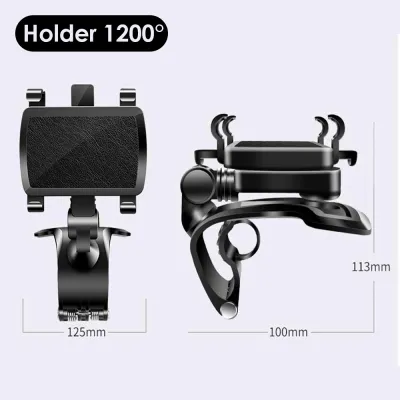
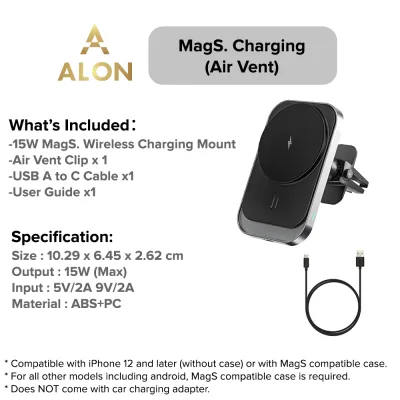
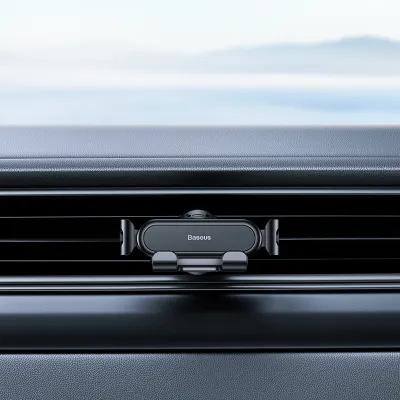
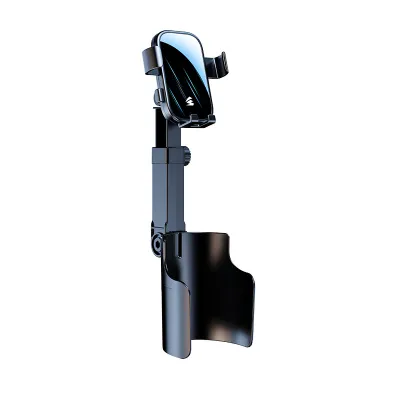
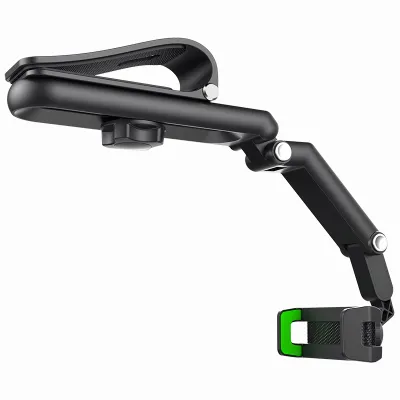
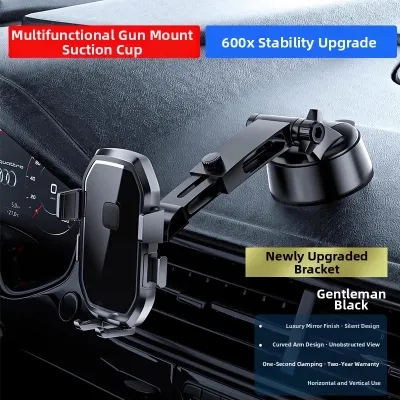
Prices are valid at publication and may change. Please refer to the product page for the latest price.
Comparing Mounting Styles for Space and Storage Compatibility
Choosing between surface-mounted options and recess-mounted options involves a direct trade-off between visual clearance and storage preservation. Surface mounts, such as dashboard and windshield holders, keep your phone closer to your line of sight but occupy physical space on your console or glass. Recess mounts, including vent and cup holder styles, keep your dashboard clean but can restrict airflow or consume valuable storage space.

Dashboard and Windshield Mounts
Dashboard and windshield mounts rely on suction cups, adhesive pads, or a combination of both to secure your device. For secure adhesion, these mounts require a completely flat, non-porous, and untextured surface. Textured plastic, curved panels, or leather-wrapped dashboards often fail to maintain a vacuum seal, causing the mount to fall during transit.
When positioning a windshield mount, verify that the suction cup does not sit directly in your primary line of sight or block the view of the front corners of the vehicle. Ensure the mounting arm does not interfere with the opening of dashboard storage compartments or block the path of passenger-side airbags. Adjust the pivot arm so the phone remains within easy reach without requiring you to lean forward or stretch while driving. Keep in mind that longer mounting arms are more prone to vibration, which can make the screen difficult to read on uneven roads.
Air Vent and Cup Holder Mounts
Air vent and cup holder mounts utilize existing cabin features, making them excellent for keeping the windshield completely unobstructed. For vent mounts, inspect the design of your air conditioning vents; horizontal, rigid blades generally support clamp-style mounts well, whereas circular, vertical, or extremely thin blades may sag or fail to hold the weight. Keep in mind that a vent mount will partially block airflow, which can cause the phone to become cold or restrict cabin cooling.
Cup holder mounts are highly stable but require you to sacrifice one of your front drink slots. Before purchasing, measure the depth and diameter of your cup holder, and look for mounts with expandable bases that secure tightly without putting excessive outward pressure on delicate plastic console trim. Ensure that a cup holder mount does not block your physical access to the gear shifter, handbrake, or center console storage bins.
Seat Back and Headrest Mounts
For rear passengers, seat back and headrest mounts provide an organized way to secure devices without cluttering the front console. These mounts typically clamp onto the metal poles of the front seat headrests. Before selecting this style, measure the distance between the headrest poles and verify their thickness against the mount’s specifications.
Ensure the mounting bracket does not interfere with the active headrest safety systems or the reclining mechanisms of the front seats. Additionally, check that the installation does not obstruct the deployment path of side-curtain airbags or seat-mounted side airbags, keeping the rear cabin safe and comfortable for passengers. This setup is ideal for long journeys, keeping entertainment screens stable and at eye level for passengers in the back.
Verifying Safety, Stability, and Vehicle Specifications
Always consult your vehicle’s owner’s manual to identify designated airbag deployment zones and locate any sensitive interior materials. Heavy smartphones combined with robust mounts can place significant physical stress on fragile air vent blades or windshield glass, potentially leading to costly structural damage over time. If you plan to use an adhesive mount, verify that the adhesive is rated for automotive use and can be removed safely.
Removing these mounts requires care; using a plastic trim tool or dental floss to gently saw through the adhesive backing can prevent you from peeling delicate leather, scratching soft-touch plastics, or leaving permanent, unsightly residue on your dashboard. Never use metal tools or harsh chemical solvents that can dissolve or discolor your car’s interior trim.
Common Space-Matching Mistakes to Avoid
A common mistake is selecting a mobile phone car holder based entirely on the dimensions of the phone while ignoring the physical constraints of the car’s cabin. Placing a mount directly over dashboard warning lights or within the deployment path of an airbag poses severe safety risks. Similarly, blocking a primary climate control vent can lead to poor cabin cooling and cause your phone to overheat when running intensive navigation apps.
Do not assume a mount advertised as “universal” will automatically fit your specific cup holder or vent shape without manual verification. Finally, plan your charging cable routing in advance; failing to account for the cable can result in a cluttered center console, tangled wires, or physical strain on your phone’s charging port.
Frequently Asked Questions (FAQ)
Can I mount a phone holder on a leather or soft-touch dashboard?
Mounting adhesive or suction holders directly onto leather or soft-touch dashboards is generally not recommended. The strong adhesives and vacuum pressure can cause permanent stretching, discoloration, or peeling of the delicate surface material. Always check your vehicle manufacturer’s guidelines regarding dashboard care. If you must mount on the dashboard, look for alternative locations like a hard plastic trim piece, or use a specialized dashboard pad with a non-slip silicone base that does not rely on aggressive adhesives.
Will a vent mount damage my car's air conditioning blades?
Heavy phones can put excessive leverage on thin plastic vent blades, potentially causing them to sag, bend, or snap over time, especially when driving over uneven road surfaces. Before installing a vent mount, inspect the rigidity of the blades and ensure the mount’s weight is distributed across multiple points or supported by an integrated kickstand. If your vehicle’s vent blades feel fragile or have delicate adjustment knobs, consider alternative mounting styles such as a CD-slot mount or a dashboard-mounted solution to protect your climate control system from damage.
Community discussion
Share your experience or ask a question. Comments are reviewed before publication.