
Installing a vehicle connectivity device into your car’s On-Board Diagnostics (OBD2) port is an excellent way to access real-time vehicle telematics, track your vehicle’s location, and monitor engine diagnostics. However, because the OBD2 port is designed to provide constant electrical power directly from your vehicle’s battery, an improperly configured or low-quality device can lead to a parasitic battery drain. This drain can leave you stranded with a dead battery, especially if the vehicle is left parked for several days.
To prevent this issue, you must understand how your vehicle’s electrical system interacts with the OBD2 port and configure the device’s power-saving features correctly. By performing essential pre-installation checks, securing the physical connection, adjusting the software’s sleep thresholds, and maintaining the setup, you can enjoy the benefits of smart vehicle tracking without compromising your car’s battery health.
Pre-Installation Checks and Safety Boundaries
Before performing any electrical work or modifications on your vehicle, always consult your original-vehicle manufacturer instructions and safety manuals. If you are unsure about handling your vehicle’s electrical system, seek qualified professional installation before proceeding. Reviewing your vehicle owner’s manual is the first step to locate the OBD2 port and verify its specific power state.
Products mentioned in this guide
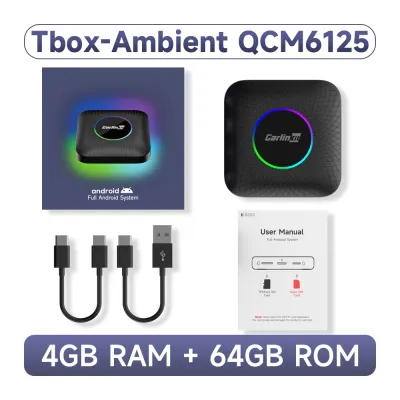
90 Lazada user ratings
Seamless wireless Apple CarPlay, easy built-in GPS, sleek and modern design, enhances your driving experience, upgradeable to Android 13.0, …Read full reviewShow less
Seamless wireless Apple CarPlay, easy built-in GPS, sleek and modern design, enhances your driving experience, upgradeable to Android 13.0, smooth and responsive interface, enjoy YouTube and Disney+, ample storage space.
Seamless integration with my Android phone, Built-in GPS is accurate and reliable, Highly recommended, worth every penny,
Easy installation process,
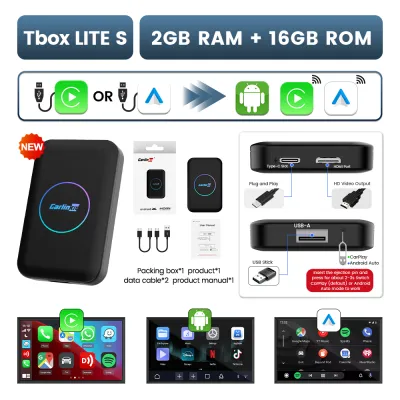
3 Lazada user ratings
The seller was quick preparing and shipping the order. This is the best solution for car owners who don’t wanna void their warranty but stil…Read full reviewShow less
The seller was quick preparing and shipping the order. This is the best solution for car owners who don’t wanna void their warranty but still wanted to experience android operating system on their car infotainment.
The delivery service and the product itself are both very good. The seller readily answered my inquiries and was very helpful. I'm a very sa…Read full reviewShow less
The delivery service and the product itself are both very good. The seller readily answered my inquiries and was very helpful. I'm a very satisfied customer. Thank you.
👌Ease of Use: 7 🔌Connectivity: 6 🔌Compatibility: 8 🎧Sound Quality: 7 📺Screen Quality: 7 🔧Ease of Installation: 7 Overall still acceptable, a…Read full reviewShow less
👌Ease of Use: 7 🔌Connectivity: 6 🔌Compatibility: 8 🎧Sound Quality: 7 📺Screen Quality: 7 🔧Ease of Installation: 7 Overall still acceptable, abit laggy, easy to operate
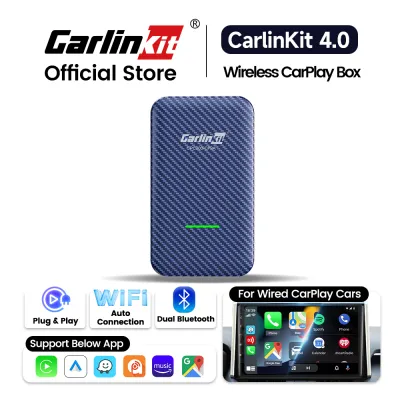
39 Lazada user ratings
Works with both iPhone and Android, High-quality materials used, Enhances my driving experience, Conveniently use my android in the car, Qui…Read full reviewShow less
Works with both iPhone and Android, High-quality materials used, Enhances my driving experience, Conveniently use my android in the car, Quick auto-connect feature,
Previously, I bought an orange app and got a fake. I have to buy genuine products here. work on different things fast, stable, good sound.
🔌Compatibility: Works well with iOS and Mercedes MBUX 🔧Ease of Installation: Plug and play. cables included. Small and compact.
Seamless connection with my iPhone, Enhances my driving experience, Effortlessly switch between CarPlay and Android Auto,
Plug and Play! This is godsend! Seller was very patient in answering queries before purchase as well!
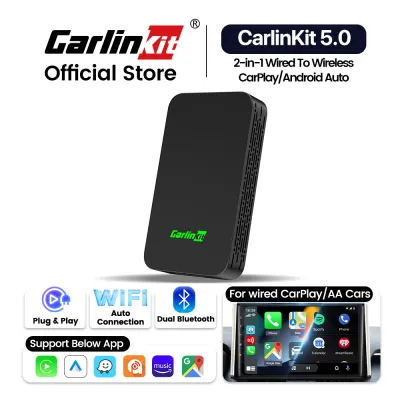
304 Lazada user ratings
🔌Compatibility:Convenient dual-compatibility, Took awhile to figure out the initial setup and get use to steps switching between carplay and…Read full reviewShow less
🔌Compatibility:Convenient dual-compatibility, Took awhile to figure out the initial setup and get use to steps switching between carplay and android auto. but once familiar. it works as expected.
The item is well packaged, small and light weight. Tested on my car audio it response well and fast.. hope it can play YouTube and Netflix i…Read full reviewShow less
The item is well packaged, small and light weight. Tested on my car audio it response well and fast.. hope it can play YouTube and Netflix if there’s software update
High-quality materials and build, Fast and responsive touch control, Seamless integration with car systems, Effortless setup process,
🔌Compatibility: mostly ok a few times cannot connect need to stop start bluetooth 🔧Ease of Installation: easy No lack and responsive
Convenient dual-compatibility, Seamless wireless connectivity,
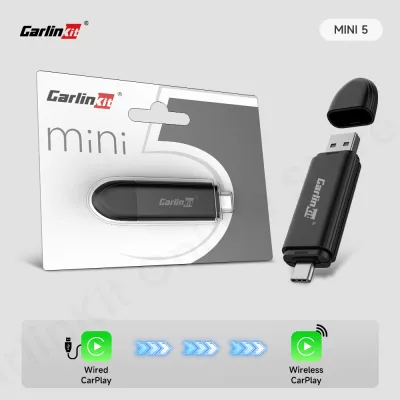
16 Lazada user ratings
🔌Connectivity: connects instantly maybe around 10 seconds or less 🔌Compatibility: works with my Toyota Corolla cross 🎧Sound Quality: great s…Read full reviewShow less
🔌Connectivity: connects instantly maybe around 10 seconds or less 🔌Compatibility: works with my Toyota Corolla cross 🎧Sound Quality: great sound quality. Compared to my older wireless CarPlay adapter where the sounds becomes garbled every now and then, this one is clear all throughout
Fast shipping. The iPhone 16 pro max (on iOS 18.4) has issues with wired Carplay, but this fixed the problem and it’s wireless! Seller respo…Read full reviewShow less
Fast shipping. The iPhone 16 pro max (on iOS 18.4) has issues with wired Carplay, but this fixed the problem and it’s wireless! Seller responds to inquiry quickly. Packed well. Arrived in good condition.
🔄Compatibility:Compatible with new Alza2022 Some issue to pair earlier, but after some try successfully connected without any issue. Now aut…Read full reviewShow less
🔄Compatibility:Compatible with new Alza2022 Some issue to pair earlier, but after some try successfully connected without any issue. Now auto connect to Android auto every time enter car
Auto connect last device, No lag performance,
Looks good. Value for money. Will try later
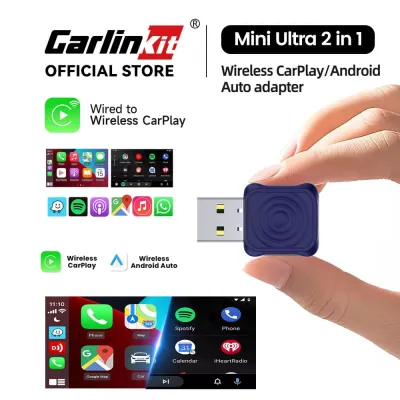
5 Lazada user ratings
Works seamlessly , quickly boots and gets the CarPlay running. Earlier model that I was using took 3-4 minutes to boot , this one is within …Read full reviewShow less
Works seamlessly , quickly boots and gets the CarPlay running. Earlier model that I was using took 3-4 minutes to boot , this one is within seconds. Plugs in directly to usb port ; hence no tacky wires Haven’t used for android
Ultra compact size, Dual system support, for andriod phone need to update bluetooth and plugins it will automatically notify for the need to…Read full reviewShow less
Ultra compact size, Dual system support, for andriod phone need to update bluetooth and plugins it will automatically notify for the need to upgrade. Seller is also active in answering queries..
bad... cannot connect at all... the car link app need to subscribe somemore
fast delivery and it works perfectly tnx very much seller
37 Lazada user ratings
received on time. took a while to set up cos I have an Android phone but it asked me to confirm connection to CarPlay. connected to the firm…Read full reviewShow less
received on time. took a while to set up cos I have an Android phone but it asked me to confirm connection to CarPlay. connected to the firmware update page and updated to latest for CP & AA, instead of latest for CP only. thereafter, it again asked for CarPlay but after connecting BT, it connected to Android Auto. one major issue i have is that it gets very hot after a few minutes. Am concerned if it will cause issues heating up while using it on my daily commute.
I recently made a purchase from this seller and was very satisfied with the overall experience. The packaging was excellent, the delivery wa…Read full reviewShow less
I recently made a purchase from this seller and was very satisfied with the overall experience. The packaging was excellent, the delivery was quick, and the items were of great quality. Definitely a well-deserved 5-star rating!
Delivered within time frame given. Product package is minimal but adequate. Also included is usb type c to type a connector. Connects immedi…Read full reviewShow less
Delivered within time frame given. Product package is minimal but adequate. Also included is usb type c to type a connector. Connects immediately once plugged in. Will still need to do prolonged connection test.
Easy to use but doesn’t seem to have the ability to switch between 2 IPhones (ie mine and my wife’s). Works fine with iOS 26 as well.
Very good very fast very reliable. Top performance. Will recommend to family and friends to buy this mini ultra!
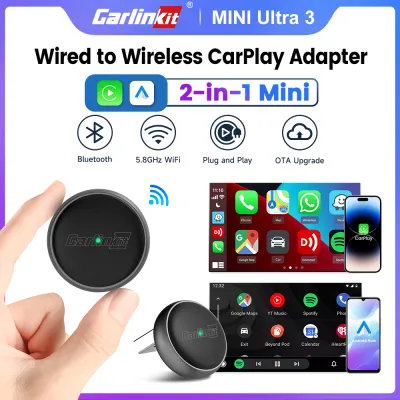
10 Lazada user ratings
Item Received. Haven't tested it. We'll give an update once tried using it. Hopefully it would not have any issue.
Received the item in good condition and earlier than expected. Will post follow-up review once installed.
Prices are valid at publication and may change. Please refer to the product page for the latest price.
In most modern cars, Pin 16 of the OBD2 port provides constant 12-volt battery power regardless of whether the ignition is turned on or off. Some vehicles, however, may feature ignition-switched power or power that cuts off after the vehicle’s electronic control units (ECUs) enter sleep mode, which typically occurs 10 to 30 minutes after locking the doors. Understanding this behavior helps you anticipate how your connectivity device will draw power when the vehicle is parked.
Next, perform a thorough physical inspection of both the vehicle connectivity device and the OBD2 port itself. Look closely at the male pins on the device and the female receptacles in the port to ensure there is no debris, dust, moisture, or physical damage such as bent or recessed connectors. A bent pin can cause an electrical short or prevent the device from communicating properly with the vehicle’s Controller Area Network (CAN bus), which can force the car’s ECUs to stay awake and rapidly drain the battery.
Establish clear stop conditions before beginning the installation process. If you notice that the OBD2 port is loose, cracked, has exposed wiring, or shows signs of previous aftermarket splicing, do not attempt to plug in the device. Additionally, if the port is located in a position that interferes with the safe operation of the pedals or steering column, or if your vehicle has active dashboard warning lights, halt the installation immediately and consult a qualified automotive electrician to resolve these underlying issues first.
Step-by-Step OBD2 Port Connection Guide
To begin the physical installation, locate the OBD2 port inside your vehicle, which is typically situated under the driver’s side dashboard, near the steering column or above the pedals. In some vehicle models, the port may be concealed behind a plastic trim panel, near the fuse box, or inside the center console. Refer to your vehicle’s manual if the port is not immediately visible, as forcing open the wrong plastic panel can damage your interior trim.

Before inserting the device, ensure your vehicle’s ignition is completely turned off, the key is removed from the ignition switch (or the push-button start system is fully powered down), and all electrical accessories are switched off. Plugging an electronic device into an active OBD2 port while the ignition is on can cause electrical spikes or communication errors on the CAN bus, potentially triggering temporary warning lights on your instrument cluster.
Align the trapezoidal shape of the connectivity device’s connector with the matching shape of the vehicle’s OBD2 port. Insert the device firmly and straight into the port without rocking it excessively from side to side, which can bend the delicate pins. Push the device in until it is fully seated and flush against the port housing; a loose connection can cause intermittent power cycling, which prevents the device from entering its low-power sleep mode.
If your device requires an extension cable or a splitter to keep the footwell clear, you must route the cabling safely away from all moving parts, including the steering shaft, brake pedal, accelerator pedal, and any knee airbag deployment zones. Secure the excess cable tightly using high-quality zip ties to structural brackets under the dashboard, ensuring that no wires hang down where they could catch on your feet while driving.
Configuring Sleep Mode to Prevent Parasitic Battery Drain
Once the device is physically installed and powered on, you must configure its power management settings to prevent it from continuously drawing current when the engine is off. Most modern vehicle connectivity devices feature a companion mobile application or a web-based administration portal that allows you to customize tracking intervals and power profiles. Access this interface immediately after installation to review the default power settings.
Enable the device’s built-in sleep mode, low-power tracking, or motion-activated wake-up features according to the manufacturer’s official instructions. When enabled, these features allow the device to enter a deep sleep state—drawing only a fraction of its normal operating current (typically under 2 to 5 milliamperes)—when it detects that the vehicle has been stationary and the engine is off. The device will then use internal accelerometers or GPS movement detection to wake up automatically when you start driving again.
If your connectivity device and its companion software support voltage cut-off thresholds, configure this setting to protect your starter battery from deep discharge. For a standard 12-volt lead-acid battery, setting a voltage threshold of approximately 11.8 to 12.0 volts ensures that the device will shut itself down completely if the battery voltage drops below this level, preserving enough charge to start the engine. If your vehicle uses an Absorbent Glass Mat (AGM) battery or a lithium-iron phosphate (LiFePO4) battery, consult the battery manufacturer’s specifications to set the appropriate low-voltage threshold.
Verify that the power-saving configuration is functioning correctly by observing the device’s physical LED indicators or checking the companion app status after the vehicle has been turned off, locked, and left undisturbed for at least 30 minutes. Many devices feature specific LED blink patterns that indicate sleep mode, while the app should show the device as “idle” or “offline” rather than actively transmitting high-frequency GPS data.
Troubleshooting Battery Drain and Connection Issues
If you experience starting difficulties or suspect that the connectivity device is causing an abnormal battery drain, begin troubleshooting by checking for a secure physical connection. A slightly loose device can repeatedly power cycle as the vehicle vibrates or undergoes temperature changes, preventing the device’s internal firmware from executing its sleep sequence and causing a continuous high-current draw.
In some vehicles, the OBD2 port provides unswitched, constant power that does not allow certain basic telematics devices to detect when the engine has turned off. If your device lacks intelligent voltage-sensing or motion-sensing sleep modes, you may need to utilize a dedicated hardwire kit with an add-a-circuit fuse tap. This allows you to route the device’s power source to an ignition-switched fuse in the vehicle’s fuse box (such as the accessory socket or radio fuse), ensuring the device powers down completely when the ignition is turned off.
To accurately diagnose a suspected parasitic drain, use a digital multimeter to monitor your car battery’s voltage over time, or analyze the voltage telemetry data provided within the device’s companion app. A healthy, fully charged 12-volt car battery should read approximately 12.6 to 12.8 volts when the engine is off; if you observe the voltage dropping rapidly below 12.2 volts within 24 to 48 hours of parking, a parasitic drain is likely present.
If the parasitic drain persists despite adjusting the software settings, or if you observe unusual dashboard warning lights, error codes, or electrical glitches in other vehicle systems, remove the connectivity device from the OBD2 port immediately. Do not attempt to modify the vehicle’s factory wiring or bypass safety fuses yourself; instead, seek professional assistance from a qualified automotive electrician to diagnose the electrical system.
Routine Maintenance and Device Care
Maintaining your vehicle connectivity setup requires periodic visual inspections to ensure long-term reliability and electrical safety. In warm, highly humid climates like Singapore, moisture and condensation can accumulate under the dashboard, potentially leading to corrosion on the OBD2 port contacts or the device’s pins. Every few months, unplug the device to inspect the metal contacts for any signs of green or white oxidation, and clean them gently with an approved electrical contact cleaner if necessary.
Keep the device’s internal firmware and its companion mobile application updated to the latest versions released by the manufacturer. Software updates frequently contain critical optimizations for power management, bug fixes that resolve sleep mode failures, and improved compatibility profiles for various vehicle makes and models.
If you plan to store your vehicle or leave it parked without driving for an extended period—such as when traveling out of Singapore for more than a week—it is highly recommended to physically unplug the connectivity device from the OBD2 port. Even a device in deep sleep mode draws a tiny amount of standby current, which can eventually deplete a car battery over several weeks of inactivity, especially if the battery is already aged or weakened by tropical heat.
Frequently Asked Questions (FAQ)
Will an OBD2 tracker void my car's warranty in Singapore?
In Singapore, plug-and-play OBD2 devices generally do not void your vehicle’s factory or dealer warranty, as they do not require permanent modifications to the factory wiring harness. Under typical consumer protection guidelines, a dealer cannot void a warranty unless they can prove that the aftermarket device directly caused an electrical fault or physical damage to the vehicle’s systems. To ensure complete compliance and peace of mind, always review your specific vehicle manufacturer’s warranty terms or consult your authorized dealer before installing aftermarket electronics.
How long can I leave my car parked with an OBD2 device plugged in?
The duration you can safely leave your vehicle parked with an OBD2 device plugged in depends heavily on the efficiency of the device’s sleep mode, the health of your car battery, and environmental conditions. A high-quality device with an active low-power sleep mode can typically remain plugged in for one to two weeks without draining a healthy battery. Rather than relying on a fixed number of days, you should monitor the device’s low-voltage alerts via its companion app and consider unplugging the device if the vehicle will remain stationary for longer periods.
Do I need a hardwire kit instead of an OBD2 plug for continuous tracking?
Deciding between an OBD2 plug and a hardwire kit depends on your tracking requirements and installation preferences. While an OBD2 plug offers unmatched convenience and easy removal, a hardwire kit provides a more secure, hidden installation that keeps your OBD2 port free for diagnostic tools. However, hardwiring requires routing wires directly to the vehicle’s fuse box using an add-a-circuit fuse tap, which must be installed professionally to ensure correct fuse selection, prevent electrical shorts, and maintain the safety of your vehicle’s electrical system.
Community discussion
Share your experience or ask a question. Comments are reviewed before publication.