
Installing a MagSafe car holder on a seat back is an excellent way to keep rear passengers entertained, but doing so without leaving permanent marks, tears, or adhesive residue requires careful planning. The key to a damage-free installation lies in matching the mounting mechanism to your specific seat material and following a methodical preparation process. By evaluating your upholstery, choosing the correct mechanical or adhesive mount, and respecting safety boundaries like airbag deployment zones, you can enjoy a secure magnetic mount that preserves your car’s interior value.
Assessing Your Seat Material and Mount Type
Different upholstery materials react uniquely to pressure, friction, and adhesives. Genuine leather is highly sensitive to indentation and can suffer permanent discoloration or structural stretching if subjected to concentrated pressure or harsh chemical adhesives. Synthetic leather, while often more resilient to moisture, can still peel or lose its top protective coat if an aggressive adhesive is removed improperly. Fabric and alcantara surfaces do not support adhesive pads well due to their textured fibers, and attempting to stick a mount directly to them often results in a weak bond and frayed threads upon removal.
When selecting a MagSafe car holder, you must evaluate the three primary mounting styles: headrest straps, seat back clips, and adhesive pads. Headrest strap mounts wrap around the metal support posts of the headrest, distributing weight mechanically and keeping the mounting hardware completely off the delicate leather or fabric face. Seat back clips slide into the gaps between the seat panel and the cushion, which works well for rigid seat structures but can stretch soft seams if the fit is too tight. Adhesive pads offer a low-profile look but should only be used on flat, non-porous plastic panels on the seat back, never directly on leather or fabric.
Products mentioned in this guide
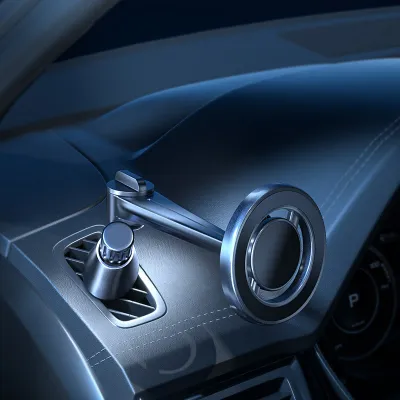
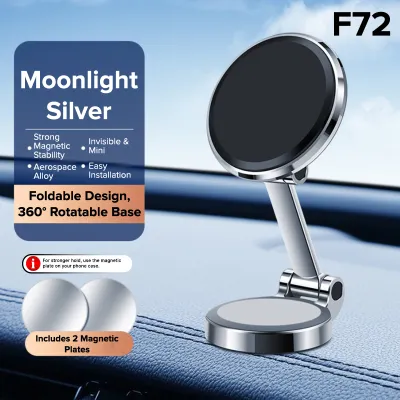
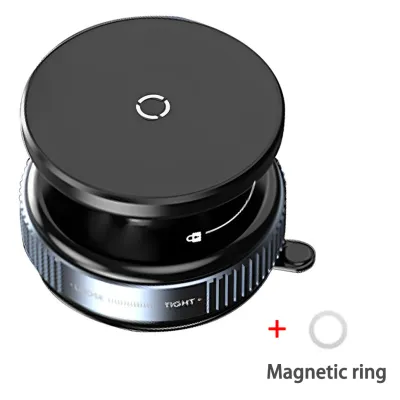
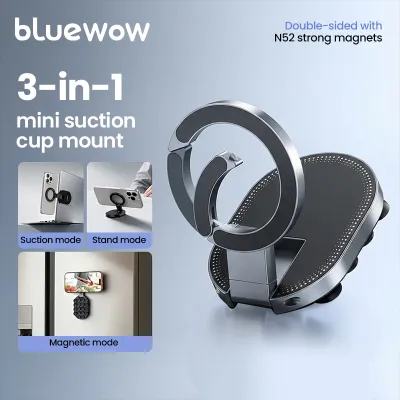
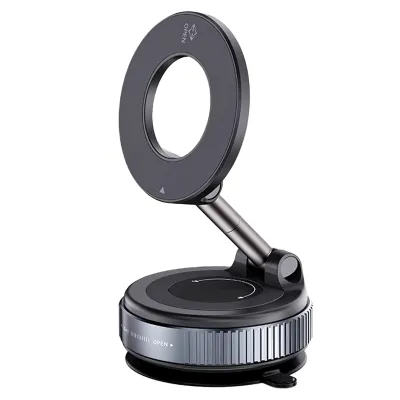
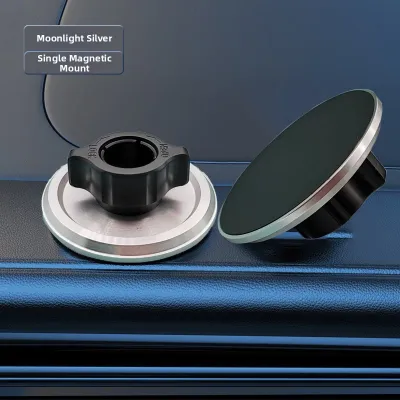
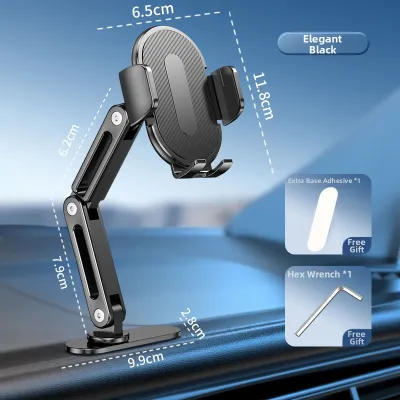
Prices are valid at publication and may change. Please refer to the product page for the latest price.
Before finalizing your mounting location, you must consult your vehicle’s owner manual to identify side airbag deployment zones. Many modern vehicles house side-impact airbags within the outer seams of the front seats. Placing a rigid mount or running a strap across these seams can restrict airbag deployment or turn the holder into a dangerous projectile during an accident. Additionally, if your vehicle features integrated seat-back entertainment screens or manual lumbar adjustment levers, ensure the mount does not block these components or put pressure on their delicate hinges and wiring.
Preparing the Seat and Gathering Tools
A clean surface is essential for preventing scratches and ensuring proper mount stability. Dust, grit, and microscopic debris trapped beneath a strap or clip can act like sandpaper, grinding into your leather or plastic seat back as the vehicle vibrates during travel. To prevent this, clean the installation area thoroughly using a microfiber cloth and a cleaning agent specifically authorized by your vehicle manufacturer for your exact upholstery type. Avoid generic household detergents, which can strip the natural oils from leather or degrade the protective coatings on synthetic surfaces.

When inspecting the headrest area, run your fingers carefully along the metal headrest posts and the plastic collar grommets where the posts enter the seat. Check for any sharp metal burrs, manufacturing debris, or loose plastic edges that could pinch or scratch the mounting straps. If you detect any rough spots, consider wrapping the affected section of the post with a thin layer of automotive-grade protective tape before attaching the mount.
Finally, review the user manual for your specific MagSafe car holder to verify its weight limits and vehicle compatibility warnings. Not all holders are designed to support larger tablets or heavy phones equipped with thick rugged cases. Ensure that the combined weight of your device and its case falls well within the manufacturer’s specified limits to prevent the mount from sagging, slipping, or putting excessive mechanical leverage on your seat structure.
Step-by-Step Installation by Mount Type
Mechanical mounts and adhesive mounts interact with your vehicle’s seat structure in fundamentally different ways. Mechanical options, such as straps and clips, rely on physical tension and existing structural anchor points like headrest posts to support the weight of your device. Adhesive mounts, on the other hand, rely on chemical bonding to flat, rigid surfaces. Understanding these differences allows you to apply the correct physical techniques during installation to avoid over-tightening or surface degradation.
Installing Headrest Strap or Clip Mounts
To install a headrest strap mount, begin by raising the headrest slightly to expose the metal support posts. Carefully route the mounting straps around the posts, ensuring they lie flat and are not twisted. Avoid pulling the straps at an angle that forces them against the leather or fabric surrounding the post entry holes, as this can cause the material to bunch up or tear over time.
Once the straps are positioned around the posts, slide the mounting bracket into place. Slowly tighten the adjustment mechanism, checking the tension frequently. The mount should be snug enough to prevent side-to-side movement, but it must not be over-tightened to the point where the bracket pinches the top of the seat back cushion. If your vehicle has delicate, perforated, or aged leather, place a small piece of soft felt or microfiber padding between the bracket and the seat back to distribute the pressure evenly.
If you are using a clip-style mount that slides into the gaps of the seat back panel, proceed with extreme caution. Stop immediately if you encounter significant resistance while sliding the clip into place. Forcing a rigid plastic or metal clip into a tight seam can permanently stretch the upholstery, crack the plastic backing board, or tear the stitching. If the clip does not slide in smoothly with light pressure, your seat design is not compatible with that specific clip, and you should switch to a strap-based system.
Applying Adhesive or Suction Mounts
If you choose an adhesive-based MagSafe car holder, you must first verify that the adhesive pad is explicitly rated for automotive interiors and is compatible with the specific hard plastic surface on your seat back. Never apply adhesive pads directly to leather, synthetic leather, or fabric, as the chemical solvents in the adhesive can permanently stain the material, and removing the pad later will likely tear the surface fibers.
Clean the target plastic area with an authorized surface prep wipe, typically an isopropyl alcohol solution, provided the vehicle manufacturer’s manual permits its use on that specific plastic trim. Allow the surface to dry completely. Peel the backing from the adhesive pad, position the mount carefully, and press it firmly against the plastic panel. Apply even, steady pressure across the entire base of the mount for at least thirty seconds to ensure complete contact.
After applying the mount, you must observe the manufacturer’s specified curing time before attaching your phone or putting any weight on the holder. This curing process typically takes 24 hours. Attempting to use the mount immediately will compromise the chemical bond, causing the mount to fall off and potentially damage your device or the seat below. Do not use adhesive mounts on heated or ventilated seat zones, as the temperature fluctuations can weaken the adhesive bond rapidly, leading to premature failure.
Verifying Stability and Safety Clearances
Before placing your mobile device on the newly installed holder, you must verify its mechanical stability using a safe testing method. Instead of risking your expensive phone, use a dummy weight of similar mass or gently apply manual pressure to the mount in various directions. Observe how the seat back responds; if you notice excessive flexing of the plastic panels or deep indentation of the leather cushions, the mount may need to be repositioned or adjusted to distribute the weight more effectively.
Next, perform a comprehensive safety clearance check. Sit in the driver’s seat and look through your rearview mirror to confirm that the installed mount and any attached device do not obstruct your rearward visibility. From the rear passenger seats, verify that the mount does not interfere with the proper routing and buckling of seatbelts. Ensure that the holder is positioned far away from any rear-seat airbag deployment paths, which are detailed in your vehicle’s safety documentation.
Finally, adjust the viewing angle of the magnetic puck. Tilt the holder to minimize glare from the rear and side windows, which can make the screen difficult to see and tempt passengers to adjust the mount while the vehicle is in motion. A properly angled mount should allow the rear passenger to view the screen comfortably without needing to lean forward or pull on the mounting structure, reducing physical stress on both the mount and the seat back.
Safe Removal and Upholstery Maintenance
When the time comes to remove the MagSafe car holder, doing so gently is critical to preserving your car’s interior. For mechanical strap and clip mounts, carefully loosen the tension adjustment screws or buckles completely before attempting to slide the hardware off the headrest posts. Never yank or pull a stuck strap, as the metal buckles or plastic clips can easily scratch the headrest posts or tear the adjacent upholstery.
For adhesive mounts, do not attempt to pry the base off with sharp metal tools or screwdrivers, which will permanently gouge the plastic seat back. Instead, use a plastic trim removal tool or a piece of strong dental floss. Gently slide the floss or plastic tool beneath the edge of the adhesive pad, using a sawing motion to cut through the foam tape slowly. If the adhesive is stubborn, you can apply a small amount of an adhesive remover that is explicitly labeled as safe for automotive plastics, testing it first on an inconspicuous area to ensure it does not cause discoloration.
After successful removal, inspect the seat back thoroughly for any signs of wear, indentation, or residue. If a mechanical mount has left a temporary indentation in leather upholstery, the fibers will often recover their shape naturally over a few days; you can assist this process by applying a high-quality, manufacturer-approved leather conditioner to restore moisture and elasticity. Regularly inspecting your seat backs during routine car cleaning allows you to catch any early signs of friction wear or material stress before they turn into permanent damage.
Frequently Asked Questions (FAQ)
Can I use a MagSafe holder on a seat with built-in screens? (FAQ)
You must exercise caution when installing a MagSafe holder near integrated rear-seat entertainment screens. Consult your vehicle’s owner manual to check for specific warnings regarding magnetic interference with internal screen components, processor boards, or motorized screen hinges. Strong magnetic fields can sometimes affect sensitive electronics if placed in direct contact.
Additionally, ensure that the physical mount and the attached phone do not block the screen’s viewing angles, touch-sensitive control zones, or ventilation ports. Restricting airflow to an active electronic screen can cause it to overheat, leading to system errors or permanent hardware damage. Maintain a safe clearance distance as recommended by your vehicle manufacturer.
Will the magnets damage my car's seat electronics? (FAQ)
Modern car seats often contain complex electronic systems, including heating elements, ventilation fans, occupancy sensors, and lumbar massage motors. While the permanent magnets used in standard MagSafe holders are generally shielded and focused forward toward the phone, you should still avoid placing them directly over sensitive wiring harnesses or control modules.
To ensure absolute safety, review your vehicle’s technical documentation for any magnetic clearance restrictions. Avoid mounting magnetic holders directly onto perforated leather sections that house active ventilation fans, as the physical pressure of the mount can also restrict airflow and strain the internal fan motors. Keeping the mount anchored to the rigid headrest posts is the safest way to isolate it from seat electronics.

Community discussion
Share your experience or ask a question. Comments are reviewed before publication.