
Selecting the right UGREEN phone holder for rear seat passengers requires balancing your passengers’ primary activities with the physical design of your vehicle’s front seats. For passengers who want to watch movies, play games, or participate in video calls hands-free, a rigid headrest pole mount offers an adjustable, eye-level viewing experience. Conversely, if your goal is simply to keep devices organized, charged, and protected from foot traffic, a flexible seatback organizer with dedicated pockets is the more practical choice.
Before making a purchase, you must verify the physical configuration of your front seats, specifically checking whether they feature exposed metal headrest poles or a one-piece integrated design. Because car interiors vary significantly across different makes and models in Singapore, taking precise measurements of your headrest poles and comparing them against the manufacturer’s specifications is the most reliable way to ensure a secure fit.
Understanding Rear Seat Device Needs
Rear seat passengers have vastly different device interaction habits compared to front-seat occupants, making it essential to identify how the holder will be used before selecting a model. Active users, such as older children or adults on long road trips, typically require a mount that positions the screen directly in their line of sight to prevent neck strain. These users benefit from mounts that allow for angle adjustments, portrait-to-landscape rotation, and easy access to charging ports.
Products mentioned in this guide
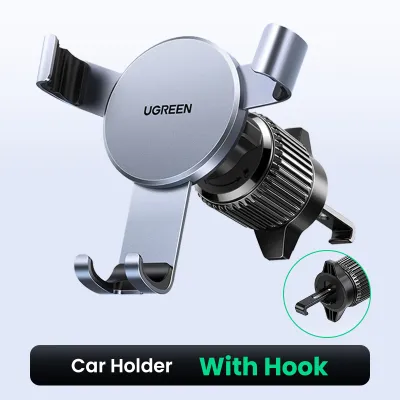
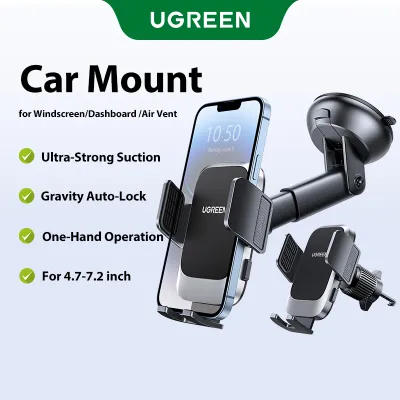
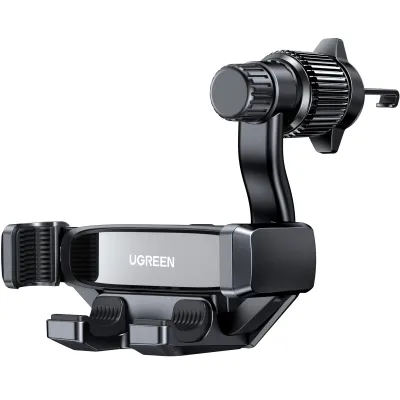
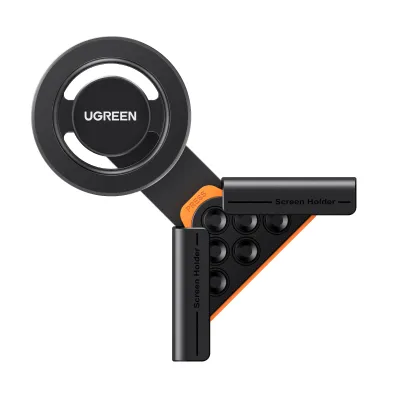
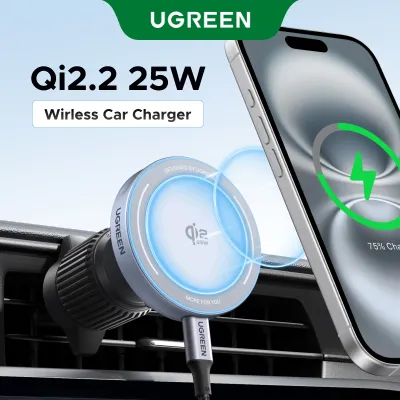
Prices are valid at publication and may change. Please refer to the product page for the latest price.
Passive storage, on the other hand, is ideal for passengers who only need a safe place to tuck their phones away when they are not in use. This is particularly common for shorter daily commutes where keeping the cabin tidy and preventing devices from sliding off the seats is the main priority. A dedicated storage solution ensures that phones do not end up on the floorboards, where they can easily be stepped on or damaged by sliding seat rails.
Passenger age and behavior play a critical role in determining the durability and mounting style you should choose. Young children in car seats or boosters may not be able to reach a mount attached directly to the headrest, and their movements can be unpredictable. For younger passengers, a soft, strap-based organizer that sits flush against the seatback is often safer, as it eliminates hard plastic or metal protrusions that could cause injury during sudden stops.
Adult passengers or teenagers, however, usually prefer the stability and precise positioning of a rigid clamp mount. They can easily adjust the tension joints themselves and are less likely to accidentally pull or kick the mount out of place. By matching the holder’s physical design to the age and physical reach of your frequent rear passengers, you can prevent premature wear on both the accessory and your vehicle’s upholstery.
The duration of your typical journeys also dictates the level of comfort and convenience your passengers will require. On long road trips across the border or extended drives during peak traffic hours, passengers are more likely to use their devices for hours at a time, making ergonomic positioning a high priority to prevent eye strain and fatigue. For short, routine trips around town, a simple storage solution that keeps the phone secure and within arm’s reach is often more than sufficient.
Another critical factor is how you plan to manage charging cables for rear-seat devices. Active media viewing drains battery power rapidly, meaning your chosen holder must allow unobstructed access to the phone’s charging port. A well-designed mount or organizer will feature dedicated routing paths or cutouts that keep charging cables organized, preventing them from tangling around passenger feet or interfering with the front seat’s slide tracks.
UGREEN Mounting Styles for Seat Backs
UGREEN offers distinct product categories designed to accommodate different passenger preferences and vehicle layouts. These solutions generally fall into two main design philosophies: rigid mechanical mounts that clamp onto the headrest structure, and flexible fabric or synthetic organizers that hang from the seatback. Each style addresses a specific set of needs, and understanding their fundamental differences is the first step in narrowing down your options.

While mechanical mounts focus on holding a single device securely in a highly adjustable position, organizers prioritize multi-functional storage and cabin neatness. Choosing between them is not just a matter of personal preference, but also a decision dictated by your vehicle’s interior dimensions and seat construction.
Beyond functionality, the aesthetic impact of the accessory on your vehicle’s cabin is an important consideration for many car owners. Rigid mechanical mounts tend to have a minimalist, high-tech appearance that blends well with modern car interiors, especially when folded away when not in use. On the other hand, seatback organizers cover a larger surface area of the seat, which can alter the visual clean lines of your cabin but offers a practical way to hide existing wear or protect delicate seat materials from active passenger feet.
Headrest Pole Mounts for Media Viewing
Rigid headrest pole mounts are engineered specifically for stable, hands-free media consumption. These devices typically feature a spring-loaded clamp or a screw-tightened bracket that attaches directly to the exposed metal poles of the front seat’s headrest. From this base, an adjustable arm extends outward, allowing the passenger to position their phone or tablet at the perfect viewing distance and angle.
The primary advantage of this style is its mechanical adjustability, which often includes a ball joint for 360-degree rotation. This allows passengers to switch seamlessly between portrait mode for reading or video calls and landscape mode for watching movies. High-quality variants incorporate robust tension springs within the device cradle to keep the phone firmly in place, even when driving over speed bumps or uneven road surfaces.
However, these mounts have strict physical prerequisites that you must verify before purchasing. They require fully exposed, cylindrical metal headrest poles and adequate clearance behind the front seat. If your vehicle has integrated headrests where the cushion is molded directly into the seat, a pole-style mount cannot be installed. Additionally, you must ensure there is adequate clearance behind the front seat so that the extended arm does not crowd the rear passenger’s personal space.
Over time, the mechanical joints and spring-loaded mechanisms of a headrest mount are subjected to continuous vibrations from the road. It is important to choose a mount constructed from high-quality polycarbonate or aluminum alloys that can withstand these forces without developing loose play or annoying rattles. Regularly inspecting the pivot ball joints and tightening any adjustable tension collars will ensure the screen remains stable and readable throughout its lifespan.
Seatback Organizers for Device Storage
For drivers who prioritize cabin organization and multi-device storage, a strap-based seatback organizer is an excellent alternative to a rigid mount. These organizers typically hang from the headrest poles using adjustable nylon straps and secure around the bottom of the front seat to remain flush against the seatback. They feature multiple pockets of varying sizes, often including dedicated slots for mobile phones, power banks, charging cables, and water bottles.
Some organizers feature clear, touch-sensitive plastic windows designed specifically to hold a phone or tablet. This allows passengers to watch videos while the device remains fully enclosed and protected from accidental spills, sticky fingers, or kicks from younger passengers. Because the device sits flat against the seatback, this style is highly space-efficient and does not encroach on legroom, making it ideal for compact cars.
The trade-off with a seatback organizer is the limited viewing angle, as the screen remains parallel to the seatback and cannot be tilted or rotated. This can sometimes lead to glare from the side windows or require the passenger to look downward, which may not be comfortable for extended periods. However, for families with toddlers or drivers who want to keep their rear cabin clutter-free, the protective benefits and storage capacity of an organizer often outweigh the adjustability of a rigid mount.
Because seatback organizers are positioned directly behind the front seats, they are highly susceptible to dirt, mud from passenger shoes, and accidental beverage spills. Selecting an organizer made from water-resistant, easy-to-clean materials like high-density polyester or synthetic leather simplifies maintenance. Most high-quality organizers can be quickly restored to a clean state simply by wiping them down with a damp microfiber cloth, ensuring your cabin remains hygienic and presentable.
Crucial Compatibility Checks for Your Car Seats
Before purchasing any UGREEN phone holder, conducting a thorough physical audit of your vehicle’s front seats is essential to avoid compatibility issues. Start by measuring the diameter of your headrest’s metal poles using a caliper or a simple tape measure. Most rigid mounts are designed to fit standard pole diameters, but unusually thick or thin poles may prevent the clamp from securing tightly, leading to vibrations or slippage while driving.
Next, measure the exact distance between the inner edges of the two headrest poles. Many headrest mounts utilize an extendable spring-loaded bar that wedges between the poles, and this bar has minimum and maximum width limits. If your vehicle’s poles are spaced too far apart or too close together, the mount will not fit. This is a common issue in certain luxury vehicles or sports models that feature non-standard seat designs.
You must also evaluate the physical dimensions of the devices you plan to mount, including their protective cases. Measure the total width and thickness of the phone while it is inside its everyday case, as heavy-duty, rugged, or battery cases can significantly increase these dimensions. Compare these measurements against the maximum grip range and depth specifications of the UGREEN holder’s cradle to ensure the rubber pads can grip the device securely without popping open.
Finally, inspect the curvature, material, and rear profile of your front seats. If you are opting for a strap-based seatback organizer, the straps must be able to wrap around the seat base without interfering with internal seat wiring, side airbags, or manual adjustment levers. Seats with highly contoured bolsters or hard plastic backing panels may prevent a fabric organizer from sitting flush, causing it to swing or slide during cornering. Always verify your specific vehicle model, year, seat dimensions, mounting position, and safety impact by consulting your vehicle’s official documentation and the product manual before purchase; never assume compatibility based solely on generic category terms.
Safe Installation and Usage Boundaries
Safety must be your primary consideration when installing any aftermarket accessory inside your vehicle’s cabin. When mounting a phone holder on a front seatback, you must ensure that the installation does not block or interfere with any original vehicle safety systems. This includes rear-facing side-impact airbags that may deploy from the sides of the front seats, as well as active head restraint systems designed to mitigate whiplash during a collision.
Always refer to your vehicle’s owner’s manual to identify the exact deployment zones of all seat-integrated airbags before positioning straps or clamps. Furthermore, ensure that the mount does not obstruct manual or electronic seat adjustment controls, lumbar support mechanisms, or seatback folding latches. If a strap or clamp restricts the movement of these components, it can damage the seat’s internal motors or prevent proper adjustment for the front occupant. If your installation requires any disassembly of seat panels or modification of electrical wiring for integrated chargers, consult original-vehicle instructions and seek qualified professional installation to ensure safety systems remain fully functional.
To prevent the phone holder from becoming a dangerous projectile in the event of sudden braking or a collision, all clamps, brackets, and joints must be securely tightened before every journey. Periodically check the mounting hardware to ensure that road vibrations have not loosened the screws or tension dials. Never overload the holder beyond the manufacturer’s specified weight limit, and avoid mounting heavy tablets on holders designed strictly for lightweight mobile phones.
When tightening clamps onto metal headrest poles or wrapping straps around leather seats, follow the manufacturer’s instructions carefully to avoid applying excessive torque. Over-tightening metal clamps can scratch or dent the headrest poles, making it difficult to adjust the headrest height in the future. For leather or delicate fabric upholstery, consider placing a soft, non-slip protective barrier between the mount straps and the seat to prevent permanent creasing, friction wear, or color transfer.
Building Your UGREEN Shortlist
To build a reliable shortlist of UGREEN phone holders, begin by cross-referencing your verified vehicle and device measurements with the official product specifications. Look closely at the product packaging or online documentation for the maximum load capacity and compatible device size ranges. Prioritizing models that offer a small margin of extra width and weight capacity will ensure a more stable hold and accommodate future device upgrades.
Pay close attention to the materials used on the contact points of the holder. Select models that feature thick, high-quality silicone or rubber padding on the inner clamps and backing plates. This padding serves a dual purpose: it dampens road vibrations to keep the screen steady, and it protects both your mobile device and your vehicle’s headrest poles from scratches and abrasions.
Because physical compatibility can sometimes be difficult to guarantee solely through measurements, it is highly recommended to purchase your UGREEN holder from reputable local retailers or official online brand stores in Singapore that offer clear return or exchange policies. This provides peace of mind, allowing you to test the physical fit of the mount on your specific car seats immediately upon delivery and exchange it if the pole spacing or seatback profile does not align as expected.
Frequently Asked Questions (FAQ)
Can I use a UGREEN vent mount on the front seat back?
No, standard air vent mounts are not suitable for installation on the back of a front seat. These mounts are engineered specifically to clip onto the thin, horizontal or vertical plastic blades of dashboard air vents, which are entirely absent on the rear of a car seat. Attempting to force a vent clip into seat seams, leather stitching, or plastic seatback panels can cause permanent damage to your vehicle’s interior upholstery and will not provide a secure hold for your phone.
Will a headrest mount fit cars with integrated headrests?
No, rigid clamp-style headrest mounts require exposed, cylindrical metal poles to attach securely to the seat structure. If your vehicle features integrated, one-piece seats where the headrest is a continuous part of the seatback, there are no metal poles available for the clamp to grip. In this scenario, you should avoid rigid mechanical mounts and instead look for strap-based seatback organizers that can wrap securely around the entire upper section of the seatback.

Community discussion
Share your experience or ask a question. Comments are reviewed before publication.