
Selecting the ideal dashcam requires balancing your daily driving habits, parking environment, and budget against the technical capabilities of the hardware. In a dense urban environment characterized by busy expressways, tight multi-storey car parks, and intense tropical heat, a reliable dashcam is an essential tool for safety and insurance documentation. Thinkware has established a strong reputation in the car electronics industry, primarily due to its focus on thermal reliability and advanced parking surveillance features. Unlike basic cameras that use lithium-ion batteries, which can swell or fail under extreme cabin heat, these units utilize supercapacitors designed to withstand high-temperature environments safely.
Choosing the right model is not a one-size-fits-all decision. It requires a systematic evaluation of how often you drive, where you park, and what level of detail you need to capture. By understanding the core differences between entry-level and premium product tiers, as well as the critical installation requirements, you can select a system that provides continuous protection without compromising your vehicle’s electrical safety.
Identifying Your Core Driving and Surveillance Needs
To narrow down your options, you must first assess your daily driving routes and the typical conditions you encounter. If your commute primarily involves high-speed expressways such as the PIE or AYE, capturing clear details at high speeds is paramount. This requires evaluating video resolution and frame rates. While a standard 1080p (Full HD) resolution is often sufficient for general traffic flow, upgrading to 2K (Quad HD) or 4K (Ultra HD) significantly improves the chances of legibly capturing license plates, road signs, and distant details, even in low-light conditions. Additionally, consider the camera’s field of view; a wider angle of 140 to 150 degrees captures more side-impact details but may introduce slight distortion at the edges, whereas a narrower field of view keeps the center image sharper.
Products mentioned in this guide
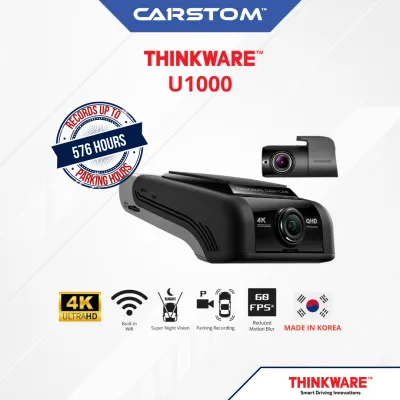
16 Lazada user ratings
location changed to jurong which is a bit far from previously serangoon..however installation is a breeze when u make an appointment with th…Read full reviewShow less
location changed to jurong which is a bit far from previously serangoon..however installation is a breeze when u make an appointment with them..took about an hour or so to install, configure & tuning..guess thinkware is still reliable with no over heating issue..took together with the external battery for longer recording..great product and services..
Thinkware has been a reliable brand for car cam. Over the years using other brands, it has brought me back to Thinkware. An attraction to th…Read full reviewShow less
Thinkware has been a reliable brand for car cam. Over the years using other brands, it has brought me back to Thinkware. An attraction to this model is the ability to achieve 60fps at 2K resolution, which most cams only offer at 30fps at 1080p. I hope the videos are as good as claimed. Delivery was also fast considering its CNY period.
bought it during the 9.9 sale. delivery is pretty fast. was kinda urgent cos my current cam is abt to give up on me. after a gd 7.9yrs. also…Read full reviewShow less
bought it during the 9.9 sale. delivery is pretty fast. was kinda urgent cos my current cam is abt to give up on me. after a gd 7.9yrs. also thinkware. . from the price pt, too hard to resist. comes with a circular polariser so save money buying it.
🔧Durability:very durable ND east to apply.. works well form obu! just posted today! will be good to buy more as soae 🛠️Ease of Installation:
Good Camera from Thinkware. Best in its class and price.
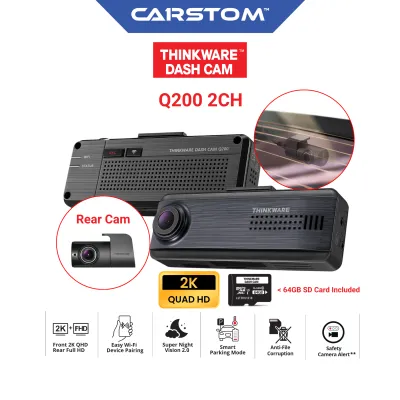
27 Lazada user ratings
Pretty sleek & good value for money, fast delivery!
easy to install and convenient WiFi connectivity,
Item received in good condition
Convenient WiFi connectivity,
Missing GPS items
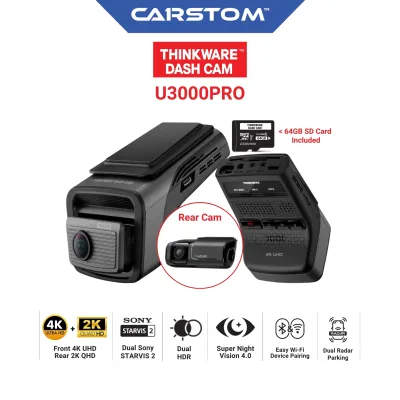
6 Lazada user ratings
Wide viewing angle, Convenient parking mode, item received in good condition with all seals intact, will only know after arrange for install…Read full reviewShow less
Wide viewing angle, Convenient parking mode, item received in good condition with all seals intact, will only know after arrange for installation with seller
bought this during the PayDay sales at a good price. delivery was quick and packing was excellent. have not installed yet, hope is as good a…Read full reviewShow less
bought this during the PayDay sales at a good price. delivery was quick and packing was excellent. have not installed yet, hope is as good as advertised.
![Thinkware Q200 | 2K + 1080p QHD Dashcam | Simple & Fuss-free | Wi-fi | Parking Mode [on-site installation available]](https://img.lazcdn.com/g/p/c34151e96e285b6de7eba72718910041.jpg_400x400q80.jpg_.webp)
![Thinkware U3000 | 4K + 2K UHD Dashcam | Sony STARVIS 2 | Wi-fi | Parking Mode [on-site installation available]](https://img.lazcdn.com/g/p/9a835df786ba159818c976b2817f049d.jpg_400x400q80.jpg_.webp)
Prices are valid at publication and may change. Please refer to the product page for the latest price.
Your parking environment is another critical factor that dictates the type of surveillance features you need. If you park your vehicle in a secure, private garage, basic driving-only recording might suffice. However, if you regularly use public multi-storey car parks, open-air surface lots, or street-side parking, your vehicle is highly vulnerable to hit-and-run incidents, vandalism, or accidental scrapes. For these environments, advanced parking surveillance is essential. You will need to decide between motion detection, which records when movement is sensed near the vehicle, and impact detection, which remains in a low-power standby state and only saves footage when a physical shock is registered.
Finally, you must define your budget and determine the physical coverage required. Single-channel (front-only) setups are more budget-friendly and simpler to install, making them a practical choice for drivers seeking basic protection. However, they leave the rear of the vehicle completely blind. Dual-channel (front and rear) setups provide comprehensive coverage, which is highly beneficial in heavy, stop-and-go traffic where rear-end collisions are common. While a dual-channel system requires a higher initial investment and a more complex installation process, it ensures that incidents occurring behind your vehicle are fully documented for insurance purposes.
Matching Thinkware Product Lines to Your Requirements
Once you have defined your needs, you can begin matching them to the general product tiers offered by the manufacturer. Thinkware categorizes its lineup into distinct series designed to cater to different user profiles and budgets. Entry-level models, typically found in the F-series or basic Q-series, focus on delivering reliable, no-frills performance. These models generally offer 1080p or 2K resolution, standard loop recording, and basic G-sensor impact detection. They are highly suitable for drivers who want a dependable, set-and-forget camera without the added cost of advanced smart features or driver assistance systems.

Premium product lines, such as the U-series, are designed for tech-savvy drivers who demand the highest video quality and advanced safety features. These models often feature 4K Ultra HD resolution, premium image sensors for superior night vision, and built-in Advanced Driver Assistance Systems (ADAS). ADAS features can include lane departure warnings, forward collision alerts, and front vehicle departure warnings. While these features add significant value, they also increase the complexity of the device and require careful calibration during installation to ensure they function correctly without causing driver distraction.
Another key differentiator among product lines is the technology used for parking surveillance. Standard models rely on traditional motion and impact detection, which requires the camera to remain in a low-power standby state, continuously drawing a small amount of power from the car battery. In contrast, premium models equipped with built-in radar technology, or those compatible with external radar modules, offer an ultra-low-power parking mode. The radar sensor detects approaching vehicles or pedestrians and wakes the camera up to record before an impact occurs. This technology significantly extends the parking surveillance duration from a few hours to several days, making it an excellent choice for drivers who leave their vehicles parked for extended periods.
To find the specific model that fits your requirements, always consult the manufacturer’s official website or authorized local distributors. Product availability and specifications can change, so verifying the current lineup ensures you select a model with the exact resolution, channel configuration, and parking features that align with your budget, which typically ranges from under S$200 for basic models to over S$600 for premium multi-channel systems.
Essential Specifications to Verify Before Purchase
Before finalizing your purchase, there are several critical technical and physical specifications you must verify to ensure compatibility and reliable operation. First and foremost is memory card compatibility. Dashcams subject microSD cards to continuous, high-speed write-and-overwrite cycles, which can quickly wear out standard memory cards. You must verify that the card you intend to use is a high-endurance model, preferably utilizing MLC NAND flash technology, which is specifically designed for continuous recording. Additionally, check the maximum storage capacity supported by the dashcam model; while some entry-level models support up to 64GB, premium models can accommodate 128GB or 256GB cards, allowing you to store more footage before it is overwritten.
Physical dimensions and mounting mechanisms are also vital considerations. The dashcam should be mounted discreetly behind the rearview mirror to ensure it does not obstruct your line of sight while driving. Obstructing the driver’s view is not only a safety hazard but may also violate local road safety regulations. Check the physical size of the camera body and the type of mount provided. Adhesive mounts are generally more compact and stable than suction cup mounts, reducing camera vibration and ensuring the unit remains securely attached even when exposed to high cabin temperatures. Ensure the camera lens can be adjusted vertically to match the slope of your vehicle’s windscreen.
Finally, evaluate the connectivity options and smartphone app requirements. Most modern dashcams feature built-in Wi-Fi and Bluetooth to allow you to change settings, view live footage, and download recorded videos directly to your smartphone. Verify whether the model supports dual-band Wi-Fi (2.4GHz and 5GHz), as the 5GHz band offers significantly faster transfer speeds for large video files. If you are interested in cloud-enabled features—such as real-time vehicle tracking, geo-fencing, and remote impact notifications—confirm whether the model requires an external mobile hotspot or a dedicated SIM card router to maintain an active internet connection. Ensure that the manufacturer’s mobile application is fully compatible with your smartphone’s operating system version before purchasing.
Installation, Power, and Safety Boundaries
The method you choose to power your dashcam directly impacts its functionality and your vehicle’s safety. The simplest installation method is using the provided cigarette lighter power adapter. This plug-and-play option powers the dashcam only when the vehicle’s engine is running, making it highly safe and easy to install. However, because power cuts off when the engine is turned off, this method completely disables all parking surveillance features. If you require continuous parking protection, the dashcam must be hardwired to the vehicle’s electrical system or connected to a dedicated external dashcam battery pack.
Hardwiring involves connecting the dashcam’s power cable directly to the vehicle’s fuse box, utilizing both a constant power fuse (to power the camera when the engine is off) and an ignition-switched fuse (to signal when the vehicle is running). When hardwiring, it is absolutely critical to use an approved hardwiring kit that features a built-in low-voltage cutoff mechanism. This safety feature monitors your car battery’s voltage and automatically shuts down the dashcam if the voltage drops below a safe threshold (such as 12V or 12.2V). This prevents the dashcam from draining the vehicle’s battery to the point where the engine cannot start, which is a common issue in hot climates where car batteries are already subjected to thermal stress.
Because modern vehicles feature highly complex electrical architectures, sensitive electronic control units (ECUs), and safety systems like side-curtain airbags housed within the A-pillars, hardwiring carries inherent risks. Incorrectly routed cables can obstruct airbag deployment, and tapping into the wrong fuse can trigger electrical faults or void your vehicle’s warranty. Therefore, it is strongly advised to consult a qualified automotive electrician or an authorized installation center to perform the hardwiring. Always refer to your vehicle’s owner manual to identify safe, non-critical fuses for tapping, and never attempt to modify or splice into critical safety systems such as the ABS, airbags, or engine management circuits.
Frequently Asked Questions (FAQ)
Do I need a special memory card for a Thinkware dashcam?
Yes, you must use a high-endurance microSD card specifically designed for continuous write cycles. Standard microSD cards, such as those used in smartphones or action cameras, are not built to handle the constant loop recording of a dashcam and will quickly degrade, leading to corrupted files, system errors, or complete recording failure. Thinkware recommends using their official high-endurance memory cards or verified third-party cards that meet their strict speed and durability specifications. To maintain optimal performance and prevent data corruption, it is also recommended to format the memory card directly through the dashcam’s settings menu every two to four weeks.
Can I transfer my Thinkware dashcam to a new car?
Yes, you can transfer your dashcam to a new vehicle, but you will need to replace certain installation accessories. The double-sided adhesive tape used on the mounting bracket is designed for single-use and cannot be securely reattached once peeled off; therefore, you will need to purchase a new adhesive mount or replacement tape. If your dashcam was hardwired, you will also need to carefully remove the hardwiring kit or purchase a new one that is compatible with the fuse types of your new vehicle. Because of the complexity of routing cables safely around airbags and connecting to the new vehicle’s fuse box, it is highly recommended to have a professional installer handle the transfer process.
Community discussion
Share your experience or ask a question. Comments are reviewed before publication.