
Selecting the ideal Carlinkit AI Box for your vehicle depends primarily on your existing head unit’s specifications and your specific in-car entertainment goals. If your vehicle already features a factory-installed wired CarPlay system, these adapters can convert that physical connection into a wireless interface or even introduce a fully independent Android operating system on your dashboard screen. To make the correct choice, you must evaluate whether you simply want to eliminate cables or if you require a standalone media hub that runs applications independently of your smartphone.
Identify Your Car's Head Unit Compatibility
The primary requirement for almost all Carlinkit AI Box models is a factory-installed, wired CarPlay or Android Auto system. The adapter utilizes the vehicle’s existing wired data protocol to establish its connection, meaning it cannot add smart features to a head unit that lacks this baseline wired capability. Before making any purchase, you must verify your specific vehicle model, production year, and head unit specifications against the manufacturer’s official compatibility documentation.
Check your vehicle’s original owner’s manual to confirm if the USB port supports data transfer rather than just charging. Many modern vehicles feature multiple USB ports, but often only one specific port is wired directly to the infotainment system for data exchange. Connecting the AI box to a charge-only port will result in a complete lack of power or a failure to initiate the handshake process.
Products mentioned in this guide
![[Android 13.0] Genuine CarlinKit Official Android 13.0 Ai Box Plus Dongle - 4+64GB/8+128GB Wireless CarPlay/Android Auto Adapter - YouTube/Netflix Playback For the Car with Wired CarPlay - Plug & Play Qualcomms® QCM6125](https://img.lazcdn.com/g/p/532090a2fb11c655ed7bd017a014d65c.jpg_400x400q80.jpg_.webp)
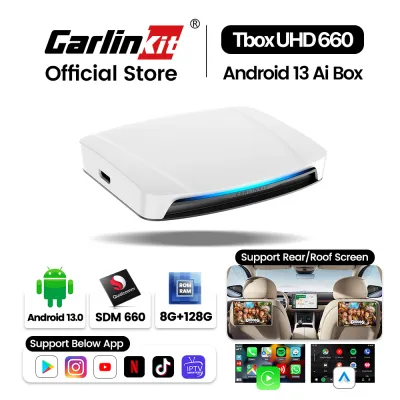
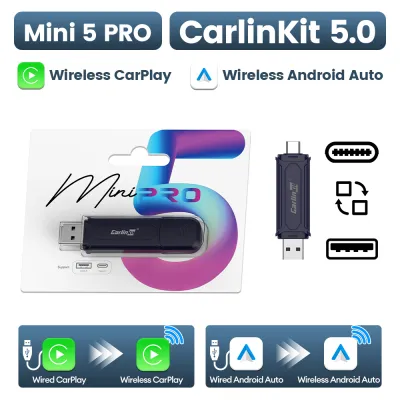
![[ SG ] CarlinKit Ai Box UHD Wireless Carplay Adapter Android 13 8-Core 8+128G Built-in GPS HDMI Output Wireless Android Auto Apple Carplay Dongle Car Link Kit Tbox UHD 车连易](https://img.lazcdn.com/g/ff/kf/Sde3aa59de2314a4aa5f47ffa7ee7681cy.jpg_400x400q80.jpg_.webp)
![[ SG ] CarlinKit Ai Box Wireless Carplay Adapter Android 13 8-Core 8+128G Built-in GPS Wireless Android Auto Apple Carplay Dongle Car Link Kit Tbox LED 车连易](https://img.lazcdn.com/g/ff/kf/S46cdc75f9378480db20ee29af4e8e255s.jpg_400x400q80.jpg_.webp)
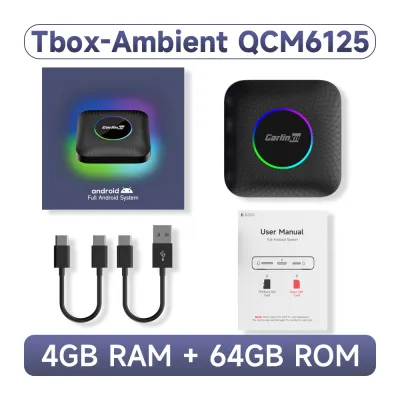
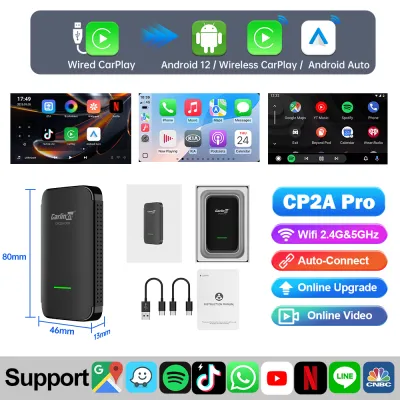
Prices are valid at publication and may change. Please refer to the product page for the latest price.
Be aware of locked or proprietary infotainment systems that may block third-party video overlays. Certain vehicle manufacturers implement strict security protocols or proprietary software configurations that prevent external hardware from displaying custom interfaces. Because compatibility lists provided by third-party manufacturers are non-exhaustive, verifying your vehicle’s specific firmware version is a crucial step before purchasing.
Define Your Core Feature Requirements
Determine if your primary goal is wireless conversion or standalone functionality. If you only want to use your phone’s native CarPlay or Android Auto interface without plugging in a cable, a basic wireless adapter is sufficient. This setup mirrors your phone’s interface directly onto the screen, relying entirely on your phone’s processing power and cellular data.

For users seeking a more robust experience, a standalone Android system box operates as an independent device. This allows you to run navigation, music, and video streaming applications directly from the head unit without relying on your smartphone’s active mirroring. This is particularly useful if you want to keep your phone free for other tasks or avoid battery drain on long drives.
Consider multitasking capabilities such as split-screen functionality. If you frequently travel with passengers, a model that supports split-screen allows the driver to view navigation maps on one side of the screen while the passenger manages media playback on the other. Ensure your vehicle’s screen resolution and aspect ratio can comfortably accommodate a split-screen layout without compromising legibility.
Compare Carlinkit AI Box Tiers by Use Case
To simplify your decision, categorize the available options into three distinct tiers based on performance and functionality.
Basic Wireless Adapters: These are designed solely for wireless smartphone mirroring. They do not feature an independent operating system, internal storage, or app stores. Choose this tier if you are satisfied with your phone’s native interface and want a simple, plug-and-play solution to eliminate cables.
Standard AI Boxes: These models introduce a standalone Android operating system, allowing you to download applications directly to the device. They typically feature moderate processing power, built-in GPS, and standard RAM configurations. This tier is ideal if you want to run independent navigation apps or stream video content while parked.
Premium AI Boxes: These high-performance models offer advanced processors, larger memory capacities, and support for dual-system switching. They are designed to handle demanding multitasking, high-definition video output, and sometimes external camera inputs. Select a premium model if your vehicle has a high-resolution screen and you require smooth, lag-free performance across multiple heavy applications.
| Requirement | Recommended Tier | Key Verification |
|---|---|---|
| Simple cable elimination | Basic Wireless Adapter | Confirm wired CarPlay is active |
| Independent apps & streaming | Standard AI Box | Check USB power output |
| Heavy multitasking & high-res | Premium AI Box | Verify screen resolution & RAM |
Verify Installation, Power, and Safety Boundaries
Operating a standalone Android box requires stable electrical power. These devices draw more amperage than simple wireless adapters because they run independent processors, Wi-Fi modules, and GPS receivers. Verify that your vehicle’s data USB port provides sufficient power output; if the port is underpowered, the device may suffer from random reboots or connection drops, requiring an auxiliary power bypass cable. Always refer to your vehicle’s original owner’s manual for specific USB port specifications and electrical limits. If your vehicle requires custom wiring or auxiliary power routing, consult a qualified automotive technician to prevent damaging your car’s electrical system.
Heat dissipation is a critical factor for hardware longevity. Because these compact boxes contain active processors operating inside a closed vehicle cabin, they can generate significant heat during extended use. Avoid placing the device in direct sunlight, on top of the dashboard, or inside tightly enclosed glove compartments; instead, position it in a well-ventilated area of the center console.
Driving safety must always remain your primary priority. While standalone AI boxes allow for video streaming and media playback, these features must strictly be used only when the vehicle is safely parked or exclusively by passengers. In Singapore, operating or viewing a video display while driving is a serious traffic offense; ensure all driver-facing screens are configured to display only navigation or audio controls while the vehicle is in motion.
Evaluate Budget and Warranty Considerations
Balancing upfront costs against long-term usability is essential when selecting an adapter. Basic wireless adapters are generally more affordable because they lack complex internal hardware, whereas standalone AI boxes command a higher price due to their dedicated processors, RAM, and storage components. While basic wireless adapters typically range from under S$100, premium standalone AI boxes can cost upwards of S$200 to S$300 due to their advanced hardware. Evaluate whether the added convenience of independent apps justifies the higher investment for your daily commute.
Long-term software compatibility depends heavily on firmware updates. Because mobile applications and smartphone operating systems update frequently, your AI box will require periodic firmware updates from the manufacturer to maintain stable connections and app compatibility. Check the manufacturer’s official support channels to ensure they provide accessible update files and clear installation instructions.
Always test the device immediately upon delivery within the retailer’s return window. Connect the adapter to your vehicle to verify the initial handshake speed, audio routing sync (ensuring there is no significant delay between video and audio), and touch-screen responsiveness. If you experience persistent compatibility issues or severe latency that cannot be resolved with a firmware update, utilize the return policy promptly.
Frequently Asked Questions (FAQ)
Will a Carlinkit AI Box drain my car battery when parked?
Most Carlinkit AI Box models are designed to power down automatically when the vehicle’s ignition is turned off and the USB port loses power. However, some vehicles keep their USB data ports active for a set period after shutdown or indefinitely. If your vehicle’s USB port remains powered constantly, the device may continue to draw a small amount of standby current; in such cases, it is recommended to unplug the adapter when parking the vehicle for extended periods to prevent potential parasitic battery drain.
Can I use a SIM card or mobile hotspot with the AI Box?
Yes, standalone AI boxes typically offer multiple ways to connect to the internet. Many models feature a physical SIM card slot, allowing you to insert a local data SIM for independent cellular connectivity without relying on your phone. Alternatively, you can connect the box to your smartphone’s mobile hotspot via Wi-Fi, though this will increase your phone’s battery consumption and data usage during your drives.
Why is the touch screen lagging or not responding correctly?
Touch-screen latency or misaligned touch inputs can occur due to compatibility mismatches between the AI box’s output resolution and your vehicle’s native screen aspect ratio. To resolve this, access the device’s internal settings menu to adjust the display resolution or perform a screen calibration if available. Additionally, ensuring your device is running the latest firmware version can resolve known communication lag issues between the adapter and the vehicle’s factory head unit.
Community discussion
Share your experience or ask a question. Comments are reviewed before publication.