
Selecting the ideal Baseus car holder for phone navigation requires balancing your vehicle’s physical layout with your personal driving habits. Because turn-by-turn navigation demands frequent, quick glances at map routes, the best mount is one that positions your device within your natural line of sight without obstructing your view of the road. Baseus offers a wide array of mounting solutions, including air vent clips, suction cups, adhesive dashboard mounts, and rearview mirror clamps. Finding the right match depends on your phone’s size, your car’s interior materials, and local driving regulations.
To make an informed decision, you must evaluate how each mounting style handles road vibrations, temperature fluctuations, and daily usability. A mount that shakes excessively or drops your phone during a sudden stop is not just inconvenient; it is a serious safety hazard. By understanding the mechanical differences and compatibility requirements of these various designs, you can ensure your navigation setup remains stable, accessible, and safe throughout every journey.
Key Factors for Choosing a Car Holder for Navigation
When you rely on your smartphone for real-time GPS directions, the mount you choose serves as the critical link between your device and your vehicle. The primary objective is to minimize cognitive load while driving. You should be able to read street names and upcoming turn indicators with a single, split-second glance. If a mount places your phone too low, too far to the side, or in a position where sunlight causes severe glare, you will spend too much time looking away from the road, increasing your reaction time to traffic hazards.
Products mentioned in this guide
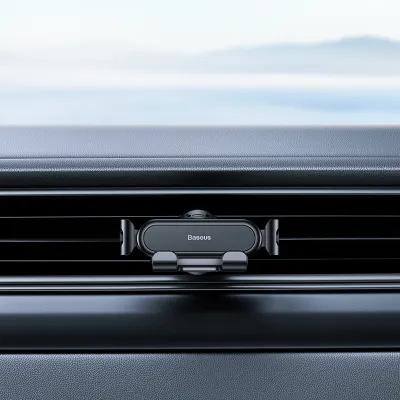
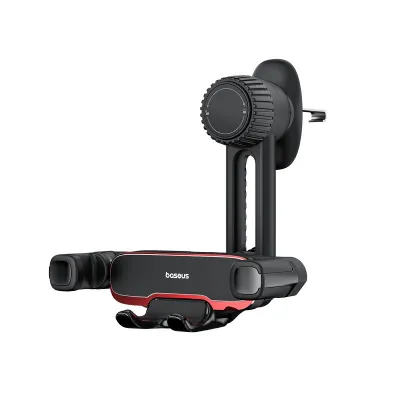
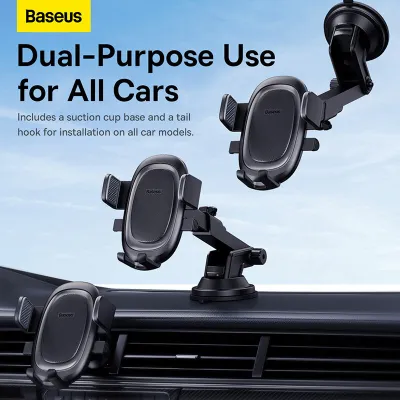
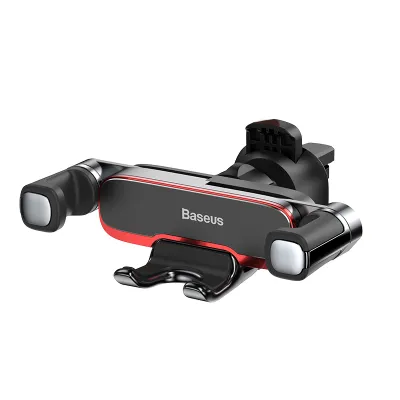
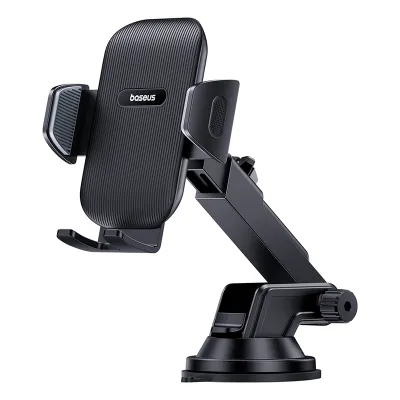
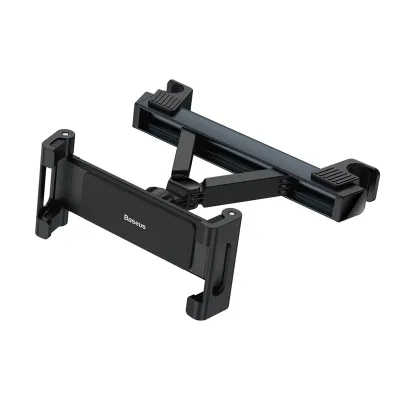
Prices are valid at publication and may change. Please refer to the product page for the latest price.
Vibration dampening is another essential factor that directly impacts readability. Road surfaces are rarely perfectly smooth, and constant micro-vibrations can turn a high-resolution map into a blurry, unreadable mess. High-quality mounts utilize dense silicone padding, reinforced joints, and tight-fitting clamping mechanisms to absorb these shocks. When evaluating different options, look for designs that feature robust structural arms and secure locking collars, which prevent the phone from wobbling when driving over speed bumps, expansion joints, or uneven asphalt.
One-handed operation and quick-release mechanisms are vital for daily convenience and safety. A practical car holder should allow you to dock and undock your phone effortlessly using only one hand. Gravity-based clamps, magnetic mounts, and spring-loaded auto-locking brackets are common solutions that facilitate this ease of use. If a mount requires two hands to adjust or release, you are more likely to struggle with it while driving or skip using it altogether, leading to unsafe habits like resting the phone on your lap or in a cup holder.
Finally, the physical stability of the mount itself must be absolute. The clamping or adhesive mechanism must withstand the forces of sudden braking, sharp turns, and rapid acceleration. A loose mount can detach unexpectedly, causing the phone to fall into the footwell and potentially wedge itself behind the brake pedal. Prioritizing structural integrity over aesthetic minimalism ensures that your navigation tool remains a helpful assistant rather than a dangerous distraction.
Comparing Baseus Mounting Types for Navigation Use
The mounting location you select dictates how you interact with your navigation app and how much of the road remains visible. Baseus categorizes its holders primarily by where they attach to the vehicle: the air vents, the dashboard, the windshield, or the rearview mirror. Each location presents distinct trade-offs regarding stability, temperature exposure, and visual accessibility.

Lower-dashboard mounting positions, such as air vents or CD slots, keep your phone within easy reach and close to your vehicle’s existing instrument cluster. This setup minimizes forward-view obstructions but may require you to look further down from the road. Conversely, elevated mounting positions, like windshield suction cups or rearview mirror clamps, keep the navigation map closer to your natural eye level but can introduce physical blind spots in your forward field of vision.
Air Vent and CD Slot Mounts
Air vent mounts are among the most popular choices because they are highly accessible and easy to install without tools. By clipping directly onto the horizontal or vertical blades of your car’s air conditioning vents, these holders position your phone close to the steering wheel and speedometer. This proximity makes it easy to tap a route alternative or glance at an upcoming turn without stretching your arm. Additionally, because they sit lower than the dashboard line, they leave your windshield completely clear of obstructions.
However, vent mounting comes with environmental challenges, particularly regarding temperature control. During hot weather, running the air conditioning can help keep your phone cool while it runs demanding GPS apps. Conversely, during colder months, directing hot air through the vent holding your phone can cause the device to overheat rapidly, leading to thermal throttling, screen dimming, or sudden shutdowns. To prevent this, you must be able to close the specific vent behind the mount or redirect the airflow away from the device.
Stability on bumpy roads is highly dependent on the design of the vent clip and the thickness of your car’s vent blades. Baseus utilizes various clip designs, including spring-loaded hooks and tightening collars, to grip the blades securely. However, circular or exceptionally thick, curved vent blades may not provide a flat surface for these clips, leading to sagging or slipping. Before choosing a vent mount, inspect your vehicle’s vent configuration to ensure the blades can support the combined weight of the holder and your smartphone without drooping.
Suction Cup and Dashboard Adhesive Mounts
Suction cup and adhesive mounts offer exceptional flexibility in placement, allowing you to position your phone on the windshield, the top of the dashboard, or even the center console. Windshield suction cups use a vacuum seal, often enhanced by a sticky polyurethane gel pad, to adhere to smooth glass. This elevated position keeps your navigation map directly in your peripheral vision, making it highly convenient for high-speed highway driving where split-second decisions are common.
The primary drawback of windshield mounting is exposure to direct sunlight and extreme heat. When parked or driving in intense sun, the glass acts as a greenhouse, raising the temperature of the suction cup and the phone. Over time, this heat can degrade the adhesive gel, dry out the suction pad, and cause the mount to fall off unexpectedly. Furthermore, running a GPS app with the screen at maximum brightness while exposed to direct sunlight is a recipe for phone overheating, which can degrade battery health over time.
Before installing a windshield mount, you must also verify local traffic regulations. In many jurisdictions, including Singapore, placing objects on the windshield that obstruct the driver’s forward view is a traffic offense. If you choose this mounting style, position it low and to the extreme right or left to keep the central viewing area clear. For textured dashboards where suction cups cannot form a vacuum, adhesive mounts using high-bond tape are an alternative, though they require thorough surface cleaning with isopropyl alcohol to ensure a permanent bond.
Rearview Mirror and Screen Mounts
Rearview mirror mounts clamp directly onto the stem or housing of your existing interior mirror, suspending the phone directly below or beside it. This elevated position keeps the navigation screen at absolute eye level, eliminating the need to look down at all. For drivers who find dashboard or vent mounts too distracting or out of reach, this setup provides a highly centralized viewing angle that aligns naturally with regular mirror checks.
Despite the visual convenience, rearview mirror mounts introduce significant physical trade-offs. The added weight of a heavy smartphone and the mount itself can put excessive stress on the mirror’s ball joint, causing the entire mirror assembly to sag or vibrate violently at high speeds or over rough roads. This vibration not only makes the navigation map difficult to read but also distorts your rearward visibility. Additionally, the physical presence of a large phone directly below the mirror can create a substantial blind spot in the upper-middle section of your windshield.
Modern vehicles equipped with integrated dash screens or bulky sensor housings behind the rearview mirror (such as rain sensors or lane-departure cameras) may not have enough clearance on the mirror stem to accommodate a clamp. For these vehicles, specialized screen-edge mounts that clamp onto the border of the central infotainment display are a more viable alternative. These screen mounts keep the phone stable and integrated with the car’s existing digital layout, though they require a display bezel with sufficient depth and structural rigidity to support the clamp.
Verifying Phone and Vehicle Compatibility
Before purchasing any Baseus car holder, you must perform a series of physical compatibility checks to ensure the mount will function correctly with both your smartphone and your vehicle’s interior. Do not rely solely on generic compatibility claims; instead, take precise measurements of your device, including the protective case you use daily. Many heavy-duty, wallet, or battery cases add significant thickness and width that can exceed the maximum jaw capacity of standard gravity or spring-loaded clamps.
If your phone features a prominent camera bump, this protrusion can prevent the back of the device from resting flat against the mount’s backplate. This gap can cause the side clamps to grip the phone unevenly, increasing the risk of the phone slipping out during a sudden jolt. For magnetic mounts, ensure that your phone case is explicitly compatible with magnetic attachment systems, or that you can apply the included metal plate directly to the back of the case in a position that does not interfere with wireless charging coils.
Vehicle compatibility requires an equally detailed inspection. Examine the shape and movement of your air vent blades; horizontal blades are generally the most stable, while vertical, circular, or deeply recessed vents often require specialized hook-style clips rather than standard pinch clamps. If you opt for an adhesive dashboard mount, check the material of your dashboard. Soft-touch leather, vinyl, and highly textured plastics do not bond well with adhesives and can be permanently damaged or discolored when the adhesive is eventually removed.
You must also identify your vehicle’s airbag deployment zones before choosing a mounting location. Never place a car holder or route a charging cable across the dashboard panels marked “SRS Airbag” or in the path where a side-curtain or passenger airbag would inflate. In the event of a collision, an airbag deploying at high speed can turn a car holder and phone into dangerous projectiles. Finally, ensure that the mount’s clamping arms do not block your phone’s charging port or press against the side volume and power buttons, which could cause the phone to restart or trigger emergency services accidentally.
Safe Installation and Daily Usage Guidelines
To maximize safety and longevity, establish a strict pre-drive routine. Always dock your phone, connect the charging cable, and input your destination into your navigation app before you shift the vehicle out of park. Attempting to type an address, search for an alternative route, or adjust the angle of the mount while driving is a major source of cognitive and physical distraction. If you must change your route or adjust the mount mid-journey, locate a safe place to pull over completely before touching the device.
Regular maintenance of your Baseus mount is essential to prevent unexpected failures. Over time, cabin temperature changes and road vibrations can loosen threaded locking collars and suction levers. Once a month, inspect the mount’s joints and tighten any thumbscrews or ball-joint collars that have developed play. If you use a suction cup mount, remove it periodically to clean the rubber pad and the glass surface with warm water and mild soap; this restores the tackiness of the gel and ensures a strong vacuum seal.
For adhesive mounts, monitor the edges of the tape for lifting or dirt accumulation. If the adhesive begins to fail, do not attempt to reinforce it with household glue, which can ruin your dashboard; instead, clean the area thoroughly and apply a fresh piece of automotive-grade double-sided acrylic foam tape. By treating your car holder as an active safety component of your vehicle, you protect your smartphone from damage and ensure that your focus remains entirely on the road ahead.
Frequently Asked Questions (FAQ)
Can I use a wireless charging Baseus holder for long navigation trips?
Yes, but you must manage the thermal conditions carefully. Running a GPS navigation app keeps your phone’s screen on continuously, activates the GPS chip, and processes real-time data, all of which generate substantial internal heat. Adding wireless charging to this mix introduces additional thermal stress. If the cabin temperature is high or the phone is exposed to direct sunlight on the windshield, the device may trigger thermal protection, which slows down charging, dims the screen, or stops charging entirely to protect the battery.
To ensure reliable power on long journeys, use your vehicle’s air conditioning to keep the cabin cool, and consider mounting the holder on an air vent where the cool airflow can directly dissipate heat from the back of the phone. If you notice your phone becoming excessively hot to the touch, the safest fallback is to temporarily disable wireless charging and use a high-quality wired charging cable connected directly to a certified car charger, which generates significantly less heat at the device level.
Will the mount scratch my phone or car interior?
Baseus mounts are designed with protective silicone or rubber padding on the contact points to prevent scratches, but damage can still occur if the mount is installed or maintained incorrectly. Over time, fine road dust, sand, and grit can accumulate between the silicone pads of the mount and the surfaces of your phone or car vents. When the vehicle vibrates, this trapped debris acts like sandpaper, slowly wearing away the finish of your phone’s frame or your car’s vent blades.
To prevent this abrasive wear, wipe down the clamping arms of the holder and the back of your phone case regularly with a clean microfiber cloth. When installing or removing vent clips, avoid dragging the metal or hard plastic parts across the vent blades; instead, fully open the clamp or release the tension mechanism before moving the mount. If you need to remove an adhesive dashboard mount, use a plastic trim tool and a small amount of adhesive remover or isopropyl alcohol to soften the bond slowly, rather than pulling it off forcefully, which can tear vinyl or leather surfaces.
Community discussion
Share your experience or ask a question. Comments are reviewed before publication.