
Selecting the right car phone holder magnetic system for rear-seat passengers can transform a chaotic road trip into a calm, organized journey. The most effective solution for back-seat entertainment is a dedicated headrest-mounted magnetic holder. This setup secures the device at eye level, prevents physical strain, and keeps the cabin free of loose cords and dropped phones.
Unlike front-seat drivers who require quick, one-handed access for navigation, rear passengers use their devices primarily for media consumption, reading, or video calls over extended periods. Consequently, a rear-seat mount must prioritize stability over bumpy roads, offer wide-angle adjustability, and remain securely anchored to the seat structure without damaging the vehicle’s interior.
Core Needs for Rear-Seat Passengers on Long Drives
Long-distance travel demands a high level of physical comfort, especially for passengers confined to the rear cabin. When passengers hold their phones in their laps for hours, they inevitably suffer from neck strain and muscle fatigue. A well-positioned seat back mount elevates the screen to a natural line of sight, allowing passengers to maintain a relaxed, upright, or slightly reclined posture.
Products mentioned in this guide
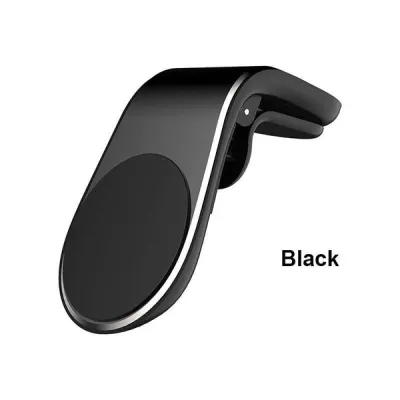
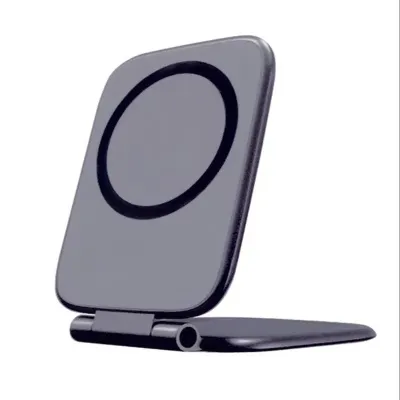
![SPIGEN Magnetic Air Vent Car Mount [QS11] Compact Size with Strong Magnetic Attraction Holds the Smartphone Securely / Smartphone Car Mount](https://img.lazcdn.com/g/p/e63b8e76833fc077b110935c4997a067.jpg_400x400q80.jpg_.webp)
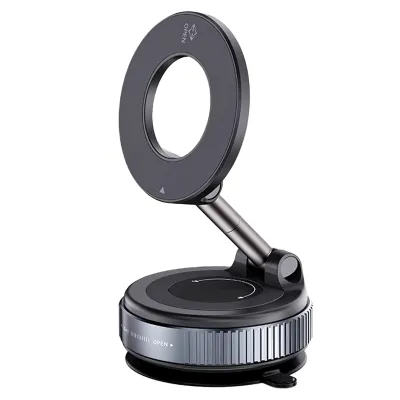
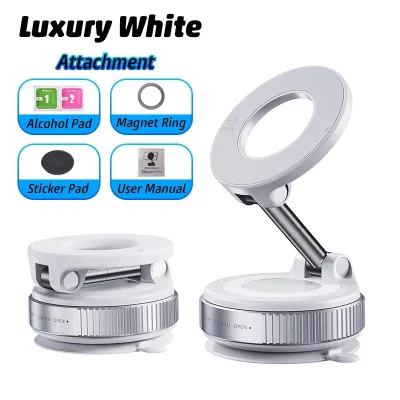
![🇸🇬[Ready Stock] New 360 Rotation Vacuum Suction Cup Phone Holder Foldable Magnetic Magsafe Car Phone Mount for Gym/Mirror/Smooth Surface](https://img.lazcdn.com/g/p/8209a6499e644df04a911de525ca3b30.jpg_400x400q80.jpg_.webp)

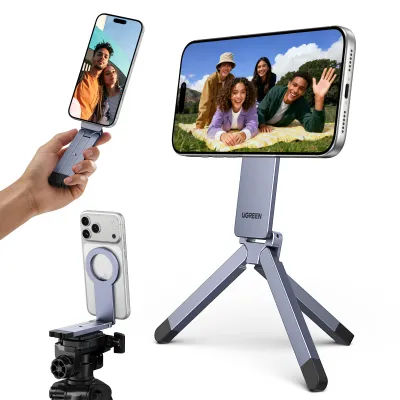
Prices are valid at publication and may change. Please refer to the product page for the latest price.
Because rear passengers vary in height—ranging from young children in booster seats to tall adults—a fixed-position mount is rarely sufficient. The ideal holder must feature a highly flexible joint, such as a 360-degree rotating ball head. This allows the user to tilt, swivel, and rotate the screen between portrait and landscape modes to eliminate glare from side windows and accommodate different seating heights.
Beyond ergonomics, a secure mounting solution plays a critical role in cabin organization. Loose devices on seats or in door pockets easily slide under the front seats during sudden braking, creating a distraction as passengers scramble to retrieve them. By keeping the phone mounted, you protect the device from screen damage and ensure it remains within arm’s reach throughout the journey.
Evaluating Mounting Mechanisms for Seat Backs
Before purchasing a car phone holder magnetic mount, you must verify how it attaches to your vehicle’s front seats. The most common and stable design is the headrest pole clamp. To ensure compatibility, measure the distance between your front seat’s metal headrest poles and check their diameter. Most clamp-style mounts feature expandable arms designed to grip poles within a specific millimeter range, using either a spring-loaded tension mechanism or a manual screw lock.

For vehicles equipped with integrated or sport-style headrests that lack exposed metal poles, standard clamps will not work. In these cases, you must look for specialized strap-based or clip-on mounting systems. These alternative mounts wrap around the entire upper section of the seat back. When evaluating these options, ensure the straps do not interfere with the comfort of the front-seat occupant or block any built-in seat features.
Upholstery protection is another vital consideration. Look for mounts that feature thick silicone, rubber, or soft foam padding on all contact points. Cheap plastic clamps without protective linings can easily scratch metal headrest poles, indent synthetic materials, or tear delicate leather and fabric upholstery over time. Always check the manufacturer’s product specifications to confirm the materials used on the grip surfaces.
Assessing Magnetic Hold and Device Compatibility
Not all magnetic mounts are created equal, and a weak magnetic connection can result in a damaged phone. To ensure a secure hold, you must evaluate your phone case. Standard plastic, leather, or silicone cases significantly weaken magnetic attraction. If your phone has built-in magnetic alignment features, ensure your case is explicitly labeled as compatible with magnetic accessories. For non-magnetic phones, you will need to adhere a thin metal plate directly to the back of the phone or case.
Do not rely on generic marketing claims of universal compatibility. Instead, look at the product packaging or specifications for the specific weight capacity and the number of integrated magnets. Heavy, large-screen smartphones or devices equipped with rugged, thick cases require a stronger magnetic array to stay in place. If you plan to mount a larger tablet, verify that the holder is rated for that specific weight class.
Before setting off on a long drive, perform a simple physical safety check in a controlled environment. Mount your phone in the holder and drive your vehicle at low speeds over a few speed humps or uneven surfaces in a local car park. Observe whether the phone rotates, slips, or detaches. If the phone shifts during this low-speed test, the magnetic connection is insufficient for highway speeds and sudden maneuvers.
Safety, Visibility, and Cable Management
Safety must remain the top priority when installing any aftermarket accessory. Once the holder is mounted, sit in the driver’s seat and check your rearview mirror. The mounted phone and bracket must not block your rearward line of sight. Additionally, adjust the screen angle to ensure that bright display glare does not reflect directly into your rearview mirror or create a distraction in your peripheral vision during night driving.
Next, consult your vehicle’s owner manual to identify the location of all side-curtain and seat-mounted airbags. The phone holder and the mounted device must be positioned completely outside the deployment zones of these safety systems. A mount placed in the path of an inflating airbag can turn the phone into a dangerous projectile in the event of a collision.
Finally, plan your charging cable routing to prevent physical hazards. Running a long cable from the front console to the back seat can create a dangerous trip hazard for passengers entering or exiting the vehicle. Use adhesive cable clips to route the charging wire neatly along the center console or under the floor mats. Ensure the cable has enough slack to accommodate seat adjustments without straining the phone’s charging port or the vehicle’s USB outlet.
Frequently Asked Questions (FAQ)
Can I use a standard dashboard magnetic holder on the seat back?
Using a standard dashboard magnetic holder on a seat back is generally not recommended. Dashboard mounts typically rely on strong adhesive backings or suction cups designed for flat, non-porous plastic or glass surfaces. These adhesives will not stick securely to the textured leather, fabric, or curved plastic surfaces found on the back of car seats. Under the heat of a parked car, the adhesive can fail, causing the mount and your phone to fall. Furthermore, dashboard mounts lack the extended structural reach needed to position the phone comfortably for a rear passenger, making a dedicated headrest clamp a much safer and more reliable choice.
Will the magnets interfere with my phone's internal components or credit cards?
Modern smartphones are highly resilient, and their primary internal components—such as solid-state storage and screens—are not affected by the static magnetic fields produced by consumer car mounts. However, you should always consult your phone manufacturer’s official manual for specific guidelines regarding magnetic exposure, as strong magnets can occasionally temporary affect digital compass sensors or optical image stabilization systems if placed incorrectly. The primary risk is actually to magnetic stripe cards, such as older credit cards, parking cards, or transit passes. If you use a phone wallet case that stores these cards directly behind the phone, remove the cards before placing the case against the magnetic mount to prevent demagnetization.

Community discussion
Share your experience or ask a question. Comments are reviewed before publication.