
To find a car wireless charger that delivers the fastest charging speeds for both iPhone and Android, you must match the wireless charging protocols of your specific phone models with a charger that supports those exact standards, backed by an adequate in-car power supply. Many chargers advertise high wattage, but actual speeds are governed by the lowest common denominator among the charger’s output profile, the phone’s internal receiving limits, and the vehicle’s power adapter. By verifying compatibility with standards like Qi2, Qi, and proprietary fast-charging protocols, and ensuring your vehicle’s power source can supply the necessary input, you can achieve efficient, reliable wireless charging on the road.
Selecting the right hardware requires looking past generic marketing claims and understanding how wireless power transfer interacts with your phone’s battery management system. In a vehicle environment, factors such as ambient temperature, sunlight exposure, and simultaneous navigation use create a challenging thermal landscape. A charger that performs well on a cool desk may struggle to maintain fast charging speeds on a hot dashboard. Therefore, a successful purchase depends on verifying technical specifications, mounting designs, and power supply configurations before installation.
Understanding Wireless Charging Standards for Dual Compatibility
Achieving fast wireless charging across both iOS and Android ecosystems requires a charger that supports multiple wireless power transmission standards. Historically, the Qi standard developed by the Wireless Power Consortium (WPC) has been the universal foundation for wireless power. However, standard Qi charging is often limited to lower power profiles, such as 5W or 7.5W, when transmitting to devices without specific proprietary handshakes. To get faster speeds, you must identify which specific protocols your devices use and ensure the car charger is certified to support them.
Products mentioned in this guide
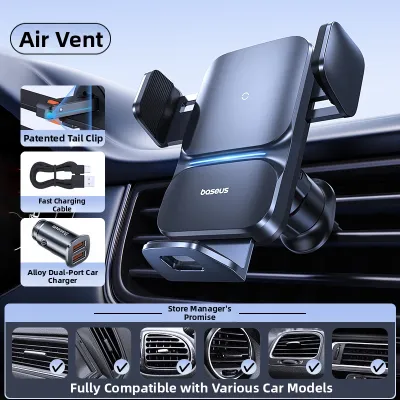
2 Lazada user ratings
The biting force feels a bit on the weaker side.
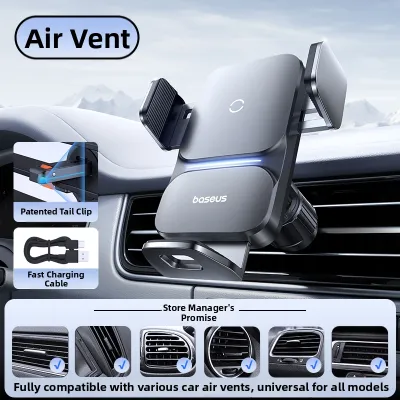
43 Lazada user ratings
Overall rating: Excellent, User experience: Great, Installation: Simple and convenient, Craftsmanship: Very good, Product material: High qua…Read full reviewShow less
Overall rating: Excellent, User experience: Great, Installation: Simple and convenient, Craftsmanship: Very good, Product material: High quality
The product feels really high-quality, the sensors and charging are very responsive, and the suction cup is strong. Definitely worth buying!
I trust Baseus, I trust the brand. Many electronics choose Baseus, they work great and charge really fast.
The stand is really good quality, easy to use, stable and sturdy, and it works well in practice.
Most of the stuff in the car is from Baseus because I trust the quality. I believe in the brand.

4 Lazada user ratings
Functionality:very good. mechanical button for release serves better than touch sensor in my opinion.
👌Ease of Use:Excellent 🔌Compatibility:Excellent
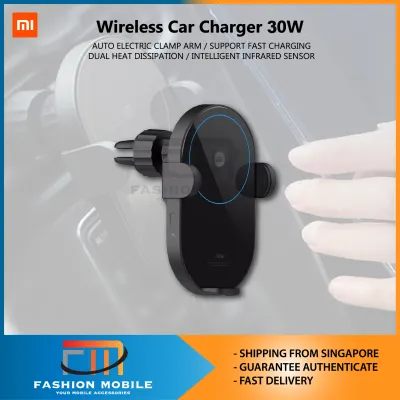
8 Lazada user ratings
Hopefully can fit in nicely in my ride and strong enough on a bumpy ride
Great product. Works perfectly. Cheaper than Xiaomi store.
Very good for cars
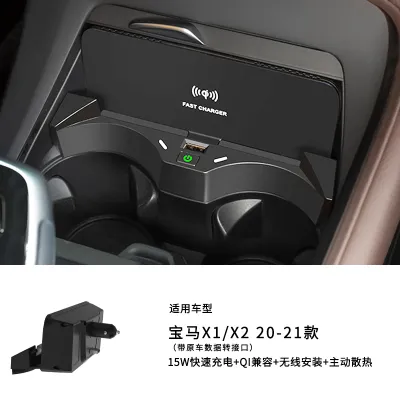
3 Lazada user ratings
Holds the phone steady, doesn't wobble while driving. Charging is a bit slow, but works great overall.
Great design, high charging efficiency, and stable quality.
Installation is really easy and saves time and effort.
6 Lazada user ratings
Thanks. Good quality and very useful
Prices are valid at publication and may change. Please refer to the product page for the latest price.
For iPhone users, fast wireless charging has traditionally relied on Apple’s proprietary MagSafe technology, which allows up to 15W of power transfer using precise magnetic alignment. Standard Qi chargers typically cap iPhone charging at 7.5W. The introduction of the Qi2 standard has bridged this gap by incorporating the Magnetic Power Profile (MPP), which is based on MagSafe technology. Qi2-certified chargers can deliver up to 15W to compatible iPhones and newer Qi2-compatible Android devices without requiring proprietary licensing, making Qi2 an excellent choice for dual-compatibility setups.
Android devices present a more fragmented landscape because different manufacturers utilize distinct fast-charging protocols. While many Android phones support the standard Qi Extended Power Profile (EPP) for up to 15W charging, some brands require proprietary wireless charging stands or specific high-wattage protocols to exceed 10W or 15W. When choosing a universal car charger, verify that it supports both the Qi EPP standard for Android devices and either Qi2 or the specific 7.5W/15W profiles required for iPhones.
It is also important to recognize that wireless charging is inherently less efficient than wired charging, with a significant portion of the energy lost as heat. Even a certified 15W wireless charger will charge a device more slowly than a 15W wired connection. When evaluating product packaging or online listings, look for explicit mentions of Qi2 certification or Qi EPP compliance rather than generic “fast charging” labels. Legitimate certifications indicate that the product has undergone testing to ensure it adheres to established power delivery and safety standards.
Key Specifications to Verify Before Buying
When shopping for a car wireless charger, you must distinguish between the advertised total output wattage and the actual power delivered to a single device. Many multi-device chargers advertise a combined wattage, such as 30W or 40W, which represents the sum of the wireless pad, an auxiliary USB port, and perhaps a secondary charging coil. For fast charging, you must verify the maximum output of the specific wireless charging coil dedicated to your phone. A charger labeled as 30W might only deliver 10W wirelessly while allocating the remaining power to its wired ports.

Active cooling is another critical specification that directly impacts real-world charging speeds. Wireless charging generates heat, and when a phone’s internal temperature rises beyond a certain threshold, its battery management system automatically throttles the incoming power to protect the hardware. Car wireless chargers equipped with active cooling, such as built-in miniature fans or advanced heat-dissipating materials, help keep both the charger and the phone cool. This prevention of thermal throttling allows the charger to sustain its maximum fast-charging speed for much longer periods, especially when the phone is simultaneously running demanding applications like GPS navigation.
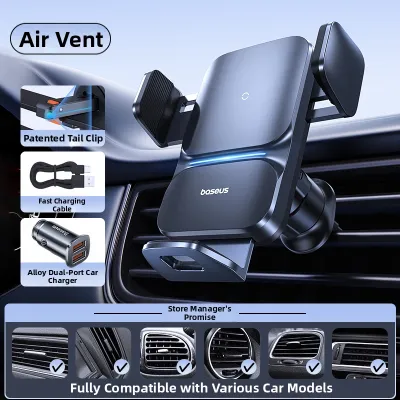
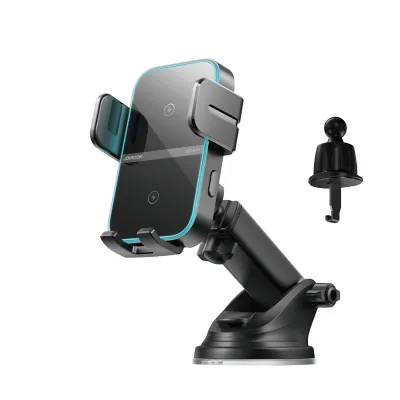
The physical mounting style of the charger also plays a significant role in thermal management and overall usability. Common mounting options include air vent clips, dashboard mounts, windshield suction cups, and CD slot mounts. Air vent mounts are highly effective for thermal management because they position the phone directly in front of the vehicle’s air conditioning stream, keeping the device cool even during intense charging sessions. However, during winter months, running the car’s heater through that same vent can have the opposite effect, rapidly overheating the phone and halting the charging process.
Dashboard and windshield mounts expose the phone to direct sunlight, which can quickly raise temperatures to the point where wireless charging slows down or stops entirely. Additionally, you must ensure that any windshield or dashboard mount complies with local traffic regulations regarding driver visibility. The mount must be positioned so that it does not obstruct your view of the road or interfere with the deployment of the vehicle’s airbags. Always consult your vehicle’s owner manual to identify safe mounting zones that do not compromise safety systems.
Evaluating Real-World Performance and Safety Limits
Understanding how wireless chargers behave under real-world conditions helps you identify potential issues before they cause damage to your devices. All reputable wireless chargers and smartphones feature built-in thermal protection mechanisms. If you notice that your phone’s charging speed drops significantly after twenty minutes of driving, or if the charging process pauses entirely, this is usually a normal safety response to elevated temperatures. It does not necessarily mean the charger is defective, but rather that the environmental conditions are preventing optimal power transfer.
However, there are clear warning signs that indicate a charger is unsafe or failing. If the charger or your phone becomes too hot to touch comfortably, emits unusual chemical odors, or shows signs of warping or melting plastic, you must immediately disconnect the power supply. These symptoms suggest a malfunction in the voltage regulation or foreign object detection (FOD) systems. Foreign object detection is a critical safety feature that prevents the charger from transmitting power when metal objects, such as coins, keys, or paperclips, are placed between the charger and the phone, which could otherwise cause extreme heating and fire hazards.
The design of your phone case can also heavily influence charging efficiency and heat generation. Thick cases, particularly those exceeding 3mm to 4mm in thickness, increase the distance between the charging coils, which forces the charger to work harder and generate more heat to transfer power. Materials such as metal, carbon fiber, or cases with embedded kickstands and credit card slots can block electromagnetic fields entirely or cause dangerous heat buildup. If you use a magnetic mounting system, ensure that any aftermarket magnetic rings are perfectly aligned with the phone’s internal coils to prevent efficiency losses.
To ensure safe operation, always follow the manufacturer’s instructions regarding case compatibility and alignment. If you experience persistent overheating or slow charging, try removing the phone case to determine if the material or thickness is the primary bottleneck. If the issue persists even without a case, the problem may lie with the charger’s internal circuitry or an inadequate power supply.
Building Your Shortlist: Filtering Products on E-commerce Platforms
When searching for a car wireless charger on online marketplaces, filtering out low-quality options requires a methodical approach. Start by looking for products that explicitly list recognized safety and compliance certifications, such as CE, FCC, RoHS, and WPC Qi certification. These marks indicate that the manufacturer has designed the product to meet basic electrical safety and electromagnetic interference standards. Avoid listings that omit these certifications or use vague language to describe their safety testing.
Be skeptical of highly exaggerated marketing terms that promise universal “ultra-fast” charging without providing specific technical specifications. A listing that claims to charge all phones from zero to full in under an hour wirelessly is likely misleading. Instead, look for product descriptions that provide a detailed breakdown of supported wattages for specific phone models. A reliable manufacturer will clearly state, for example, that the charger delivers 15W for specific Android models, 7.5W or 15W for specific iPhone generations, and 5W for standard Qi devices.
Another key step in filtering products is to download or view the user manual if it is available on the retailer’s site or the manufacturer’s official support page. The manual should contain a detailed specification sheet listing the required input voltage and current (such as 9V/2A or 12V/1.67A) to achieve specific wireless output levels. If a product listing does not provide these details, or if the manufacturer’s website lacks clear documentation and customer support contact information, it is best to remove that product from your shortlist.
Power Supply and Installation Requirements
A common mistake when installing a car wireless charger is overlooking the upstream power supply. A wireless charger cannot deliver its maximum rated output if the power source feeding it is insufficient. Most car wireless chargers do not come with a built-in power source; they require a separate USB car adapter that plugs into the vehicle’s 12V accessory socket (cigarette lighter). If you plug a 15W wireless charger into a standard, low-output USB port built into your car’s dashboard, the charger will likely default to a slow 5W output because those built-in ports are often designed only for basic data transfer or low-speed charging.
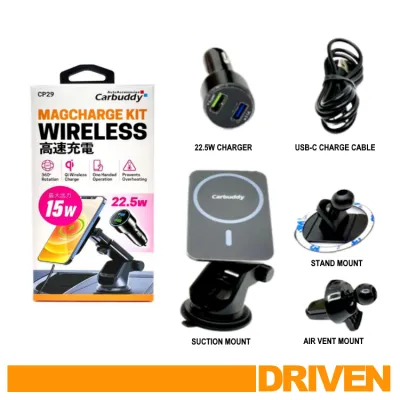
To achieve true fast charging, you must pair your wireless charger with a high-quality 12V USB car adapter that supports modern fast-charging protocols, such as USB Power Delivery (PD) or Qualcomm Quick Charge (QC). The adapter’s output wattage must exceed the wireless charger’s maximum output to account for the energy lost during wireless transmission. For example, a wireless charger that outputs 15W typically requires an input of at least 18W to 24W from the car adapter. Always check the wireless charger’s manual for the exact input specifications required to enable its fast-charging modes.
The cable connecting the car adapter to the wireless charger is another potential bottleneck. Using a low-quality, damaged, or excessively long cable can cause a voltage drop, preventing the charger from receiving the stable power it needs. Use the high-quality USB cable supplied by the manufacturer, or purchase a certified replacement cable that is rated for the specific wattage and protocol of your charger. Ensure the cable is routed safely through your vehicle’s cabin so that it does not interfere with the gear shifter, steering wheel, pedals, or your physical movement while driving.
Before finalizing your installation, consult your vehicle’s owner manual to verify the maximum current and wattage limits of your 12V accessory socket. Exceeding these limits by plugging in multiple high-draw devices can blow the vehicle’s fuses or damage the electrical system. If you are unsure about the electrical capacity of your vehicle or need assistance with routing cables behind dashboard panels for a cleaner look, consider consulting a qualified automotive technician to ensure a safe and professional installation.
Frequently Asked Questions (FAQ)
Does a higher wattage car wireless charger charge my phone faster?
Not necessarily. The charging speed is determined by the maximum power your phone’s internal battery management system is designed to receive, not just the maximum output of the charger. For example, if your phone is capped at receiving 7.5W of wireless power, placing it on a 15W or 30W wireless charger will still only charge it at 7.5W. To get the fastest possible speeds, you must ensure that the charger’s output profiles match the specific fast-charging protocols supported by your phone.
Why does my phone stop wireless charging while driving?
The most common cause for interrupted wireless charging while driving is thermal throttling. When a phone becomes too hot due to a combination of wireless charging, GPS navigation use, and exposure to direct sunlight through the windshield, its internal safety systems will temporarily pause charging to protect the battery from heat damage. Other common causes include physical misalignment between the phone and the charger’s internal coils, vehicle vibrations shifting the phone out of place, or a temporary drop in power supply from an inadequate 12V car adapter.
Community discussion
Share your experience or ask a question. Comments are reviewed before publication.