
Adding Apple CarPlay to an older vehicle does not require replacing your entire factory head unit. Many drivers prefer to keep their original dashboard intact to preserve factory aesthetics, maintain steering wheel controls, or avoid complex dashboard disassembly. By utilizing specialized external adapters, standalone display units, or interface modules, you can bring modern navigation, hands-free calling, and music streaming to your existing car stereo. The right solution depends entirely on your vehicle’s current ports, screen capabilities, and audio inputs.
Choosing an adapter over a full head unit replacement also avoids the risk of damaging delicate dashboard clips or interfering with integrated climate controls. It is a highly reversible modification, making it ideal for leased vehicles or classic cars where maintaining original parts is essential. By understanding your options, you can achieve a modern, connected driving experience without the premium price tag of a complete stereo overhaul.
Diagnose Your Current Head Unit's Capabilities
Before purchasing any adapter, you must thoroughly evaluate the physical connections and software capabilities of your existing car stereo. The first step is to inspect the built-in USB ports. Many older vehicles feature USB ports designed solely for charging mobile devices, which lack the data-transfer lines required to transmit audio or interface protocols. You can test this by connecting your phone with a high-quality data cable; if the head unit only displays a charging icon without attempting to read files or launch a media menu, the port is likely power-only.
Products mentioned in this guide
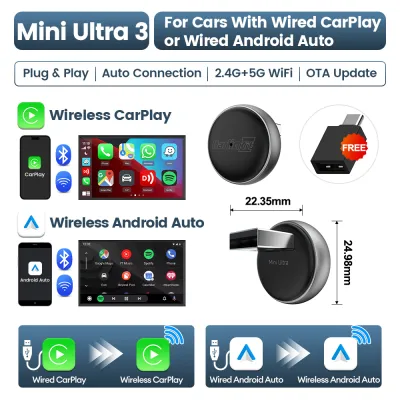
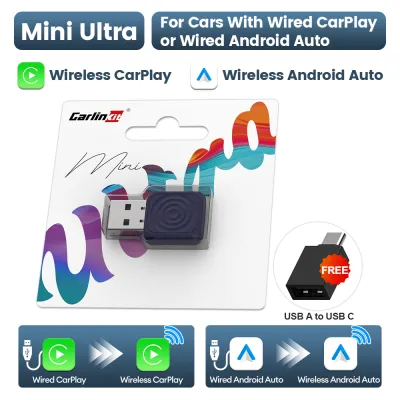
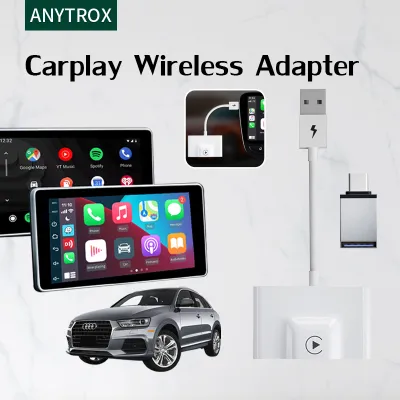
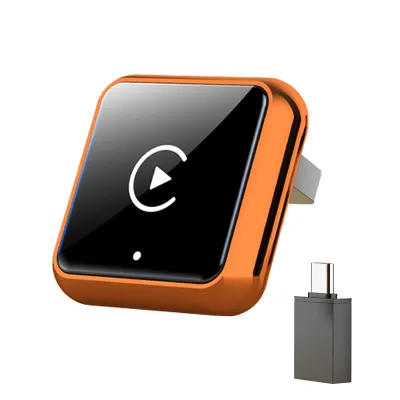
Prices are valid at publication and may change. Please refer to the product page for the latest price.
Next, check for alternative audio input methods, such as a 3.5mm auxiliary (AUX) jack or native Bluetooth audio streaming. An AUX port provides a direct, analog audio pathway that bypasses complex digital handshake protocols, making it a highly reliable backup for sound delivery. If your car has a factory screen but lacks smartphone integration, look for hidden or unused video input channels, such as an auxiliary RCA input in the glovebox or center console, which can sometimes be adapted to display external video feeds.
Additionally, observe how your current system handles audio switching. Some older head units require manual selection of the auxiliary source, while others automatically detect incoming signals. If your vehicle has a factory screen, note whether it is a touchscreen or relies on physical buttons, as some adapters require specific physical control schemes to function safely.
Match Your Setup to the Right CarPlay Adapter Type
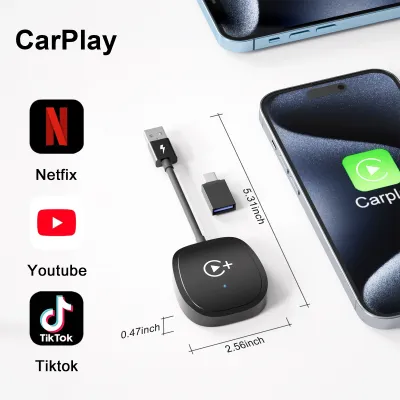
Once you have mapped your vehicle’s inputs, you can choose from three primary adapter categories. The first category consists of USB interface boxes, which are designed for vehicles that already have a factory-installed wired CarPlay system or specific compatible infotainment software. These dongles plug directly into the vehicle’s data USB port and convert the wired connection into a wireless signal, allowing your phone to connect automatically via Bluetooth and Wi-Fi. This method preserves the clean look of your dashboard and utilizes your existing factory screen.

For vehicles with a basic stereo that features an auxiliary port but no screen, AUX and Bluetooth audio receivers offer a practical, budget-friendly alternative. These compact receivers plug into your AUX port or pair with your car’s basic Bluetooth system, routing your phone’s audio through the car speakers. Because these setups lack a built-in display, you must pair them with a secure dashboard phone mount to view your navigation apps and manage calls safely. While this does not provide the full visual interface on your dashboard, it delivers the core hands-free audio benefits of the platform.
If your older vehicle lacks both a factory screen and an auxiliary input, a standalone CarPlay screen is the most comprehensive solution. These independent tablet-like displays mount directly to your dashboard or windshield and power via the 12V accessory outlet. They transmit audio to your existing car stereo using a built-in FM transmitter or a direct AUX cable if available. While highly versatile, standalone screens introduce extra cables to your cabin and can suffer from audio interference in crowded urban areas where FM radio frequencies overlap.
Each of these adapter types involves specific trade-offs in audio quality, latency, and visual integration. USB interface boxes generally offer high audio fidelity and low latency because they utilize the car’s digital data paths, but they require a compatible factory screen. AUX-based receivers provide stable audio but require you to interact directly with your phone screen, which can be distracting. Standalone screens offer a large, dedicated display but can suffer from minor audio lag or static when relying on FM transmission, making careful placement and frequency selection essential.
When evaluating these options, consider your tolerance for cable clutter. Standalone screens often require routing both a power cable to the 12V outlet and an audio cable to the AUX port, which can look untidy if not tucked behind dashboard panels. Conversely, a simple USB dongle remains hidden in your center console, maintaining a clean cabin environment.
Verify Compatibility and Safety Boundaries Before Purchasing
Integrating aftermarket electronics requires careful attention to electrical limits and safety. Before purchasing, cross-reference your vehicle owner’s manual to verify the power output of your 12V accessory sockets and USB ports. Drawing too much current can blow fuses or strain your electrical system. Additionally, check if your chosen adapter supports steering wheel control integration to maintain hands-free control over volume and track selection.
Physical placement of standalone screens is another critical safety consideration. In right-hand drive markets like Singapore, mounting a large screen on the windshield or dashboard can create dangerous blind spots, particularly when turning or navigating pedestrian crossings. Ensure that any mounted display does not obstruct your forward line of sight or block the deployment paths of your vehicle’s airbags. Cables must be routed neatly away from the steering column, gear selector, and foot pedals to prevent physical interference while driving.
If your chosen solution requires tapping into the vehicle’s internal wiring, routing cables behind the dashboard, or mounting hardware near airbag panels, stop and consult a qualified automotive electronics professional. Improperly splicing wires can trigger dashboard warning lights, void vehicle warranties, or even damage sensitive electronic control units. A professional installer can ensure that all connections are safely fused, wires are properly insulated, and the installation complies with local vehicle safety standards.
Furthermore, consider environmental conditions. In hot, tropical climates, dashboards reach extreme temperatures in direct sunlight. Standalone screens mounted on the windshield are exposed to this heat, which can cause suction mounts to fail or trigger thermal shutdown. Choosing a high-quality mount and removing the screen when parked in unsheltered areas prevents damage.
Installation Principles and Basic Troubleshooting
When installing your adapter, prioritize the manufacturer’s product labels and your vehicle’s factory service manual over generic online tutorials. Every vehicle’s electrical architecture is unique, and what works for one model year may cause electrical issues in another. Begin by cleaning connection ports with compressed air to remove dust. Use high-quality, shielded cables to connect your devices, as cheap or damaged cables are the primary cause of connection dropouts and audio static.
If you experience frequent disconnections, audio lag, or system freezes, start your troubleshooting by checking for firmware updates. Manufacturers of CarPlay adapters frequently release software updates to maintain compatibility with new iOS versions and resolve known bugs. Connect the adapter to your home Wi-Fi or follow the manufacturer’s instructions to update the device’s firmware via a dedicated smartphone app. Additionally, clearing your phone’s Bluetooth cache and restarting both the phone and the car’s infotainment system can resolve temporary pairing conflicts.
Be alert to signs of electrical conflict, such as unusual heat radiating from the adapter, a burning smell, flickering dashboard lights, or static on your car’s instrument cluster. If you notice any of these symptoms, disconnect the adapter immediately and seek professional assistance. These signs often indicate a short circuit, an overloaded power source, or incompatible hardware that could damage your vehicle’s electrical system if left connected.
Frequently Asked Questions (FAQ)
Will a CarPlay adapter drain my car battery when parked?
Whether an adapter drains your battery depends on how your vehicle’s 12V accessory outlet or USB ports are wired. In many cars, these ports are switched, meaning they lose power when the ignition is turned off. However, some vehicles provide constant power to these ports even when parked. If your car uses constant power, an adapter left plugged in will draw parasitic current, which can eventually drain your battery over several days. To prevent this, look for adapters with automatic sleep modes, unplug the device when parking, or consult an installer to rewire the port.
Can I use wireless CarPlay with an older wired-only adapter?
Yes, you can convert a wired-only CarPlay system to wireless by using a dedicated wireless adapter. This device plugs physically into your car’s USB data port, acting as the bridge to your infotainment system. Your iPhone then connects wirelessly to the adapter using Bluetooth for the initial handshake and Wi-Fi for high-bandwidth data transfer. While the adapter remains physically tethered to the USB port, your phone remains completely wireless in your pocket, offering a seamless driving experience.
Community discussion
Share your experience or ask a question. Comments are reviewed before publication.