
Navigating the roads of Singapore requires quick decision-making, whether you are dodging peak-hour congestion on the Pan Island Expressway (PIE) or planning your route to avoid active Electronic Road Pricing (ERP) gantries. Drivers must choose between two primary navigation setups: securing a smartphone with a dedicated handphone stand for car or relying on a built-in car GPS system. Both methods offer distinct pathways to your destination, but they differ significantly in terms of real-time accuracy, installation safety, legal compliance, and long-term costs.
A handphone stand for car paired with a smartphone is the most practical choice if you prioritize real-time traffic updates, instant routing adjustments, and a budget-friendly setup. Conversely, a built-in car GPS system is highly suited for drivers who prefer a clean, cable-free dashboard, seamless steering wheel integration, and reliable offline performance that preserves smartphone battery life. Understanding how these systems perform under local driving conditions will help you determine which setup best fits your daily commute and weekend trips.
Core Differences: Phone Stand Navigation vs Built-in Car GPS
Choosing the right navigation method involves weighing how each system performs during active driving. The differences extend beyond simple map displays, impacting how you interact with your vehicle and how quickly you can respond to changing road conditions.
Products mentioned in this guide
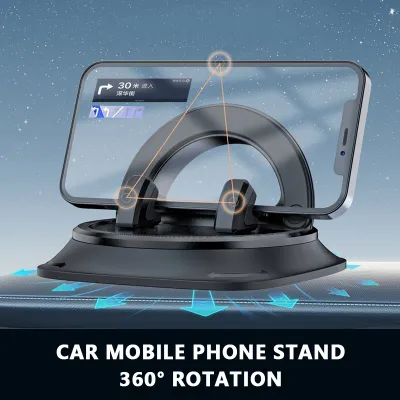
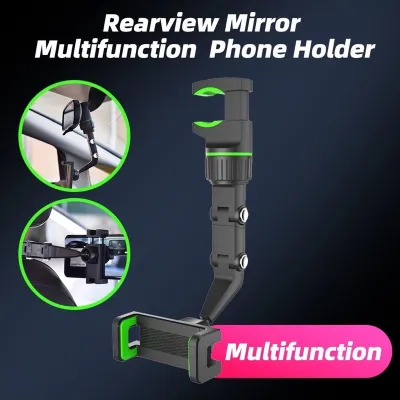

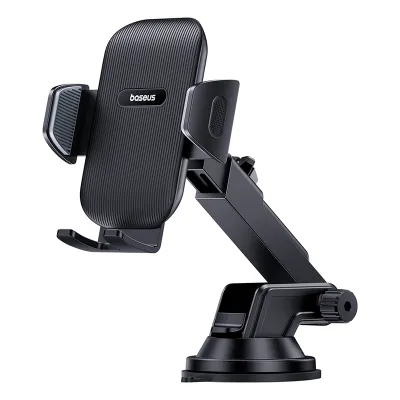
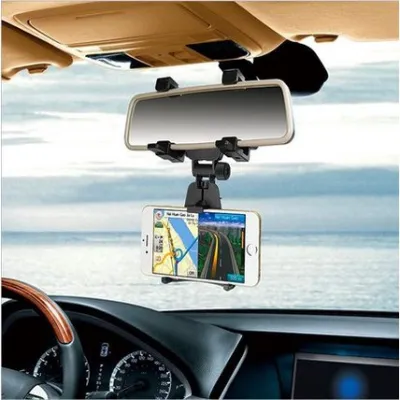

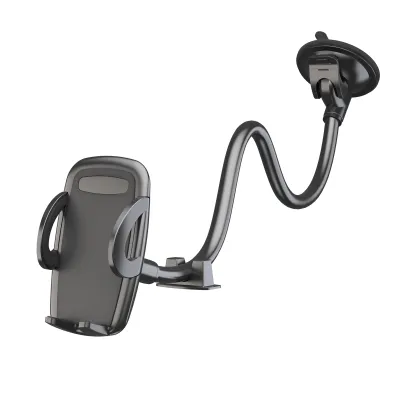

Prices are valid at publication and may change. Please refer to the product page for the latest price.
Display, Interface, and Usability
Smartphone screens have advanced rapidly, offering high-resolution displays and highly responsive capacitive touchscreens. However, Singapore’s intense tropical sunlight presents a unique challenge. When mounted on the windscreen or dashboard, a smartphone screen can suffer from severe glare, making map details difficult to read. Furthermore, prolonged exposure to direct sunlight combined with the high processing demands of GPS applications can cause smartphones to overheat, leading to automatic screen dimming or thermal shutdown.
Built-in car GPS systems feature automotive-grade displays engineered specifically for the cabin environment. These screens are typically treated with anti-glare coatings and are recessed into the dashboard to minimize reflections. Because they are integrated into the vehicle’s climate-controlled interior and built to withstand extreme cabin temperatures, they do not suffer from the thermal shutdown issues that affect mobile phones.
Usability also depends on how the navigation system integrates with your vehicle’s physical controls. Built-in systems are wired directly into the car’s communication bus, allowing you to adjust volume, mute directions, or zoom in on maps using steering wheel buttons or physical rotary dials on the console. This integration minimizes the need to take your eyes off the road. Phone navigation, while highly intuitive, requires you to rely on voice assistants like Siri or Google Assistant via Bluetooth, which can occasionally struggle to recognize local road names or expressway abbreviations when ambient cabin noise is high.
Map Updates, Traffic Data, and Connectivity
Mobile navigation applications excel at processing real-time data. Because they are continuously connected to high-speed 4G or 5G networks, apps like Google Maps or Waze receive instantaneous crowd-sourced updates. This allows them to warn you about sudden accidents, broken-down vehicles on the shoulder, or unexpected lane closures on the Central Expressway (CTE). They also calculate alternative routes dynamically to help you bypass heavy traffic or minimize ERP charges based on current time slots.
Built-in GPS systems, particularly older or factory-standard models, operate primarily on static databases stored on internal hard drives or SD cards. While these systems do not require a cellular connection to function, their maps quickly become outdated as new housing estates develop or road networks expand. Updating these maps often requires a manual process, such as purchasing an updated SD card from an authorized distributor or downloading large files onto a USB drive. Some modern, premium built-in systems offer over-the-air (OTA) updates and live traffic feeds, but these features usually require an active telematics subscription after the initial vehicle warranty period expires.
Safety, Mounting, and Legal Considerations
Physical safety and legal compliance are the most critical factors when setting up your navigation system. A poorly positioned device can compromise your safety in an accident or lead to costly traffic violations.

Mounting Safety and Airbag Clearance
If you choose to use a handphone stand for car, you must pay strict attention to where and how the mount is installed. Modern vehicles are equipped with multiple Supplemental Restraint System (SRS) airbags designed to deploy instantly during a collision. Airbag deployment zones typically include the center of the steering wheel, the front passenger dashboard, the side A-pillars, and the lower knee bolsters.
Airbag Deployment Zones
- Steering Wheel Hub: Must remain completely clear of any mounts or accessories.
- Passenger Dashboard: Avoid placing adhesive mounts on or immediately adjacent to the passenger airbag seam.
- A-Pillars: Side curtain airbags deploy from these pillars; suction mounts placed too close to the glass edge can interfere with their operation.
Mounting a phone stand directly on or near these deployment zones creates a severe safety hazard. The force of an inflating airbag can launch the phone and the mount into the cabin at high speeds, turning them into dangerous projectiles. Always consult your vehicle’s owner manual to identify the exact boundaries of all airbag deployment zones before choosing a mounting location.
Additionally, consider the physical stability of the mount under Singapore’s humid climate. Windscreen suction mounts use a rubber gel pad that can degrade over time due to constant ultraviolet (UV) exposure and heat. This degradation can cause the mount to lose suction and fall off unexpectedly while you are driving, creating an immediate distraction. Air vent clips keep the phone cool by placing it directly in front of the air conditioning airflow, which prevents thermal shutdown. However, heavy smartphones can place excessive stress on thin plastic vent slats, potentially causing them to crack or break over time.
Legal Compliance and Driver Distraction
Singapore maintains strict laws regarding mobile device usage while driving to combat distracted driving. Under the Road Traffic Act, it is an offence for a driver to hold any mobile communication device in their hand while operating a vehicle on the road. The vehicle is legally considered to be in motion even if you are temporarily stationary at a red light or caught in a traffic jam, as long as the engine is running.
To remain legally compliant when using a smartphone for navigation, the device must be securely held in a proper handphone stand for car. However, simply mounting the phone does not grant unlimited freedom to interact with it. Touching the screen to input a new destination, scroll through route options, or reply to messages while the vehicle is in motion can still lead to charges of driving without due care and attention.
To avoid severe penalties, including heavy fines, demerit points, or court prosecution, you must program your destination and configure your routing preferences before moving off. If you need to make adjustments during your journey, pull over safely in a designated parking area or at a petrol station before interacting with the device. Furthermore, ensure that the physical location of the mount does not obstruct your forward line of sight through the windscreen or block your view of the side mirrors.
Cost and Long-Term Value Evaluation
Evaluating the financial impact of each navigation method requires looking beyond the initial purchase price to consider long-term maintenance, wear and tear, and vehicle resale value.
Upfront and Installation Costs
A high-quality handphone stand for car represents a highly economical entry point, with prices typically ranging from S$15 to S$60 depending on whether you choose a basic magnetic clip, a gravity mount, or a wireless charging cradle. This setup leverages the smartphone you already own, resulting in negligible upfront hardware costs.
In contrast, a built-in GPS system involves a much higher financial commitment. If your vehicle did not come factory-equipped with navigation, retrofitting an aftermarket double-DIN head unit with built-in GPS can cost anywhere from S$400 to over S$1,500. This price often excludes the cost of professional installation, steering wheel control adapters, and specialized wiring harnesses required to integrate the new unit with your car’s existing electrical systems.
Long-Term Wear, Subscriptions, and Resale Value
While using a smartphone is inexpensive initially, it can introduce hidden long-term costs. Running GPS tracking, maintaining high screen brightness, and processing real-time traffic data simultaneously places a heavy load on a phone’s processor. This high power consumption drains the battery quickly, requiring continuous charging while in use. The combination of rapid charging, processor activity, and direct sunlight generates significant internal heat, which accelerates lithium-ion battery degradation. Over time, this can lead to reduced battery health, shortened device lifespans, or battery swelling.
Built-in systems do not impact your personal electronic devices, but they can carry their own ongoing costs. Official map updates from car distributors can be expensive, sometimes costing between S$100 and S$300 per update package. If you choose not to update the system, the navigation experience will gradually decline as road layouts change.
In terms of vehicle value, a clean, fully functional factory-fitted navigation system can preserve your car’s appeal on the secondhand market. Buyers in Singapore often prefer unaltered, original cabins over those modified with aftermarket wiring or worn adhesive mounts. A phone stand, while highly functional, adds no financial value to the vehicle itself, though it remains fully transferable to your next car at zero cost.
Decision Framework: Choosing Your Ideal Navigation Setup
To finalize your choice, evaluate your daily driving habits, your vehicle’s existing technology, and your comfort level with dashboard clutter.
Choose a Handphone Stand if:
- You need real-time traffic updates: You drive frequently during peak commute hours and rely on dynamic rerouting to avoid sudden traffic jams and active ERP gantries.
- You want a low-cost, flexible solution: You prefer not to spend hundreds of dollars on dedicated hardware and want a system that can be easily moved between different vehicles or rental cars.
- You prefer familiar software: You are accustomed to the interfaces of modern mobile mapping applications and appreciate automatic, free map updates.
Choose a Built-in Car GPS if:
- You prefer a clean cabin aesthetic: You dislike visible charging cables draped across your console and want to keep your dashboard free of suction cups or vent brackets.
- You prioritize hardware durability: You want to protect your smartphone from thermal stress and battery degradation caused by long hours of navigation in direct sunlight.
- You value vehicle integration: You prefer using steering wheel controls and physical buttons to manage your navigation without looking away from the road.
Verify First if:
Before purchasing either a physical stand or an aftermarket GPS unit, check if your car’s existing infotainment system supports smartphone projection interfaces such as Apple CarPlay or Android Auto. This technology serves as the ultimate middle ground for modern drivers. It projects your phone’s live navigation apps directly onto the vehicle’s built-in, anti-glare dashboard screen.
If your car supports these projection systems, you can enjoy the real-time accuracy and free updates of smartphone apps alongside the integrated controls and clear visibility of a built-in display. In this scenario, you may only need a simple, low-profile handphone stand for car or a wireless charging pad to keep your phone secured and powered in a lower console compartment while it runs the system in the background.
Frequently Asked Questions (FAQ)
Can I use my phone's GPS without a mobile data plan?
Yes, modern smartphones contain dedicated internal GPS receivers that can calculate your physical location by receiving signals directly from satellites, which does not require a cellular connection. However, without active mobile data, your phone cannot download new map tiles on the fly or provide real-time traffic updates, speed camera alerts, or ERP routing adjustments. To navigate successfully offline, you must download offline map areas of Singapore via a Wi-Fi connection before you begin your journey, ensuring the app can display roads and calculate basic routes without cellular service.
Do built-in car GPS systems work offline when driving to Malaysia?
Yes, built-in car GPS systems are designed to operate entirely offline because they rely on pre-loaded map databases stored locally on SD cards or internal hard drives and connect directly to GPS satellites. This makes them highly reliable for cross-border trips to Malaysia, where mobile data roaming might be turned off or cellular signals may drop in rural areas. However, these offline systems will lack real-time traffic alerts and speed camera updates unless the vehicle is equipped with an active telematics system or a local roaming data connection. Conversely, phone-based navigation apps will require an active roaming data plan or a local SIM card to provide live traffic updates across the border.
Community discussion
Share your experience or ask a question. Comments are reviewed before publication.