
Choosing between a dedicated car GPS and a smartphone paired with a phone car mount depends on whether you prioritize real-time connectivity, seamless app integration, and lower upfront costs, or dedicated offline reliability, a distraction-free screen, and preserved phone battery life. While smartphones offer unparalleled convenience and instant updates, standalone GPS units provide a robust, single-purpose alternative that excels in areas with poor cellular coverage. Evaluating how each option fits into your daily driving habits, vehicle cabin layout, and budget will help you determine the most reliable navigation setup for your journeys.
Screen, Interface, and Daily Navigation Experience
Dedicated GPS units are engineered specifically for automotive cabins, featuring matte, anti-glare screens that remain highly legible even under direct, harsh sunlight. In contrast, most modern smartphones utilize glossy glass screens. While these displays offer exceptional resolution and vibrant colors, they are highly prone to reflections and glare, which can make reading map details difficult during bright midday drives.
Smartphones excel in processing power and interface responsiveness, utilizing capacitive touchscreens that allow for fluid pinching, zooming, and searching. Map updates on smartphones occur seamlessly in the background over Wi-Fi or cellular networks, ensuring that new road layouts, points of interest (POIs), and temporary traffic changes are reflected instantly. Dedicated GPS units, particularly older or budget-friendly models, may use resistive touchscreens that require firmer pressure and offer slower map rendering. Updating these units often requires connecting them to a computer or a home Wi-Fi network to download large, regional map files, a step that many drivers overlook, leading to outdated navigation data.
Products mentioned in this guide

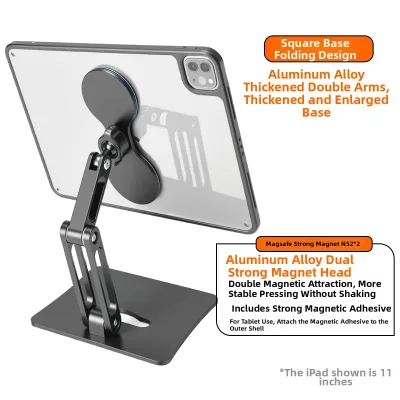
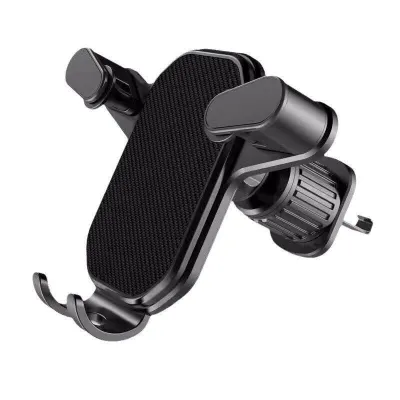
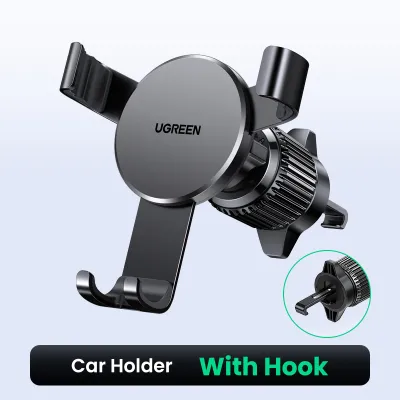
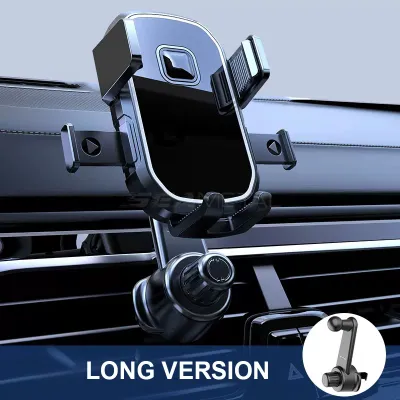
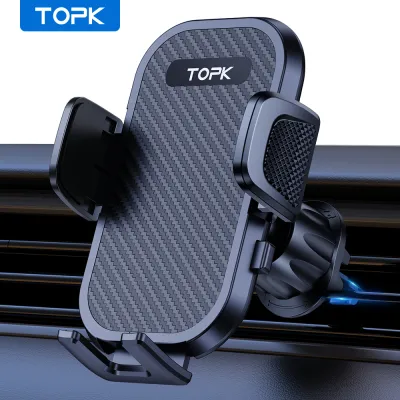
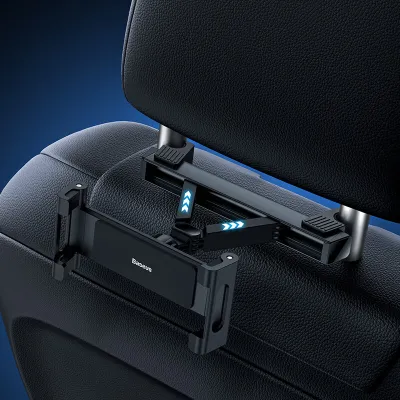
Prices are valid at publication and may change. Please refer to the product page for the latest price.
One of the most significant operational differences lies in how each system handles multitasking. A smartphone is a multi-purpose communication hub, meaning incoming phone calls, text messages, and app notifications can interrupt your navigation screen at critical moments, such as right before a complex highway split or a sudden turn. While “Do Not Disturb” driving modes can mitigate this, they still require manual configuration. A dedicated GPS unit is entirely single-purpose and does not receive personal notifications, ensuring that your map remains uninterrupted and your focus stays on the road.
Mounting Safety, Power Setup, and Cabin Ergonomics
When opting for smartphone navigation, selecting a high-quality phone car mount is essential for safety and ergonomics. Common mounting options include windshield suction cups, dashboard adhesive mounts, and air vent clips. Each has distinct safety implications. Windshield mounts place the screen closer to your line of sight but can obstruct your forward view of the road, potentially violating local traffic regulations regarding driver visibility. Dashboard mounts offer a stable alternative but may leave residue or damage delicate cabin surfaces over time. Air vent clips keep the device lower and out of the windshield view, but they can block airflow and put physical stress on the vent slats. Always consult your vehicle’s owner manual to identify safe mounting zones that do not interfere with airbag deployment areas, and verify local traffic regulations regarding sightline obstructions before installing any aftermarket accessories.

Power delivery is another critical factor. Running a smartphone’s GPS receiver, cellular modem, and high-brightness display simultaneously drains the battery rapidly. To prevent the phone from dying mid-trip, you must keep it connected to a charging cable, which can create cluttered wiring across your center console. Dedicated GPS units are designed for permanent or semi-permanent installation. They can be hardwired directly into your vehicle’s fuse box, hiding all cables behind the dashboard, or powered via a standard 12V auxiliary outlet with a heavy-duty cable designed to stay in place.
Thermal management is a major concern for smartphone users, particularly in warm, tropical climates. Mounting a phone on the dashboard or windshield exposes it to direct sunlight. When combined with the internal heat generated by rapid battery charging and intensive GPS processing, the smartphone can quickly reach its thermal limit. This often triggers safety protocols, causing the screen to dim automatically, charging to pause, or the device to shut down entirely to protect the battery. Dedicated GPS units are built with more robust thermal tolerances and lack internal lithium-ion batteries that are highly sensitive to heat, making them far more resilient to prolonged sun exposure on the dashboard.
Real-Time Traffic, Data Usage, and Offline Reliability
Smartphones leverage continuous cellular connectivity to provide highly accurate, crowd-sourced traffic data. Apps analyze real-time speed data from millions of active users to detect congestion, accidents, and road hazards, offering dynamic rerouting to save time. Dedicated GPS units, unless paired with a smartphone via Bluetooth or equipped with an expensive built-in cellular modem, rely on radio-based traffic broadcast systems like RDS-TMC. These radio signals are less precise, update less frequently, and are often limited to major highways, making them less effective for navigating complex urban traffic.
The primary strength of a dedicated GPS unit is its complete independence from cellular networks. These devices store entire regional map databases locally on internal flash memory and communicate directly with global positioning satellites. This ensures uninterrupted navigation even in deep valleys, remote rural areas, or underground tunnels where cellular signals drop completely. While smartphone navigation apps do offer offline map downloading features, they require proactive planning and storage space on your device. If you drive into a cellular dead zone without pre-downloading the maps, your phone may fail to calculate a new route or search for nearby services.
Signal acquisition times also differ. Smartphones utilize Assisted GPS (A-GPS), which uses cellular tower locations and Wi-Fi networks to quickly estimate your position and achieve a rapid signal lock-on, often within seconds. A dedicated GPS unit relying solely on satellite signals may take slightly longer to establish an initial lock-on when first powered on, especially in dense high-rise areas surrounded by buildings that block direct line-of-sight to the sky. However, once a connection is established, dedicated units often maintain a highly stable signal due to their larger, specialized internal antennas.
Upfront Costs and Long-Term Value
From a financial perspective, the initial investment for these two setups varies significantly. If you already own a modern smartphone, transitioning to phone-based navigation requires only a secure phone car mount and a compatible charging cable or wireless charger, which represents a modest investment. In contrast, a dedicated GPS unit represents a more significant upfront expense, with entry-level models requiring a higher initial outlay and premium units with larger screens and advanced driver assistance features costing substantially more.
Ongoing costs must also be factored into the decision. Most modern dedicated GPS units include free lifetime map updates with the initial purchase, but it is crucial to verify the manufacturer’s definition of “lifetime,” which often refers to the useful life of the hardware rather than the user’s lifetime. Some specialized or older models may require paid subscriptions to access updated maps or premium live traffic services. Smartphone navigation apps are generally free to download and use, but they consume mobile data. While this data usage is minimal for daily commutes, it can quickly add up during long road trips or incur expensive roaming charges if you drive across international borders.
The depreciation and replacement cycles of the hardware also differ. A dedicated GPS unit is a single-purpose appliance with a long operational lifespan; it is not uncommon for a high-quality unit to remain functional and useful for several years. Smartphones, on the other hand, are subject to rapid technological obsolescence and are typically upgraded more frequently. However, because you are likely upgrading your phone anyway, your navigation hardware naturally stays up-to-date with the latest processor speeds and screen technology without requiring a separate purchase.
How to Choose the Right Navigation Setup for Your Car
To make the right decision, analyze your typical driving patterns and vehicle setup. A dedicated car GPS is the ideal choice if you frequently drive through remote areas with unreliable cellular coverage, prefer a large, permanent screen that does not drain your phone’s battery, or want to eliminate the distraction of incoming calls and notifications while driving.
Conversely, a smartphone paired with a high-quality phone car mount is the superior option if you primarily drive in urban areas where real-time traffic updates and dynamic rerouting are essential. This setup is also ideal for drivers who prefer a lower upfront cost, appreciate the convenience of voice-activated search for local businesses, and want their maps to update automatically without manual intervention.
Before purchasing either setup, check if your vehicle’s existing infotainment system already supports smartphone projection technologies like Apple CarPlay or Android Auto. If your car is equipped with these features, you can project your phone’s navigation apps directly onto the dashboard screen. This integration provides the real-time traffic and ease of use of a smartphone alongside the large, safe, and distraction-free display of a built-in system, rendering both a standalone GPS and a physical phone mount largely unnecessary.
Frequently Asked Questions (FAQ)
Can I use a phone car mount if my car has built-in infotainment navigation? (FAQ)
Yes, a phone car mount can still be highly useful even if your vehicle features built-in infotainment navigation. While you may rely on the dashboard screen for primary map guidance, a physical mount keeps your phone securely positioned within your line of sight for secondary tasks. This allows you to safely manage music playlists, monitor incoming hands-free calls, or run secondary driving apps like speed camera alerts without having to look down at your cup holder or center console. However, if your infotainment system supports full smartphone projection, a physical mount may become redundant for navigation, as all key app interfaces are mirrored directly onto the vehicle’s main display.
Do dedicated car GPS systems require a monthly subscription? (FAQ)
Most modern dedicated car GPS systems do not require a monthly subscription for basic navigation and map updates. Many manufacturers include free lifetime map updates with the initial purchase, allowing you to download the latest road layouts periodically at no extra charge. However, some premium features, such as real-time traffic alerts, speed camera databases, and live weather updates, may require an ongoing subscription or a paired smartphone connection to access mobile data. It is essential to read the product specifications carefully before purchasing to understand which features are included for free and which require additional ongoing fees.

Community discussion
Share your experience or ask a question. Comments are reviewed before publication.