
Choosing the right mounting position for a 360 car phone holder depends entirely on who is using the screen and for what purpose. There is no single optimal spot; dashboard mounts prioritize driver visibility and navigation safety, while seat back mounts focus on rear-passenger entertainment without causing distractions. For front-passenger video calls or shared viewing, the decision relies on cabin layout and the flexibility of the 360-degree joint. This guide breaks down the practical trade-offs, safety checks, and installation conditions to help you decide where to mount your device.
Deciding where to position your phone holder is a choice between driver utility and passenger comfort. A driver navigating busy streets requires immediate, clear line-of-sight access to maps, making the dashboard the natural choice. Conversely, passengers on long road trips benefit far more from a seat back mount that transforms the rear cabin into an entertainment hub. By evaluating your daily driving habits, passenger needs, and vehicle design, you can identify the mounting location that balances convenience with safety.
Dashboard Mounts: Best for Navigation and Driver Access
For solo drivers and daily commuters, the dashboard is the primary location for a phone mount. Positioning the device here ensures that navigation prompts remain within your peripheral vision, reducing the need to look down away from the road. However, safety must remain the top priority when selecting the exact spot on your dashboard.
Products mentioned in this guide
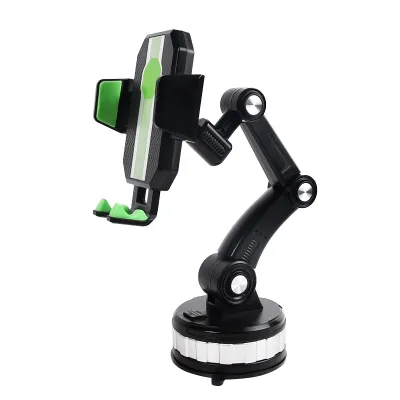
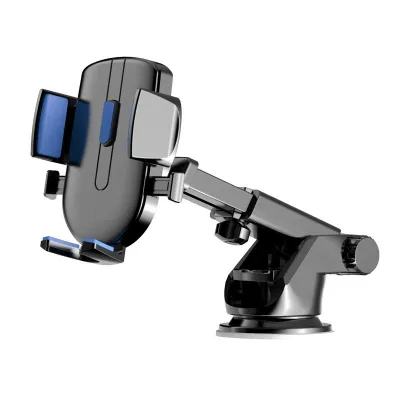
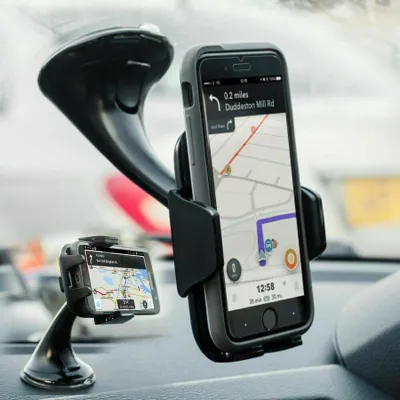
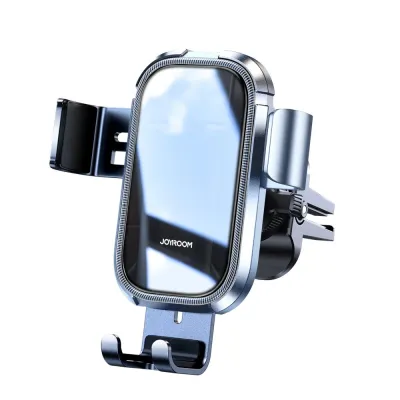
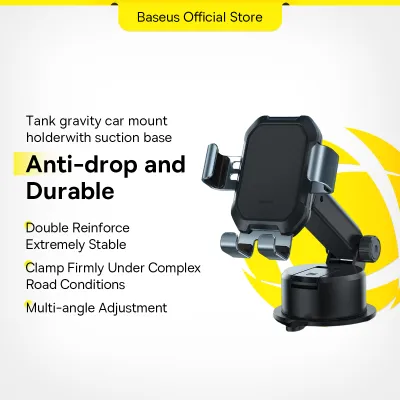
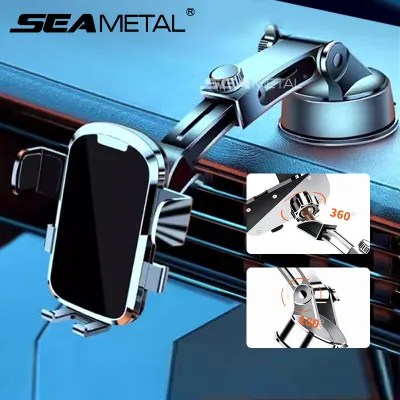
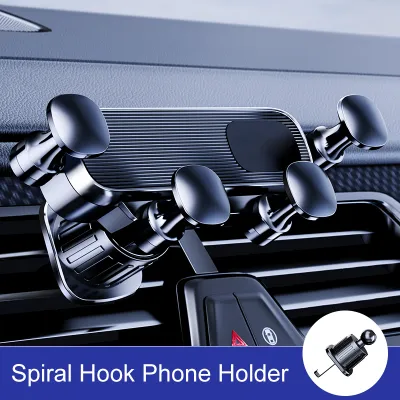
Prices are valid at publication and may change. Please refer to the product page for the latest price.
Before securing any dashboard mount, verify that the device does not obstruct your view of the road, traffic lights, or the vehicle’s instrument cluster. The mount should sit low enough to keep the windshield clear but high enough to prevent you from taking your eyes off traffic. Additionally, consult your vehicle’s owner’s manual to identify the exact deployment zones for the dashboard and passenger airbags. Placing a mount or phone directly over an airbag cover can turn the device into a dangerous projectile if the system deploys.
The primary advantage of a 360-degree rotating mount on the dashboard is its flexibility. Drivers can easily switch between portrait mode, which is ideal for viewing long-distance map routes, and landscape mode, which is useful for viewing detailed vehicle diagnostics or media while safely parked. This rotation should be smooth and require only one hand, allowing you to adjust for changing sunlight and glare on the screen.
Before committing to a dashboard mount, inspect the surface material of your vehicle’s interior. Suction cups and adhesive pads require a smooth, non-porous surface to maintain a secure hold. Textured plastics, leather, or vinyl dashboards often fail to seal properly, leading to the mount falling off while driving. Furthermore, high cabin temperatures can melt adhesive backings, potentially leaving a sticky residue or causing permanent discoloration on sensitive dashboard materials.
Seat Back Mounts: Best for Rear-Seat Entertainment
When the primary goal is keeping rear passengers entertained, a seat back mount is the superior option. This setup is particularly beneficial for families with children or ride-share drivers looking to offer a premium experience. By mounting the phone to the back of a front seat, you keep the driver’s area completely free of visual clutter and distractions.

Before purchasing a seat back mount, verify the compatibility of your vehicle’s front headrests. Most seat back mounts rely on a clamping mechanism that attaches to the exposed metal headrest poles. Check if your vehicle has adjustable headrests with exposed poles, as integrated or active headrest systems often lack these poles entirely. Measure the distance between the poles and compare it with the clamp specifications provided by the mount manufacturer to ensure a secure fit.
Ergonomics play a vital role in passenger comfort during long journeys. A seat back mount positions the screen closer to eye level, which helps prevent the neck strain associated with looking down at a handheld device for extended periods. The 360-degree swivel joint is highly useful here, allowing passengers to tilt the screen upward or downward to eliminate glare from the rear and side windows. It also enables quick transitions between landscape mode for watching movies and portrait mode for reading articles or playing games.
Another practical consideration is how the mount affects front-seat adjustments. The clamp and the attached phone must not interfere with the driver’s or front passenger’s ability to slide, recline, or tilt their seats. Ensure there is sufficient clearance so that if a front seat is pushed back suddenly, the mount does not strike the knees of the rear passenger or crush the phone against the seat frame.
Passenger Video Calls and Shared Viewing Scenarios
When a vehicle is shared by multiple occupants, phone usage often extends beyond simple navigation. Front passengers frequently need to join video calls, manage playlists, or share screen content. In these scenarios, the placement of the 360-degree mount requires careful planning to accommodate both the driver’s safety and the passenger’s convenience.
If the front passenger is the primary user, a dashboard mount can be positioned on the passenger side of the center console. This keeps the phone within easy reach and provides an optimal camera angle for video calls. However, you must ensure that the phone and the passenger’s hands do not block the driver’s view of the side mirror or clutter their peripheral vision. The 360-degree joint allows the passenger to angle the screen away from the driver, reducing light distraction during night drives.
For shared viewing between front and rear passengers, a seat back mount on the opposite seat can work if the cabin layout allows. By utilizing a long-arm 360-degree mount, the screen can be swiveled toward the center of the cabin. This setup requires a highly stable mount, as extended arms are more susceptible to vehicle vibrations. Road bumps and engine idle can cause significant screen shake, which disrupts video calls and causes eye strain. Checking the tightness of the mount’s joints and choosing a model with robust locking collars is essential for maintaining a stable image.
Cable management is another critical factor when positioning mounts for active passenger use. Running long charging cables from the center console to a seat back or passenger-side mount can create hazards. Cables must be routed carefully along trim panels or under floor mats. They should never drape across the gear shifter, steering column, or the driver’s footwell, nor should they hang loosely where passengers might trip over them when entering or exiting the vehicle.
How to Choose: Decision Matrix and Safety Checks
To finalize your decision, it is helpful to compare the two mounting positions side by side. Each location serves distinct needs and comes with its own set of installation and safety requirements.
| Feature / Aspect | Dashboard Mount | Seat Back Mount |
|---|---|---|
| Primary User | Driver (and occasionally front passenger) | Rear-seat passengers |
| Primary Use Case | GPS navigation, hands-free calls | Movies, games, reading, video calls |
| Safety Checks | Airbag deployment zones, forward visibility | Side airbag clearance, front seat adjustment |
| Installation Method | Suction cup, adhesive pad, or air vent clip | Headrest pole clamp |
| 360-Degree Benefit | Quick switch between portrait and landscape | Glare reduction, adjustable viewing angles |
Decision Rules for Your Cabin Setup
To determine the best placement for your vehicle, apply these simple decision rules:
- Choose a Dashboard Mount if: You are a solo driver who relies heavily on real-time navigation apps, needs quick access to hands-free calling, and has a smooth, heat-resistant dashboard surface.
- Choose a Seat Back Mount if: Your primary goal is keeping children or rear passengers entertained during long trips, and your vehicle features adjustable front headrests with exposed metal poles.
- Verify First if: Your vehicle has a leather-wrapped dashboard, integrated headrests, or unique airbag configurations that restrict standard mounting methods.
Material and Surface Inspections
Before installing any mount, perform a thorough inspection of your vehicle’s interior materials. If you plan to use an adhesive dashboard mount, ensure the material can withstand high temperatures without warping. For seat back mounts, inspect the upholstery around the headrest poles. Tight clamps can leave permanent indentations or even tear delicate leather or soft vinyl over time. If your seats are made of premium materials, consider placing a soft protective barrier, such as a thin rubber pad, between the clamp and the seat surface to distribute the pressure evenly.
Legal and Compliance Boundaries
Finally, always review local traffic regulations regarding device placement in vehicles. In many jurisdictions, including Singapore, it is illegal to mount any device in a way that obstructs the driver’s clear view of the road ahead. Windshield-mounted suction cups are often subject to strict size and placement limits. Ensuring your dashboard mount sits low and does not encroach on the swept area of the windshield wipers will help you stay compliant with local road safety laws while keeping your device secure.
Frequently Asked Questions (FAQ)
Can I mount a 360 phone holder on a leather dashboard or seat back?
Mounting a phone holder on premium leather surfaces requires caution. Strong adhesive pads can chemically react with the leather’s finish, leading to peeling, discoloration, or permanent residue when removed. Similarly, tight headrest clamps on a leather seat back can leave deep, lasting indentations due to constant pressure and vehicle vibrations.
To prevent damage, check your vehicle manufacturer’s care instructions. If you must use a mount on or near leather, look for non-adhesive options like air vent clips for the front cabin. For seat backs, choose clamps with thick, soft silicone padding, and periodically remove the mount to allow the leather to recover. Testing any mounting solution in an inconspicuous area first is always recommended.
Will a seat back mount interfere with side or rear airbags?
A seat back mount can interfere with airbags if it is installed incorrectly or placed in a deployment path. Modern vehicles are equipped with various airbag systems, including side-curtain airbags in the roof pillars and side airbags embedded in the outer seams of the front seats. These deployment zones are typically marked with small fabric tags or embossed logos reading ‘AIRBAG’ or ‘SRS’.
Before installing a seat back mount, locate these markers on your front seats. Ensure that no part of the mount, the clamping mechanism, or the phone itself overlaps or blocks these seams. If the headrest poles are located too close to the airbag deployment path, or if you are unsure of the exact clearance requirements, stop the installation immediately and consult your vehicle’s owner’s manual or local dealership.
Community discussion
Share your experience or ask a question. Comments are reviewed before publication.