
Finding the right car mount phone setup is not about finding a single, universally perfect accessory. Instead, the ideal choice depends entirely on your vehicle’s interior layout, the design of your air vents, and the material of your dashboard. Each mounting position—dashboard, air vent, windshield, and seat-back—offers distinct trade-offs in visibility, stability, and ease of access. By evaluating your specific cabin architecture and driving habits, you can select a mounting style that keeps your device secure and your eyes safely focused on the road.
Comparing Dashboard, Vent, Windshield, and Seat-Back Mounts
Selecting the right mounting location requires balancing convenience, stability, and safety. Dashboard mounts are a popular choice because they position your phone close to your natural line of sight, making it easy to follow navigation prompts without looking down. These mounts typically secure to the dashboard surface using a suction cup, an adhesive pad, or a weighted friction base. While they offer excellent stability, they require a flat, non-porous surface for proper adhesion, which can be difficult to find on modern, curved, or textured dashboards. Additionally, prolonged exposure to direct sunlight on the dashboard can cause both the mount and your phone to overheat.
Air vent mounts offer a more compact and less intrusive alternative. By clipping directly onto the air conditioning slats, these mounts keep your dashboard and windshield completely clear, preserving an unobstructed view of the road. They are generally easy to install and transfer between vehicles, making them highly convenient for rental cars or multi-car households. However, vent mounts block a portion of your cabin’s airflow and can cause your phone to become excessively cold from air conditioning or overheat when the car’s heater is running. They also place physical stress on the vent slats, which can lead to damage over time if the phone is heavy or the road is bumpy.
Products mentioned in this guide
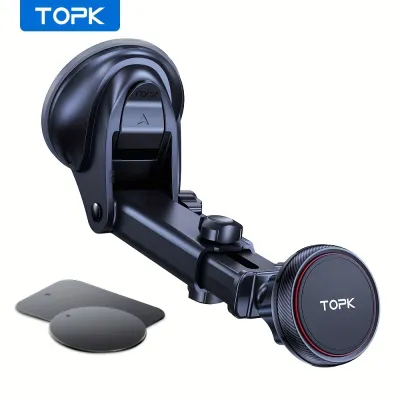
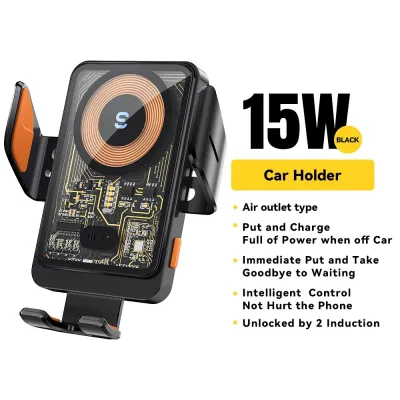
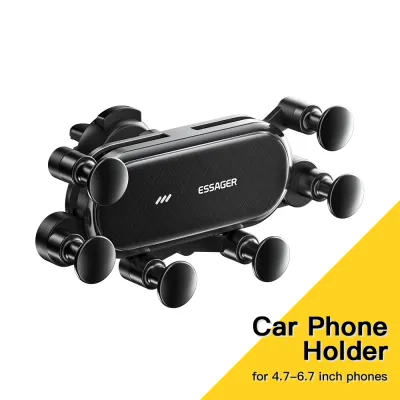
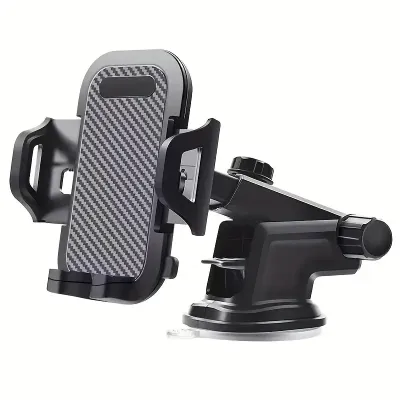
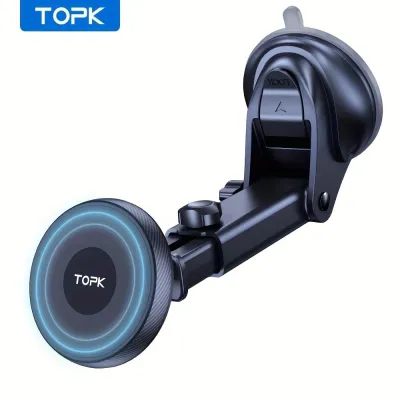
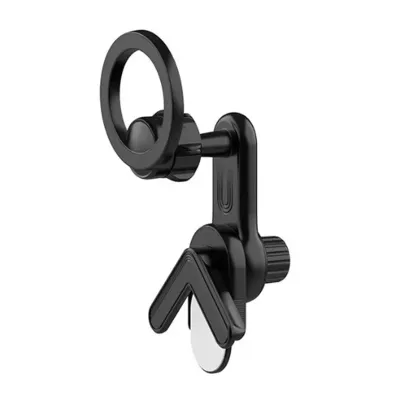
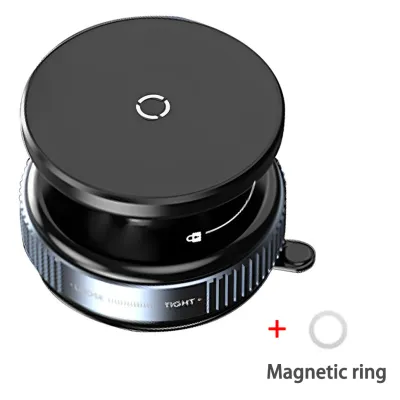
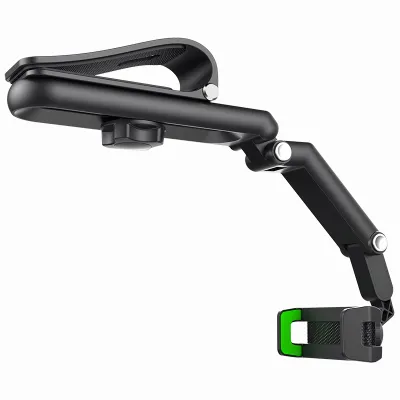
Prices are valid at publication and may change. Please refer to the product page for the latest price.
Windshield mounts utilize heavy-duty suction cups to attach directly to the front glass. This position offers exceptional visibility, keeping the phone high up and easily readable. Because glass is a perfectly smooth, non-porous surface, windshield mounts often provide a more reliable hold than dashboard mounts. The primary drawback is that they can physically obstruct your forward view, creating potential blind spots. They also expose your phone to maximum solar heat, which can trigger thermal shutdown on hot days.
Seat-back mounts are designed exclusively for rear-seat passengers, clamping onto the metal posts of the front headrests. These mounts are ideal for long road trips, providing hands-free entertainment for children or passengers in the back. They do not assist the driver with navigation and are completely separate from front-cabin mounting solutions. While highly stable, they require adjustable headrests with exposed metal posts and cannot be used with integrated, single-piece front seats.
| Mount Type | Primary Mounting Method | Visibility Level | Accessibility for Driver | Key Limitation |
|---|---|---|---|---|
| Dashboard | Suction cup or adhesive pad | High (near line of sight) | Excellent | Requires flat, non-porous surface |
| Vent | Spring-loaded or gravity clip | Medium (lower placement) | Good | Blocks airflow; risk of vent damage |
| Windshield | Suction cup | High (on glass) | Moderate to Excellent | Can obstruct view; high heat exposure |
| Seat-Back | Headrest post clamp | None (rear passengers only) | None | Incompatible with integrated headrests |
Evaluating Visibility, Accessibility, and Safety
When deciding where to place your car mount phone holder, sightline analysis is critical for maintaining safe driving habits. Windshield and dashboard mounts position the phone higher up, closer to your natural forward field of view. This minimizes the distance your eyes must travel from the road to check navigation maps. However, if placed poorly, these high mounts can create dangerous blind spots, particularly when turning or navigating busy intersections. Lower placements, such as air vent mounts, keep your windshield completely clear but require you to look further down, momentarily taking your eyes off traffic.

Reach and ergonomics are equally important for safe operation. A mount must be positioned within comfortable arm’s reach so you can interact with navigation apps or answer hands-free calls without stretching, leaning, or compromising your steering grip. Dashboard and vent mounts are typically easier to reach than windshield mounts, which may be positioned far forward on deep, raked windshields. Additionally, you must ensure that a vent-mounted phone does not block critical vehicle controls, such as hazard light buttons, climate control dials, or gear selectors.
Safety boundaries must always take precedence over convenience. Never place a phone mount on or near airbag deployment zones, which are typically marked with “SRS Airbag” on the dashboard, steering wheel, or side pillars. A phone or mount positioned in the path of an inflating airbag can become a dangerous high-speed projectile in an accident. Furthermore, drivers must ensure that any windshield-mounted device complies with local traffic regulations regarding forward vision obstruction, keeping the central viewing area completely clear.
Matching the Mount to Your Car Interior and Device
Before purchasing a car mount phone holder, perform a thorough inspection of your vehicle’s interior surfaces. For dashboard mounts, evaluate the texture, curvature, and material of the mounting area. Suction cups require a smooth, flat, non-porous surface to maintain a vacuum seal. Textured plastics, leather, and curved surfaces will prevent a secure seal, often requiring an adhesive disk first. For windshield mounts, ensure the glass is free of heavy tint films or ceramic coatings that might degrade suction performance.
Air vent design verification is crucial if you prefer a vent-mounted option. Standard horizontal or vertical slats work well with most clip designs. However, circular vents, deeply recessed vents, or vents with thin, fragile slats may not support the weight of a modern smartphone. Additionally, vehicles equipped with active electronic shutters or motorized vent adjusters are generally incompatible with clip-on mounts, as the physical weight can damage the internal mechanisms.
For seat-back mounts, measure the distance between the two metal posts of your front headrests. Most seat-back mounts use an adjustable tension rod that clamps between these posts. If your vehicle features integrated sports seats or active head restraint systems without exposed metal posts, standard seat-back mounts cannot be installed. Ensure there is adequate clearance so rear passengers do not bump into the mount when entering or exiting the vehicle.
Finally, verify that your device’s physical dimensions, weight, and case thickness match the mount’s specifications. Heavy, large-screen phones require robust clamping mechanisms or high-strength magnets to prevent slipping on bumpy roads. If you use a thick, rugged case or a wallet case, verify that the mount’s cradle arms are deep enough to hold the device securely. For magnetic mounts, ensure the metal plate or magnetic ring aligns correctly with your phone’s internal charging coils to maintain a secure hold without blocking wireless charging functionality.
Installation Checks and Maintenance for a Secure Fit
Proper installation is key to preventing your mount from falling while driving. For adhesive and suction mounts, clean the mounting surface thoroughly with a mild cleaning agent or isopropyl alcohol, provided it is safe for your dashboard material. Allow the surface to dry completely before applying the adhesive or suction cup. Press firmly and allow any adhesive pads to cure for the manufacturer-recommended time—often 24 hours—before mounting your phone.
Singapore’s tropical climate, characterized by high temperatures and intense humidity, poses a unique challenge for car mounts. Vehicles parked in open car parks can experience extreme cabin heat, which can soften adhesives and cause suction cups to lose their grip or degrade prematurely. Regularly check the stability of your mount before driving, and consider parking in shaded areas or using a sunshade to protect the mount and your phone from direct heat exposure.
Inspect your mount periodically for signs of wear or failure. If you notice the suction cup peeling, the adhesive lifting, or the vent clips loosening, remove the mount immediately to prevent it from falling and distracting you while driving. If a mount begins to interfere with your steering, gear selector, or visibility, or if it causes visible indentation or discoloration on your dashboard, reposition it to a safer, more compatible location.
Frequently Asked Questions (FAQ)
Can I use a magnetic mount without damaging my phone's internal sensors?
Modern smartphones are generally unaffected by the magnets used in consumer car mounts. These mounts typically use low-power neodymium magnets that do not interfere with internal storage or processors. However, strong magnetic fields can occasionally affect digital compass calibration, optical image stabilization (OIS) in cameras, or specific stylus accessories. Always check your phone manufacturer’s guidelines, and ensure any metal plates are positioned away from wireless charging coils to prevent overheating during charging.
Are windshield mounts legal in Singapore?
In Singapore, windshield mounts are legal provided they do not obstruct the driver’s direct line of sight or interfere with the safe operation of the vehicle. The Land Transport Authority (LTA) and traffic police emphasize that the driver’s forward view must remain clear. To stay compliant, position windshield mounts low down on the glass, near the dashboard edge, or in the far right corner, ensuring they do not block your view of traffic, pedestrians, or side mirrors.
How do I remove adhesive residue from my dashboard?
To remove adhesive residue safely without damaging your car’s interior, start with gentle, non-abrasive methods. Apply a small amount of warm, soapy water to a clean microfiber cloth and gently rub the residue. For stubborn adhesive, a mild, plastic-safe adhesive remover can be used, but you must test it on an inconspicuous area of the dashboard first to ensure it does not discolor or dissolve the material. Avoid harsh chemical solvents, metal scrapers, or abrasive pads, which can permanently scratch or strip the dashboard’s protective coating.
Community discussion
Share your experience or ask a question. Comments are reviewed before publication.