
Selecting the right hand phone holder for your vehicle is more than a matter of personal preference; it is a decision dictated by your car’s physical interior layout, your daily driving habits, and essential safety considerations. The three primary mounting types—dashboard, air vent, and seat back—each offer distinct advantages and limitations depending on where and how they are installed. A mount that works flawlessly in one vehicle might block critical controls, damage delicate trim, or fail to hold securely in another. By understanding the unique demands of each mounting position, you can select a solution that keeps your device secure, accessible, and compliant with local road safety standards.
Assessing Your Car Interior and Usage Habits
Before browsing specific hand phone holder designs, you must conduct a thorough assessment of your vehicle’s cabin architecture. Car manufacturers use a wide variety of materials and layouts, meaning there is no universal mounting solution that fits every vehicle. Taking a few minutes to analyze your dashboard, vents, and seating configuration will save you the frustration of purchasing an incompatible accessory.
Start by examining the texture and contour of your dashboard. Run your fingers across the surface to determine if the material is smooth, textured, soft-touch leather, or rigid plastic. Suction cups and adhesive bases require specific surface profiles to establish a reliable bond, and a highly textured or heavily curved dashboard will severely limit your options.
Products mentioned in this guide
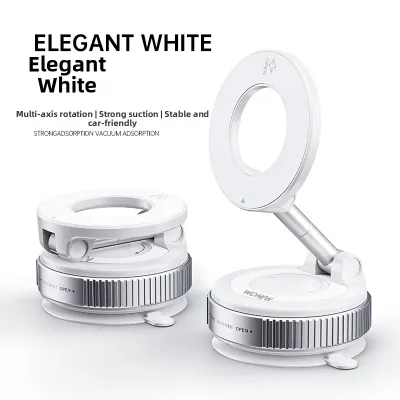
![[SG Stock] 360 ° Rotation Adjustable Vacuum Magnetic Suction Cup Phone Mount Hands Free Magnetic Phone Holder for Car Gym-152c4c8b](https://img.lazcdn.com/g/p/807ae5fbccceefad738b7a157966913e.jpg_400x400q80.jpg_.webp)
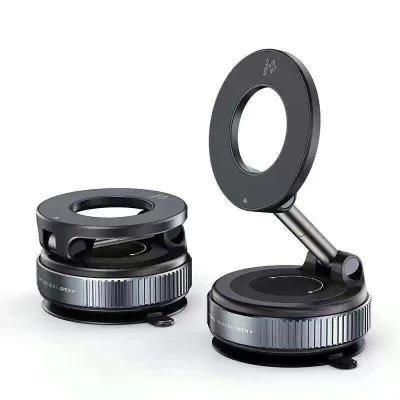
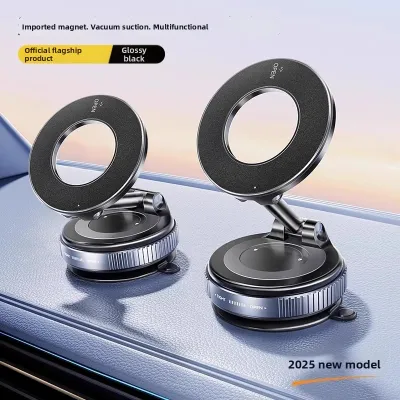
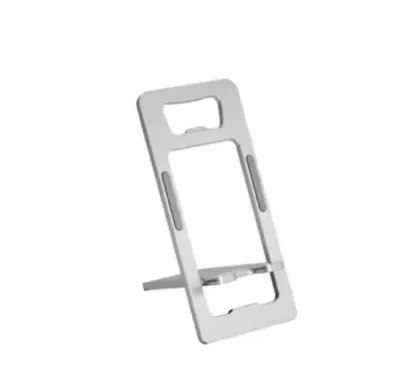
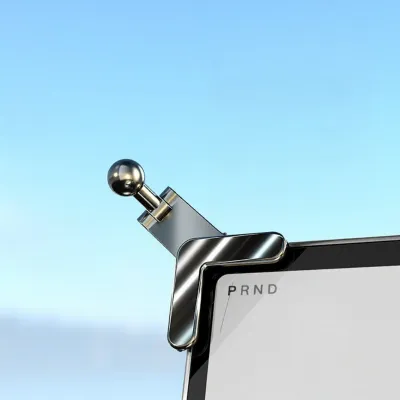
Prices are valid at publication and may change. Please refer to the product page for the latest price.
Next, inspect your air conditioning vents closely. Note the orientation of the blades—whether they are horizontal, vertical, or circular—and check how deeply they are recessed into the console. You should also gently press on the blades to gauge their structural rigidity, as some modern vehicles feature delicate, thin-profile vents that cannot support the weight of a heavy smartphone.
If you are looking to entertain passengers in the rear, turn your attention to the front seats. Look for exposed metal headrest poles, which are the standard mounting points for seat back entertainment holders. Measure the diameter of these poles and the distance between them, keeping in mind that some vehicles with integrated sports seats or active head restraint systems lack these poles entirely.
Finally, clarify your primary usage habits to align with the right mounting location. A driver who relies constantly on real-time GPS navigation requires a mount that keeps the screen near their natural line of sight without blocking the road. Conversely, someone who primarily uses hands-free calling might prefer a low-profile vent mount, while families taking longer trips will benefit most from a dedicated seat back setup.
Dashboard Phone Holders: Visibility and Surface Checks
Dashboard mounts are highly popular because they position your phone close to your natural line of sight, making navigation prompts easy to read. However, achieving a secure and safe installation on the dashboard requires careful evaluation of both the mounting surface and your forward visibility.

The primary challenge with dashboard installation is securing a lasting bond. Suction cup mounts rely on an airtight vacuum seal, which is difficult to maintain on textured, porous, or leather-wrapped surfaces. If your dashboard lacks a flat, smooth plastic area, you may need to use an adhesive-backed mounting disk as a base, though you must ensure the adhesive is rated for automotive use and will not damage the underlying material upon removal.
Driver visibility is a critical safety factor that you must verify before permanently securing any mount. Temporarily place your phone in the desired position to ensure it does not obstruct your view of the road, side mirrors, or essential instrument clusters. In Singapore, traffic regulations strictly prohibit any aftermarket accessories that compromise the driver’s clear view through the windscreen, making low-profile placement essential.
You must also identify and avoid your vehicle’s passenger airbag deployment zones. Consult your vehicle owner’s manual to locate these safety boundaries precisely, as placing a hand phone holder or its charging cable within an airbag path can turn the device into a dangerous projectile during a collision. Additionally, ensure the mount does not block dashboard sensors, such as automatic headlight sensors or climate control ambient temperature sensors.
Finally, consider the environmental conditions inside your vehicle. When parked outdoors under the intense tropical sun, dashboard surfaces can reach extreme temperatures that degrade adhesives and dry out suction cup gel pads. If you regularly park in open-air car parks, look for dashboard mounts constructed from UV-resistant materials and high-temperature adhesives to prevent the mount from falling off unexpectedly.
Air Vent Phone Holders: Accessibility and Airflow Trade-offs
Air vent mounts offer a compact, low-profile alternative that keeps your phone within easy reach without cluttering your windshield or dashboard. While highly convenient, this mounting style introduces specific physical trade-offs regarding vent durability and climate control efficiency.
Compatibility depends entirely on matching the mount’s clip mechanism to your vent blades. Most vent mounts utilize either a spring-loaded clamp or a screw-tightened hook that latches onto the back of a vent slat. Hook designs generally provide a more secure hold on deep or thick blades, whereas simple rubberized clamps are best suited for standard, thin horizontal slats. Circular, vertical, or highly stylized vents often lack the flat surfaces required for these clips to grip securely.
The physical strain placed on your vent louvers is a major consideration. A modern smartphone, especially when housed in a rugged or wallet-style protective case, adds significant weight to the delicate plastic blades of an air vent. Over time, this constant downward force can cause the vent mechanism to sag, lose its adjustment capability, or snap entirely. To mitigate this, look for vent mounts that feature an integrated support leg or kickstand that rests against the solid surrounding console trim to distribute the weight.
Using an air vent mount also directly affects your cabin’s airflow. By placing your phone directly in front of the vent, you block a portion of the cool air destined for the cabin, which can be highly noticeable on hot afternoons. Furthermore, blowing cold air directly onto the back of a warm, operating phone can lead to internal condensation when you step out of the air-conditioned car into Singapore’s humid outdoor environment.
To prevent accidental damage during installation, always test the mount’s grip gently before inserting your phone. Install the empty mount first, check for any excessive play or bending of the plastic louvers, and ensure you can tighten the mechanism without applying excessive force. If the vent blades feel flimsy or show signs of stress, it is best to explore alternative mounting locations.
Seat Back Phone Holders: Rear-Seat Entertainment Setup
Seat back phone holders are designed specifically for rear-seat passengers, transforming the back of the front seats into a hands-free entertainment station. These mounts are excellent for keeping passengers comfortable on longer journeys, but they require distinct compatibility checks compared to driver-focused mounts.
Before purchasing a seat back mount, you must verify the configuration of your front seat headrests. Most standard seat back mounts feature a telescoping spring-loaded bar or a dual-clamp system designed to lock securely onto the exposed metal headrest support poles. Measure the diameter of these poles and the distance between them to ensure a proper fit, as some vehicles feature non-standard pole spacing or integrated headrests that lack exposed poles entirely.
Passenger comfort and ergonomics should guide your placement and adjustment choices. A quality seat back mount should offer a rotating ball joint or an extendable arm, allowing passengers of varying heights to adjust the screen to eye level. This adjustability is crucial for preventing neck strain and maintaining a comfortable viewing posture during extended trips.
You must also ensure the mount does not interfere with the front seat’s safety and adjustment features. The mounting clamps should not pinch the seat upholstery, block the seat’s recline mechanism, or interfere with integrated seatbelt guides. If your vehicle is equipped with active head restraints designed to move forward to protect the neck during a rear-end collision, verify that the mount does not impede this safety mechanism.
Finally, observe the mount’s stability during a test drive. Rear-seat mounts are highly susceptible to the vibrations and forces of vehicle acceleration, braking, and cornering. A mount that lacks structural rigidity will cause the phone to shake constantly, which can quickly lead to eye strain and motion sickness for the viewer. Look for mounts with robust, locking joints to minimize screen movement on the road.
Mounting Type Comparison Matrix
To help you synthesize these factors and make an informed decision, the table below compares the three primary mounting types across key operational criteria.
| Mounting Type | Installation Effort | Driver Visibility Impact | AC Airflow Interference | Ideal User Profile |
|---|---|---|---|---|
| Dashboard | Moderate (Requires surface prep) | Low to High (Depends on placement) | None | Drivers relying on constant GPS navigation who have flat, smooth dashboard surfaces. |
| Air Vent | Low (Simple clip or hook) | Minimal | Moderate to High (Blocks vent) | Drivers wanting an easy-to-reach setup who have sturdy, horizontal vent blades. |
| Seat Back | Low to Moderate (Clamps to poles) | None (Rear passenger use only) | None | Families and passengers seeking hands-free entertainment on longer road trips. |
Use this conditional framework to narrow down your choice. Choose an air vent mount if your dashboard is heavily curved, textured, or lacks flat space. Conversely, prioritize a dashboard mount if your car features fragile, circular, or motorized vent blades. Always verify your headrest pole configuration first before purchasing a seat back mount, as integrated seats cannot support standard pole clamps.
Pre-Purchase Compatibility and Safety Verification
Before finalizing your purchase of a hand phone holder, running through a safety and compatibility checklist will prevent installation issues and potential road hazards. Ensuring compliance with local regulations and physical limits keeps your driving experience safe and legal.
In Singapore, the Land Transport Authority (LTA) and traffic police emphasize that any aftermarket accessory must not obstruct the driver’s forward view or control of the vehicle. When positioning a dashboard or windshield mount, ensure the entire assembly sits low enough to maintain a clear, uninterrupted view of the road ahead.
Next, verify the physical limits of the mount against your specific device. Check the manufacturer’s stated maximum width and weight capacity, making sure to account for the added bulk of your protective phone case. A mount that is forced to its physical limits will suffer from increased vibration and may drop the phone during sudden braking.
Prepare the mounting surface thoroughly before installation. Clean the area with a mild, surface-safe cleaner to remove dust, oils, and interior conditioning chemicals like silicone sprays, which prevent adhesives and suction cups from bonding. Never apply strong chemical solvents that could permanently discolor or damage your car’s interior trim.
Finally, identify clear stop conditions during installation. If you find that the mount blocks a critical dashboard sensor, sits within an airbag deployment zone, or requires forcing plastic trim pieces apart, stop immediately. In these cases, consult your vehicle’s manual or seek advice from a professional car accessory installer to find a safer mounting location.
Frequently Asked Questions (FAQ)
Will an air vent mount damage my car's AC louvers?
Yes, physical damage can occur if the mount is poorly designed or overloaded. The weight of a heavy smartphone, combined with the leverage of an extended mount arm, concentrates significant downward force on a single plastic blade. To minimize this stress, choose a mount with a support leg that rests against the solid dashboard trim, distributing the weight away from the delicate louvers. Watch for early signs of plastic fatigue, such as blades that sag, feel loose, or no longer hold their adjusted angle. If you notice any resistance when adjusting the vents, remove the mount immediately to prevent permanent deformation or snapping.
Are dashboard suction cups reliable in hot weather?
The reliability of a dashboard suction cup drops significantly when exposed to high temperatures and direct sunlight. In tropical climates like Singapore, the air inside a parked car can easily exceed 60 degrees Celsius, causing the air trapped inside the suction cup to expand and break the vacuum seal. Additionally, prolonged UV exposure degrades the flexible gel pad, making it sticky or brittle over time. To ensure a reliable bond, thoroughly clean the dashboard surface with isopropyl alcohol to remove all oils before mounting. If your dashboard is highly textured or porous, avoid standard suction cups entirely and opt for a semi-permanent adhesive disk base or a specialized friction mount instead.
Community discussion
Share your experience or ask a question. Comments are reviewed before publication.