
Selecting a reliable rear-seat car phone or tablet mount is one of the most practical ways to keep children and passengers entertained during long family road trips or daily commutes. The most effective rear-seat mounts are those that attach securely to the front seat’s headrest poles or seatback structure, matching your vehicle’s specific seat design and your device’s weight. Because vehicle interiors, seat shapes, and device dimensions vary significantly, finding the right option requires evaluating how a mount installs, how it handles weight, and how it impacts cabin safety.
A poorly chosen mount can lead to sagging screens, distracted driving, or even safety hazards during sudden stops. By focusing on mechanical compatibility, secure locking systems, and passenger comfort, you can select a durable solution that keeps devices stable and passengers happy. This guide outlines the essential factors to consider when shortlisting a rear-seat mount for your family car.
Understanding Rear-Seat Mount Types and Installation Methods
To choose a mount that stays secure, you must first identify the mounting mechanism that matches your vehicle’s front seats. The most common design is the headrest pole clamp. This type uses a rigid metal or plastic bracket that clamps directly onto the exposed metal poles of adjustable headrests. These clamps offer excellent stability because they lock onto a solid structural part of the seat, minimizing screen shake. Before choosing this style, measure the distance between your headrest poles and check their diameter to ensure a proper fit.
Products mentioned in this guide
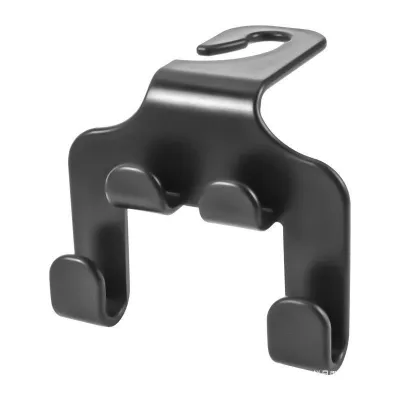
Prices are valid at publication and may change. Please refer to the product page for the latest price.
Another common option is the seatback strap or harness system. These mounts use adjustable straps that wrap around the entire headrest or the upper portion of the seatback. They are highly versatile and can be used on seats where headrest poles are not exposed. However, because they rely on tension, they can slip or shift over time, especially on smooth leather upholstery. If you choose a strap-based mount, look for models that feature textured, anti-slip backing or silicone pads to keep the harness firmly in place.
Adhesive and suction-cup mounts are occasionally marketed for rear-seat use, but they are generally unsuitable for fabric seats or textured plastic seatbacks. Adhesives can leave permanent residues or damage delicate cabin materials, while suction cups frequently lose grip when exposed to temperature changes inside a parked car. For rear-seat entertainment, mechanical clamps or heavy-duty straps are almost always the safer and more reliable choice.
Before purchasing any mount, inspect your vehicle’s front seats to verify their design. Many modern family cars feature integrated or one-piece seats where the headrest is molded directly into the seatback without exposed poles. Other vehicles utilize active headrest safety systems designed to move forward in a rear-end collision to protect against whiplash. Clamping a rigid mount to an active headrest can interfere with this safety mechanism. Always consult your vehicle’s owner manual to confirm if your headrests are compatible with aftermarket clamps.
Evaluating Device Compatibility and Weight Limits
Once you have determined which mounting style fits your car seats, you must evaluate how well the mount accommodates your specific devices. Many parents make the mistake of choosing a mount based solely on the advertised screen size of their phone or tablet. Instead, you should measure the physical dimensions of your device, including its width, height, and thickness. This is particularly important if your children use heavy-duty, shockproof, or thick silicone protective cases, which can add significant bulk and prevent the device from fitting into standard mounting brackets.

Weight capacity is another critical factor that directly affects the stability of the screen. Every mount has a maximum weight limit specified by the manufacturer, which you should verify before buying. The mount must comfortably support the combined weight of the device and its protective case. If a device is too heavy for the mount’s joints, the screen will droop, sag, or vibrate excessively, making it difficult for children to watch comfortably and potentially causing motion sickness.
The physical footprint of the device also plays a role in cabin comfort and safety. While a larger tablet provides an excellent viewing experience for rear passengers, it can block the driver’s rearward visibility if mounted too high. Ensure that the combined size of the mount and the device does not obstruct your view through the rearview mirror or interfere with the front passenger’s ability to adjust their seat comfortably.
Safety Checks and Front-Seat Passenger Comfort
Vehicle safety must always take priority when installing aftermarket accessories. The most critical safety consideration when choosing a rear-seat mount is side airbag clearance. Many modern family vehicles are equipped with side airbags embedded in the outer edges of the front seatbacks or side curtain airbags along the roofline. You must strictly avoid placing any mount, strap, or charging cable in a position that crosses or blocks the deployment zone of these airbags. Refer to your vehicle’s manual to locate all airbag deployment zones before installation.
You must also consider how the mount behaves when the front seats are adjusted. During a drive, the front passenger or driver may need to recline their seat or slide it backward. Test the mount’s position to ensure that these adjustments do not cause the mount or device to strike the knees of rear passengers. Additionally, make sure the front seat’s movement does not pinch, crush, or snap the mount or the attached device.
Finally, prioritize mounts that feature secure locking mechanisms. In the event of sudden braking or a collision, any unsecured object inside the cabin can become a dangerous projectile. Avoid mounts that rely solely on light friction or weak magnets to hold heavy tablets. Look for designs with spring-loaded clamps, screw-tightened brackets, or secondary locking clips that physically lock the device in place, ensuring it remains secure even during abrupt stops.
Building Your Shortlist: Key Features for Family Use
When comparing different mounts for your family car, look for specific features that enhance usability and comfort for children. High adjustability is essential for a good viewing experience. Look for mounts that offer 360-degree rotation and multi-angle tilt. This allows rear passengers to adjust the screen to reduce glare from the rear and side windows, which is especially helpful during bright, sunny days in Singapore. It also allows you to position the screen at the correct eye level for children of different heights, preventing neck strain.
Vibration dampening is another key feature to look for. Road vibrations can cause mounted screens to shake constantly, which can lead to eye strain, headaches, or motion sickness for young passengers. High-quality mounts often feature rubberized grips, silicone padding, or shock-absorbing joints that help isolate the device from road vibrations, keeping the screen steady even when driving over uneven surfaces or speed bumps.
Ease of use is crucial for parents who need to set up or remove devices quickly. Look for mounts with single-hand release buttons, quick-adjust knobs, or spring-loaded brackets. These features allow you to secure or remove the phone or tablet easily without spending several minutes adjusting complicated clamps while parked.
Cable management is often overlooked but highly practical for long trips. Keeping devices charged is essential, but dangling charging cables can be a safety hazard if children pull on them or get their feet tangled. Choose mounts that feature built-in cable clips, routing channels, or open side ports that allow you to route charging cables neatly along the seat structure, keeping them organized and out of reach.
Installation and Maintenance Tips for Long-Term Use
Proper installation and routine maintenance are key to ensuring your rear-seat mount remains stable and does not damage your vehicle’s interior. Before installing any mount, prepare the surfaces thoroughly. Clean the metal headrest poles or seatback surfaces using a clean, dry microfiber cloth. If necessary, use a manufacturer-approved cleaner to remove dust, oils, or leather conditioning residues, as these can cause clamps or straps to slip over time.
Vehicle vibrations naturally loosen threaded components and straps over time. Make it a habit to perform routine inspections of the mount. Periodically check the tightness of clamping screws, the tension of straps, and the stiffness of the joints. Tighten any loose components immediately to prevent the mount from sagging or falling during a drive.
In warm, humid climates like Singapore, parked cars can reach high internal temperatures, especially when left in direct sunlight. Prolonged heat exposure can degrade plastic components, weaken adhesives, and cause suction cups to lose their grip or melt. If you park your car in direct sunlight for extended periods, consider removing adhesive or suction-based mounts and storing them in a cool, shaded area like the glove compartment to prevent the materials from becoming brittle or failing prematurely.
Frequently Asked Questions (FAQ)
Can I use a rear-seat mount on leather seats?
Yes, you can use a rear-seat mount on leather seats, but you must take steps to protect the upholstery. Strap-based mounts can easily slip on smooth leather, which may tempt you to over-tighten them, potentially leaving permanent indentations. Look for mounts that feature soft, anti-slip silicone or rubber backing to provide grip without scratching. Avoid mounts with sharp plastic edges or metal buckles that could press directly into the leather, and consider placing a soft microfiber cloth between the strap and the seat to prevent friction wear.
Will a tablet mount fit my smartphone as well?
It depends on the mount’s minimum grip width. While many tablet mounts feature adjustable, spring-loaded arms designed to hold larger screens, their minimum clamping distance may be wider than the width of a standard smartphone. If you plan to switch between devices, look for a universal hybrid mount specifically rated to support both the minimum width of your phone and the maximum width of your tablet. Always check the manufacturer’s specifications for the minimum and maximum grip dimensions before purchasing.
Community discussion
Share your experience or ask a question. Comments are reviewed before publication.