
For rear-seat passengers embarking on long road trips—such as a multi-hour drive from Singapore up the North-South Highway—the best magnetic phone holder is a dedicated headrest pole mount. This style secures directly to the front seat’s metal headrest supports, keeping the device stable, at eye level, and completely clear of the driver’s line of sight. While adhesive seatback mounts and suction options exist, they introduce distinct safety, ergonomic, and interior damage risks that make them less suitable for extended travel. Finding the right solution requires balancing passenger viewing comfort with critical driving safety parameters.
Understanding the Unique Constraints of Rear-Seat Mounting
Driver visibility is the absolute priority when installing any accessory in the passenger cabin. Front-row phone mounts are typically positioned on the dashboard or air vents, well away from the driver’s rearward field of view. In contrast, rear-seat mounts, if poorly positioned on the rear window or C-pillars, can easily block the driver’s line of sight through the rearview mirror or side mirrors. This creates dangerous blind spots during crucial lane changes or reversing maneuvers on busy expressways.
Ergonomic needs also differ significantly between front and rear occupants. Front-row passengers usually require quick, occasional glances at a navigation screen, whereas rear passengers on long journeys often watch full-length videos or read for hours. This prolonged usage demands a mount that positions the screen at eye level to prevent “text neck”—the strain caused by looking down at a device for long periods. Additionally, the mount must offer adjustable angles to combat intense glare from the rear and side windows, which shifts constantly as the vehicle changes direction.
Products mentioned in this guide

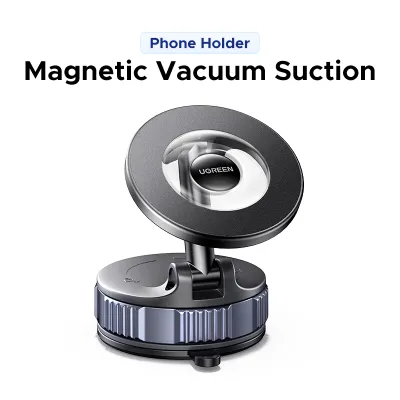
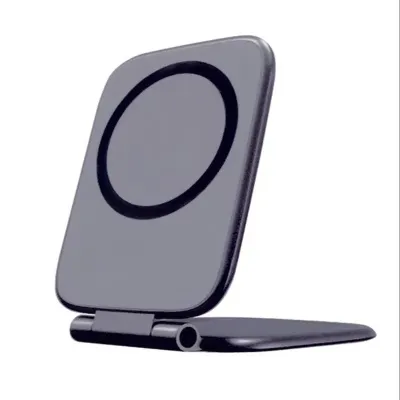
![🇸🇬[Ready Stock] New 360 Rotation Vacuum Suction Cup Phone Holder Foldable Magnetic Magsafe Car Phone Mount for Gym/Mirror/Smooth Surface](https://img.lazcdn.com/g/p/8209a6499e644df04a911de525ca3b30.jpg_400x400q80.jpg_.webp)
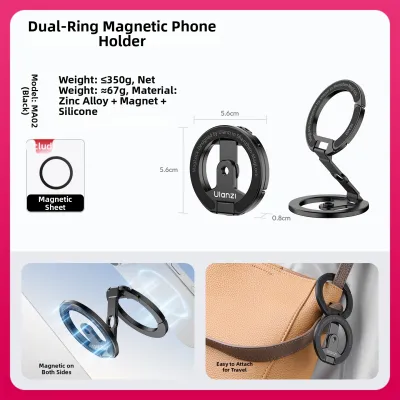
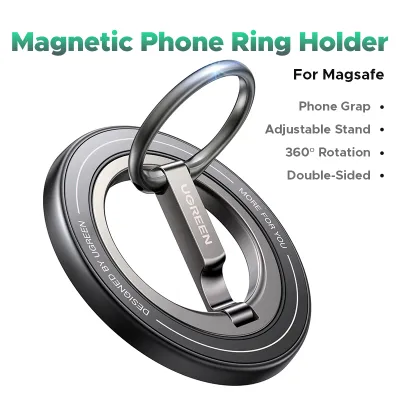
Prices are valid at publication and may change. Please refer to the product page for the latest price.
The physical forces experienced in the rear cabin are more pronounced than those in the front. The rear axle is positioned closer to the back seats, meaning passengers and their accessories feel road vibrations, bumps, and expansion joints more intensely. A mount that seems perfectly stable while parked can vibrate violently at highway speeds, causing screen blur and eye strain. Furthermore, in the event of sudden emergency braking or a collision, any unsecured object in the rear cabin becomes a high-velocity projectile. The mount must feature a robust mechanical grip and a high-strength magnetic interface to ensure the phone remains anchored under extreme G-forces.
Evaluating Mounting Styles for the Back Seat
Headrest Pole Mounts
Headrest pole mounts represent the most reliable and stable category for rear-seat entertainment. These devices utilize a mechanical clamp or a spring-loaded bracket that locks securely onto the exposed metal support rods of the front seat’s headrest. By anchoring directly to the seat’s structural frame, these mounts minimize the leverage of road vibrations, delivering a highly stable viewing platform even on uneven road surfaces.

The primary advantage of this design is its ideal positioning. It places the smartphone directly in the passenger’s natural line of sight, reducing the need to slouch or tilt the neck downward. Most high-quality models feature extendable arms and ball joints, allowing the passenger to bring the screen closer or angle it away from direct sunlight. This adjustability is particularly beneficial when entertaining children of varying heights in the back seat.
However, vehicle compatibility must be verified before purchase. Many modern vehicles feature integrated sports seats or active headrest systems where the headrest is a single molded piece with the seatback, leaving no exposed metal poles. Additionally, clamping a bracket to the poles can restrict the front passenger’s ability to adjust their headrest height. If the clamp is poorly designed or lacks internal rubber padding, it can scratch the metal poles or produce an annoying, persistent rattle during quiet drives.
Seatback Adhesive and Clip Mounts
For vehicles with integrated headrests or active safety systems that prevent pole clamping, seatback adhesive or clip mounts offer an alternative. These systems typically use high-strength double-sided acrylic foam tape or specialized clips that grip the storage pockets or plastic panels on the rear of the front seats. Because they sit flush against the seatback, they take up very little space when not in use, making them highly discreet.
Despite their convenience, these mounts carry a high risk of causing permanent cosmetic damage to premium vehicle interiors. The high-strength adhesives required to hold a heavy phone over bumpy roads can tear, stain, or leave stubborn residue on delicate materials like Nappa leather, synthetic leather, or soft-touch plastics. In Singapore’s hot, tropical climate, cabin temperatures can easily exceed 60 degrees Celsius when parked outdoors, causing adhesives to soften, slide, and fail unexpectedly.
Before applying any adhesive mount, you must consult your vehicle’s owner’s manual and the manufacturer guidelines for the seat materials. If your vehicle features heated, ventilated, or massage seats, the rear seatback may contain sensitive electronic controls, wiring harnesses, or integrated airbags. Applying pressure or mounting rigid accessories to these areas could interfere with these systems or void your vehicle’s warranty.
Rear Window and C-Pillar Suction Mounts
Suction cup mounts designed for the rear windshield or the plastic trim of the C-pillars are sometimes considered for their simplicity. These mounts use a vacuum seal, often assisted by a sticky gel pad, to adhere to smooth glass or non-porous plastic surfaces. They allow the phone to be positioned high up and far back, which can be useful in larger utility vehicles or multi-purpose vehicles (MPVs).
The primary drawback of this mounting style is the severe safety hazard it presents to the driver. Placing a smartphone and a mounting arm on the rear window or C-pillar directly obstructs the driver’s rearward visibility, creating blind spots that make changing lanes on busy expressways highly dangerous. Furthermore, suction cups are highly sensitive to temperature fluctuations and UV exposure; prolonged exposure to intense sunlight can cause the vacuum seal to release suddenly, dropping the phone onto the rear deck or floor.
Because of these inherent risks, suction mounts should generally be avoided for rear-seat phone placement unless they can be positioned on a small, non-critical quarter-glass window that does not fall within the driver’s line of sight. Even in these cases, the mounting arm must be kept as short as possible to prevent excessive leverage and shaking while the vehicle is in motion.
Essential Features for Long-Drive Comfort and Stability
Selecting the right mounting style is only the first step; the specific features of the magnetic holder determine how well it performs on a long journey. The most critical component is the magnetic interface itself. You should look for mounts that specify their magnetic holding force or use high-grade neodymium magnets (often labeled as N52 or higher). If you use a heavy phone or a thick protective case, ensure the mount includes a high-quality, clean-adhering metal plate that can be attached directly to the exterior of the case to maximize magnetic attraction.
Articulation and adjustability are vital for preventing physical fatigue during multi-hour trips. A high-quality rear mount should feature a robust 360-degree ball joint or a multi-axis folding arm. This allows the passenger to fine-tune the viewing angle to eliminate reflections from the rear window and accommodate different seating positions. Look for joints that use a tensioning collar or locking screw, as simple friction-based joints tend to sag over time under the weight of larger smartphones.
Vibration and noise control are essential for maintaining a peaceful cabin environment. On long highway drives, even a minor rattle can become incredibly irritating. Premium magnetic mounts incorporate thick silicone or rubber padding on all clamping surfaces to absorb road vibrations and protect the vehicle’s trim. Additionally, look for mounts with tight manufacturing tolerances and minimal moving parts when locked, which prevents the internal components from buzzing against each other.
Finally, consider the physical clearance and foldability of the mount when it is not in use. A rigid, protruding metal arm can be a serious hazard, potentially striking a passenger’s knees or head during sudden braking or when they are entering and exiting the vehicle. Opt for a mount that can fold completely flat against the seatback or headrest poles. This low-profile design ensures that the rear passenger space remains safe and uncluttered when the entertainment system is not required.
Safety Checks and Installation Best Practices
Safety must always take precedence over convenience when installing aftermarket accessories inside a vehicle. The first and most critical check is airbag clearance. Many modern vehicles are equipped with side curtain airbags that deploy from the roofline down past the side windows, as well as side-impact airbags housed within the outer bolsters of the front seats. You must never install a phone mount, run cables, or position a device anywhere near these deployment zones, as a deploying airbag will launch the mount and phone into the cabin with extreme force.
Once the mount is installed, the driver must verify that their visibility remains completely unimpeded. Sit in the driver’s seat and adjust the rearview mirror and side mirrors to your standard driving positions. Have a passenger place the phone on the rear mount and check if any part of the device, mount, or charging cable blocks your view of the road behind or your blind spots. If there is even a minor obstruction, the mount must be repositioned immediately.
It is also important to establish safety protocols for sudden stops and collisions. A smartphone weighing 200 grams can exert significant force during a high-speed impact, potentially detaching from the magnet and striking an occupant. For maximum safety, passengers should remove their phones from the magnetic mount and store them in seatback pockets during heavy traffic, poor weather conditions, or when driving on highly uneven terrain. When the rear seats are unoccupied, fold the mounting arm flat to minimize the risk of injury to front occupants in a rear-end collision.
Frequently Asked Questions (FAQ)
Will the magnets interfere with my phone's internal components or wireless charging?
Modern smartphones are highly resilient against the magnetic fields produced by standard consumer mounts. The internal storage, processors, and screens do not use magnetic materials and will not be damaged. However, the strong magnets can temporarily affect the phone’s internal digital compass or GPS calibration if the mount is positioned extremely close to those sensors. This calibration usually self-corrects once the phone is removed from the magnetic field.
The primary concern is wireless charging and Near Field Communication (NFC) for contactless payments. If you stick a thick steel plate directly to the back of your phone or inside your case, it will block the electromagnetic induction required for wireless charging and can shield the NFC antenna. To avoid this, use a MagSafe-compatible magnetic mount if your phone supports it, or place the adhesive metal plate low on the phone’s back, away from the central wireless charging coil.
Can I use a standard dashboard magnetic holder for the rear seats?
Repurposing a standard dashboard magnetic holder for the rear seats is generally not recommended. Dashboard mounts are engineered specifically to adhere to flat, hard, and textured dashboard plastics or to clip into horizontal front air vents. The materials on the back of front seats—such as soft leather, fabric, or curved plastic panels—do not provide the flat, non-porous surface required for dashboard suction cups or standard adhesive pads to bond securely.
Furthermore, dashboard mounts lack the extended reach and articulation needed to position a screen comfortably for rear passengers. Attempting to use a short dashboard mount in the back often forces the passenger to look down at an extreme angle, leading to neck strain. It also increases the risk of the mount detaching under the heavier vibrations experienced in the rear of the cabin, creating a safety hazard for all occupants.

Community discussion
Share your experience or ask a question. Comments are reviewed before publication.