
Finding the right car handphone holder for rear passengers transforms long family drives by keeping devices secure and visible. The ideal mount depends heavily on your vehicle’s front seat design and the specific devices your children or passengers use. This guide breaks down the essential mounting mechanisms, stability features, and safety checks to help you select a reliable rear seat solution without relying on guesswork.
When passengers spend hours in the back seat, holding a phone manually leads to neck strain and fatigue. A dedicated rear-seat mounting solution positions screens at eye level, allowing hands-free viewing of navigation, movies, or educational content. However, because cars vary significantly in seat construction, a mount that works perfectly in one vehicle might be completely incompatible with another. Understanding the physical requirements of your car and the safety implications of interior accessories is the first step toward a successful purchase.
Key Features to Evaluate for Rear Seat Stability
Road vibrations are the primary enemy of rear-seat entertainment. A mount that shakes constantly makes screens difficult to watch and can quickly induce motion sickness, especially in younger passengers. To prevent this, look for holders equipped with robust vibration dampening features. High-quality models utilize thick silicone grip pads inside the device clamp to absorb minor road shocks and prevent the phone from slipping out of place. Furthermore, prioritize mounts with mechanical locking joints—such as screw-tightened collars or geared locks—rather than simple friction hinges, which tend to loosen and sag over time under the weight of the device.
Products mentioned in this guide
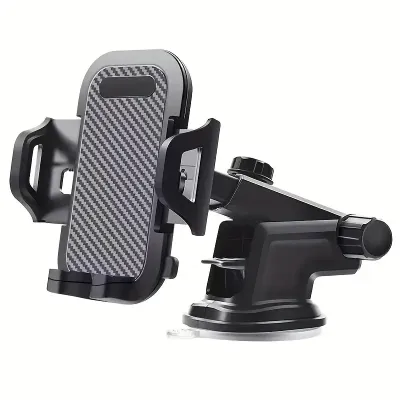
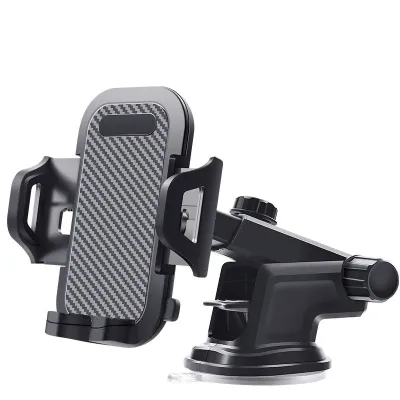
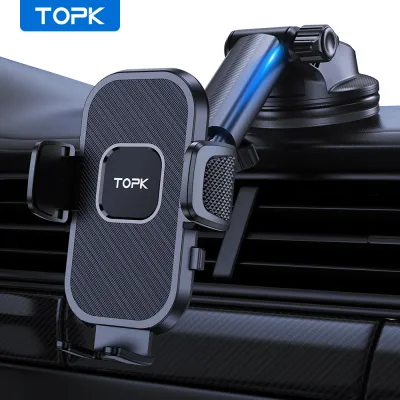
![🇸🇬[Ready Stock] New 360 Rotation Vacuum Suction Cup Phone Holder Foldable Magnetic Magsafe Car Phone Mount for Gym/Mirror/Smooth Surface](https://img.lazcdn.com/g/p/8209a6499e644df04a911de525ca3b30.jpg_400x400q80.jpg_.webp)
Prices are valid at publication and may change. Please refer to the product page for the latest price.
Adjustability is another critical factor for passenger comfort. Because rear passengers come in different heights, the holder must offer a wide range of motion, including tilt, swivel, and rotation. A mount with a ball-joint mechanism allows the screen to be angled upward for taller passengers or downward for children in booster seats. Additionally, some mounts feature telescopic or folding extension arms. These arms allow you to pull the device closer to the passenger or position it centrally between the two front seats, making it easier for multiple passengers to share a single screen.
Before making a purchase, always verify the device compatibility limits specified by the manufacturer. Do not assume a holder will fit your device based on a generic description. Check the maximum weight capacity and the physical grip width of the clamp. If your family plans to share the mount between a compact smartphone and a larger, heavier tablet, ensure the clamp’s expansion range accommodates both sizes securely. Overloading a mount with a device that exceeds its weight limit can cause the joint mechanisms to fail, leading to dropped devices and potential damage.
Comparing Rear Seat Mounting Mechanisms
Selecting the right attachment style requires a close inspection of your vehicle’s front seat structure. Car seats are designed with different headrest configurations, and choosing an incompatible mounting mechanism will render the holder useless. Before browsing online marketplaces or local automotive shops, examine the back of your driver and front passenger seats to determine which mounting style is physically compatible with your car.

Headrest Post Mounts
Headrest post mounts are the most common and stable option available for rear-seat passengers. These holders feature a rigid base bar or clamp that attaches directly to the exposed metal poles of the front seat’s headrest. To ensure compatibility, you must measure the distance between your headrest poles and check the diameter of the metal posts, comparing these measurements against the product’s specifications.
The primary advantage of this design is its exceptional stability. Because it anchors directly to the metal frame of the seat, it minimizes screen shake even on bumpy roads. Many headrest post mounts also feature extendable arms that slide out to position the screen in the middle of the cabin. The main trade-off is compatibility: these mounts are completely unusable in vehicles with integrated, one-piece sports seats or active headrest systems that do not feature exposed metal posts.
Seat Back Straps and Clips
For vehicles with modern, integrated headrests or seats where the headrest cannot be adjusted or removed, seat back straps and clips offer a practical alternative. These mounts typically feature heavy-duty nylon straps or wide tension clips that wrap securely around the top section of the front seat back, holding the device cradle in place.
While this style provides broad compatibility across almost all vehicle makes and models, you must exercise caution during installation. Ensure the straps do not block side-curtain airbag deployment zones, which are often located along the outer edges of the seat back. Additionally, verify that the straps do not interfere with seat adjustment controls or active headrest safety mechanisms. The trade-off for this universal fit is stability; fabric straps and tension clips are inherently more flexible than metal clamps, meaning they may shift, bounce, or sag during sudden braking or sharp turns.
Tray Table and Clip-on Mounts
Some premium SUVs and multi-purpose vehicles (MPVs) come equipped with built-in fold-down tray tables on the backs of the front seats. Specialized clip-on mounts are designed to attach directly to the edges of these trays, or to integrate with aftermarket seat-back organizer systems.
Before choosing this option, you must verify the weight limits of both the tray table and the mount. Adding a heavy tablet and a rigid mount to a plastic tray can exceed its load capacity, leading to sagging, rattling, or even snapping the tray hinges. While these mounts offer excellent integration and a clean, built-in look, they are strictly limited to specific vehicle models or require the purchase of a compatible organizer system, making them less versatile than headrest-based options.
Building Your Shortlist: Matching the Holder to Your Family's Needs
To narrow down your choices, consider how your family travels and the specific habits of your passengers. Matching the holder’s design to your typical road trip scenarios ensures a smoother, more enjoyable journey for everyone in the vehicle.
If you have multiple children sharing a single device, prioritize mounts with wide viewing angles and long extension arms. A central-mount design attaches to one headrest post but extends outward to position the screen directly between the driver and passenger seats. This setup allows both rear passengers to view the screen clearly without fighting over the device or straining their necks. Look for a ball joint that allows easy rotation, so passengers can switch between portrait and landscape modes effortlessly.
For long-distance highway driving on varied road surfaces, stability should be your top priority. Avoid flexible gooseneck mounts, which are prone to excessive bouncing at high speeds. Instead, look for rigid, telescopic arms made from aluminum or high-density polycarbonate. These materials, combined with mechanical locking joints, keep the screen steady, reducing eye strain and helping to prevent motion sickness during long hours on the road.
If your family frequently swaps vehicles—such as moving the mount between a daily commuter sedan and a larger family SUV for weekend trips—prioritize quick-release mechanisms. Look for tool-free installation designs that use spring-loaded clamps or simple thumbscrews. This allows you to install or remove the holder in seconds without damaging the headrest posts or seat fabric.
Before finalizing your purchase, create a checklist to verify the product’s specifications. Check the manufacturer’s installation instructions to ensure the mount does not require permanent modifications to your car’s interior. Finally, confirm the retailer’s return policy; even with careful measurements, the physical profile of your seat back might present unexpected fitment challenges that require a return or exchange.
Installation and Safety Checks for Moving Vehicles
Safety must always come first when installing aftermarket accessories inside a vehicle. A poorly positioned handphone holder can become a dangerous projectile in an accident or interfere with the driver’s ability to operate the vehicle safely.
First, verify that the mounted device and its extension arm do not obstruct the driver’s rearview mirror or block the view through the rear window. The driver must maintain a clear, unobstructed line of sight to the traffic behind the vehicle at all times. If the mount or the device breaks this line of sight, adjust its height or position immediately.
Second, check the physical clearance between the mount and the rear passengers. Ensure that the device and the rigid components of the holder do not strike a passenger’s face or head during sudden braking or a collision. This is especially important for children in booster seats, whose heads may sit closer to the front seat backs. Maintain a safe distance by adjusting the front seat position forward or folding the mount’s extension arm away when not in use.
Finally, consult your vehicle’s owner manual regarding headrest removal and seat back attachments. Many modern vehicles feature active headrest systems designed to move forward in a rear-end collision to prevent whiplash, or contain internal wiring for seat heating and lumbar support. Clamping a heavy accessory to these components without checking the manufacturer’s guidelines can damage internal systems or compromise your vehicle’s safety features.
Frequently Asked Questions (FAQ)
Can I use a front-seat air vent mount for the rear seats?
No, front-seat air vent mounts are generally unsuitable and unsafe for rear-seat passengers. Most vehicles do not have air vents in the rear cabin positioned at an appropriate height or angle for comfortable viewing. Even if your vehicle features center console vents for the rear seats, mounting a handphone there forces passengers to look down constantly, which significantly increases the risk of motion sickness. Furthermore, blocking these vents restricts essential climate control airflow to the rear passengers. For safety and comfort, always use a dedicated headrest or seat-back mount designed for eye-level viewing.
Are flexible gooseneck arms safe for family road trips?
While flexible gooseneck arms offer high adjustability, they are not recommended for long family road trips. The flexible metal core inside these mounts tends to bounce and vibrate significantly when driving on uneven roads or at highway speeds. This constant movement makes screens difficult to focus on, leading to eye strain and motion sickness for rear passengers. For long journeys, rigid telescopic arms with mechanical locking joints provide a much more stable, secure, and comfortable viewing experience.

Community discussion
Share your experience or ask a question. Comments are reviewed before publication.