
Rear seat entertainment is a crucial element of comfortable family road trips, daily commutes, and weekend getaways. For passengers in the back, especially children, having a secure and easily viewable screen can transform a tedious journey into an enjoyable experience. While traditional tablet holders rely on bulky mechanical clamps that are difficult to adjust, the integration of magnetic mounting technology offers a streamlined, user-friendly alternative. A dedicated MagSafe car holder designed for the rear seats provides a quick, snap-on connection that keeps devices stable, accessible, and positioned at an optimal viewing angle.
Selecting the right mount requires looking beyond basic dashboard or air vent models. The physical dynamics of the rear cabin differ significantly from the front console. Rear passengers sit further from the mounting points, and the physical forces exerted on a device during acceleration, braking, and cornering are amplified at the back of the seat. Therefore, a successful rear-seat MagSafe solution must combine robust mechanical attachment to the vehicle’s structure with an exceptionally strong magnetic interface. By understanding the different mounting styles, essential features, and safety considerations, you can select a holder that ensures both passenger entertainment and peace of mind.
Evaluating Rear Seat Mounting Mechanisms
The foundation of any rear-seat entertainment setup is how the mount attaches to the front seat. The most common and structurally secure method is the headrest pole mount. These devices utilize a clamping mechanism that attaches directly to the exposed metal support bars of the front seat’s headrest. Clamps come in several designs, including screw-tightened brackets, spring-loaded tension bars, and quick-release latches. Screw-tightened models offer the highest level of stability, as they allow you to apply precise pressure to lock the mount in place. Spring-loaded designs are faster to install and transfer between vehicles but may suffer from slight play if the spring tension degrades over time. When evaluating these mounts, it is essential to check the spacing requirements of the clamp, as some vehicles have wider or narrower headrest pole configurations than standard aftermarket accessories support.
Products mentioned in this guide
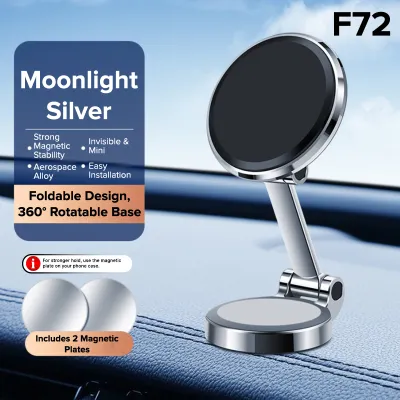
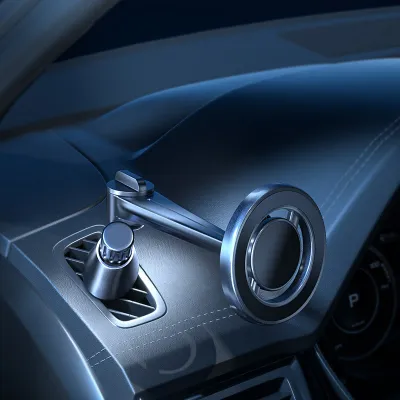
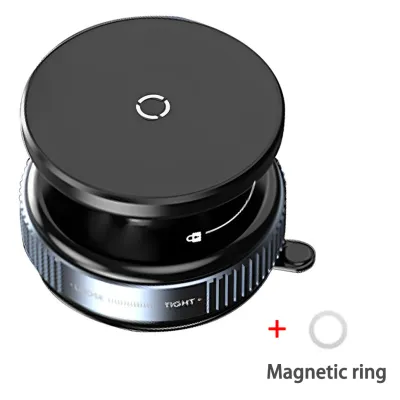
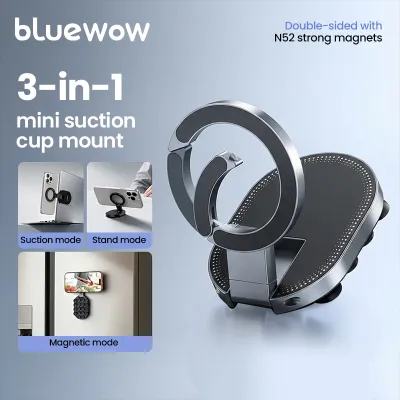
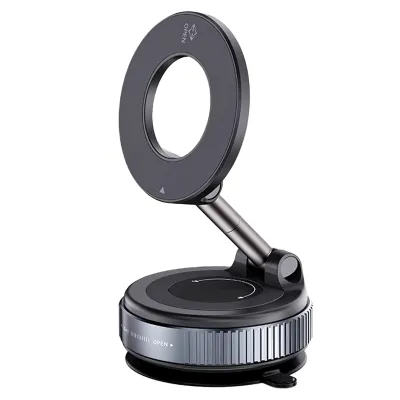
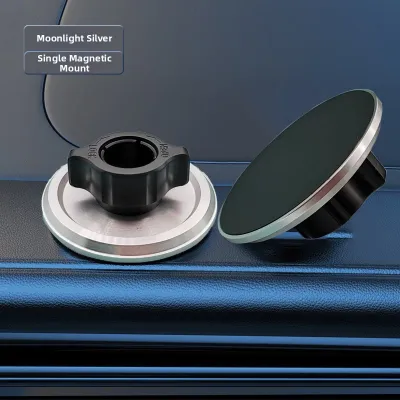
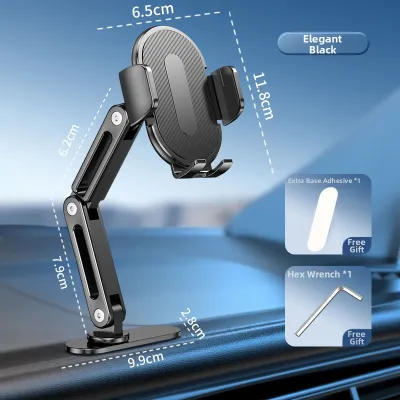
Prices are valid at publication and may change. Please refer to the product page for the latest price.
For vehicles with integrated headrests—often found in sports cars, luxury sedans, and modern electric vehicles—traditional pole clamps are not an option. In these scenarios, drivers must turn to seat back adhesive mounts or strap-based systems. Strap mounts wrap around the entire upper portion of the seat or headrest, securing the holder with heavy-duty hook-and-loop fasteners or adjustable buckles. While highly versatile, strap mounts can detract from the clean aesthetic of your car’s interior and may loosen over time, requiring periodic tightening. Adhesive mounts use high-bond double-sided tape to stick directly to the plastic backing of the front seat. While they offer a low-profile look, they are highly dependent on the surface material. Adhesives do not bond reliably to textured leather, synthetic vinyl, or fabric upholstery. Furthermore, removing an adhesive mount can leave behind stubborn residue or, in worst-case scenarios, permanently discolor or tear the underlying material.
The trade-offs between these mounting styles center on installation permanence, adjustability, and vibration resistance. Headrest pole mounts are the gold standard for vibration resistance because they anchor directly to the metal frame of the seat. This rigid connection minimizes screen shake, which is a primary cause of eye strain and motion sickness for rear passengers. Strap and adhesive mounts, while offering solutions for non-standard seats, inherently possess more flexibility, which can translate into more screen movement on uneven roads. When choosing, prioritize headrest pole mounts if your vehicle has exposed bars, and reserve strap or adhesive options for integrated seats, taking care to protect the upholstery during installation.
Essential Features for Passenger Entertainment
Once the mount is securely anchored to the seat, the magnetic interface itself becomes the critical point of contact. Standard MagSafe technology is designed for stationary use or gentle handling, but a moving vehicle subjects devices to continuous multi-directional forces. To prevent a phone or tablet from detaching during sudden stops, sharp turns, or when driving over speed bumps, the holder must feature an enhanced magnetic array. Look for holders that specify the use of high-grade neodymium magnets, often rated as N52, which provide a significantly stronger hold than standard consumer magnets. Additionally, the physical surface of the magnetic pad should feature a high-friction, rubberized, or silicone coating. This texture prevents the device from sliding or rotating out of alignment when subjected to vertical road vibrations.

Articulation and adjustability are equally vital for passenger comfort. Rear seat passengers vary in height, from toddlers secured in low-slung child safety seats to teenagers and adults sitting directly on the bench. A mount with a fixed viewing angle will inevitably cause discomfort or glare for some passengers. Look for holders equipped with a robust ball joint or an adjustable extension arm. A high-quality ball joint allows for 360-degree rotation, enabling seamless switching between portrait mode for reading or browsing and landscape mode for watching movies. Extension arms can bring the screen closer to younger children who may have shorter reach, or position the device centrally between the two front seats so multiple passengers can share a single screen. Ensure these joints feature locking collars or tension screws that can be tightened firmly to prevent the arm from sagging under the weight of the device.
Vibration dampening is the final piece of the entertainment puzzle. Constant screen shaking not only ruins the viewing experience but can also lead to headaches and nausea, particularly during long drives. Premium MagSafe holders incorporate specific dampening features, such as spring-loaded shock absorbers within the mounting arm or silicone dampening rings around the ball joint. These components work by absorbing high-frequency road vibrations before they reach the device. When comparing options, look for structural components made from rigid materials like aluminum alloy or carbon fiber rather than thin, flexible plastics. A stiffer frame naturally resists bending and oscillation, ensuring a steady, paper-like viewing experience even on rougher road surfaces.
Vehicle Safety and Interior Compatibility
Integrating aftermarket accessories into a vehicle cabin must never come at the expense of safety. The rear seat area contains several safety systems that must remain completely unobstructed. Many modern vehicles are equipped with side curtain airbags that deploy from the roof lining down past the side windows, as well as side-impact airbags built into the outer bolsters of the front seats. When positioning a rear-seat mount, verify that the device and its extension arms do not encroach on the deployment zones of these airbags. Consult your vehicle’s owner’s manual to identify the exact locations of all airbag modules. Additionally, if your vehicle features active headrests—which automatically move forward during a rear-end collision to reduce whiplash—ensure the clamp mechanism does not restrict this mechanical movement.
Interior preservation is another key consideration, especially for leased vehicles or those with premium leather upholstery. The constant pressure exerted by headrest clamps can compress the foam padding of the seat back or leave deep, permanent indentations in leather surfaces. Sharp plastic edges on cheap mounts can also scratch or tear delicate stitching. To mitigate this risk, select mounts that include soft rubber or high-density foam pads on all contact surfaces. If the mount does not include these, you can apply aftermarket felt tape or thin silicone sheets to the clamp interior before installation. For strap-on mounts, ensure the strap material is non-abrasive and does not rub against the leather perforations, which can lead to premature wear and tearing over time.
Finally, consider the driver’s environment and potential distractions. A large screen mounted high on the back of the passenger seat can reflect light directly into the rearview mirror, particularly during night driving. This glare can impair the driver’s rearward visibility and create a dangerous distraction. To prevent this, position the mount so the screen sits below the driver’s headrest line of sight, or adjust the angle slightly downward to direct light away from the front cabin. Furthermore, ensure that any cables used to charge the rear devices are neatly routed along the seat frame and do not drape across the footwells, where they could become entangled with passengers’ feet or interfere with front seat adjustment tracks.
Pre-Purchase Verification Checklist
Before purchasing a MagSafe car holder for your rear seat, performing a few precise measurements and compatibility checks will save time and ensure a perfect fit. Start by examining your vehicle’s front headrests. Measure the diameter of the metal support poles using a caliper or a standard ruler. Most headrest poles are between 10mm and 14mm in diameter, but some heavy-duty vehicles or luxury models may feature thicker bars. Next, measure the center-to-center distance between the two poles. Compare these dimensions against the manufacturer’s specifications for the mount’s clamping range. Additionally, check the shape of the poles; while most are perfectly round, some vehicles use oval or squared bars, which require specialized clamp adapters to mount securely.
Device and case compatibility is the next critical step. MagSafe relies on precise alignment between the magnetic coils in the phone and those in the mount. If your passengers use protective cases, verify that the cases are officially certified as MagSafe compatible or feature an integrated magnetic ring. Standard plastic, silicone, or leather cases without built-in magnets significantly weaken the magnetic connection, making the device highly susceptible to falling off when the vehicle hits a bump. For larger devices like tablets, check if the manufacturer specifies a maximum weight limit. While some heavy-duty MagSafe mounts can support lightweight tablets, they often require a matching magnetic plate attached to the back of the tablet case to provide sufficient holding force.
Lastly, review the manufacturer’s product documentation regarding load capacity, road legality, and structural warranty conditions. A reputable manufacturer will clearly state the maximum weight the mount can safely support under dynamic driving conditions. Avoid products that make vague claims without providing concrete weight limits. It is also wise to check if the mount’s design allows for easy removal when not in use. If you frequently fold your rear seats down for extra cargo space, a quick-release mount that can be detached in seconds without tools will offer far greater convenience than a model requiring permanent screw installation.
Frequently Asked Questions (FAQ)
Can I use a standard phone MagSafe holder for a tablet?
Using a standard phone-sized MagSafe holder for a tablet is generally not recommended due to the significant difference in weight and surface area. Tablets are much heavier than smartphones, and their larger dimensions create a longer lever arm, which multiplies the rotational force exerted on the magnetic connection when the vehicle moves. A standard phone mount lacks the magnetic surface area and structural rigidity required to keep a tablet secure. If you hit a pothole or brake suddenly, the tablet is highly likely to detach, potentially causing damage to the device or injuring rear passengers. For tablet entertainment, look for heavy-duty mounts specifically rated for larger screen sizes, which often combine a larger magnetic array with physical support shelves or mechanical spring clamps to ensure the device remains locked in place.
Do I need a magnetic ring sticker for non-MagSafe devices?
If your rear passengers use Android devices or older iPhone models that do not feature built-in MagSafe technology, you can use an aftermarket magnetic ring sticker to make them compatible with a MagSafe holder. These thin metal or magnetic rings adhere directly to the back of the device or its case. For a secure bond, proper installation is critical: clean the mounting surface thoroughly with isopropyl alcohol to remove oils, apply the sticker precisely in the center of the device to maintain balance, and allow the adhesive to cure for at least 24 hours before mounting it in the car. Keep in mind that while these stickers enable compatibility, the overall holding force may be slightly lower than a device with a native, factory-integrated MagSafe array, so extra caution should be exercised on rough roads.

Community discussion
Share your experience or ask a question. Comments are reviewed before publication.