
Upgrading an older vehicle with modern smartphone integration is one of the most effective ways to refresh your daily drive. For many motorists, especially those driving cars past their initial COE period in Singapore, retrofitting a vehicle with Apple CarPlay provides access to real-time navigation, hands-free communication, and seamless music streaming without the expense of purchasing a new vehicle. However, because older cars span several generations of infotainment technology, there is no single adapter that works universally for every dashboard.
Determining the correct upgrade path requires understanding what hardware your vehicle currently possesses. While some drivers only need a simple plug-and-play dongle to convert an existing wired system to wireless, others with basic radios or older screen interfaces must look toward more comprehensive hardware integrations. By evaluating your car’s existing setup, checking critical hardware compatibility, and understanding the installation boundaries, you can successfully bring modern connectivity to an older cabin.
Identifying the Right CarPlay Adapter Type for Your Head Unit
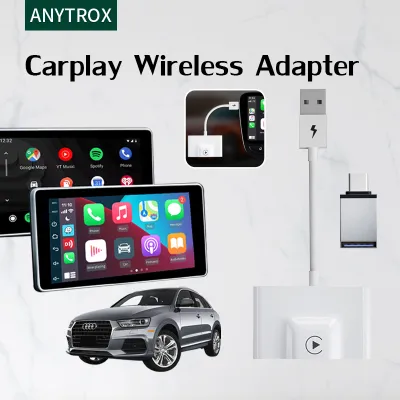
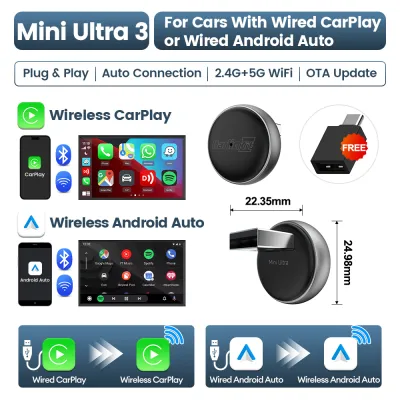
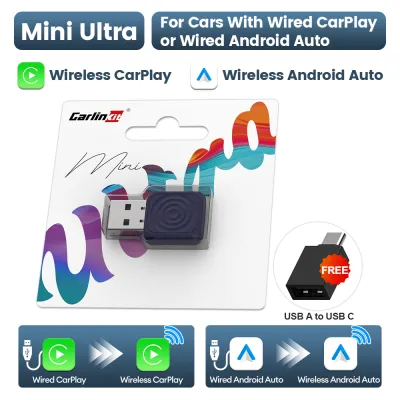
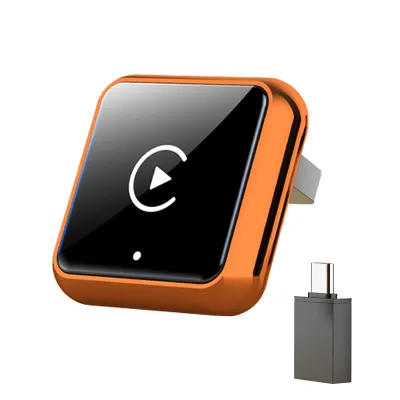
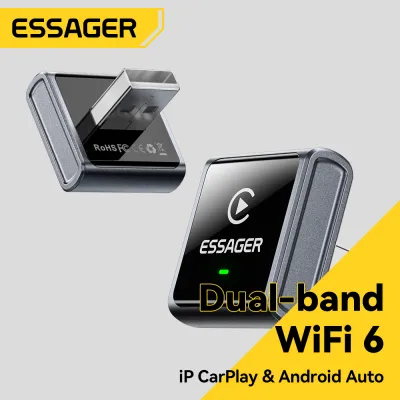
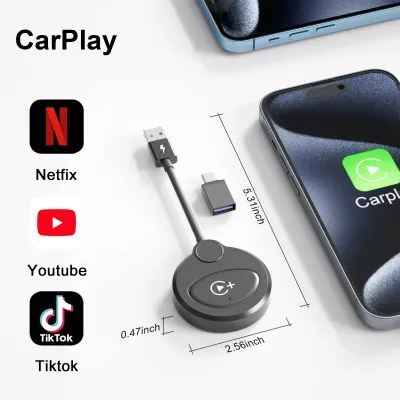
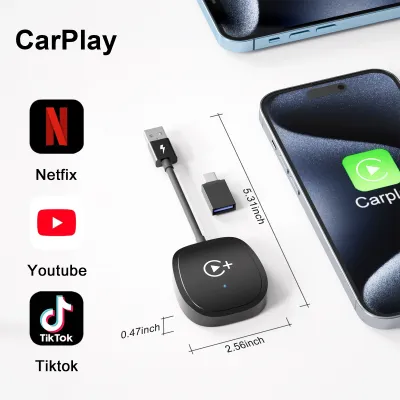
The first step in upgrading your vehicle is distinguishing between a simple wireless adapter and a complete hardware interface module. If your vehicle already features factory-installed wired CarPlay, your upgrade path is straightforward. A wired-to-wireless dongle connects directly to your car’s existing USB data port, acting as a wireless bridge between your iPhone and the factory infotainment system. These dongles use a combination of Bluetooth and Wi-Fi to transmit data, allowing you to keep your phone in your pocket while enjoying full CarPlay functionality on your original screen.
Products mentioned in this guide
![[ SG ] CarlinKit Ai Box Wireless Carplay Adapter Android 13 8-Core 8+128G Built-in GPS Wireless Android Auto Apple Carplay Dongle Car Link Kit Tbox LED 车连易](https://img.lazcdn.com/g/ff/kf/S46cdc75f9378480db20ee29af4e8e255s.jpg_400x400q80.jpg_.webp)
Prices are valid at publication and may change. Please refer to the product page for the latest price.
For vehicles that have a factory screen but completely lack built-in CarPlay support, a simple dongle will not work. Instead, you must look at add-on integration boxes, often referred to as interface modules. These hardware units are installed behind the dashboard, where they physically intercept the video signal between the factory radio and the screen. When activated, the module overrides the factory menu to display a fully functional CarPlay interface on your original screen, preserving the vehicle’s original dashboard aesthetics and factory menus.
If your older vehicle does not have a factory screen, or if the existing screen is too small or low-resolution to be useful, an aftermarket head unit replacement is the most robust solution. This process involves removing the factory radio entirely and installing a new double-DIN or single-DIN touchscreen receiver. Aftermarket head units offer the most stable performance, superior audio processing, and direct compatibility with modern smartphones, though they require specific dashboard trim kits and wiring adapters to match your vehicle’s interior.
Another non-invasive option for older dashboards is a standalone portable CarPlay display. These devices are independent touchscreens that mount directly to your windshield or dashboard using a suction cup or adhesive base. They power via the vehicle’s auxiliary power outlet (cigarette lighter) and transmit audio to your car’s existing stereo system through an auxiliary cable or an FM transmitter. While they add physical clutter to the dashboard, they require zero disassembly and can be easily transferred between different vehicles.
For older luxury vehicles equipped with early-generation navigation screens that only feature auxiliary video inputs, HDMI or AV input adapters offer a niche solution. These adapters convert a digital CarPlay signal from a casting device or specialized module into an analog signal that the older screen can display. However, because these legacy screens lack capacitive touch capabilities, controlling the interface usually requires an external physical remote control or operating the system directly from the smartphone screen, making them less convenient for daily driving.
Essential Compatibility Checks Before Purchasing
Before purchasing any adapter or interface module, you must thoroughly verify your factory head unit’s operating system and firmware version. Many integration boxes and aftermarket interfaces rely on specific software protocols to communicate with the vehicle’s CAN bus system. If your car’s infotainment firmware is outdated, it may fail to recognize the adapter, leading to black screens or unresponsive controls. Check your vehicle manufacturer’s portal or consult owner forums to determine if a system firmware update is required before installing new hardware.

Physical port verification is equally critical when selecting an adapter. Not all USB ports inside a vehicle are designed to transmit data; many older cars feature ports that are strictly wired for charging and lack the data lines necessary to communicate with a CarPlay dongle. You must locate the specific USB port designated for media input, which is often marked with a smartphone or tablet icon. Additionally, ensure the port provides sufficient power output, as wireless adapters typically require a stable 5V/1A power supply to boot up and maintain a strong Wi-Fi connection.
If your upgrade plan involves a standalone display or an integration box, you must assess your vehicle’s available audio inputs. To play CarPlay audio through your car’s speakers, the adapter must connect to the stereo system. A physical AUX port or RCA input is highly preferred, as it delivers clean, uncompressed analog audio. If your car lacks these inputs, you will have to rely on an FM transmitter, which broadcasts the audio over an unused radio frequency. In densely populated urban areas, FM transmitters are highly susceptible to signal bleed and static interference, which can severely degrade audio quality.
Retaining your vehicle’s original convenience features requires careful planning and hardware matching. When installing an integration box or an aftermarket head unit, you must verify that the new hardware supports your factory backup camera, steering wheel controls, and original amplifier. Many premium audio systems use fiber-optic cables or proprietary digital signals to communicate with the factory amplifier. Retaining these systems requires specialized CAN bus decoders or wiring harnesses, which must be purchased separately and matched precisely to your vehicle’s make, model, and trim level.
Evaluating Performance and Usability Trade-offs
While upgrading an older car with CarPlay brings immense convenience, wireless adapters and integration modules introduce specific performance trade-offs compared to factory-wired systems. The most notable difference is connection latency. Because wireless CarPlay transmits high-bandwidth video and audio data over a local 5 GHz Wi-Fi connection, there is an inherent delay of one to two seconds. This latency is most noticeable when skipping music tracks, adjusting the volume, or waiting for turn-by-turn navigation prompts to sync with your actual physical location.
System boot-up and automatic reconnection times also vary significantly between different adapter types. A high-quality wired-to-wireless dongle should ideally connect to your phone and display the CarPlay interface within fifteen to thirty seconds of starting the vehicle. Lower-grade adapters or poorly optimized integration boxes can take over a minute to boot, or worse, fail to reconnect automatically, forcing you to manually open your phone’s Bluetooth settings to re-establish the connection every time you start the car.
Microphone clarity and voice assistant responsiveness are critical for safe driving, yet they are often compromised in aftermarket setups. When using an integration box, the system must route your voice to the phone for Siri commands and hands-free calls. If the module does not integrate cleanly with the car’s factory microphone, you may have to install an external microphone on the steering column or near the rearview mirror. Poor microphone integration can result in excessive cabin noise, echo during phone calls, and frequent misunderstandings by the voice assistant.
Thermal management is another vital consideration, particularly in tropical climates where parked cars are subjected to intense cabin heat. Dashboard temperatures can easily exceed fifty degrees Celsius when parked in direct sunlight. Cheaply manufactured adapters, or integration modules tucked tightly behind the dashboard without adequate ventilation, can overheat rapidly. This leads to thermal throttling, which manifests as sluggish screen transitions, sudden disconnections, or continuous boot loops until the cabin cools down.
Installation Complexity and Safety Boundaries
The difficulty of installing a CarPlay solution ranges from effortless plug-and-play setups to highly complex automotive electrical work. Plug-and-play USB dongles and standalone dashboard displays require no technical expertise; they simply plug into existing ports and mount to the interior surfaces. These options are ideal for drivers who want a risk-free upgrade that can be uninstalled in seconds without leaving any permanent modifications to the vehicle’s interior or wiring.
In contrast, installing an integration box or an aftermarket head unit requires a high level of comfort with automotive disassembly. You must use specialized trim removal tools to pry away delicate plastic dashboard panels without scratching the interior or breaking retaining clips. Once the panels are removed, the factory radio must be unscrewed to access the wiring harnesses behind it. This process requires routing bulky cables, positioning the new module in a secure location where it will not rattle, and ensuring that no wires are pinched when the dashboard is reassembled.
Modifying your vehicle’s electrical system carries inherent safety risks that must not be overlooked. Splicing into factory wiring harnesses or tapping into the wrong fuse can cause electrical shorts, damage sensitive electronic control units, or even trigger airbag warning lights. Furthermore, unauthorized modifications to the factory wiring loom can void any remaining vehicle warranties or complicate future electrical troubleshooting. To minimize these risks, always look for vehicle-specific “plug-and-play” wiring harnesses that plug directly into the factory connectors without requiring you to cut or splice any original wires.
Knowing when to stop and consult a professional is crucial for protecting both your safety and your vehicle’s value. If your installation guide requires tapping into constant 12V power lines, modifying fiber-optic loops, or routing wires through the firewall into the engine bay, you should pause and seek assistance. A certified car audio installer has the specialized tools, diagnostic equipment, and experience necessary to complete the installation safely. Investing in professional installation ensures that all wiring is properly fused, modules are securely mounted, and your vehicle’s electrical integrity remains completely intact.
Frequently Asked Questions (FAQ)
Can I use a CarPlay adapter if my car only has standard Bluetooth?
No, a standard Bluetooth connection does not have the technical capability to support CarPlay. Standard vehicle Bluetooth is designed to transmit low-bandwidth audio data, such as music playback and hands-free voice calls, using basic audio profiles. CarPlay, however, requires a high-bandwidth connection to transmit a continuous, high-resolution video stream of the user interface alongside touch-input data and multi-channel audio.
To achieve CarPlay functionality in a vehicle that only features standard Bluetooth, you must upgrade your hardware. This can be accomplished by installing an aftermarket touchscreen head unit, adding an integration module behind your factory screen, or utilizing a standalone portable CarPlay display. These hardware solutions establish a dedicated local Wi-Fi network alongside a Bluetooth connection to handle the heavy data transmission required by the CarPlay protocol.
Will an aftermarket CarPlay module drain the car battery?
An aftermarket CarPlay module will not drain your car’s battery if it is installed correctly. Car electronics rely on two types of power connections: constant 12V power (which keeps the device’s memory active) and switched accessory (ACC) power (which tells the device to turn on only when the ignition is active). If the module is wired correctly to an ignition-switched power source, it will shut down completely when you turn off the engine and lock the vehicle.
Battery drain, also known as parasitic draw, occurs when a module is incorrectly wired directly to a constant power source, causing it to remain fully powered and searching for your phone even when the car is parked. To prevent this, always use vehicle-specific wiring harnesses that automatically manage the power state via the car’s CAN bus system. If you notice signs of battery drain, such as a sluggish engine start after the car has been parked overnight, you should immediately verify the wiring configuration or consult a professional automotive electrician to test the system’s standby current draw.
Community discussion
Share your experience or ask a question. Comments are reviewed before publication.