
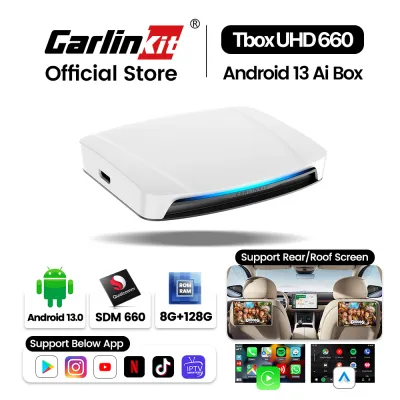
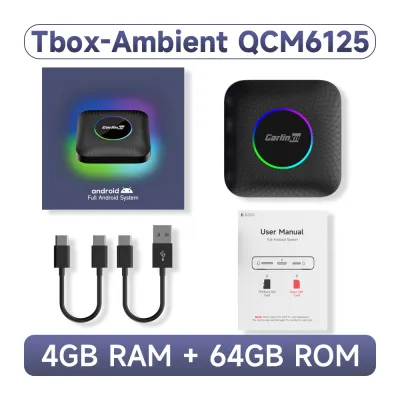
Upgrading an older car’s infotainment system does not have to involve a costly dashboard teardown or a complete head unit replacement. The right connectivity upgrade depends entirely on your older car’s existing head unit interfaces and your daily driving needs. If your vehicle already supports wired Apple CarPlay or Android Auto and you want a full smart interface for streaming and apps, the Carlinkit AI Box is the appropriate choice. However, if your car only has an AUX port or standard USB and you simply need wireless audio and hands-free calling, a basic Bluetooth adapter is the practical, budget-friendly solution. Before purchasing, you must verify your car’s factory specifications to ensure physical and software compatibility.
Making this decision requires looking closely at how you use your vehicle on daily commutes, whether you are navigating busy expressways or waiting in traffic. A mismatch between your expectations and your car’s hardware can lead to frustrating compatibility issues or wasted expenditure. By understanding the technical boundaries of both options, you can select an upgrade that integrates seamlessly into your dashboard and enhances your driving experience safely.
Check Your Car's Head Unit Interfaces First
Before browsing online marketplaces for upgrade hardware, you must conduct a thorough audit of your vehicle’s existing dashboard connections. The physical ports and underlying software protocols of your factory head unit dictate which upgrade paths are actually open to you. Many drivers assume that any modern smart adapter will work in any car, but these devices rely entirely on specific host interfaces to function.
Products mentioned in this guide
![[Android 13.0] Genuine CarlinKit Official Android 13.0 Ai Box Plus Dongle - 4+64GB/8+128GB Wireless CarPlay/Android Auto Adapter - YouTube/Netflix Playback For the Car with Wired CarPlay - Plug & Play Qualcomms® QCM6125](https://img.lazcdn.com/g/p/532090a2fb11c655ed7bd017a014d65c.jpg_400x400q80.jpg_.webp)
![[ SG ] CarlinKit Ai Box UHD Wireless Carplay Adapter Android 13 8-Core 8+128G Built-in GPS HDMI Output Wireless Android Auto Apple Carplay Dongle Car Link Kit Tbox UHD 车连易](https://img.lazcdn.com/g/ff/kf/Sde3aa59de2314a4aa5f47ffa7ee7681cy.jpg_400x400q80.jpg_.webp)
![[ SG ] CarlinKit Ai Box Wireless Carplay Adapter Android 13 8-Core 8+128G Built-in GPS Wireless Android Auto Apple Carplay Dongle Car Link Kit Tbox LED 车连易](https://img.lazcdn.com/g/ff/kf/S46cdc75f9378480db20ee29af4e8e255s.jpg_400x400q80.jpg_.webp)
Prices are valid at publication and may change. Please refer to the product page for the latest price.
To determine if your car can support a Carlinkit AI Box, you must verify whether your factory head unit has built-in, wired Apple CarPlay or Android Auto. This is not merely a physical USB connection; it is a software protocol. You can test this by plugging your smartphone directly into the vehicle’s data-enabled USB port using a certified cable. If the CarPlay or Android Auto interface launches on your dashboard screen, your head unit possesses the necessary software foundation. If plugging in your phone only charges the device or opens a basic media player interface, your car lacks the native integration required for an AI box.
For older vehicles that do not feature these modern software protocols, you must look for analog and basic digital ports. Locate your car’s auxiliary (AUX-in) port, which is typically a 3.5mm jack found on the head unit faceplate, inside the center console, or near the glove compartment. Additionally, identify your available power sources, such as standard USB-A ports or 12V cigarette lighter sockets. Basic Bluetooth receivers require an audio input port to send sound to your car’s speakers and a separate power source to keep the receiver active.
Finally, consult your vehicle’s owner’s manual or manufacturer specifications to check for firmware limitations and port power output. Some older factory USB ports only output 0.5 amperes of current, which may be insufficient to power demanding external adapters reliably. Understanding these electrical and software baselines prevents the common mistake of purchasing an advanced adapter that your car’s electrical system or head unit firmware cannot support.
Carlinkit AI Box: Smart Features and Strict Requirements
The Carlinkit AI Box is essentially a compact, self-contained Android computer that plugs directly into your car’s data port. Instead of simply mirroring your phone, it utilizes your vehicle’s existing wired CarPlay or Android Auto architecture as a display and input bridge. Once connected, it overrides the standard interface to present a full Android operating system on your dashboard screen, allowing you to run standalone applications, download software from app stores, and stream media directly.

This advanced functionality comes with strict hardware prerequisites. Because the AI box operates by mimicking a smartphone to establish a connection, your vehicle must have a factory-installed wired CarPlay or Android Auto module. If your car’s head unit does not support these wired protocols natively, the AI box cannot boot or display its interface. It cannot bypass this requirement, meaning it is incompatible with older, purely analog head units or aftermarket systems that lack the specific communication protocols.
While the prospect of having a full smart interface on your dashboard is appealing, you must consider several practical trade-offs. Because the device is a complete computer, it requires a boot sequence every time you start your vehicle, which can introduce a delay before your audio or navigation is ready. Furthermore, performance depends heavily on your head unit’s native screen resolution and touch responsiveness. If your older car features a resistive touchscreen rather than a modern capacitive glass display, navigating the Android interface may feel sluggish or less precise. You must verify your specific car model’s screen compatibility and resolution settings in the manufacturer’s documentation before committing to this upgrade.
Basic Bluetooth Adapters: Audio Simplicity for Older Ports
If your primary goal is simply to play music, listen to podcasts, and take hands-free calls without dealing with tangled cables, a basic Bluetooth adapter offers a highly reliable and cost-effective solution. These devices do not attempt to modify your car’s visual interface or run complex software. Instead, they act as a wireless bridge, receiving audio signals from your smartphone via Bluetooth and transmitting them directly into your car’s existing sound system.
The hardware prerequisites for a basic Bluetooth receiver are exceptionally simple and universally compatible with almost any older vehicle. The adapter typically plugs directly into your car’s 3.5mm AUX-in port to deliver the audio signal. Power is drawn from a nearby USB port or a 12V cigarette lighter adapter. Because they do not rely on complex software handshakes or proprietary vehicle protocols, these adapters are truly plug-and-play, making them an excellent choice for older models that predate the smart-screen era.
However, choosing this path means accepting certain functional limitations. A basic Bluetooth adapter provides no visual interface on your car’s dashboard screen; your head unit will simply display “AUX” or remain blank. You must rely entirely on your smartphone mounted on a secure dashboard holder for navigation, playlist selection, and caller identification. Additionally, the overall audio quality is bound by the physical limitations of your car’s native AUX input and the digital-to-analog converter inside the adapter. If your vehicle’s AUX port is prone to electrical interference or ground loop noise, you may hear a faint hum or hiss during quiet passages of music.
Decision Framework: Which Upgrade Fits Your Daily Drive?
Selecting the right upgrade requires balancing your vehicle’s physical compatibility, your daily driving habits, and your budget. To make an informed choice, you must evaluate how you interact with your car’s infotainment system during your daily commute.
You should choose the Carlinkit AI Box if your vehicle already supports wired CarPlay or Android Auto, you frequently spend long periods waiting in your parked car, and your budget accommodates a premium accessory. The AI box transforms your stationary cabin into a mobile entertainment hub, allowing passengers to enjoy streaming services or apps during road trips or long waiting times. This option is ideal for drivers who want a fully integrated, modern smart-screen experience without replacing the entire factory dashboard assembly.
Conversely, you should opt for a basic Bluetooth adapter if your car only features analog AUX and USB ports, your primary need is seamless wireless audio playback, and you prefer a straightforward, budget-friendly solution. This setup is highly reliable, boots up almost instantly when you start the engine, and keeps your dashboard uncluttered. It is the logical choice for drivers who prefer using their smartphone screen for navigation and do not require video playback or standalone apps on the dashboard.
If your vehicle has an aftermarket head unit installed by a previous owner, you must exercise extra caution. Aftermarket systems often follow different compatibility rules, wiring configurations, and firmware protocols than factory-installed units. Before purchasing either upgrade, verify the aftermarket manufacturer’s specifications to ensure the USB ports support data transfer and that the system is compatible with external smart modules.
| Feature | Carlinkit AI Box | Basic Bluetooth Adapter |
|---|---|---|
| Interface Required | Factory Wired CarPlay / Android Auto | 3.5mm AUX-in & USB or 12V Power |
| Primary Use Case | Standalone Apps, Video Streaming, Smart Interface | Wireless Audio Streaming & Hands-Free Calls |
| Visual Interface | Full Android OS on Car Screen | None (Relies entirely on phone screen) |
| Installation Complexity | Plug-and-play via data USB | Plug-and-play via AUX and power ports |
| Estimated Budget Tier | Premium (Typically S$100 to S$300+) | Budget-friendly (Typically under S$40) |
Installation Safety and Singapore Driving Regulations
When upgrading your vehicle’s electronics, safety and compliance with local laws must remain your top priorities. In Singapore, the Road Traffic Act strictly regulates driver distraction. It is an offence for a driver to hold or operate a mobile communication device while the vehicle is in motion. Furthermore, displaying video content or moving images on a screen visible to the driver while driving is highly dangerous and can lead to prosecution. If you install a Carlinkit AI Box, you must ensure that video streaming applications are only used when the vehicle is safely parked. Using these features while navigating traffic poses a severe safety risk to yourself and other road users.
Physical installation also requires careful attention to detail. When routing cables for your Bluetooth adapter or positioning your AI box, practice strict cable management. Loose wires hanging across the dashboard can easily become entangled with your gear shifter, steering column, or wiper stalks. Use adhesive cable clips to secure all wiring flat against the console, keeping the driver’s footwell completely clear of any potential obstructions near the accelerator and brake pedals.
If your older car’s ports are damaged, or if you wish to integrate a hardwired Bluetooth module behind the dashboard for a cleaner look, do not attempt to splice into the vehicle’s main wiring harness yourself. Improper electrical work can damage sensitive electronic control units or void your insurance coverage. In such cases, stop and consult a qualified professional car audio installer in Singapore to perform the installation safely and ensure all connections are properly fused.
Frequently Asked Questions (FAQ)
Will a Carlinkit AI Box work if my car only has an AUX port?
No, the Carlinkit AI Box will not function if your vehicle only has an AUX port. The device requires a high-speed USB data connection and a factory-installed wired Apple CarPlay or Android Auto software protocol to communicate with your car’s screen. An AUX port only transmits analog audio signals and cannot display video or transfer data.
Do basic Bluetooth adapters drain the car battery when parked?
This depends entirely on how your vehicle’s USB or 12V cigarette lighter ports are wired. In many older cars, these ports lose power immediately when the ignition is turned off, meaning the adapter will shut down and draw zero power. However, if your car’s ports remain constantly powered even when the key is removed, a plugged-in adapter will continue to draw a small amount of current. To prevent battery drain during extended parking periods, you should unplug the adapter when leaving the vehicle.
Can I use steering wheel controls with either upgrade?
Steering wheel control integration varies significantly between the two devices. A Carlinkit AI Box typically supports native steering wheel controls, such as volume adjustment and track skipping, because it integrates directly with the car’s factory CarPlay or Android Auto system protocols. For basic Bluetooth adapters, volume controls on the steering wheel will work because they adjust the car’s master volume, but track skipping buttons may not always transmit commands back to your phone, depending on the specific adapter’s Bluetooth profile and your car’s head unit integration.
Community discussion
Share your experience or ask a question. Comments are reviewed before publication.