
Choosing between a dedicated Carlink head unit and a smartphone navigation setup depends on whether you prioritize seamless dashboard integration and offline reliability or zero upfront costs and instant, crowd-sourced traffic updates. For daily driving in Singapore’s dense urban environment, both options offer distinct advantages in visibility, routing efficiency, and overall convenience. Navigating complex expressway interchanges, underground tunnels, and ERP gantries requires a system that is both accurate and easy to read at a glance. Understanding how each setup performs under local driving conditions will help you determine the best investment for your vehicle.
Display Integration and Driving Ergonomics
A dedicated Carlink head unit is designed to fit directly into your vehicle’s double-DIN dashboard slot, creating a clean, factory-installed appearance that preserves the interior design of your cabin. These units typically feature larger screens, often ranging from 7 to 10 inches, which are positioned at an optimal viewing angle that does not block your view of the road. Many dedicated screens incorporate anti-glare coatings, making them easier to read under the bright, direct sunlight common in Singapore. This permanent placement also ensures that the screen remains stable, reducing vibrations compared to temporary mounts when driving over speed bumps or uneven road surfaces.
In contrast, relying on a smartphone requires a physical mount attached to the windscreen, dashboard, or air vents. While convenient, these mounts can create physical blind spots or clutter the dashboard area, potentially affecting your field of vision. Under intense sunlight, smartphone screens can suffer from severe glare, making map details difficult to read. Furthermore, the heat buildup behind the windscreen can cause the phone to dim its display automatically or shut down entirely to protect its internal battery from overheating.
Products mentioned in this guide
![[ SG ] CarlinKit Ai Box Wireless Carplay Adapter Android 13 8-Core 8+128G Built-in GPS Wireless Android Auto Apple Carplay Dongle Car Link Kit Tbox LED 车连易](https://img.lazcdn.com/g/ff/kf/S46cdc75f9378480db20ee29af4e8e255s.jpg_400x400q80.jpg_.webp)
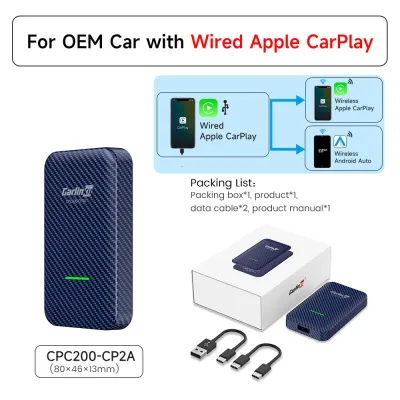
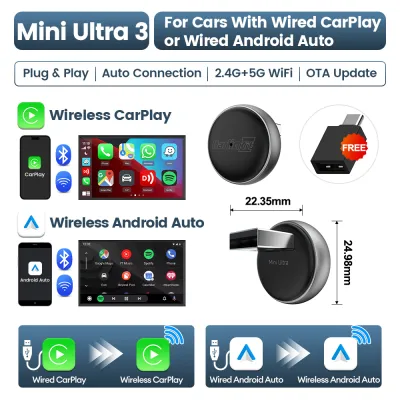
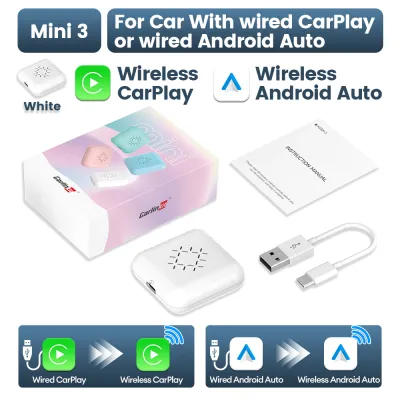
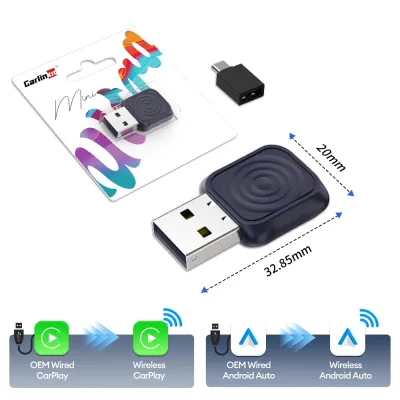
Prices are valid at publication and may change. Please refer to the product page for the latest price.
Interaction while driving also differs significantly between the two setups. Dedicated Carlink systems often integrate directly with your vehicle’s existing steering wheel controls, allowing you to adjust volume, skip tracks, or mute navigation prompts without taking your hands off the wheel. Smartphone setups require you to interact directly with the phone’s smaller touch interface, which can be challenging while driving and may divert your attention from traffic. A dedicated screen offers larger touch targets and a more simplified menu structure designed specifically for in-car use.
Map Data, Traffic Routing, and Update Cycles
Navigating Singapore’s rapidly changing road network, including ERP gantries, temporary construction diversions, and new housing estate roads, requires highly responsive mapping. Smartphone navigation apps excel at real-time routing because they rely on continuous cellular data and crowd-sourced traffic information. This allows them to suggest alternative routes instantly when congestion builds up on major expressways like the PIE, CTE, or KPE, helping you avoid unexpected delays during peak hours.

Dedicated Carlink units often rely on onboard GPS receivers and pre-loaded offline maps stored on internal memory or an SD card. This offline capability ensures that navigation remains functional even when driving through long underground tunnels, such as the Marina Coastal Expressway (MCE), where cellular signals can occasionally drop or become unstable. However, these offline maps do not update automatically; they typically require manual downloads via Wi-Fi or a USB drive, and some manufacturers may charge a subscription fee for map updates after an initial promotional period.
For drivers who require up-to-the-minute accuracy regarding sudden road closures, ERP rate changes, or active traffic incidents, the dynamic updates of smartphone apps offer a clear advantage. Dedicated systems can match this responsiveness only if they support live traffic data feeds, which usually require tethering the unit to your phone’s mobile hotspot or inserting a dedicated SIM card. Without these active data connections, a dedicated unit’s routing may not account for sudden traffic build-ups or temporary road diversions.
Connectivity, Audio Quality, and Distraction Management
Managing audio and communication without losing focus on the road is a critical safety consideration for any driver. Dedicated Carlink systems are wired directly into the vehicle’s electrical and audio systems, providing a stable connection that minimizes audio lag and interference. When making hands-free calls, these units utilize external microphones positioned closer to the driver, resulting in clearer voice transmission and better ambient noise cancellation than a mounted smartphone’s internal microphone.
Smartphone setups rely heavily on Bluetooth or auxiliary cables to route audio through the car speakers. While functional, wireless Bluetooth connections can occasionally suffer from pairing drops, audio-to-video sync delays, or interference from other electronic devices in the cabin. Furthermore, a mounted phone displays all incoming notifications, text messages, and app alerts by default, which can create dangerous visual distractions while navigating complex junctions or heavy traffic.
Dedicated systems help manage these distractions by filtering notifications through a simplified driving interface. They prioritize voice assistant integration, allowing you to control navigation, send messages, and make calls using voice commands. This keeps your eyes on the road and your hands on the wheel, significantly reducing cognitive load during busy commutes. The larger display also allows for split-screen layouts, showing navigation and media controls simultaneously without cluttering the screen.
Upfront Costs and Long-Term Value
The financial commitment of these two options represents a major point of divergence for vehicle owners. Installing a dedicated Carlink head unit involves a notable upfront investment. Drivers must purchase the hardware and typically pay professional installation fees at a local car audio workshop to ensure proper wiring, dashboard trim integration, and steering wheel control mapping. These combined costs can vary significantly depending on the brand, screen size, and vehicle model, so it is best to consult a local car accessories workshop for an accurate quote.
Additionally, some dedicated systems may incur ongoing costs, such as paid map subscription renewals after the first few years of ownership. In contrast, using a smartphone for navigation requires almost no upfront cost, assuming you already own a compatible device. The only immediate expense is a high-quality dashboard or vent mount, which is highly affordable and can be easily transferred between different vehicles.
However, relying solely on a smartphone has hidden long-term costs. Running GPS navigation with the screen at maximum brightness while constantly charging the device generates significant heat. Over time, this thermal stress can accelerate smartphone battery degradation, potentially leading to reduced battery life or premature device replacement. For drivers who spend hours on the road daily, the wear and tear on a premium smartphone may eventually offset the initial savings of avoiding a dedicated head unit.
Final Verdict: Which Navigation System Should You Choose?
To make the right choice for your daily drive, evaluate your budget, vehicle compatibility, and driving habits.
Choose a dedicated Carlink system if you prioritize a clean, integrated dashboard aesthetic, want reliable offline navigation that works in tunnels, and prefer more stable audio integration with physical steering wheel controls. This option is ideal for drivers who plan to keep their vehicles long-term and want a permanent upgrade to their cabin experience.
Choose smartphone navigation if you want to avoid upfront hardware and installation costs, prefer the absolute latest crowd-sourced traffic data, and do not mind mounting your phone on the dashboard. This setup is highly flexible and works well for drivers of rental cars, short-term leased vehicles, or those who upgrade their phones frequently.
Before making a purchase, verify your vehicle’s dashboard compatibility and check if a matching wiring harness is available for your specific car model. If you decide on a dedicated unit, consult a professional installer to confirm whether your steering wheel controls and factory reverse cameras can be successfully integrated with the new system.
Frequently Asked Questions (FAQ)
Can I use my smartphone apps on a dedicated Carlink screen?
Dedicated Carlink systems operate primarily as standalone navigation units with their own built-in software and offline maps. However, many modern units also support smartphone integration features like Apple CarPlay or Android Auto, either wirelessly or via a USB connection. If your dedicated unit includes these features, you can project compatible navigation, music, and messaging apps directly onto the dashboard screen, combining the physical benefits of a built-in display with the real-time data of your phone. Always check the product specifications to confirm which projection features are supported before buying.
Does using phone navigation drain my car battery?
Using your smartphone for navigation does not drain your car’s battery while the engine is running, as the vehicle’s alternator continuously generates electricity to power the car’s electronics and charge the 12V battery. However, the navigation process does place a heavy load on your phone’s internal battery. To prevent your phone from running out of power, you will need to keep it connected to a car charger. A dedicated Carlink head unit avoids this issue entirely by drawing its operating power directly from the vehicle’s electrical system through a professional wiring harness.

Community discussion
Share your experience or ask a question. Comments are reviewed before publication.