
Quick Answer: Which Navigation Setup Should You Choose?
Navigating Singapore’s highly dynamic road network requires a reliable system that balances safety, convenience, and accuracy. Choosing between built-in car navigation and smartphone-based systems depends on your specific driving habits, budget constraints, and existing vehicle hardware.
Choose smartphone navigation with a car phone mount if you prioritize real-time crowd-sourced traffic updates, prefer familiar app interfaces, want to avoid high hardware costs, and frequently drive in areas with sudden congestion or temporary road closures. This setup offers the most agile routing for daily commuters who need to bypass unexpected bottlenecks on major expressways.
Choose built-in car navigation (or a dedicated head unit upgrade) if you value a clean dashboard aesthetic, require seamless integration with steering wheel controls and reverse cameras, prefer a larger anti-glare screen, and often drive in areas with poor cellular reception where offline maps are critical. This option provides a permanent, integrated experience that minimizes cabin clutter.
Products mentioned in this guide
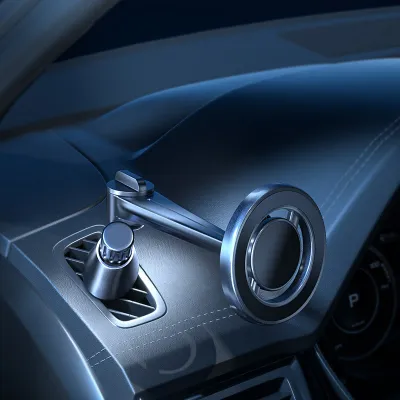
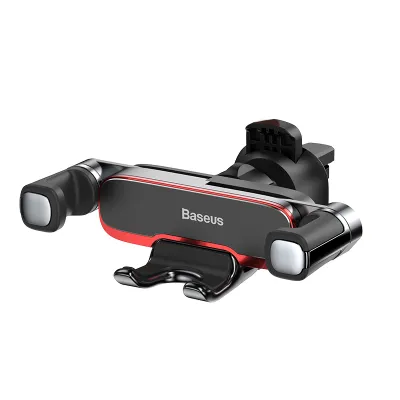

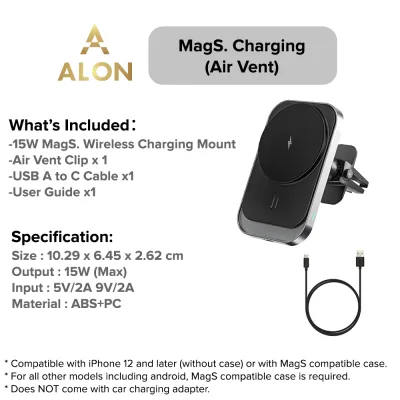
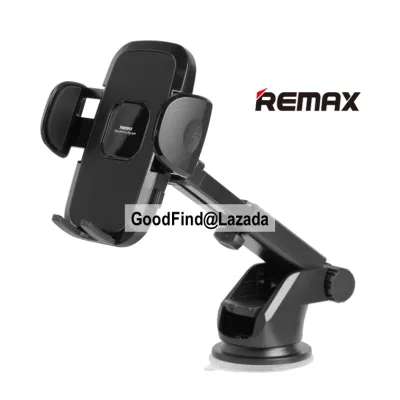
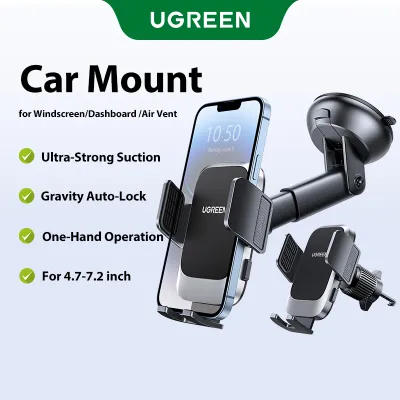

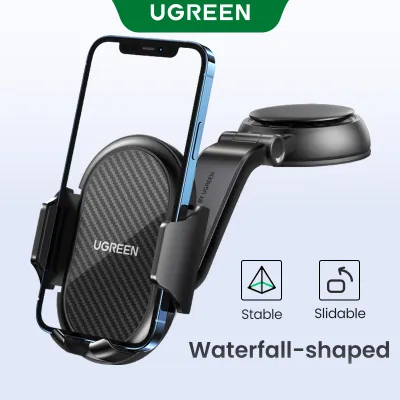
Prices are valid at publication and may change. Please refer to the product page for the latest price.
Verify first if your current head unit supports Apple CarPlay or Android Auto. This technology bridges the gap by projecting phone navigation directly onto the built-in screen, potentially eliminating the need for either a new head unit or a standalone mount. Checking this compatibility can save you significant time and expense before you make a purchasing decision.
Real-Time Traffic and Routing Accuracy
Singapore’s road network is subject to rapid changes, from peak-hour Electronic Road Pricing (ERP) fluctuations to sudden lane closures on the Pan Island Expressway (PIE) or Central Expressway (CTE). Smartphone navigation apps leverage crowd-sourced data from thousands of active users to provide real-time updates. This allows the software to detect slow-moving traffic instantly and suggest faster alternative routes before you get stuck in a bottleneck.

These smartphone applications receive continuous, automatic map updates over the air. New housing estates, updated slip roads, and temporary diversions are reflected in the routing algorithms almost immediately. For drivers who navigate complex, evolving urban areas daily, this rapid adaptation is a significant advantage.
In contrast, built-in navigation systems often rely on pre-loaded map databases stored on internal hard drives or SD cards. Updating these maps typically requires a manual process, such as downloading files to a USB drive or visiting an authorized service center. If the map data is outdated, the system may fail to recognize new roads or permanent traffic flow changes, leading to routing errors.
Local routing nuances also favor smartphone platforms, which frequently integrate ERP gantry locations and operating schedules. This integration allows the software to calculate the most cost-effective route, factoring in current toll prices. Traditional built-in systems rarely update these dynamic toll structures in real time, which can lead to unexpected charges on your monthly bill.
However, smartphone navigation has a notable vulnerability when cellular signals drop. In Singapore’s extensive underground road network, including the Marina Coastal Expressway (MCE) and Kallang-Paya Lebar Expressway (KPE), cellular reception can become weak or completely unavailable. When this occurs, smartphone apps may lose tracking, freeze, or fail to alert you to upcoming exits.
Built-in navigation systems overcome this limitation by using dedicated external GPS antennas and dead reckoning technology. By connecting directly to the vehicle’s wheel speed sensors and internal gyroscopes, these systems continue to track your position accurately even when deep underground or inside multi-story basement car parks. This ensures uninterrupted guidance when navigating complex subterranean junctions.
Interface, Usability, and Screen Visibility
Smartphone screens feature high-resolution displays and highly responsive capacitive touch interfaces that most drivers are already accustomed to. The familiar pinch-to-zoom gestures and search functions make entering destinations quick and intuitive. However, the relatively small screen size of a smartphone can make reading detailed map labels or complex lane guidance diagrams challenging while driving.
Built-in head units offer much larger displays, often ranging from 8 to over 12 inches. These screens are designed specifically for automotive environments, featuring matte anti-glare coatings that reduce reflections from harsh sunlight. They are also positioned ergonomically on the dashboard to minimize the distance your eyes must travel from the road.
Visibility under varying light conditions is another key differentiator. Built-in screens integrate directly with the vehicle’s ambient light sensors and headlight switch. When you enter a dark tunnel or drive at night, the screen automatically switches to a dark theme and dims its backlight to prevent night blindness. Smartphones often rely on software-based light detection, which can lag or fail to adjust properly under rapid lighting changes.
Physical stability is critical for both safety and usability. A smartphone requires a high-quality car phone mount to remain securely positioned at eye level. Low-grade or improperly secured mounts can vibrate excessively, making the map difficult to read, or fail entirely during sudden braking. A built-in screen is physically integrated into the dashboard, eliminating any risk of movement or detachment.
Singapore’s tropical climate exposes car interiors to intense solar heat, especially when parked in open-air lots. Running intensive navigation apps while simultaneously charging a smartphone in direct sunlight can cause the device to overheat rapidly. When a phone overheats, it may dim its screen, throttle performance, or shut down completely to protect the battery. Built-in head units are housed securely within the dashboard and equipped with dedicated cooling systems to handle high operating temperatures.
Cost Comparison: Car Phone Mount vs Head Unit Upgrade
Choosing the smartphone route is highly economical. If you already own a capable smartphone, your primary expense is a reliable car phone mount. High-quality mounts are widely available within a modest price band, making this a highly accessible solution for budget-conscious drivers.
Upgrading to an aftermarket head unit with built-in navigation represents a substantial financial commitment. Premium head units from established electronics manufacturers require a significant upfront investment. While these units offer robust features and excellent screen quality, the initial cost is considerably higher than a simple mounting accessory.
Secondary costs must also be factored into a head unit upgrade. Replacing a factory radio is rarely a straightforward process. You will typically need to pay for professional installation fees, specialized wiring harnesses, and custom dashboard fascia adapters to ensure the new unit fits your vehicle’s specific interior trim. Some built-in systems also require recurring subscription fees to maintain live traffic data and map updates.
Any aftermarket head unit installation involves modifying the vehicle’s electrical wiring. It is critical to consult your vehicle’s original manufacturer documentation and seek qualified professional installation to avoid voiding warranties, damaging sensitive electronics, or creating electrical hazards. Improperly wired head units can drain the car battery or interfere with other onboard computer systems.
In terms of long-term value, a car phone mount offers excellent adaptability. When you upgrade your smartphone, your navigation hardware and processing speed automatically upgrade as well. A built-in head unit’s hardware and software will age with the vehicle. Over several years, the built-in system may become sluggish, and the manufacturer may eventually stop providing map updates, leading to gradual obsolescence.
Vehicle Integration and Audio Control
Built-in navigation systems excel in their deep integration with the vehicle’s hardware. When a navigation voice prompt is active, the system automatically lowers the volume of the radio or media playback, plays the instruction clearly through the car’s speakers, and then smoothly restores the music volume. This seamless audio ducking ensures you never miss a turn due to loud music.
This integration extends to the steering wheel controls. Drivers can interact with navigation prompts, adjust volume, or trigger voice commands directly from the steering wheel buttons, keeping their hands safely on the wheel. Built-in systems also coordinate with safety features, such as temporarily overlaying or pausing the navigation display when the reverse camera or parking sensors are activated.
When using a standalone car phone mount, routing audio through the car’s speakers requires a Bluetooth or auxiliary connection. This setup can introduce noticeable audio latency, causing voice prompts to play slightly after you have already passed a turn. If your car’s audio system is set to an offline source like FM radio, navigation prompts from the phone may not play through the car speakers at all, forcing you to rely on the phone’s internal speaker.
Bluetooth connections can also be prone to occasional pairing drops or interference, which can disrupt your navigation guidance mid-drive. Managing phone calls while navigating can also be clumsy on a standalone phone, as incoming call screens can block the map display at critical moments.
Smartphone projection systems, such as Apple CarPlay and Android Auto, serve as the ideal middle ground. If your vehicle’s existing head unit supports these protocols, it projects your phone’s navigation apps onto the built-in dashboard screen while utilizing the car’s native audio ducking, steering wheel controls, and microphone systems. Drivers should verify their vehicle’s compatibility before purchasing new hardware, as this integration often provides the best overall user experience.
How to Choose the Right Car Phone Mount
If you decide that smartphone navigation fits your needs, selecting the correct car phone mount is essential for safety, stability, and legal compliance. You must evaluate different mounting types based on your specific vehicle interior and driving habits.
- Air Vent Clips: These mounts are popular because they keep the smartphone cool by placing it directly in front of the air conditioning flow, mitigating overheating issues. However, they block airflow to the cabin, and the weight of modern, heavy smartphones can strain or damage fragile vent slats over time.
- Dashboard Suction Cups: These offer flexible positioning, placing the phone closer to your natural line of sight. However, intense tropical heat can degrade the suction gel, causing the mount to fall unexpectedly, and adhesive bases can leave permanent marks on soft-touch dashboard materials.
- Windshield Mounts: These provide excellent visibility but can obstruct your forward view of the road. They are also highly exposed to direct sunlight, which accelerates phone overheating and causes suction cups to lose adhesion over time.
Evaluate the grip mechanism that best suits your daily routine. Magnetic mounts offer unmatched convenience for quick mounting and removal, but they require attaching a metal plate to your phone, which can block wireless charging and interfere with internal compass sensors. Auto-clamping and gravity-based mounts provide secure mechanical retention but are bulkier and can rattle when empty.
Safety and legal compliance are paramount. Singapore traffic regulations strictly prohibit holding or operating a mobile communication device while driving. Your mount must be positioned where it does not obstruct your view of the road or block critical dashboard displays. It must also be installed completely outside the deployment zones of the steering wheel, passenger, and side-curtain airbags. Consult your vehicle’s owner manual to locate these deployment zones, as a phone positioned in front of an airbag can become a dangerous projectile in an accident.
Finally, verify that the mount’s specified weight capacity is compatible with your smartphone model. Take into account the added weight of heavy-duty or wallet-style protective cases, as an overloaded mount is highly likely to fail on bumpy roads or during sudden maneuvers.
Frequently Asked Questions (FAQ)
Does using phone navigation drain the battery quickly?
Yes, running GPS tracking, continuous cellular data transfer, and keeping the screen illuminated at high brightness levels causes rapid power consumption. To prevent the battery from draining during long drives, you should use a mount with integrated wireless charging or connect the device to a high-output wired car charger, such as a 2.4A or Power Delivery compatible adapter plugged into the vehicle’s accessory socket.
Can I use a dashboard car phone mount on a textured surface?
Standard suction cups require a perfectly smooth, non-porous surface to create a vacuum seal, meaning they often fail to adhere securely to textured, leather-wrapped, or curved dashboards. To resolve this, you can install a specialized adhesive dashboard pad, which provides a flat, smooth plastic surface for the suction cup to grip, or choose alternative mounting options such as air vent clips or CD-slot mounts that do not rely on surface suction.
Community discussion
Share your experience or ask a question. Comments are reviewed before publication.